Badges update automatically and link to the mod page on MineUniverse.
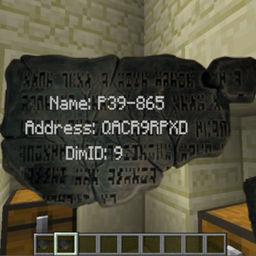
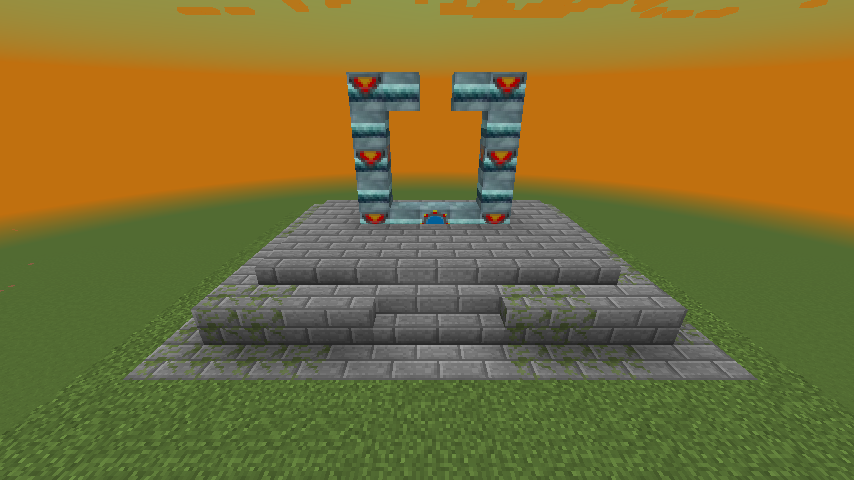
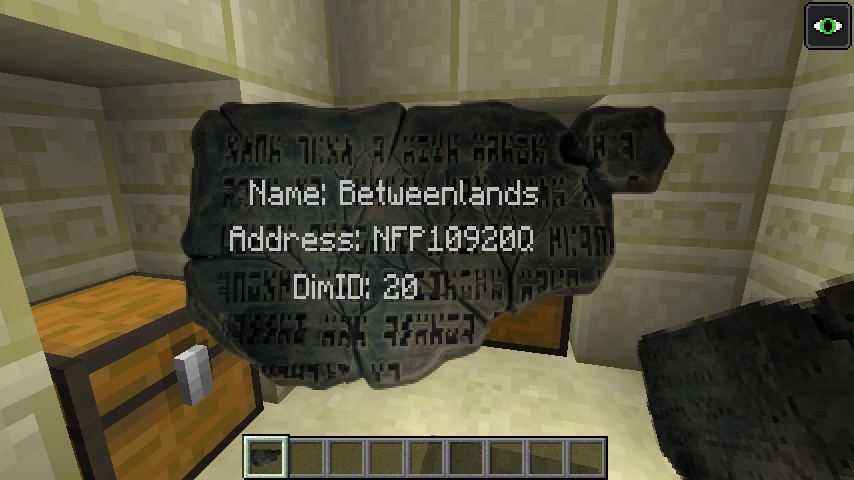
Adds in commands that can be used in conjunction with World Primer & Just Enough Dimensions to pre-generate Stargates in specified dimensions along with being to obtain these Stargate addresses as loot or via command.
Will create a json file in world-save\sgextras called SGGateAddress.json
{
  "SGAddress": [
    {
      "CustomName": "Earth",
      "Address": "RFR2Z70RO",
      "DimID": 0,
      "AllowAsLoot": false,
      "AllowProtection": false,
      "BlockPos": [
        {
          "X": -12,
          "Y": 65,
          "Z": 255
        }
      ],
      "Orientation": 1,
      "Facing": 0
    },
    {
      "CustomName": "Abydos",
      "Address": "S56UCXTUB",
      "DimID": 8,
      "AllowAsLoot": true,
      "AllowProtection": true,
      "BlockPos": [
        {
          "X": 706,
          "Y": 65,
          "Z": -18
        }
      ],
      "Orientation": 2,
      "Facing": 0
    },
    {
      "CustomName": "Netu",
      "Address": "LJ292GYAY",
      "DimID": 10,
      "AllowAsLoot": true,
      "AllowProtection": true,
      "BlockPos": [
        {
          "X": -1057,
          "Y": 94,
          "Z": -2055
        }
      ],
      "Orientation": 1,
      "Facing": 0
    },
    {
      "CustomName": "End",
      "Address": "O1LASQ4YS",
      "DimID": 11,
      "AllowAsLoot": false,
      "AllowProtection": true,
      "BlockPos": [
        {
          "X": -10000,
          "Y": 64,
          "Z": -3870
        }
      ],
      "Orientation": 1,
      "Facing": 0
    },
    {
      "CustomName": "MiningDim",
      "Address": "RFR2Z7008",
      "DimID": -9999,
      "AllowAsLoot": true,
      "AllowProtection": true,
      "BlockPos": [
        {
          "X": -12,
          "Y": 66,
          "Z": 255
        }
      ],
      "Orientation": 1,
      "Facing": 0
    },
    {
      "CustomName": "Moon",
      "Address": "RFR2Z70FX",
      "DimID": -28,
      "AllowAsLoot": true,
      "AllowProtection": true,
      "BlockPos": [
        {
          "X": -12,
          "Y": 65,
          "Z": 255
        }
      ],
      "Orientation": 1,
      "Facing": 0
    },
    {
      "CustomName": "TwilightForest",
      "Address": "RFR2Z706E",
      "DimID": 7,
      "AllowAsLoot": true,
      "AllowProtection": true,
      "BlockPos": [
        {
          "X": -12,
          "Y": 65,
          "Z": 255
        }
      ],
      "Orientation": 1,
      "Facing": 0
    },
    {
      "CustomName": "Betweenlands",
      "Address": "RFR2Z70WU",
      "DimID": 20,
      "AllowAsLoot": true,
      "AllowProtection": true,
      "BlockPos": [
        {
          "X": -12,
          "Y": 65,
          "Z": 255
        }
      ],
      "Orientation": 1,
      "Facing": 0
    }
  ]
}
Currently only working with forge SP/MP & forge server, not working yet with Spongeforge.
Items Added:
- This block is just a fake player that right-clicks on loop, was using to activate chunkloader (The Weirding Gadget) when chunk loader is placed using the setblock command.
- The activator block is not required for small structures but may be useful for large structures if the structure is not being completed by the time the chunk unloads.
- see example worldprimer.cfg dim 9
Commands:
Config Options:
Note on loot:
Loot will not generate on first world load as it is created from the entry's in the SGGateAddress.json which is created on first world/server load.
So once all pre-gen commands have completed you will need to re-start world/server for loot to generate.
Method to pre-generate Stargates:
Create an instance of MC and run once to generate the config files for the mods below.
Mods used:
In the below examples I am also creating Stargates in Galacticraft, Betweenlands, TwilightForest & ExtraUtilities dimensions.
You should be able to use any mod you prefer to create your structures but in this example I am using World Primer and creating a schematic file.
Create a structure:
Structures can be created with the following command:
this will create the a structure file in config\worldprimer\structures
Once you have created your structures for each dimension you will need to work out x,y,z offsets accordingly, I suggest using the place structure command to figure out the offsets needed to get the positions of
Structures used in examples:
World primer config:
We be using DimensionLoadingCommands, postWorldCreationCommands & TimedCommands to pre-gen the structures.
So set the following to true in the config file.
Create and save your dimensions.json to config\justenoughdimensions folder. You can use the example one below to test.
Example dimensions.json
Next is adding all commands needed to the worldprimer.cfg
Commands are run over a number of dimensions loads
IE, dim loads 1st time and 1st load cmds are run then unloads, dim gets reloaded then 2nd load cmds are run.
Copy the DimensionLoadingCommands, postWorldCreationCommands & TimedCommands from below example to your worldprimer.cfg
Example worldprimer.cfg
Run MC and create a new world
wait for all commands to complete, if using the example wait for "Loading Dims Third Time!" to display as this is last set of timed commands in worldprimer.cfg
check the SGGateAddress.json to confirm all gate entry's have been added ok.
Example of generated SGGateAddress.json
Explanation of commands used:
worldprimer place-structure {SPAWN_POINT_X} {SPAWN_POINT_Y}-1 {SPAWN_POINT_Z} stargate none none centered
setblock {SPAWN_POINT_X} {SPAWN_POINT_Y}+5 {SPAWN_POINT_Z}-1 sgcraft:stargatering
blockdata {SPAWN_POINT_X} {SPAWN_POINT_Y}+1 {SPAWN_POINT_Z}-1 {hasChevronUpgrade:1b}
blockdata {SPAWN_POINT_X} {SPAWN_POINT_Y}+1 {SPAWN_POINT_Z}-1 {inventory:[{slot:0,id:"minecraft:stone_slab",Count:1b,Damage:5s},{slot:1,id:"minecraft:stone_slab",Count:1b,Damage:5s},{slot:2,id:"minecraft:stone_slab",Count:1b,Damage:5s},{slot:3,id:"minecraft:stone_slab",Count:1b,Damage:5s},{slot:4,id:"minecraft:stone_slab",Count:1b,Damage:5s}]}
setblock {SPAWN_POINT_X}-3 {SPAWN_POINT_Y} {SPAWN_POINT_Z}+5 sgcraft:stargatecontroller 3
Note:
Once all commands have completed I would check the SGGateAddress.json to confirm all Stargate entry's have been added.