Mineuniverse
Mods
Server Discord Bot

Server Discord Bot

MOD
A Minecraft mod that links your server with a Discord bot.
by Fooze
Download Claim this project
27 downloads
0 likes
Updated Oct 14, 2026
0 hypes
Cosmetic Server Utility Utility & QoL
Advertisement Remove ads with Premium →

Server Discord Bot

A Minecraft mod that links your server with a Discord bot.

Features

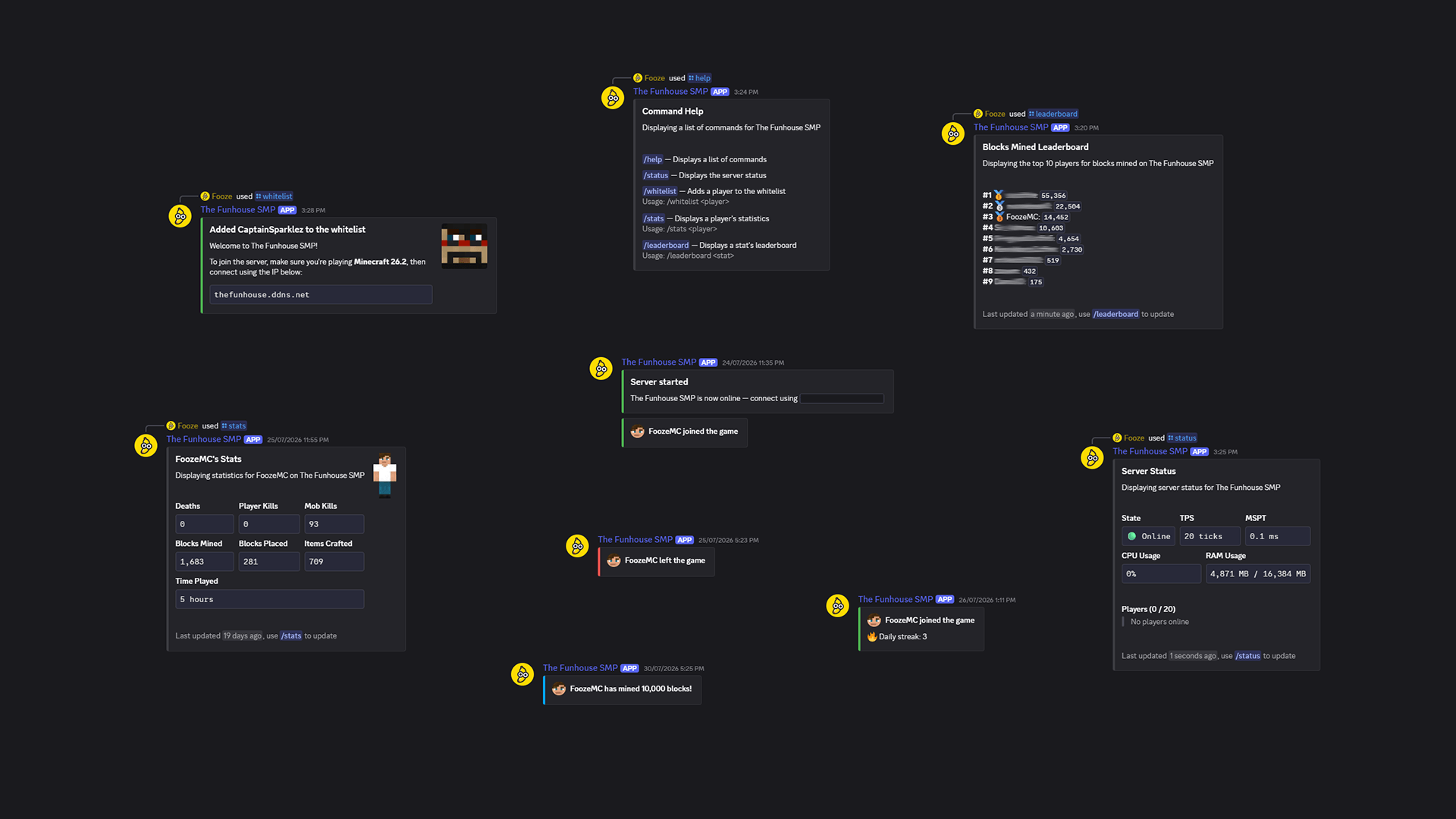
  • Whitelisting
  • Join/leave messages
  • Stats and leaderboards
  • Player milestones
  • Server status and info

Guide: Setup the bot

Creating a Discord bot

  1. Go to the Discord Developer Portal
  2. Create a new application
  3. Customize the name, description, and icon
  4. Click on the Bot tab and save your bot token somewhere
  5. Click on the OAuth2 tab and add the bot scope and administrator permission
  6. Choose Guild Install and open the generated url in your browser
  7. Complete the invitation process to your Discord server
  8. In Discord, right-click on the text channel you want to use, select Copy Channel ID, and save it somewhere

Running the bot

  1. Download Server Discord Bot and its dependencies
  2. Install the file/s in the mods directory of your server
  3. Start the server once and stop it once it's running
  4. In your server directory, go to config/server-discord-bot/config.json and add your bot token and channel ID


  5. Done! Start the server again and the bot should come online
Server Discord Bot 1.0.0
MC Fabric, Server, 26.2
Release 2026-08-13 Get

More from Fooze

Advertisement Remove ads with Premium →

You Might Also Like