Mineuniverse
Mods
RS1+ | Panels & Backports for Refined Storage 1

RS1+ | Panels & Backports for Refined Storage 1

MOD
Backports some RS2 features to RS1 and adds panel variations of RS1 blocks/grids.
by Sofianne
Download Claim this project
Add a badge to your pageLink to RS1+ | Panels & Backports for Refined Storage 1 from a README, website or forum post.
Preview: Badge

Badges update automatically and link to the mod page on MineUniverse.

98 downloads
0 likes
0 followers
Updated Oct 14, 2026
0 hypes
Follow0
Addons Refined Storage Utility & QoL
Advertisement Remove ads with Premium →

RS1+ backports some features from Refined Storage 2 to Refined Storage 1 v1.12.4 and adds panel variants of RS1's core grids or blocks.


Backported from RS2

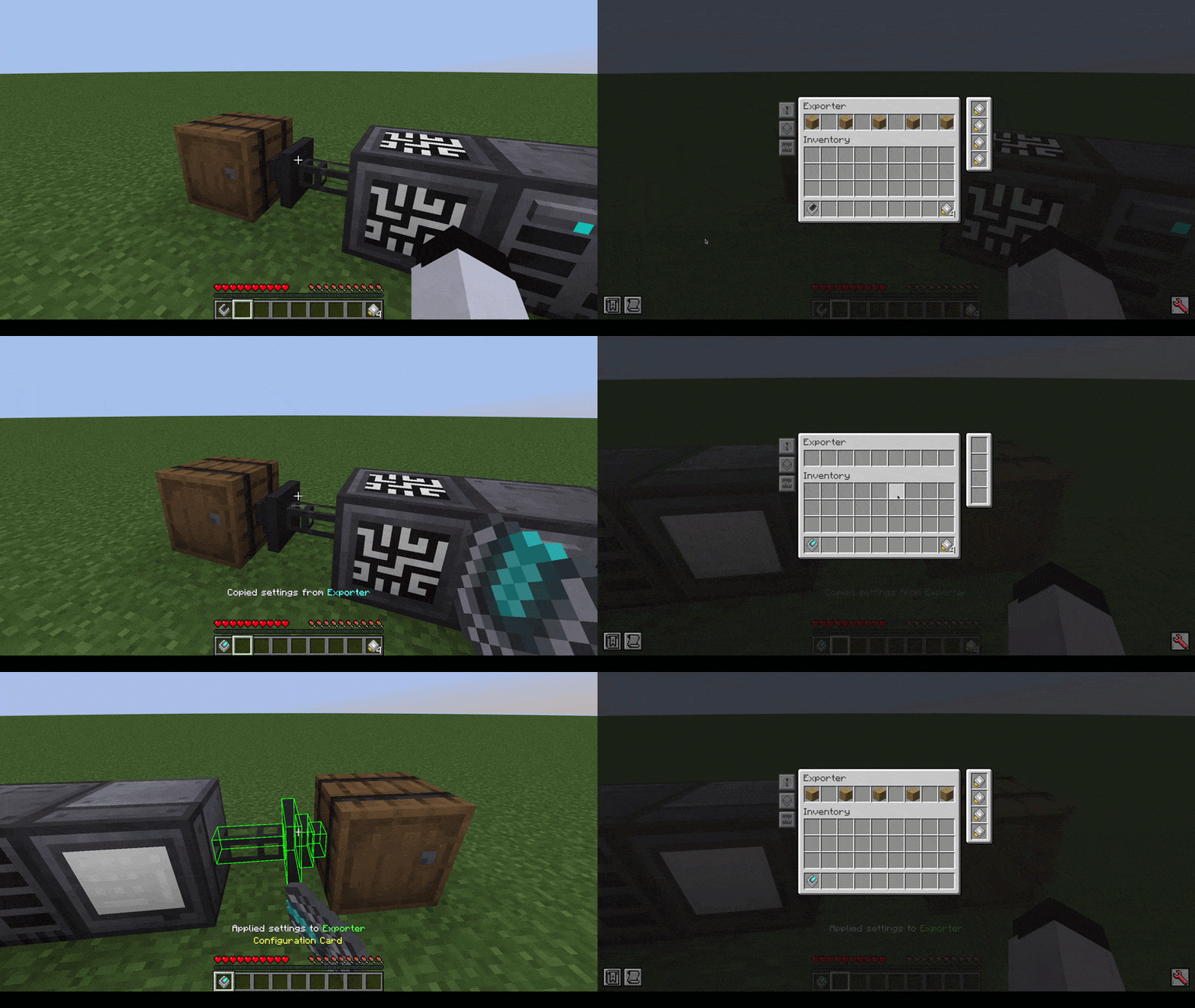
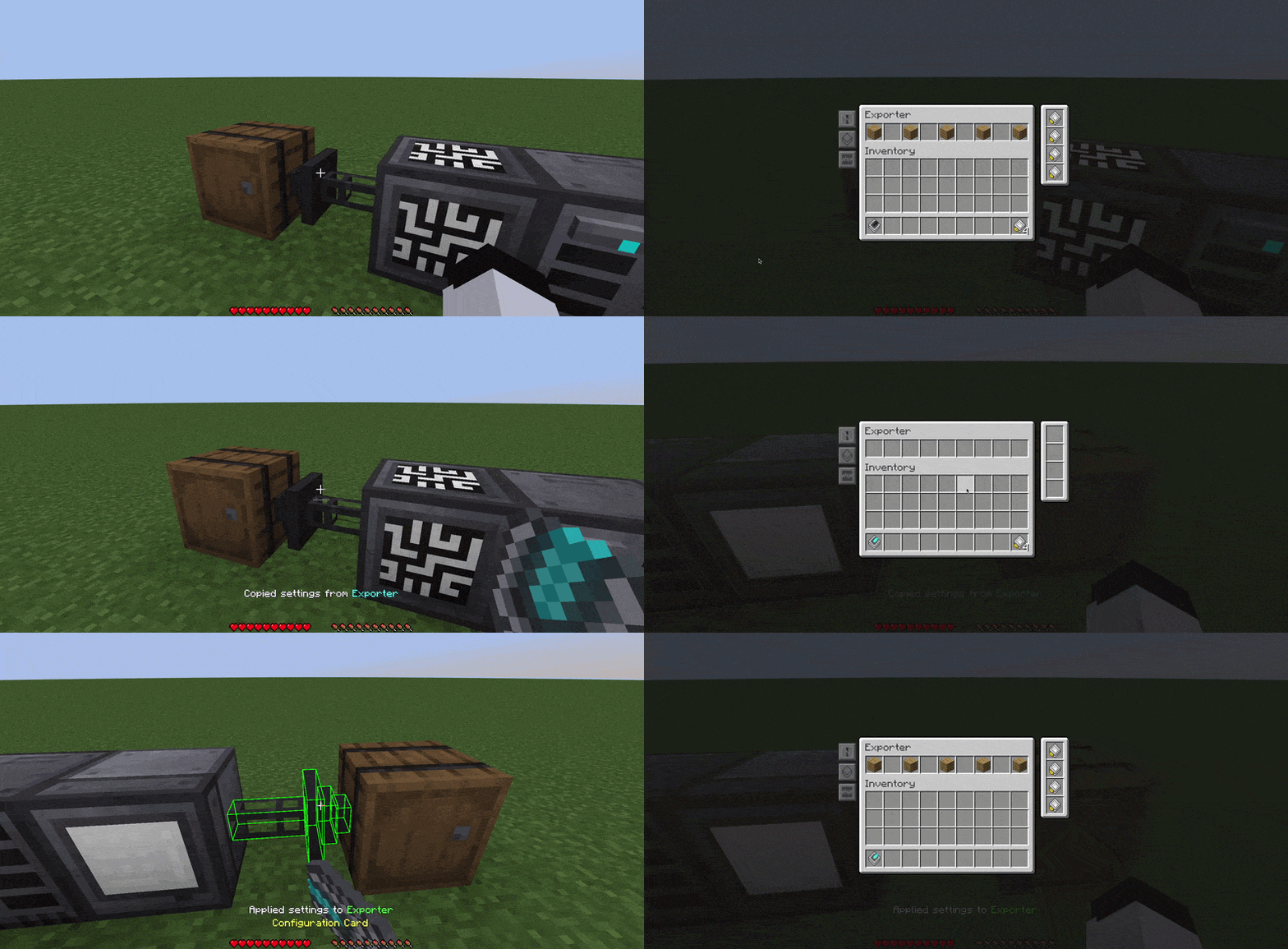
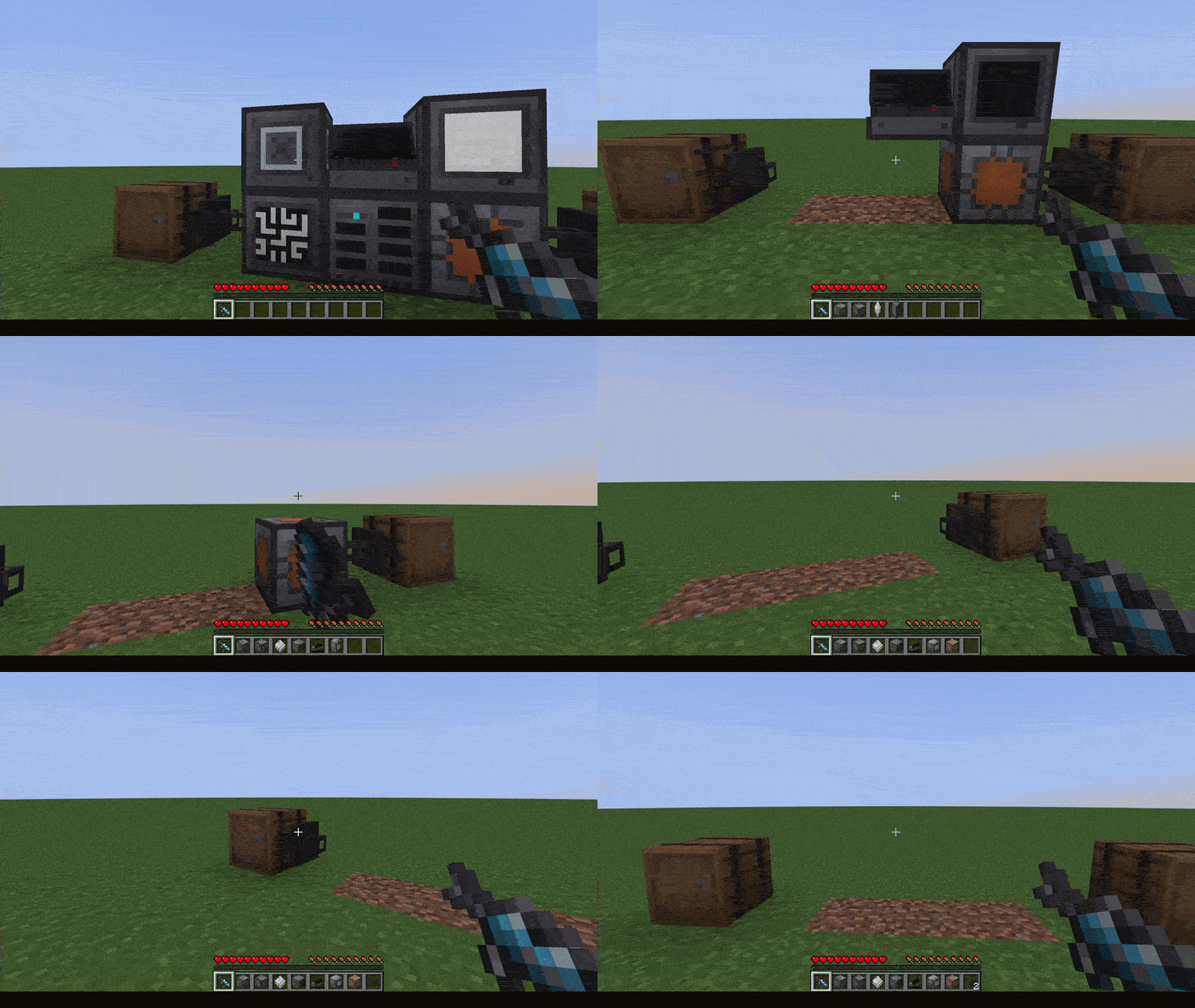
  • Configuration Card: Copy and paste device configurations onto other devices of the same type. This includes redstone mode, filters, upgrades, etc.
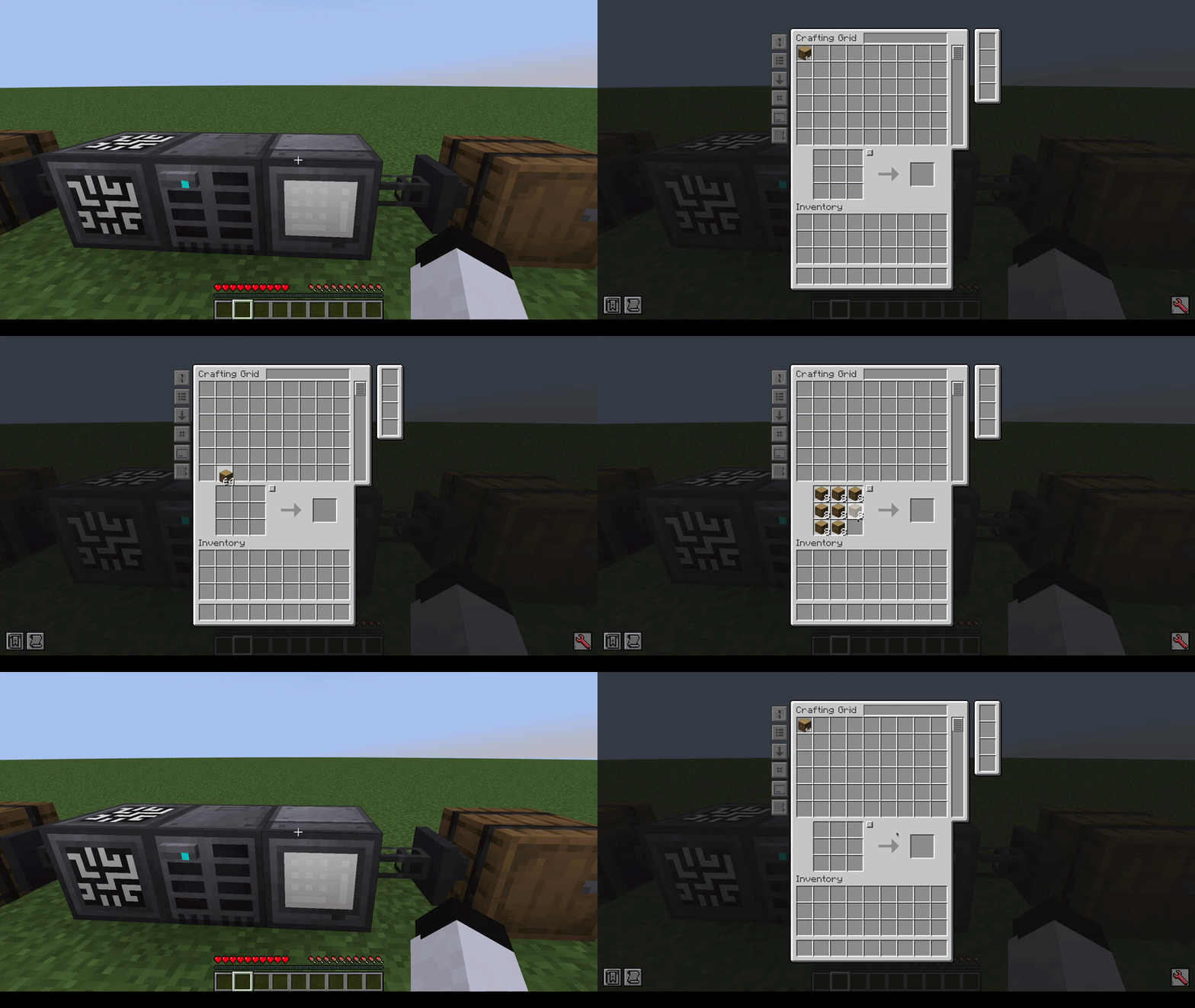
  • Clear Crafting Grid on close: Automatically returns crafting grid contents to your network when closing it (disabled by default; can be changed in config).
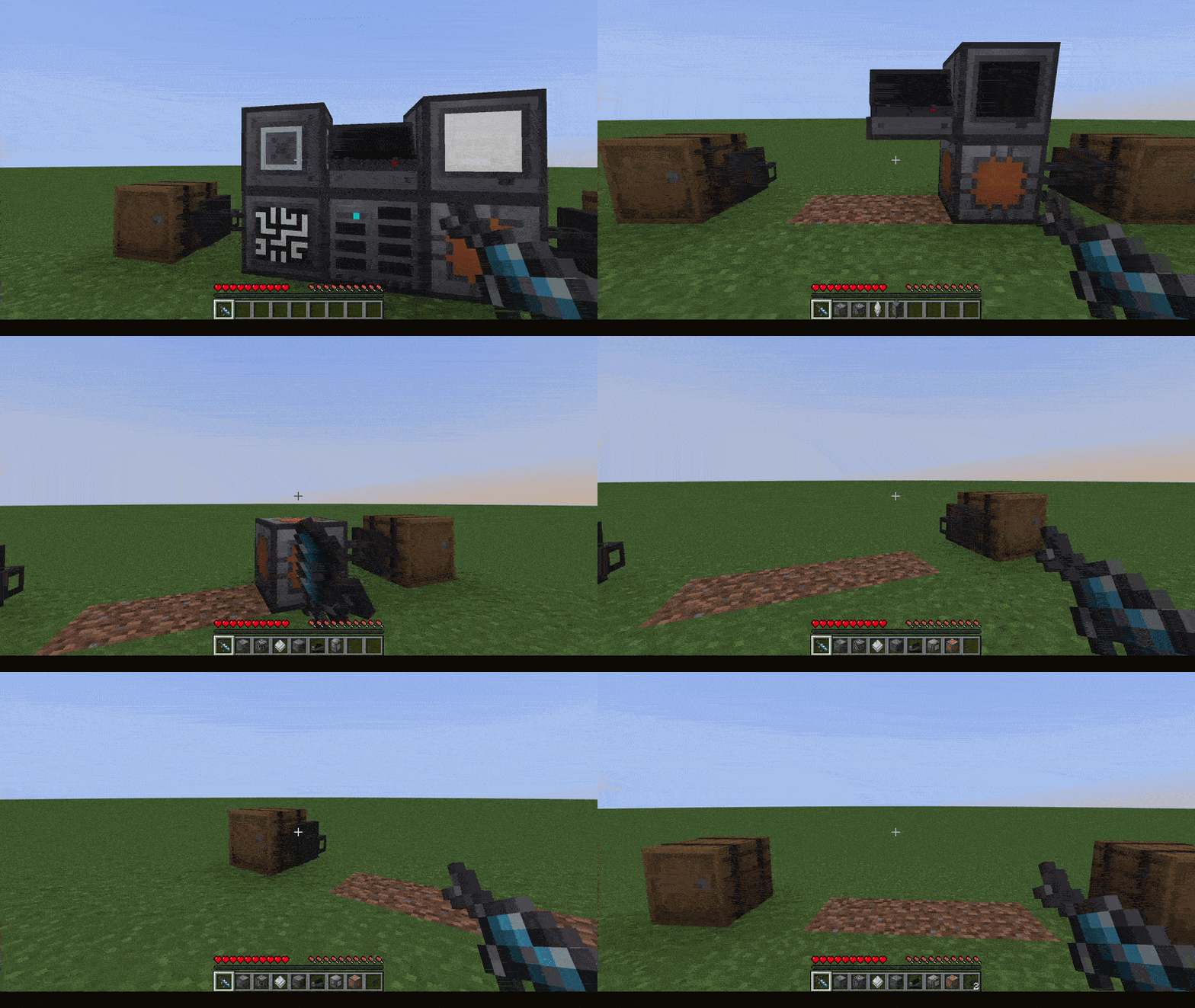
  • Wrench support: Use RS wrench on RS blocks to dismantle them. Other mods' wrenches should work as well as long as they have the #forge:wrenches or #forge:tools/wrench tag.
Panels


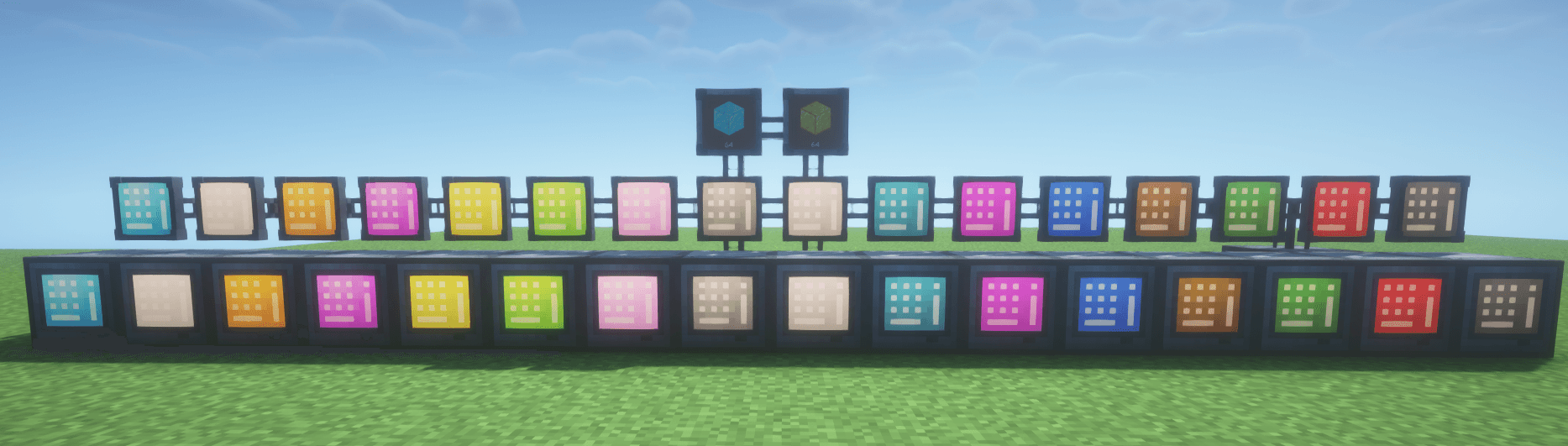
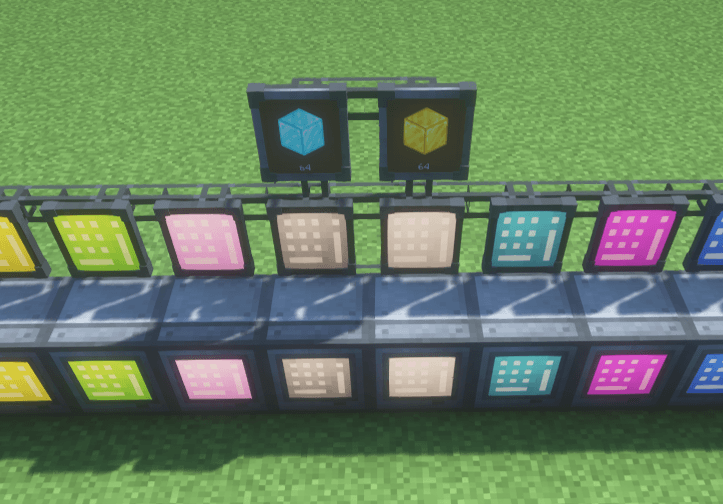
(Crafting Grid panel variants, with 2 Storage Monitor panels above)


Panel variants of Refined Storage 1's blocks that sit almost flat against any surface, including ceilings and floors.

The following panels are currently available:

  • Grid Panel
  • Crafting Grid Panel
  • Fluid Grid Panel
  • Pattern Grid Panel
  • Crafter Manager Panel
  • Crafting Monitor Panel
  • Storage Monitor Panel

For aesthetic reasons, panels only connect to cables through their back face. However, they can connect normally to other Refined Storage blocks from any side.

Except for the Storage Monitor Panel, all panels are available in all 16 dye colors. Right-click a panel with a dye to recolor it.

You can switch between the panel and regular models at any time using a crafting table.

Copying/Pasting

Shift + RMB to copy, RMB to paste:


*Shift + RMB looking at non-RS block/air to clear*
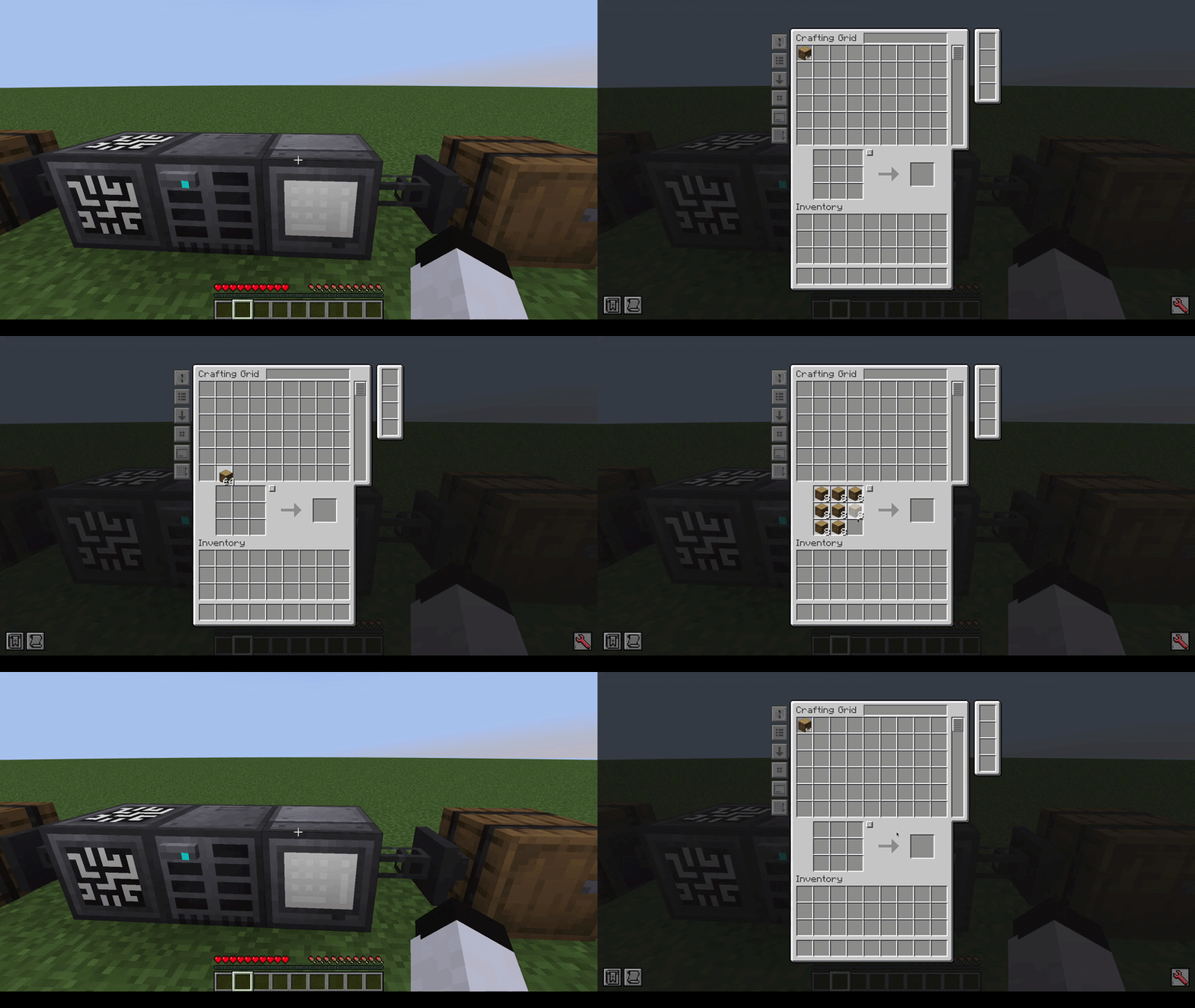
Crafting Grid auto-clearing


Wrench dismantling

Shift + RMB to dismantle:


Credits

Thanks to SuperMartijn642 for kindly allowing me to adapt parts of his rendering code from SuperMartijn642's Core Lib!


rs1plus-1.0.0.jar
MC Client, 1.20.1, Forge, Server
Release 2026-09-11 Get
Advertisement Remove ads with Premium →

You Might Also Like