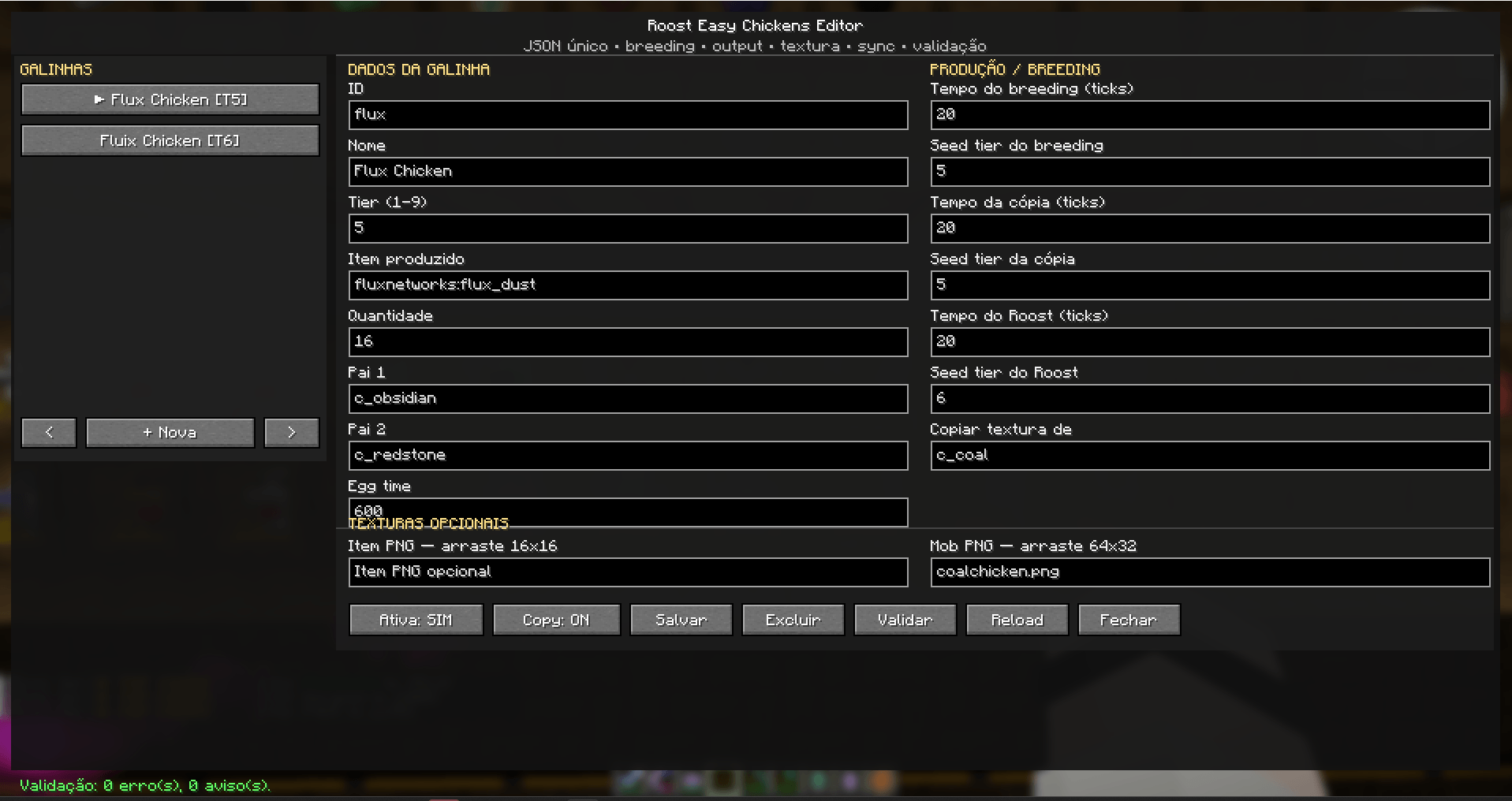
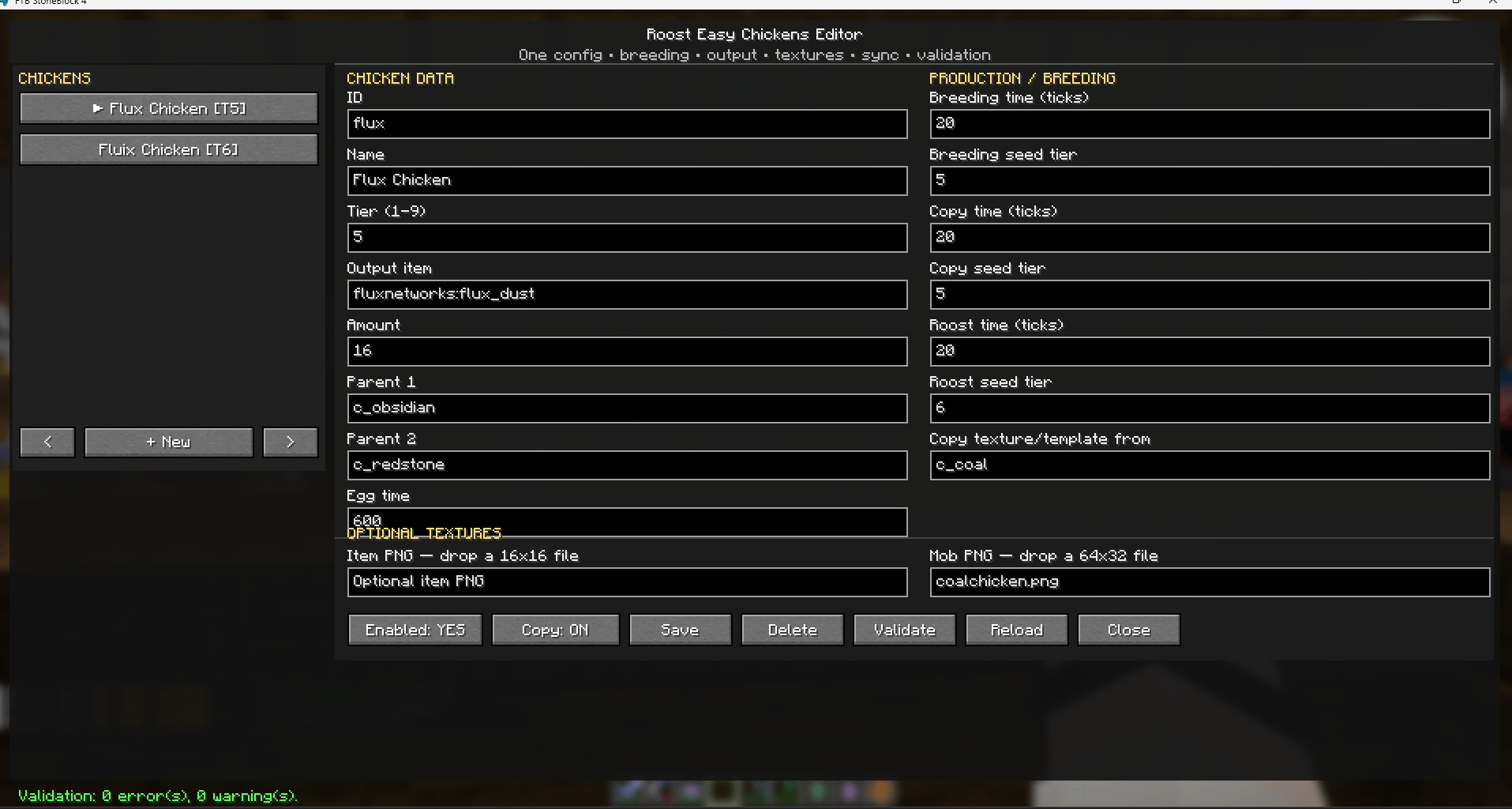
Create custom Roost Ultimate chickens without maintaining a pile of JSON, models, lang files, tags and recipes by hand.
Roost Easy Chickens adds an in-game editor and a simple configuration layer for modpack authors. Define what a chicken produces, its tier, parents, recipe timings and appearance; REC generates the Roost config/resources and KubeJS integration needed to make it work.
/rec editor in-game chicken editor/rec list, /rec info, /rec validate, /rec reload, /rec giveMinecraft: 1.21.1
Loader: NeoForge 21.1.x+
Roost Ultimate: 4.1.x and 4.2.x
KubeJS: Required
REC automatically supports both Roost content layouts:
config/roostultimate/chicken_config_v*.jsoncrlib/chicken_config_v*.jsonWith Roost Ultimate 4.2.x, CRLib is already a Roost dependency and REC automatically writes resources to the CRLib resource area.
/rec editor as an operator.REC's source configuration lives at:
config/roost_easy_chickens/chickens.jsonMost users never need to edit it manually.
REC automatically synchronizes its chicken configuration and custom textures with clients that are currently connected to the server.
This means chickens created or edited through the in-game editor can be distributed to connected players without manually copying REC configuration files or textures to every client.
When a new chicken is created while players are connected, REC sends the updated configuration to those clients. After the required restart, both sides can register the new chicken.
If a completely new chicken is added while a client is offline, that client may still need the updated configuration before its next full game startup, since new Roost chicken types are registered during Minecraft initialization.
Open the editor with:
/rec editorFrom there you can configure:
REC handles the generated Roost configuration, models, language entries, tags and recipes automatically.
You can reuse the appearance of an existing Roost chicken or provide your own textures.
Custom textures can be managed through the REC editor.
Recommended texture sizes:
Item texture: 16x16 PNG
Mob texture:  64x32 PNG
REC synchronizes custom textures with connected clients automatically.
/rec editor
/rec list
/rec info <id>
/rec validate
/rec reload
/rec give <id>
/rec editorOpens the in-game chicken editor.
/rec listLists all chickens managed by REC.
/rec info <id>Displays configuration information for a managed chicken.
/rec validateChecks the current configuration for problems such as:
REC may also provide suggestions for mistyped IDs.
/rec reloadRegenerates recipe-level configuration that can be updated without restarting the game.
/rec give <id>Gives the selected custom chicken to the command user.
New chicken types are registered by Roost during Minecraft startup.
Because of this, the following changes require a client + server restart:
Recipe-only changes can generally be applied using:
/rec reloadThe editor will warn you when a restart is required.
For the smoothest multiplayer workflow:
/rec editor.REC is designed to make custom Roost Ultimate progression significantly easier to maintain.
Instead of manually managing:
chicken_config_v*.json
models/item/
textures/
lang/
tags/
breeding recipes
copy recipes
roost output recipes
you can manage custom chickens from a single REC configuration or directly through the in-game editor.
The main configuration file is:
config/roost_easy_chickens/chickens.jsonFor Roost Ultimate 4.2.x installations, CRLib is already required by Roost Ultimate.
Roost Easy Chickens is an unofficial addon for Roost Ultimate.
Credits: Roost Ultimate Mod: Tarantei