Rockstar Shaders: Ray Tracing for Minecraft on Mac
The world's first hardware ray tracing engine for Minecraft on Mac.
Rockstar Shaders is a free ray tracing shader mod for Minecraft Java Edition 26.3 on Apple Silicon Macs (M1, M2, M3, M4 and later). It gives Minecraft a modern renderer built for modern Mac hardware: ray-traced lighting, shadows and reflections, volumetric light, living water physics, real skies and weather, traced on the GPU inside your Mac with Metal, and drawn through Minecraft's own Vulkan renderer.
Free. No account, no paywall, no ads. Built for the Mac from the first line.
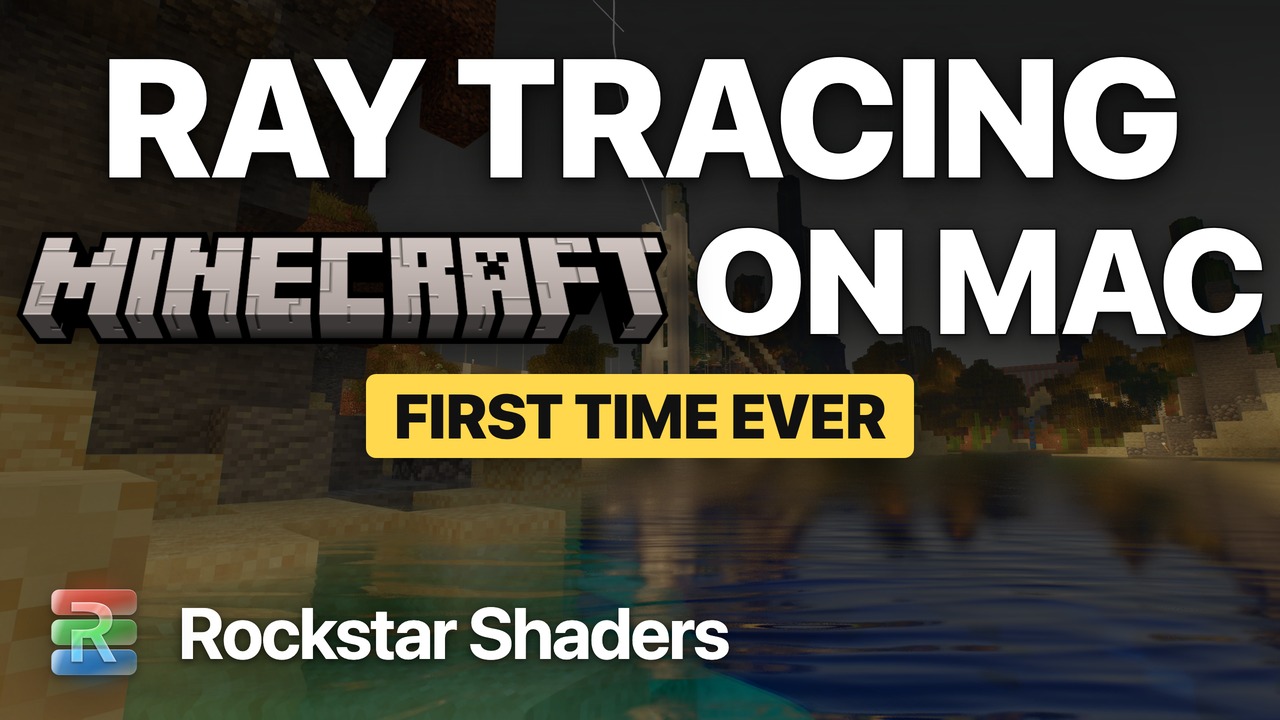
Watch the launch film: ray traced Minecraft on Mac, captured in the engine at 4K 60 fps.
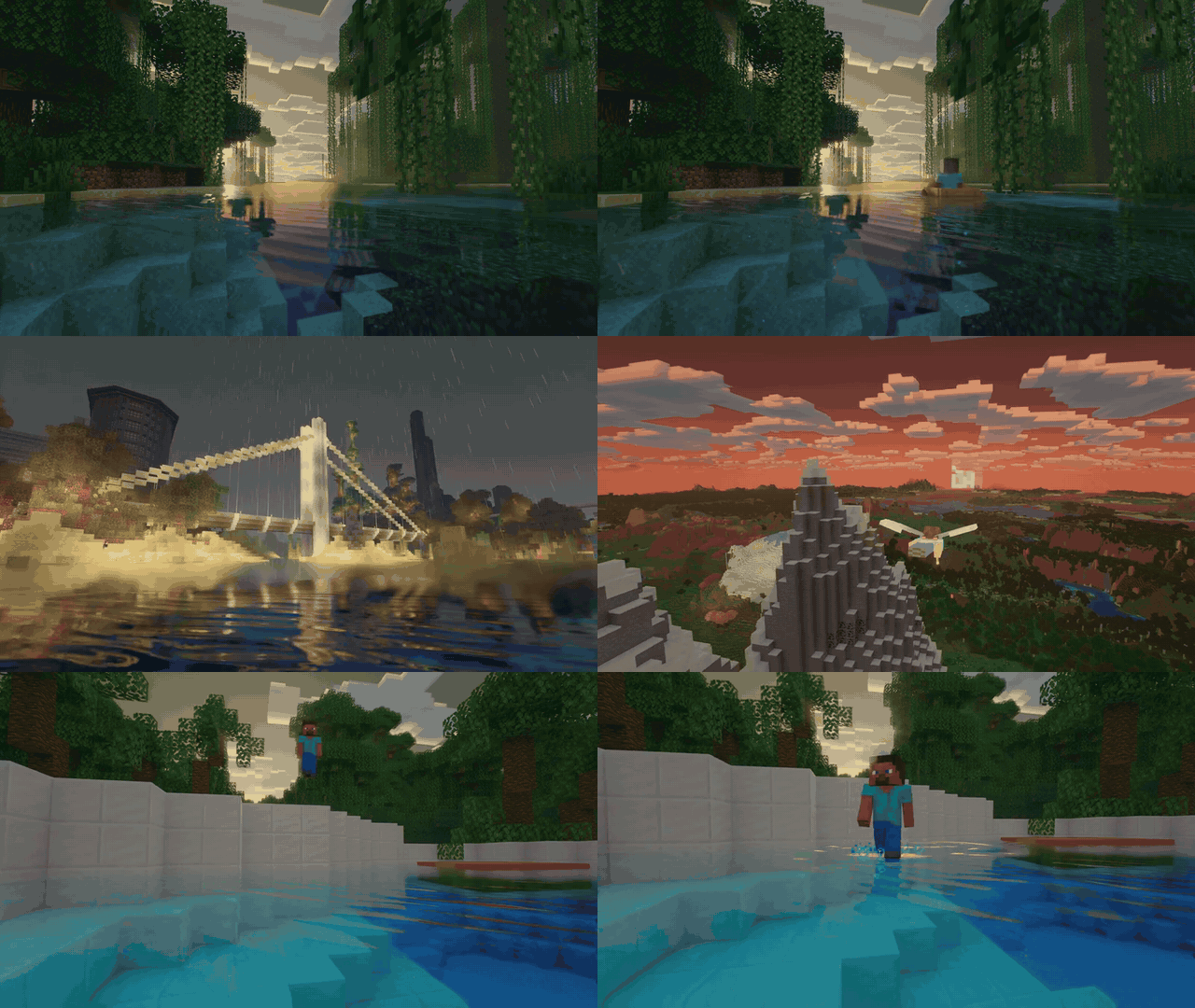
World firsts
- The first hardware ray tracing engine for Minecraft on Mac. Rays are traced by Apple's ray tracing hardware on M3 and later, and by the same Metal kernels in software on M1 and M2.
- The first Minecraft shader mod built on Vulkan and Metal for Apple Silicon. No OpenGL, no translation layer between the shaders and your Mac.
- The first Mac shader mod with its own extended render distance. A far field past vanilla's render distance, built into the renderer.
- The first simulated water engine for Minecraft on Mac. Waves, ripples, wakes and rain rings that live and spread, with ray-traced reflections.
Why Mac players choose Rockstar Shaders
Minecraft RTX is Bedrock Edition on Windows only. Classic Java shader packs run through OpenGL, which Apple deprecated and capped at version 4.1 on macOS. Rockstar Shaders runs on Minecraft's own Vulkan backend (through MoltenVK) and traces its rays with a native Metal library, the graphics stack Apple builds its GPUs for.
|
Rockstar Shaders |
Typical Java shader packs on Mac |
| Graphics API |
Vulkan and Metal |
OpenGL 4.1 (deprecated on macOS) |
| Hardware ray tracing on Apple Silicon |
Yes (M3 and later) |
No |
| Ray-traced shadows, reflections, sky light and GI |
Yes |
Screen-space approximations |
| Extended render distance |
Built in |
Needs a separate mod |
| Simulated water surface |
Yes |
Animated waves |
| LabPBR normal and specular maps |
Full 1.3 support |
Varies by pack |
| Tuned and measured on Apple Silicon |
Every effect |
Rarely |
Features
Ray-traced light and shadow
- Physically based deferred lighting with a filmic AgX grade and automatic exposure
- Ray-traced sun and moon shadows, with soft cascaded shadows beyond them
- Ray-traced sky visibility and one-bounce global illumination (GI)
- Volumetric fog and god rays that pour through trees, windows and caves
- Colored block light: lanterns, torches, lava, glow berries and sea lanterns tint the world around them
- Flames that flicker, glowing blocks that breathe, and emissive ores
- Dynamic lights: a held torch or lantern lights your way
Minecraft water physics
- A simulated water surface: wind-driven waves shaped by open water and shelter
- A live ripple field: splashes, boat wakes, footsteps and rain rings that spread and fade
- Caustics dancing on the seabed, refraction, and underwater god rays
- Ray-traced and screen-space reflections, from mirror-calm pools to lively seas
- Waterfalls, plunge pools, foam, shorelines, and ice that looks right from every angle
Sky and weather
- A physically based atmosphere with real sunsets and sunrises
- Minecraft's own square clouds, lit by the atmosphere and casting light into the fog
- Stars, nebulae and a folding, flowing aurora in greens and blues on cold nights, mirrored in the water
- Weather that knows where it falls: dry deserts, snow in cold biomes, shelter under roofs and leaves
- Wet surfaces that darken and shine in the rain
Extended render distance
- A far field of simplified terrain past vanilla's render distance: smooth mountains, forests, water and snow, with a seamless handover at vanilla's edge
- Generate horizon: in singleplayer, fills the far field around you while you play
- Pregenerate: generate a whole area of your world in advance
PBR materials and resource packs
- Full LabPBR 1.3 support: normal and specular maps from PBR resource packs, on blocks, items, block entities, mobs and glass
- Surface normals, material ambient occlusion, and parallax occlusion mapping from the pack's height map
- Smoothness, reflectance, the eight preset metals and tinted metals
- Porosity for rain soaking, subsurface scattering, and emissive glow
- Animated maps stay in step with their textures
- Built-in materials for vanilla textures: metals shine, glass reflects, leaves glow in the sun
- Relief mapping, even on vanilla textures
- OptiFine-style connected textures, emissive textures, random mob textures and custom skies from resource packs
Camera and screen
- Temporal anti-aliasing, bloom, lens effects and depth of field
- Zoom: hold C
- An FPS and coordinates overlay, and a live pass timings table showing where every frame's time goes
Screenshots
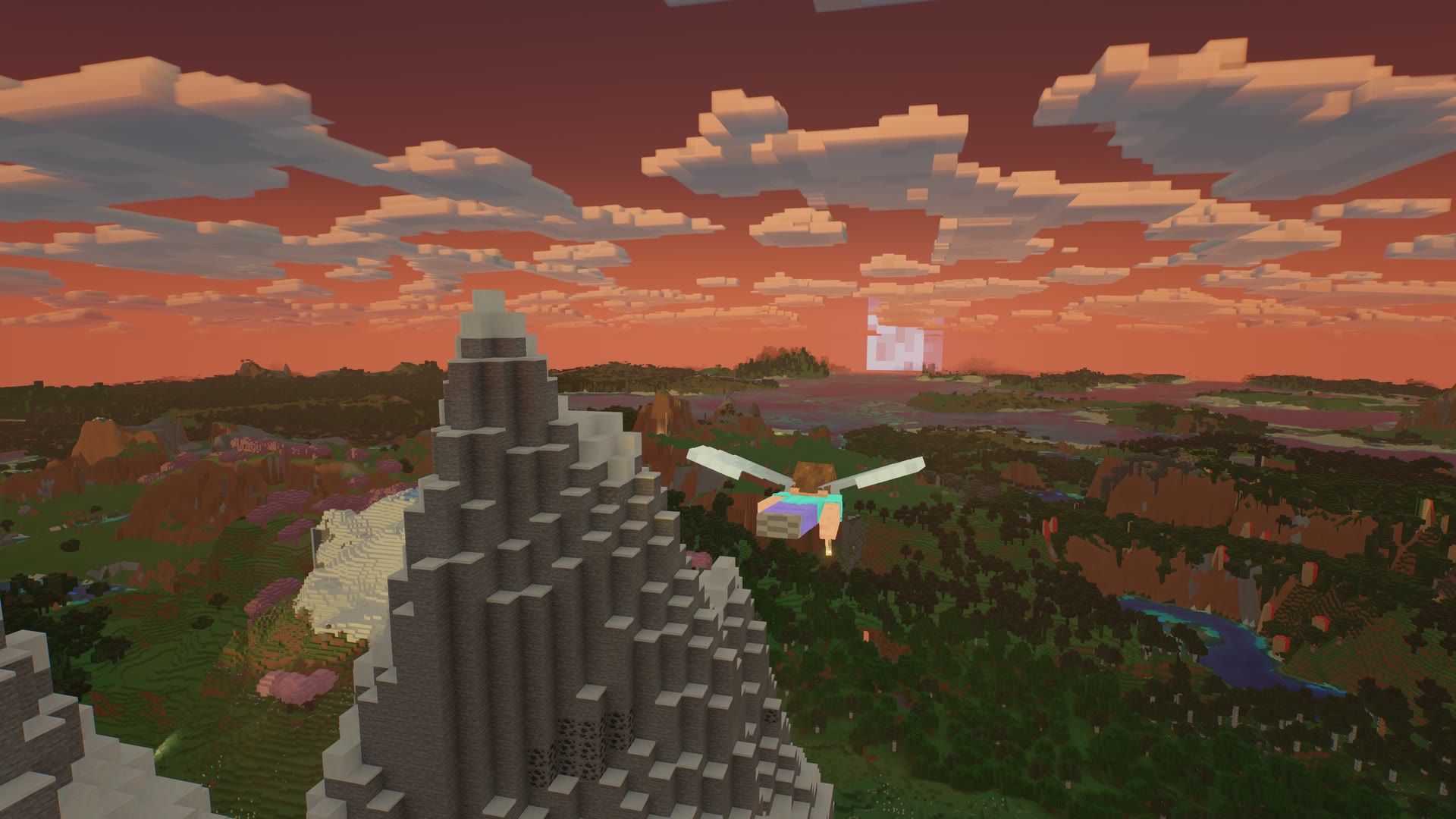
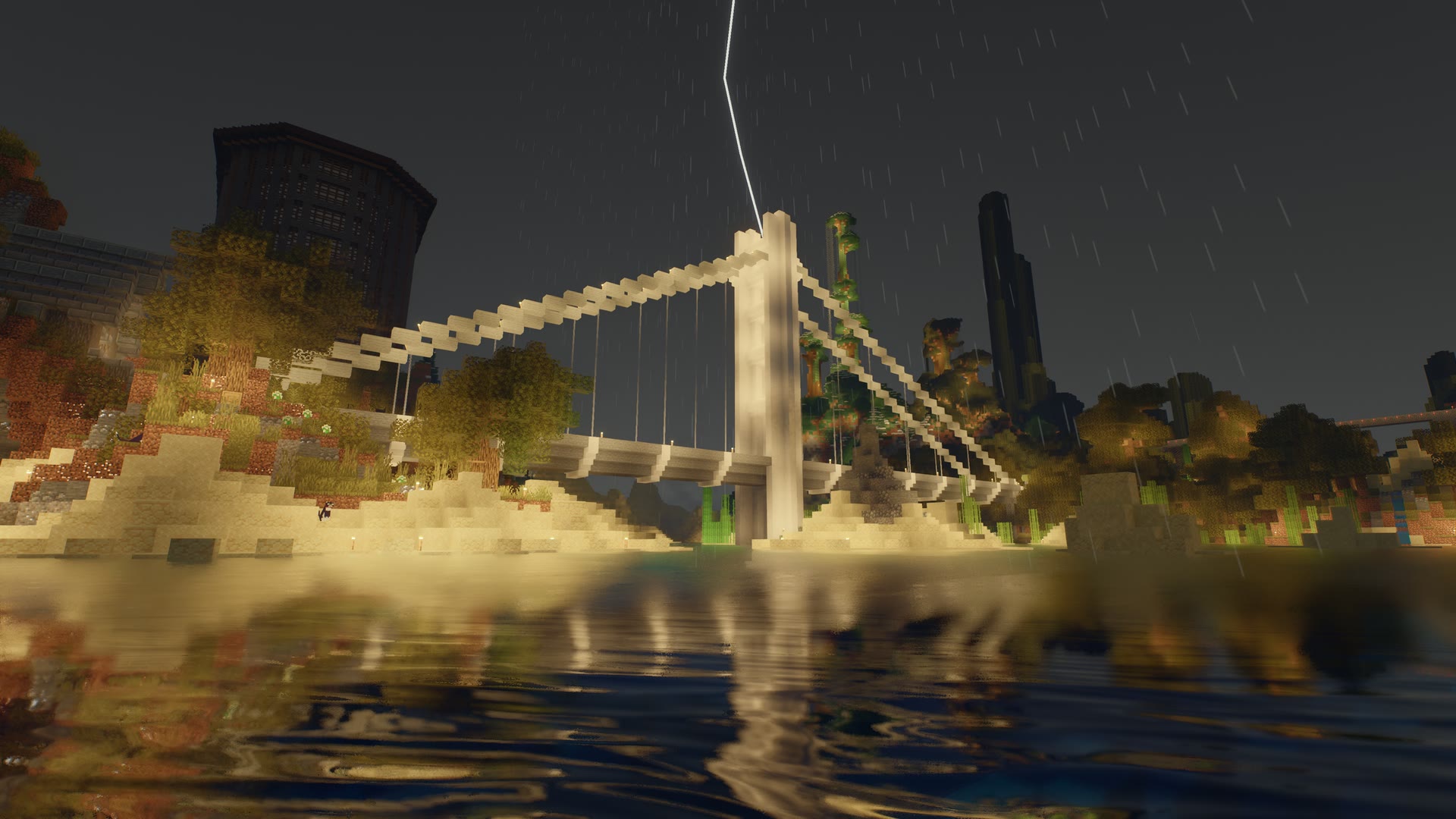
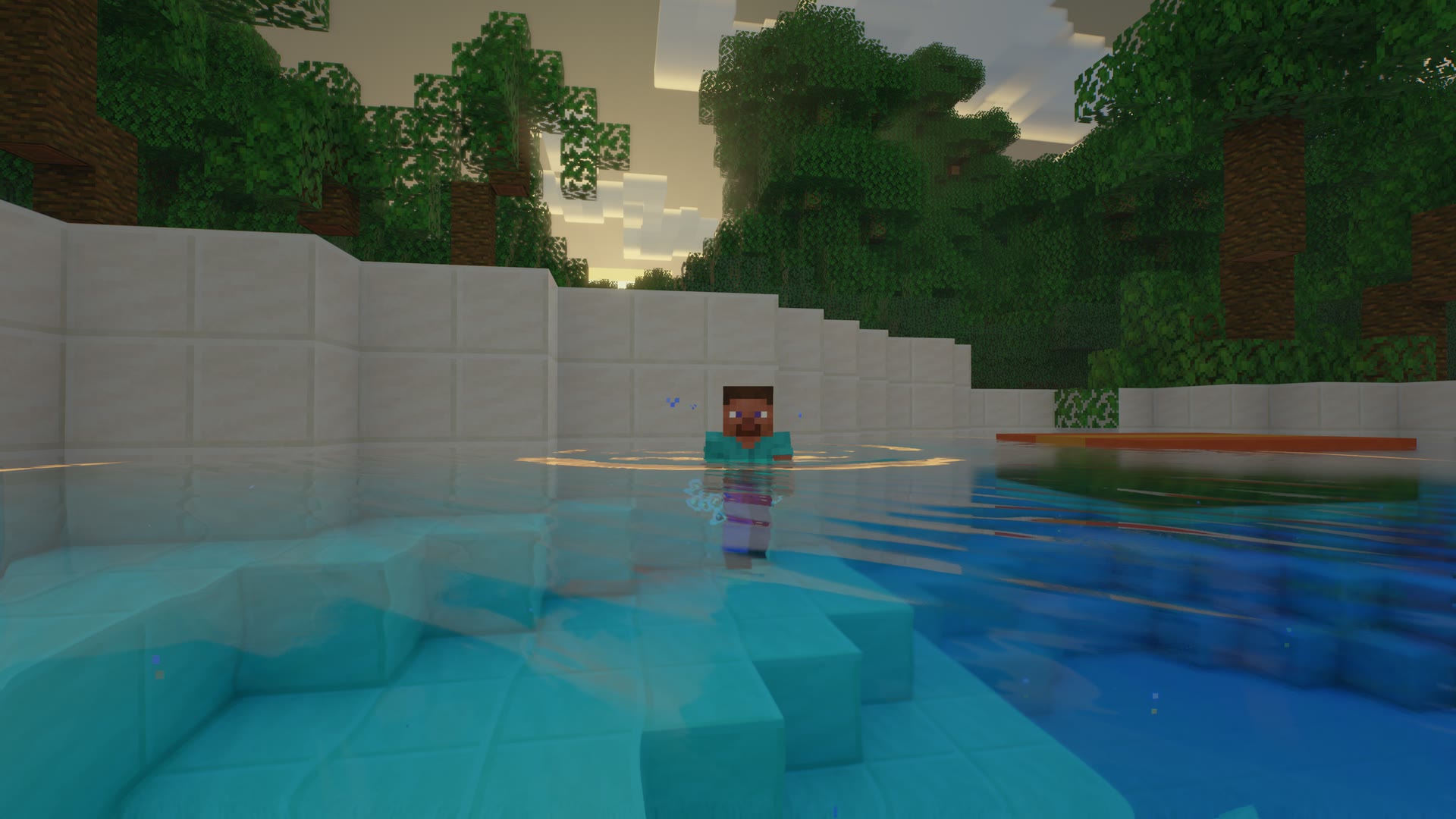
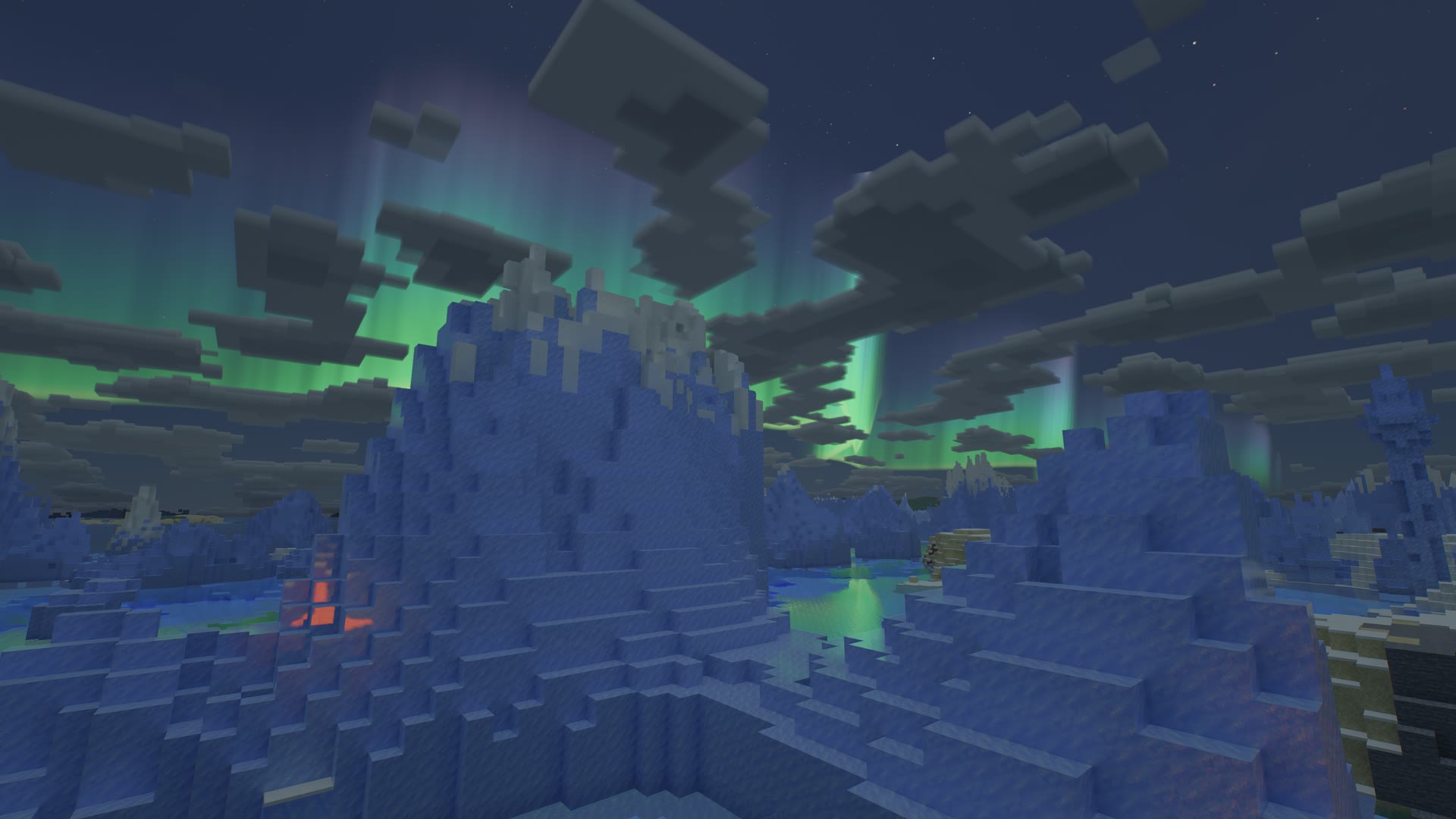
All captured in the engine at 4K on an M4 Max MacBook Pro.
Requirements
- Minecraft: Java Edition 26.3
- Mod loader: Fabric Loader 0.19.5 or newer
- Library: Fabric API for 26.3
- Mac: Apple Silicon (M1, M2, M3, M4 or later) on macOS 13 Ventura or newer
- Ray tracing: hardware on M3 and later; software on M1 and M2
- Java: 25 (included with the game)
Rockstar Shaders is made for macOS on Apple Silicon. On other systems it stays out of the way and the game renders as vanilla.
How to install shaders on Mac
- Install Fabric Loader and Fabric API for Minecraft 26.3.
- Put
rockstarshaders-1.0.0.jar into your .minecraft/mods/ folder.
- Start the game. Rockstar Shaders asks to switch Minecraft's graphics to Vulkan. Say yes, and start the game again.
- In a world, press K to open the settings. The first run picks a quality level for your Mac.
Still looks like vanilla? Press K: the top row says whether the pack is active and why not. The usual cause is the Vulkan switch (Options, Video Settings, Graphics API, Vulkan).
A step-by-step guide with pictures is on the Rockstar Shaders install page.
Settings
Press K in a world, or use the Rockstar Shaders button on the title screen.
- Quality: Low, Medium, High or Ultra, chosen for your chip on the first run
- Render scale and frame rate target: the engine lowers its internal resolution to hold your target (60 fps by default) and raises it again when there is room. On a Retina display it keeps at least one rendered pixel per screen point
- A page for every area: lighting, water, sky, weather, foliage, textures and details, distance, performance and overlays
- Resource pack normal and specular maps and Normal map strength under Textures and Details
- Advanced: every constant the shaders read, with its default
- Most changes apply instantly, without a restart
Minecraft shaders FPS on Mac
Rockstar Shaders is built to run well on every Apple Silicon Mac, and every effect is measured for its cost per frame on real hardware.
- The first run picks a quality level from your chip; M1 and M2 Macs start on Medium or High.
- The render scale governor holds your frame rate target automatically.
- Show pass timings shows exactly where each frame's time goes, so you can tune for your Mac.
Compatibility
- Replaces the same parts of the renderer as Sodium, Iris, Embeddium, Nvidium, Distant Horizons and Voxy. Remove those first. If one is installed, Rockstar Shaders steps aside and tells you which.
- Not an Iris or OptiFine shader pack: it is a complete renderer of its own, so it does not need Iris or OptiFine, and it does not load their packs.
- Works with content mods, resource packs and data packs.
- Singleplayer and multiplayer. Generate horizon and Pregenerate work in singleplayer.
FAQ
Is Rockstar Shaders free?
Yes. Free to download and play, with no account and no paywall.
Does it work on M1, M2, M3 and M4 Macs?
Yes, on every Apple Silicon Mac with macOS 13 Ventura or newer. M3 and later trace rays in hardware; M1 and M2 run the same ray tracing in software.
Is this Minecraft RTX for Mac?
Minecraft RTX is Bedrock Edition on Windows only. Rockstar Shaders brings hardware ray tracing to Minecraft Java Edition on Mac.
Do I need Iris, OptiFine or Sodium?
No. Rockstar Shaders is a complete renderer on Fabric. Remove Sodium, Iris and similar renderer mods before installing.
Does it work with PBR resource packs?
Yes. LabPBR 1.3 normal and specular maps work on blocks, items, block entities, mobs and glass, with parallax, metals, porosity, subsurface scattering and emission.
Which Minecraft version?
Minecraft Java Edition 26.3 with Fabric.
Why does it switch Minecraft to Vulkan?
Vulkan is Minecraft's modern graphics backend, and on the Mac it runs on Metal through MoltenVK. It is what lets Rockstar Shaders share the GPU with its native Metal ray tracing.
Can I use it in videos and streams?
Yes, commercial or not. Just name Rockstar Shaders as the shader mod.
Known limits
- Measured in detail on an M4 Max. M1, M2 and M3 are not yet measured in detail, so start on Medium or High there.
- MetalFX upscaling is experimental.
- Generate horizon (on by default in singleplayer) generates terrain around you and saves it into the world. Turn it off on the Performance page before opening a world you do not want extended.
- The first-person hand is drawn by Minecraft itself.
Help and support
Privacy
Rockstar Shaders makes no network connections and collects no data. The full policy is at rockstarshaders.com/privacy.
License
Rockstar Shaders is free to download and use for personal play. It is proprietary software: please do not reupload, redistribute or bundle it in modpacks without permission. Link to this page instead. Videos, streams and screenshots are welcome, commercial or not: just name Rockstar Shaders as the shader mod. Full terms: license.
Minecraft is a trademark of Mojang Synergies AB. Rockstar Shaders is not an official Minecraft product and is not affiliated with Mojang, Microsoft or Apple.