


Mineuniverse
Log in Register
Mods

ReAnimated

Animates all UI in the game.
by pycodder
Download Claim this project
423 downloads
0 likes
Updated Jul 6, 2026
0 hypes
Addons Cosmetic

ReAnimated

Available for Fabric Requires FabricAPI Available for Quilt Available for NeoForge Available on Modrinth Available on CurseForge

Smooth animations for the entire Minecraft UI. Menus, buttons, containers and the inventory now slide, scale and follow your cursor — without changing how the game plays. Pure client‑side eye‑candy, fully configurable, safe on any server. Vanilla menus just pop in and out with no transition, and after a while that started to bug me. So I made ReAnimated — a small client-side mod that adds smooth open and close animations to the whole UI. It doesn't touch gameplay in any way, it's purely visual, and it's fine to run on any server.

icon

What it does

✨ Features

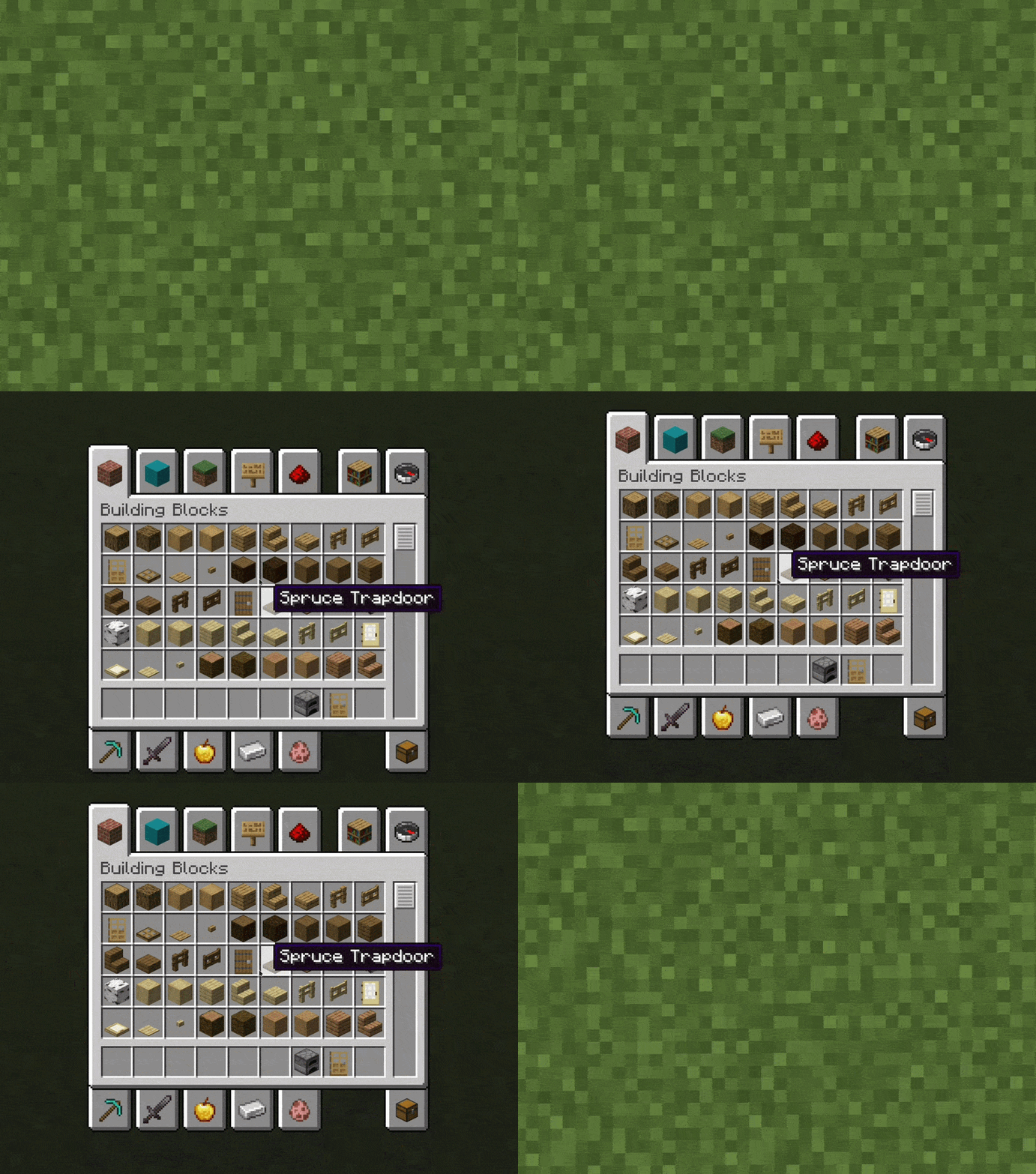
Open a menu — the main menu, your inventory, a chest, a furnace, doesn't matter — and the panel eases into place instead of snapping. Close it and the same motion plays in reverse. You get to pick how things move:

  • Menus open smoothly — titles and buttons slide up together from below. Works on the main menu, Singleplayer, Multiplayer, Settings and every other screen automatically.
  • Animated logo — the Minecraft logo grows in with a subtle bounce on the title screen.
  • Containers slide up — furnaces, chests, barrels, the inventory and any other container panel smoothly slide in from the bottom.
  • Following slot highlight — the slot highlight glides smoothly across the inventory as you move the cursor, instead of snapping.
  • Button hover scaling — buttons gently grow when hovered and ease back when you move away.
  • Server list appears from the bottom as the Multiplayer screen slides in.
  • Default — slides up from the bottom
  • From background — grows out of the center with a little bounce
  • From foreground — flies in and settles down to normal size
  • None — turns the movement off but keeps the rest

⚙️ Configuration

A few smaller things on top of that:

Open Options → Video Settings → ReAnimated settings.

  • The slot highlight in the inventory glides after your cursor instead of jumping from slot to slot.
  • Buttons grow a bit when you hover them and ease back when you move away.
  • The Minecraft logo on the title screen grows in with a soft bounce.

Every animation can be tuned independently:

Settings

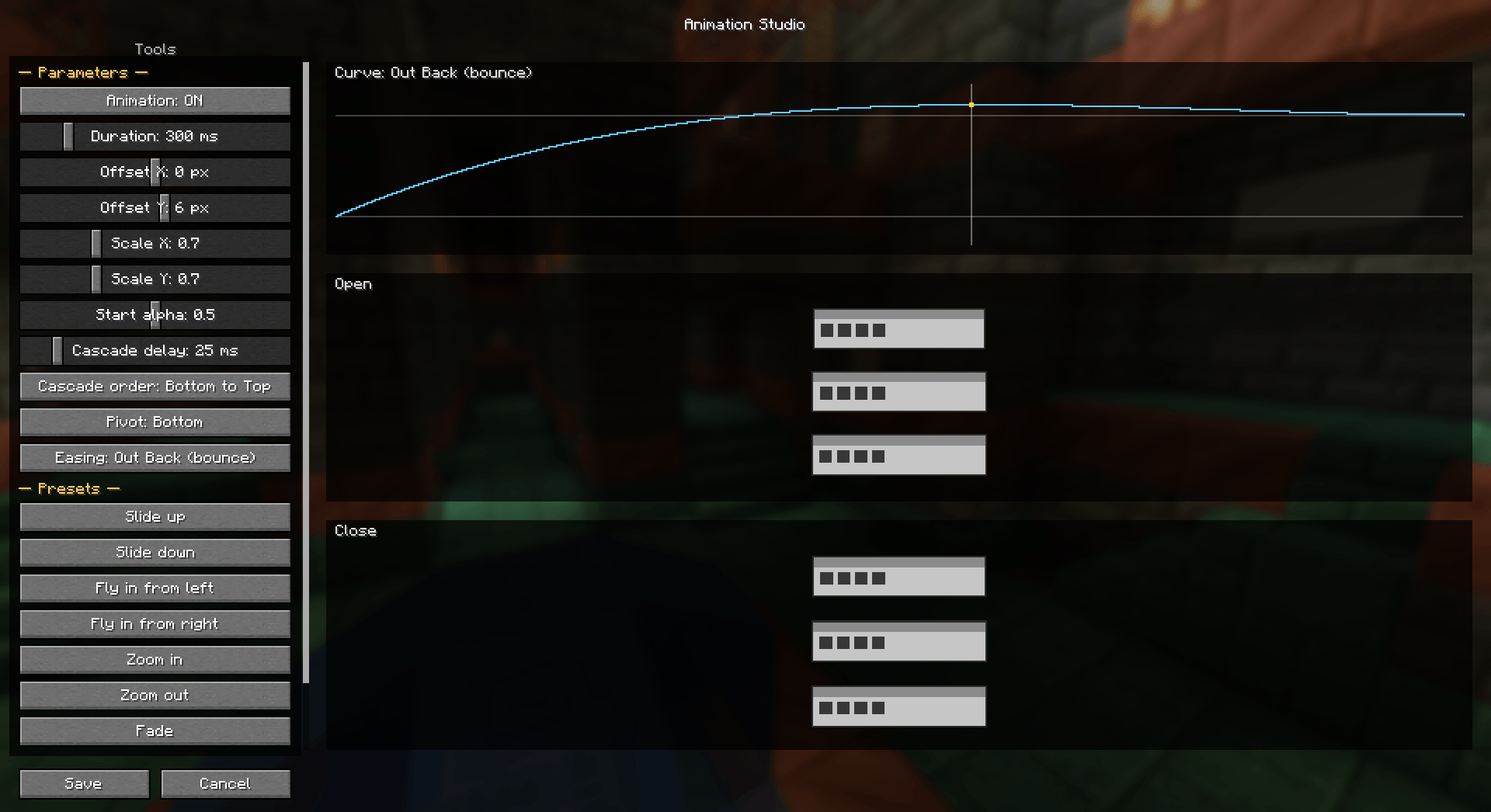
  • Enable / disable each animation
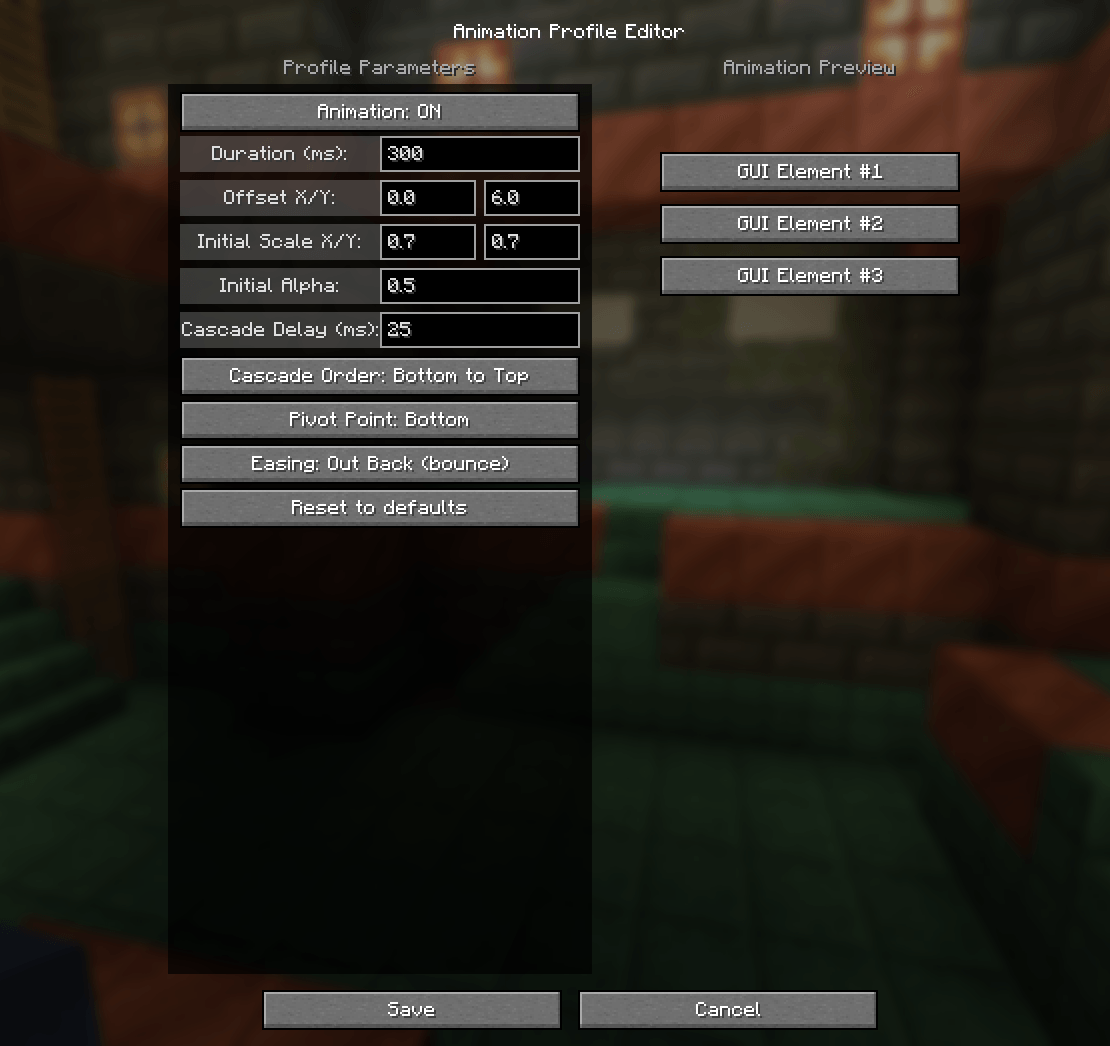
  • Duration (how fast)
  • Slide distance
  • Trajectory / easingLinear, Out Cubic, Out Back (bounce), Out Expo
  • Hover scale amount & speed, slot‑highlight speed, and more There's a config screen with a toggle for every animation, plus sliders for duration, slide distance and the easing curve (Linear, Out Cubic, Out Back, Out Expo). You can open it two ways:

Settings are saved to config/reanimated.json and apply instantly.

  • Options → Video Settings — look for the ReAnimated settings button in the corner
  • through Mod Menu, if you have it installed

📦 Requirements

If you use VulkanMod, you will not see the button in the video settings screen. Instead, you can access the settings through the Mod Menu if you have it installed.

  • Minecraft 1.21.1 – 1.21.11 (download the file matching your exact version)
  • Fabric Loader 0.16+
  • Fabric API

Requirements

Client‑side only — not required on servers. Compatible with Sodium and other rendering mods (ReAnimated only touches GUI classes).

  • Fabric or Quilt, plus Fabric API
  • Minecraft 1.21.1 through 1.21.11, and the newer 26.1 / 26.2 builds

Supported versions

There's a separate download for each Minecraft version. The GUI rendering changed a fair amount across 1.21.x, so every version has its own build that's actually tested against it — grab the one that matches your game exactly. NeoForge builds are available too, for the versions NeoForge itself supports.

Minecraft File
1.21.1 → 1.21.11 a separate build is provided for each version

Each file is pinned to one Minecraft version — pick the one that matches your game. (Internally the GUI rendering changed across 1.21.x, so every version has its own tested build.)

🧩 Compatibility notes

  • Animations affect opening screens. A close/out transition isn't included yet (planned). It's client-side only. You don't need it on the server, and players without it won't notice anything different.

Made with ❤️ by @pycodder

<details> <summary>🇷🇺 Описание на русском</summary>

Плавные анимации для всего интерфейса Minecraft. Меню, кнопки, контейнеры и инвентарь теперь плавно выезжают, увеличиваются и следуют за курсором — не влияя на игровой процесс. Чисто клиентский мод, полностью настраиваемый, безопасен на любом сервере. Ванильные меню просто появляются и исчезают без всякого перехода, и меня это со временем начало раздражать. Поэтому я сделал ReAnimated — небольшой клиентский мод, который добавляет плавные анимации открытия и закрытия для всего интерфейса. На геймплей никак не влияет, чисто визуально, и спокойно работает на любом сервере.

Возможности:

  • Меню открываются плавно — заголовки и кнопки выезжают так, как у вас настроено в настройках.
  • Логотип Minecraft красиво вырастает с лёгким отскоком.
  • Контейнеры (печка, сундук, инвентарь и др.) плавно появляются с анимацией.
  • Подсветка слота плавно следует за курсором по инвентарю.
  • Кнопки мягко увеличиваются при наведении (можно отключить в настройках). Что умеет. Открываете меню — главное меню, инвентарь, сундук, печку, что угодно — и панель плавно въезжает на место, а не появляется рывком. Закрываете — то же движение проигрывается в обратную сторону. Как именно всё двигается, можно выбрать:

Настройки: Настройки → Настройки графики → «Настройки ReAnimated». Для каждой анимации: вкл/выкл, длительность, дистанция, траектория и другое.

  • Default — выезжает снизу
  • From background — вырастает из центра с лёгким отскоком
  • From foreground — влетает и уменьшается до нормального размера
  • None — движение выключено, остальное работает

Поддержка: Minecraft 1.21.1 – 26.2. Требуется Fabric Loader и Fabric API. Плюс по мелочи: подсветка слота плавно следует за курсором, кнопки чуть увеличиваются при наведении, а логотип Minecraft на главном экране вырастает с мягким отскоком.

Настройки. Для каждой анимации есть переключатель, плюс ползунки длительности, дистанции и траектории. Открыть можно через Настройки → Настройки графики (кнопка Настройки ReAnimated) или через Mod Menu. Если стоит Sodium, VulkanMod, Iris и т.п. — кнопка появится и в их экране настроек. Всё сохраняется в config/reanimated.json и применяется сразу.

Поддержка. Fabric/Quilt + Fabric API, Minecraft 1.21.1 – 1.21.11, а также сборки 26.1 / 26.2.

reanimated-1.1.0-MC26.2.jar
MC Client, Fabric, Quilt, 26.2
Release 2026-07-02 Get
reanimated-1.1.0-MC1.21.11-neoforge.jar
MC Client, NeoForge, 1.21.11
Release 2026-06-29 Get

You Might Also Like

Thaumon
Thaumcraft-inspired decoration blocks for modern Minecraft
9,980,238
Handcrafted
Make your house a home!
99,029,678
Fancy Block Particles - Renewed
3D Digging Particles! Original mod by MorphoxL
997,906
Door(s) Coupling [FABRIC]
Couplings for Fabric 1.16
993,161
I Like Wood
This mod adds wood variants to blocks that should have them but don't and new wooden blocks.
992,209
Addendum (Fabric)
Adding new blocks to fit your ender palette! Port of Additional Ender Blocks by cleverpanda714.
991,763