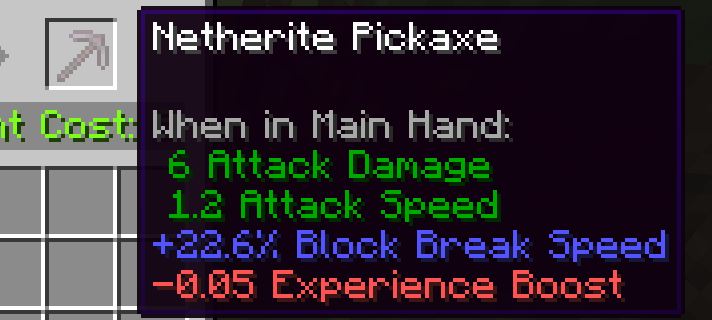
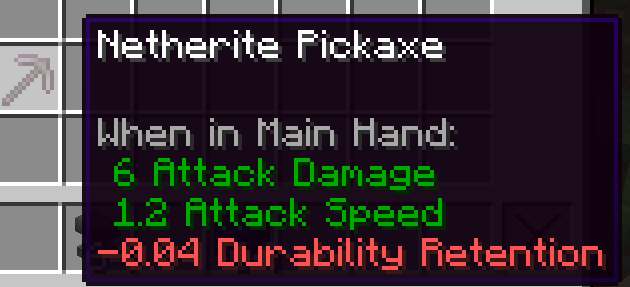
Random Attributes drastically expands the sandbox experience by turning every piece of crafted, looted, or forged gear into a unique artifact. Whenever you craft weapons, armor, or tools, they are imbued with random attributes. Sometimes you forge a legendary blade, other times—a cursed burden.
Beyond vanilla stats, this mod introduces deeply coded, balanced custom attributes that change how you play:
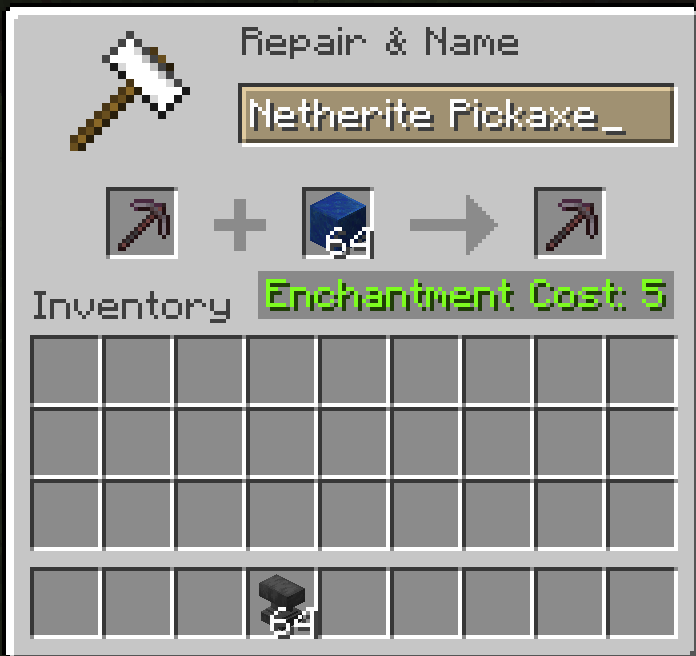
Don't like your stats? Take your item to an Anvil and reforge it! Instead of entirely random rolls, you can use specific Catalysts to heavily weight the outcome toward your desired playstyle:
The Forge Update (v1.3.7) is here!
We have completely reworked how you interact with your equipment! Say "goodbye" to the clunky Anvil mechanics and say hello to the Smithing Table!
To begin your journey and reforge items, you'll need to explore the world and find the new Smithing Template (Attribute Reforging). It has a small chance to generate in various dungeon chests. But don't worry — once you find one, you can duplicate it using Diamonds and a Lapis Lazuli Block, just like vanilla templates!
Place the Template, your Weapon/Armor/Tool, and your chosen Catalyst (e.g., Magma Cream or Lapis Lazuli Block) into the Smithing Table to awaken the hidden potential of the item!
Additionally, we have added full JEI integration so you can easily view all 12 catalyst recipes right in the game, and completely updated the in-game Guide Book (Modonomicon) to help you get comfortable with the new mechanics.
Your gear grows with you. Items with custom attributes gain Experience by killing mobs (+5 XP), mining blocks (+1 XP), and taking damage from enemies (+1 XP for Armor). Gear levels up, with each level permanently boosting its custom attributes by 15%. Note: The maximum level and the XP required per level are fully customizable in the mod's configuration file.
Random Attributes is built from the ground up to be incredibly flexible for modpacks. The mod automatically supports most modded weapons and armor, but if you want to include unique items (like custom scythes, magic wands, or multi-tools) or ban specific overpowered gear, you have three ways to do it:
Method 1: The Simple Config (main.toml) Upon launching the game, a configuration file is generated at config/Ocle_42/RandomAttributes/main.toml. Inside, you will find easy-to-use lists. You can simply add the item IDs you want to integrate without any coding knowledge. Example: [Custom_Lists] itemBlacklist = ["avaritia:infinity_sword", "draconicevolution:draconic_staff"] extraWeapons = ["somemod:cool_scythe"] extraArmor = ["botania:manasteel_helmet"]
Method 2: KubeJS Integration (Recommended for Modpacks) If you are using KubeJS to manage your modpack, you can dynamically push any item into our systems using standard Item Tags. Add this to your server scripts:
ServerEvents.tags('item', event => { // Prevent a specific boss drop from ever rolling attributes event.add('randomattributes:blacklist', 'cataclysm:the_incinerator')
// Allow a custom modded weapon to roll melee and projectile stats
event.add('randomattributes:rollable/weapons', 'mythicmetals:metallurgium_sword')

// Treat a custom multi-tool as an axe for stat rolling
event.add('randomattributes:rollable/axes', 'mekanismtools:osmium_paxel')
})
Method 3: Standard JSON Datapacks You can use global Datapacks (or mods like Paxi/OpenLoader) to define the tags manually. Create JSON files under data/randomattributes/tags/item/. Available tags are:
blacklist.jsonrollable/weapons.jsonrollable/armor.jsonrollable/axes.jsonrollable/tools.json