Mineuniverse
Mods
Quick Take

Quick Take

MOD
A spotlight-like mod for quickly taking item in creative mode.
by xypp
Download Claim this project
26 downloads
0 likes
Updated Oct 14, 2026
0 hypes
CreativeMode Utility & QoL
Advertisement Remove ads with Premium →

Quick Take

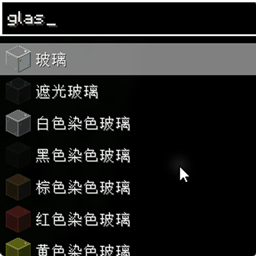
A client-side NeoForge mod that adds a Spotlight/Alfred-like quick item search interface for Creative Mode. Quickly find and select any item by typing its name, registry ID, or tooltip text.

Features

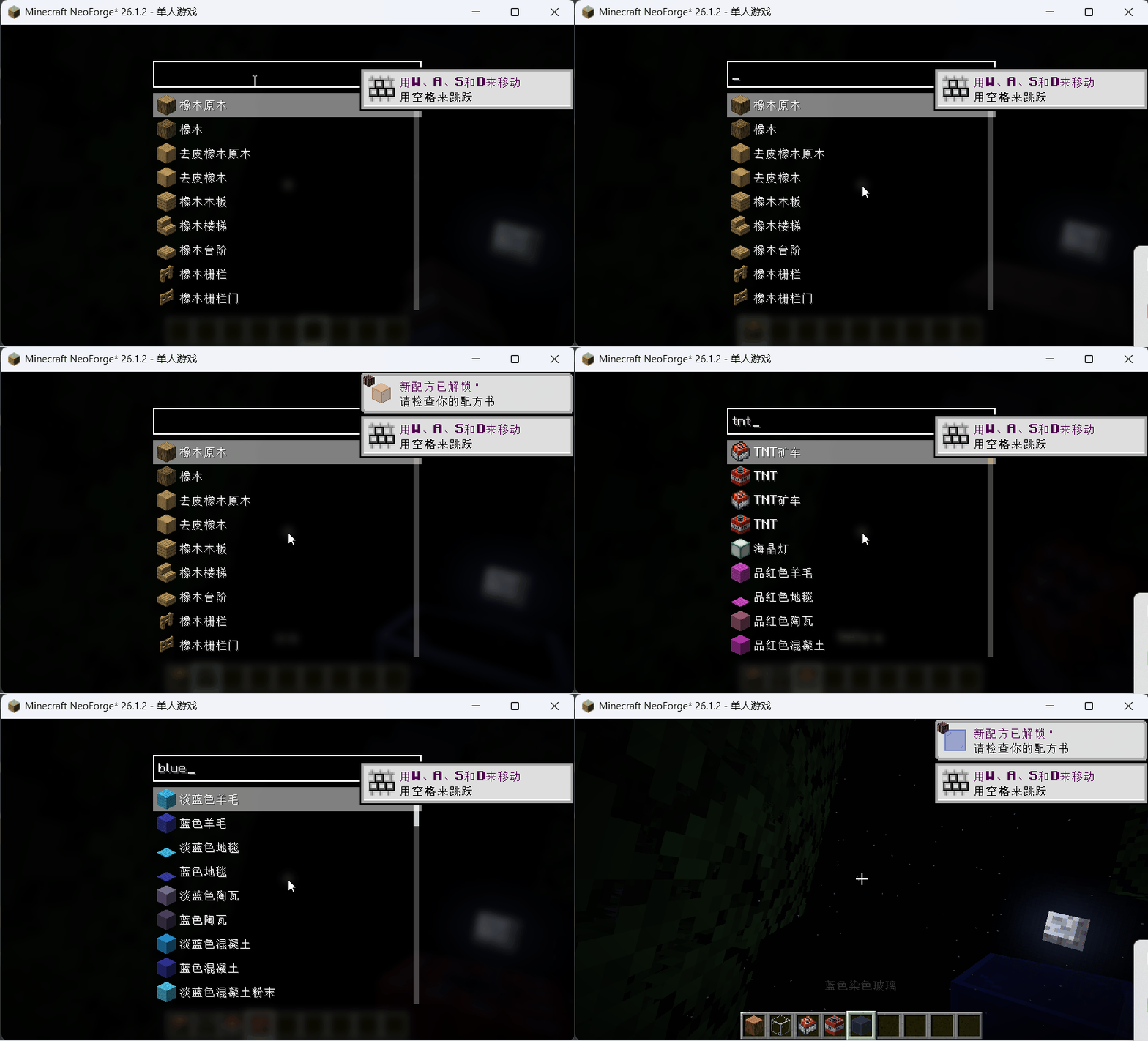
  • Instant item search — Press R (configurable) to open a full-screen search overlay while in Creative Mode
  • Smart subsequence matching — Type dia pic to find "Diamond Pickaxe"; search matches display names, registry IDs, and tooltips
  • Three-phase async search — Results appear in real-time: display name matches first, then registry IDs, then tooltips
  • Auto-hotbar placement — Selected items are intelligently placed into your hotbar (reuses existing stacks, swaps if needed)
  • Typing shortcut — Start typing any character while the Creative Inventory screen is open to automatically open the search pre-filled with that character
  • Pinyin support — Optional integration with Just Enough Characters for Chinese pinyin input matching

Usage

  1. Press R anywhere in Creative Mode to open the search overlay
  2. Type part of an item's name, registry ID, or tooltip — results filter in real-time
  3. Use arrow keys (↑↓) to navigate, press Enter to select, or click an item
  4. Scroll with mouse wheel to see more results
  5. Press Esc to close without selecting

Keybindings

Key Default Description
Open Quick Take R Opens the search overlay (Creative Mode only)
quick_take-1.0.0-mc26.1.2.jar
MC Client, NeoForge, 26.1.2
Release 2026-07-15 Get

More from xypp

Advertisement Remove ads with Premium →

You Might Also Like