Addon for QShop.
QShop Sell Box is a Forge 1.20.1 addon for QShop. It adds a dedicated automatic selling container for servers that use QShop as their currency system.
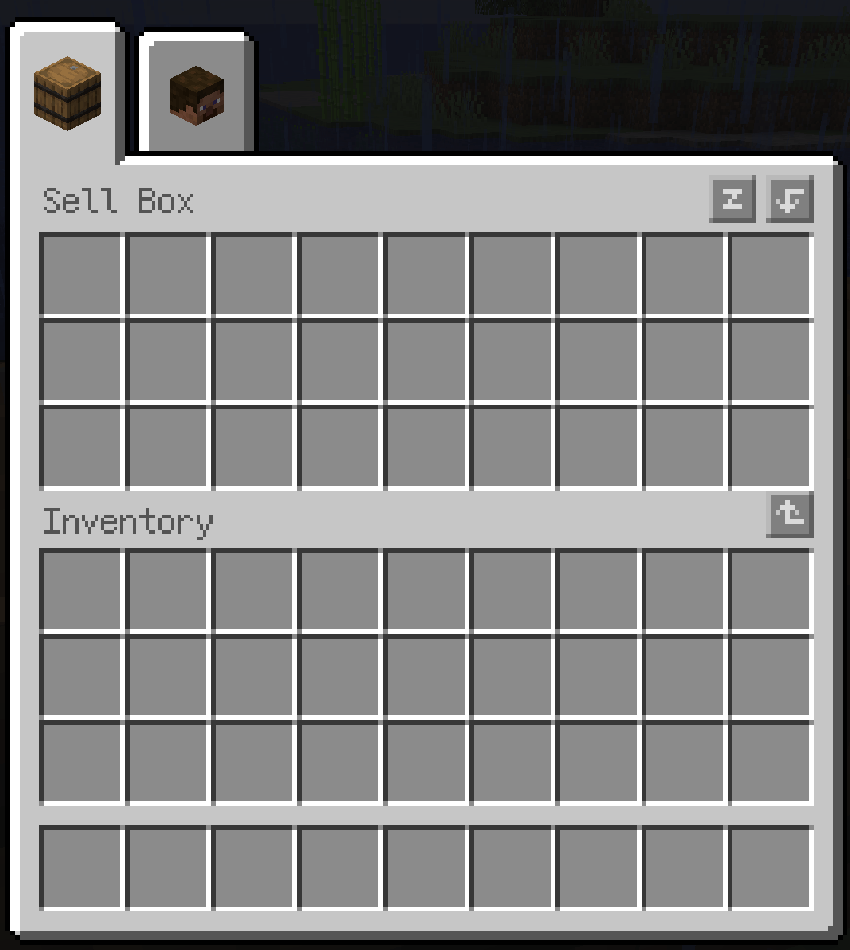
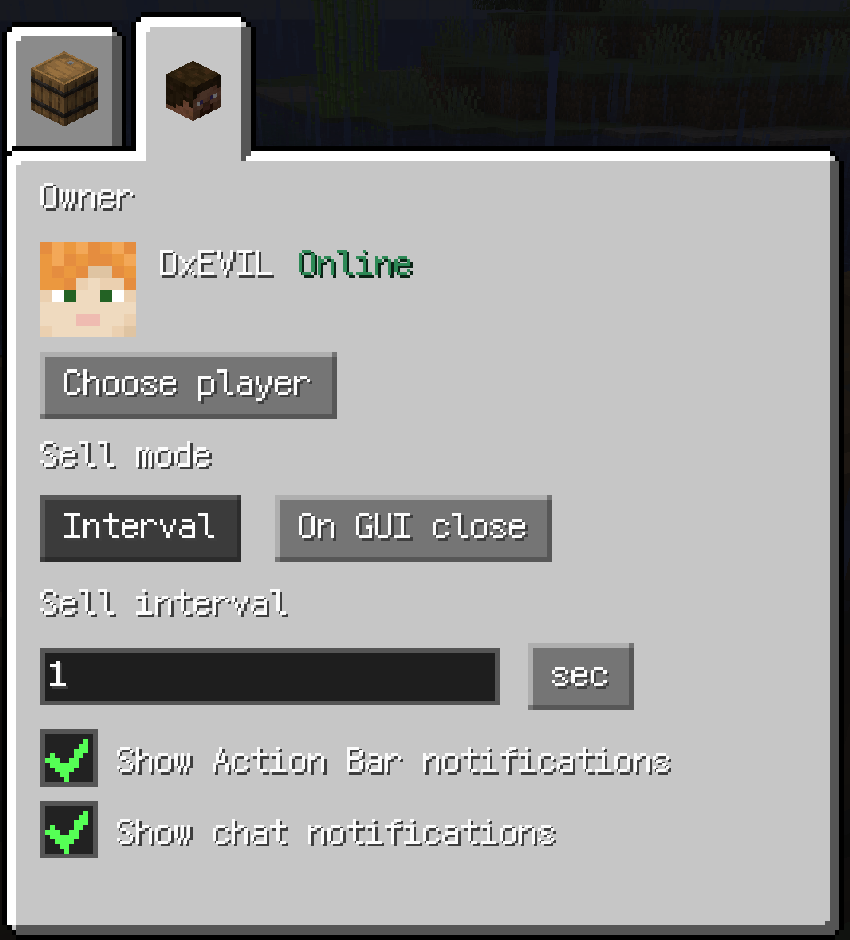
Place items in the sell box, select the player who should receive the earnings, and choose when the contents should be sold. The box can sell automatically at a configurable interval or sell its contents when the GUI is closed. Earnings are deposited into the selected owner's QShop wallet, including when that player is offline.
The mod is designed to follow the visual and interaction style of vanilla container screens.
QShop Sell Box is an addon and does not provide an independent currency system. QShop must be installed for the mod to load and deposit earnings.
qshop-sellbox-1.0.2.jar into the server and client mods folders.The mod should be installed on both the server and the clients that open the GUI. The server is authoritative for ownership, selling, prices, and currency deposits.
The Forge COMMON configuration is generated at:
config/qshop_sellbox-common.tomlExample:
defaultCurrency = "coins"
priceRules = [
  "minecraft:iron_ingot|2|coins",
  "minecraft:diamond|100|coins",
  "minecraft:diamond|120|coins|{rarity:rare}"
]
nbtMultipliers = [
  "{rarity:rare}|1.2",
  "{quality:refined}|1.1",
  "minecraft:diamond|{rarity:rare,quality:refined}|1.15"
]
showPriceTooltip = true
debugDynamicPrice = falsepriceRules uses this format:
item_id|price|currency_id[|nbt]Examples:
priceRules = [
  "minecraft:iron_ingot|2|coins",
  "minecraft:diamond|100|coins",
  "minecraft:diamond|150|coins|{rarity:'rare'}"
]
An NBT condition is matched as a subset. The item must have the specified fields and values to use that rule.
nbtMultipliers supports a rule for every item or a rule for one item:
nbt|multiplier
item_id|nbt|multiplier
Examples:
nbtMultipliers = [
  "{rarity:'rare'}|1.2",
  "{quality:'refined'}|1.1",
  "minecraft:diamond|{rarity:'rare',quality:'refined'}|1.15"
]
Multiple matching multipliers are applied together. For example, an item matching both rarity:rare and quality:refined receives 1.2 * 1.1.
KubeJS dynamic pricing takes priority over static price rules when a dynamic price callback is registered.
KubeJS price callbacks run on the server and receive the complete item stack through event.item. The callback should return a single-item price and a QShop currency ID.
SellBox.price(event => {
  const item = event.item
  const nbt = item.nbt
  let price = 1000

  if (nbt && nbt.rarity == 'rare') {
    price *= 1.2
  }

  if (item.maxDamage > 0) {
    price *= 1.1
  }

  if (item.hasTag('minecards:cards')) {
    price *= 2
  }

  return {
    price: price,
    currency: 'coins'
  }
})
The returned price is the unit price. The sell box multiplies it by the number of items removed from the stack, so the callback should not multiply the result by event.item.count.
event.item provides:
id: the namespaced item ID, such as minecraft:diamond.count: the current stack count.damage: the current durability damage value.maxDamage: the maximum durability value, or 0 for non-damageable items.isDamaged: whether the item currently has durability damage.nbt: the complete item NBT converted to JavaScript objects, arrays, strings, and numbers.hasTag(tagId): checks an item tag using the server's current item tag registry.The tag argument can be written with or without the # prefix:
item.hasTag('minecards:cards')
item.hasTag('#forge:tools')
Nested NBT fields can be read directly:
const rarity = event.item.nbt?.rarity
const quality = event.item.nbt?.quality_food?.quality
const attachment = event.item.nbt?.AttachmentEXTENDED_MAG?.tag?.AttachmentId
The callback can return only a number when the configured defaultCurrency should be used:
SellBox.price(event => {
  return 100
})
For a custom currency, return an object:
SellBox.price(event => {
  return {
    price: 100,
    currency: 'base_money'
  }
})
The returned currency must be registered by QShop. Tooltips, Action Bar messages, chat messages, and offline deposits use the currency's registered display name when one is available.
After changing a KubeJS price script, use KubeJS's server reload workflow. Installing or upgrading the Java mod still requires restarting the game or server.
The settings tab provides independent checkboxes for:
When the owner is offline, the earnings are written to the UUID-based wallet data. When the owner logs in, the pending earnings are deposited and the selected notification types are shown.
Price tooltips are controlled by showPriceTooltip. Dynamic prices are queried from the server, so the price shown for an NBT-customized item matches the price used by the sale transaction.
QShop Sell Box 是一个适用于 Minecraft 1.20.1 Forge 的 QShop 附属模组,为服务器添加可以自动出售物品的容器方块。
玩家可以将物品放入自动售货箱,选择收益归属玩家,并设置出售方式。容器支持按时间间隔自动出售,也支持在关闭容器 GUI 时立即出售。交易和价格均由服务端处理,出售收益会通过 QShop 的货币系统发放给归属玩家。
配置文件位于:
config/qshop_sellbox-common.toml示例:
defaultCurrency = "coins"
priceRules = [
  "minecraft:iron_ingot|2|coins",
  "minecraft:diamond|100|coins",
  "minecraft:diamond|120|coins|{rarity:rare}"
]
nbtMultipliers = [
  "{rarity:rare}|1.2",
  "{quality:refined}|1.1",
  "minecraft:diamond|{rarity:rare,quality:refined}|1.15"
]
showPriceTooltip = true
debugDynamicPrice = false
priceRules 格式为:
物品 ID|单价|货币 ID[|NBT]nbtMultipliers 支持通用规则和指定物品规则:
NBT|倍率
物品 ID|NBT|倍率
NBT 使用 Minecraft SNBT 格式,并且支持在同一条规则中读取多个字段。例如 {rarity:'rare',quality:'refined'} 可以同时匹配稀有度和品质。多个倍率同时匹配时会相乘。
如果注册了 KubeJS 动态价格函数,动态价格的优先级高于配置文件中的静态价格规则。
KubeJS 价格函数在服务端执行,event.item 表示当前正在出售的单件物品。返回的 price 是单价,Sell Box 会自动乘以实际出售的物品数量,因此脚本不需要再次乘以 event.item.count。
SellBox.price(event => {
  const item = event.item
  const nbt = item.nbt
  let price = 1000

  if (nbt && nbt.rarity == 'rare') {
    price *= 1.2
  }

  if (item.maxDamage > 0) {
    price *= 1.1
  }

  if (item.hasTag('minecards:cards')) {
    price *= 2
  }

  return {
    price: price,
    currency: 'coins'
  }
})
event.item 支持以下属性:
id:带命名空间的物品 ID,例如 minecraft:diamond。count:当前物品堆数量。damage:当前耐久损耗值。maxDamage:物品最大耐久,非耐久物品为 0。isDamaged:物品是否已经损耗耐久。nbt:完整物品 NBT,会递归转换为 JavaScript 对象、数组、字符串和数字。hasTag(tagId):检查物品是否拥有指定物品 tag。tag 可以使用带 # 或不带 # 的写法:
item.hasTag('minecards:cards')
item.hasTag('#forge:tools')
也可以直接读取嵌套 NBT:
const rarity = event.item.nbt?.rarity
const quality = event.item.nbt?.quality_food?.quality
const attachment = event.item.nbt?.AttachmentEXTENDED_MAG?.tag?.AttachmentId
如果使用配置中的默认货币,可以只返回数字:
SellBox.price(event => {
  return 100
})
如果需要指定货币,则返回对象:
SellBox.price(event => {
  return {
    price: 100,
    currency: 'base_money'
  }
})
返回的货币必须是 QShop 已注册的货币 ID。价格 tooltip、Action Bar、聊天栏和离线收益同步提示会优先显示货币注册时配置的显示名称。
修改 KubeJS 脚本后可以使用 KubeJS 的服务端重载功能;安装或升级 Java 模组仍然需要重启游戏或服务器。
设置分页中提供两个独立选项:
showPriceTooltip 可以控制是否在物品 tooltip 中显示出售价格。动态价格会由服务端查询,因此 tooltip 显示的价格与实际出售交易使用的价格一致。
QShop Sell Box 本身不提供独立的经济系统,必须安装 QShop 才能加载模组并发放货币。
All rights reserved.