Badges update automatically and link to the mod page on MineUniverse.

Fabric and newer Minecraft versions coming soon.



Vanilla ping/latency calculation always seemed incredibly inaccurate and delayed to me.
public void tick() {
   if (++this.sendAllPlayerInfoIn > 600) {
      this.broadcastAll(new ClientboundPlayerInfoPacket(ClientboundPlayerInfoPacket.Action.UPDATE_LATENCY, this.players));
      this.sendAllPlayerInfoIn = 0;
   }
}int i = (int)(Util.getMillis() - this.keepAliveTime);
this.player.latency = (this.player.latency * 3 + i) / 4;This mod goes around Vanilla and measures latency with a similar custom packet, but takes a proper average of 5 last RTT (round-trip-time) results.
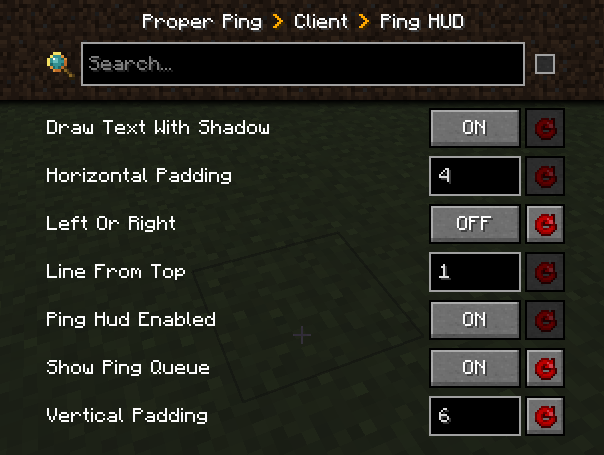
Besides that, it also adds a customizable hud element to always see your ping with options such as:
["Ping HUD"]
      #Enable ping HUD
      pingHudEnabled = true
      #Additionally show 5 last ping values
      showPingQueue = false
      #Draw text with a shadow
      drawTextWithShadow = true
      #Draw ping either on the left side (true), or on the right (false)
      leftOrRight = true
      #How many scaled GUI pixels to start drawing from the edge of the screen
      #Range: > 0
      horizontalPadding = 4
      #On which line counting from the top to start drawing from
      #Range: > 0
      lineFromTop = 1
      #How many scaled GUI pixels to start drawing from the top of the screen
      #Range: > 0
      verticalPadding = 4

   [Other]
      #Show numbers in milliseconds in player list
      playerListNumbers = true
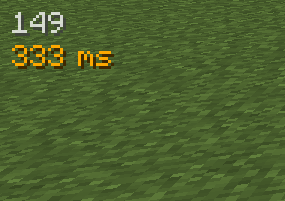
Example of a full display with the last 5 measurements turned on, numerical player list values, positioned on the right side of the screen: 
Q: Forge?
A: Forge.
Q: Can I include your mod in a video?
A: As long as you include a link to the mod/modpack (if it happens to be in one), absolutely
Q: Can I add your mod to a modpack?
A: CurseForge/Modrinth modpacks are cool.