Badges update automatically and link to the mod page on MineUniverse.
Server-like GUI Shops for Forge
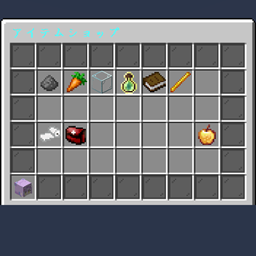
Plugin Style Shop brings the polished user experience of Spigot/Bukkit server shops to the Minecraft Forge platform. It provides a secure, menu-based GUI where items act as buttons. Clicking an item triggers a transaction instantly without the risk of item theft or messy inventory management.
This mod is perfect for modpack creators, RPG servers, and map makers who need a robust economy system with advanced features like team-based inflation and NBT support.
Create an economy that reacts to supply and demand. Prices can automatically increase (inflation) or decrease based on purchase history.
Fully integrated with Minecraft's vanilla Scoreboard Teams.
To create a shop, you simply need an entity with the specific tag pss_shop.
Basic Shop (Default):
Summon a villager that opens the default.json shop.
/summon villager ~ ~ ~ {Tags:["pss_shop"], NoAI:1b, CustomName:'"Shopkeeper"'}Multiple Shops:
To open a specific file (e.g., weapons.json), add a second tag in the format pss_shop:filename.
/summon villager ~ ~ ~ {Tags:["pss_shop", "pss_shop:weapons"], NoAI:1b}Config files are located at: config/plugin_style_shop/shops/.
You can create as many JSON files as you need.
Here is how to configure a dynamic price item in default.json:
{
  "title": "Server Market",
  "size": 27,
  "items": [
    {
      "slot": 13,
      "display": {
        "item": "minecraft:diamond_sword",
        "name": "§bInflation Sword",
        "lore": [
          "§7The more you buy,",
          "§7the more expensive it gets!",
          "§eCurrent Price: %price% Points"
        ]
      },
      "cost": {
        "type": "SCORE",
        "target": "money",
        "base_amount": 100,
        "scaling": {
          "mode": "EXPONENTIAL",
          "factor": 1.2,
          "scope": "TEAM",
          "clamp": { "min": 100, "max": 5000 }
        }
      },
      "reward": {
        "type": "ITEM",
        "item": "minecraft:diamond_sword",
        "count": 1
      }
    }
  ]
}display: Visual settings.%price% in lore to show the calculated cost.custom_display_type to "team_color_item" to make the item match the player's team color (requires a white base item like white_wool).cost:type: "SCORE" (Scoreboard) or "ITEM" (Physical Item) or "NONE".target: The objective name for Scoreboard currency.scaling (Dynamic Pricing):scope:"PLAYER": Counts per individual."TEAM": Counts per Vanilla Team."GLOBAL": Counts for the whole server.reward:type: "ITEM" or "COMMAND"."commands": ["command1", "command2"]. Use %player% as a placeholder./pss reload: Reloads all JSON configurations instantly. (Requires OP)