# Particle Blocker
**Delete every particle inside an area you define — then hide the block that does it.**
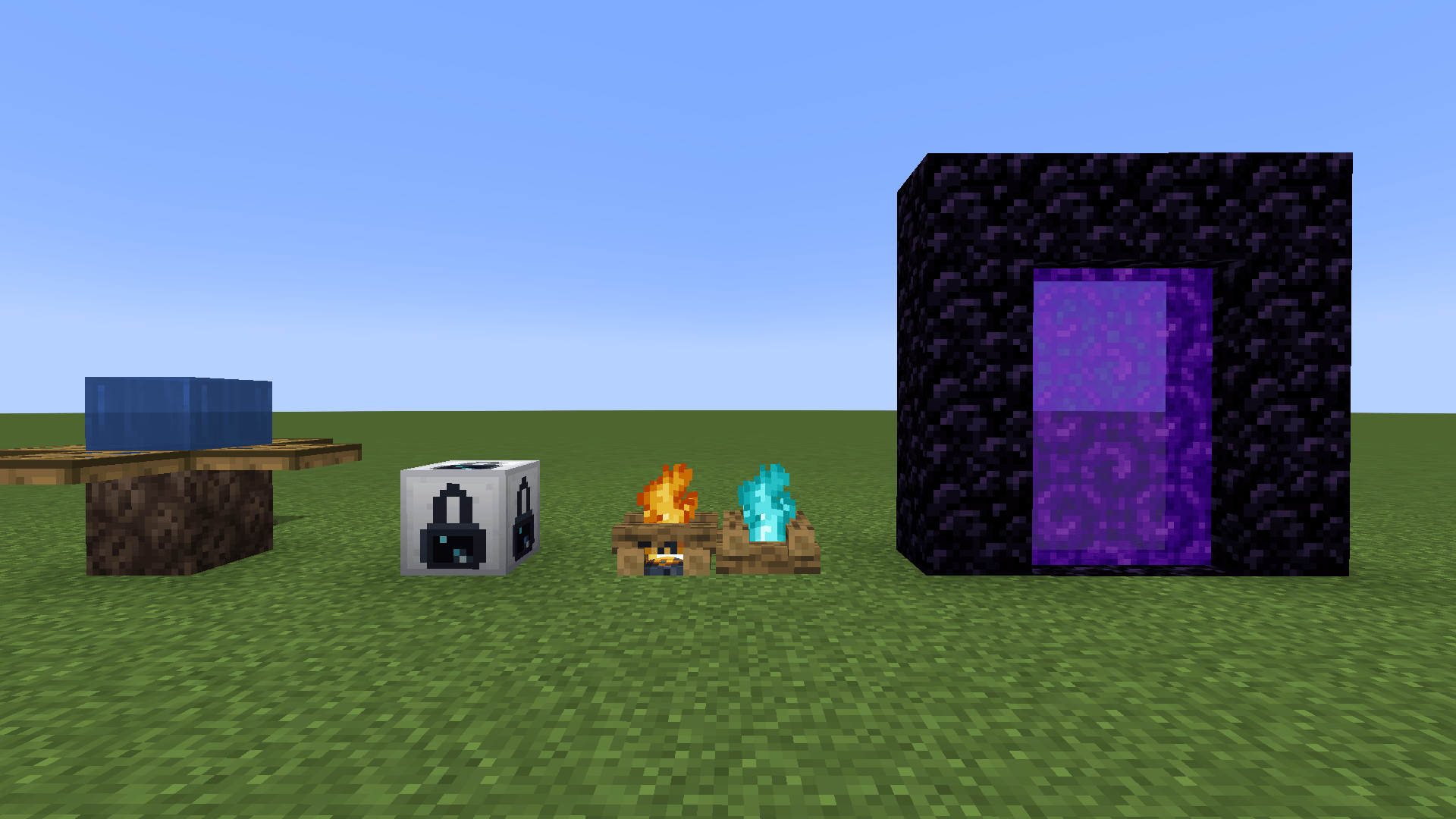
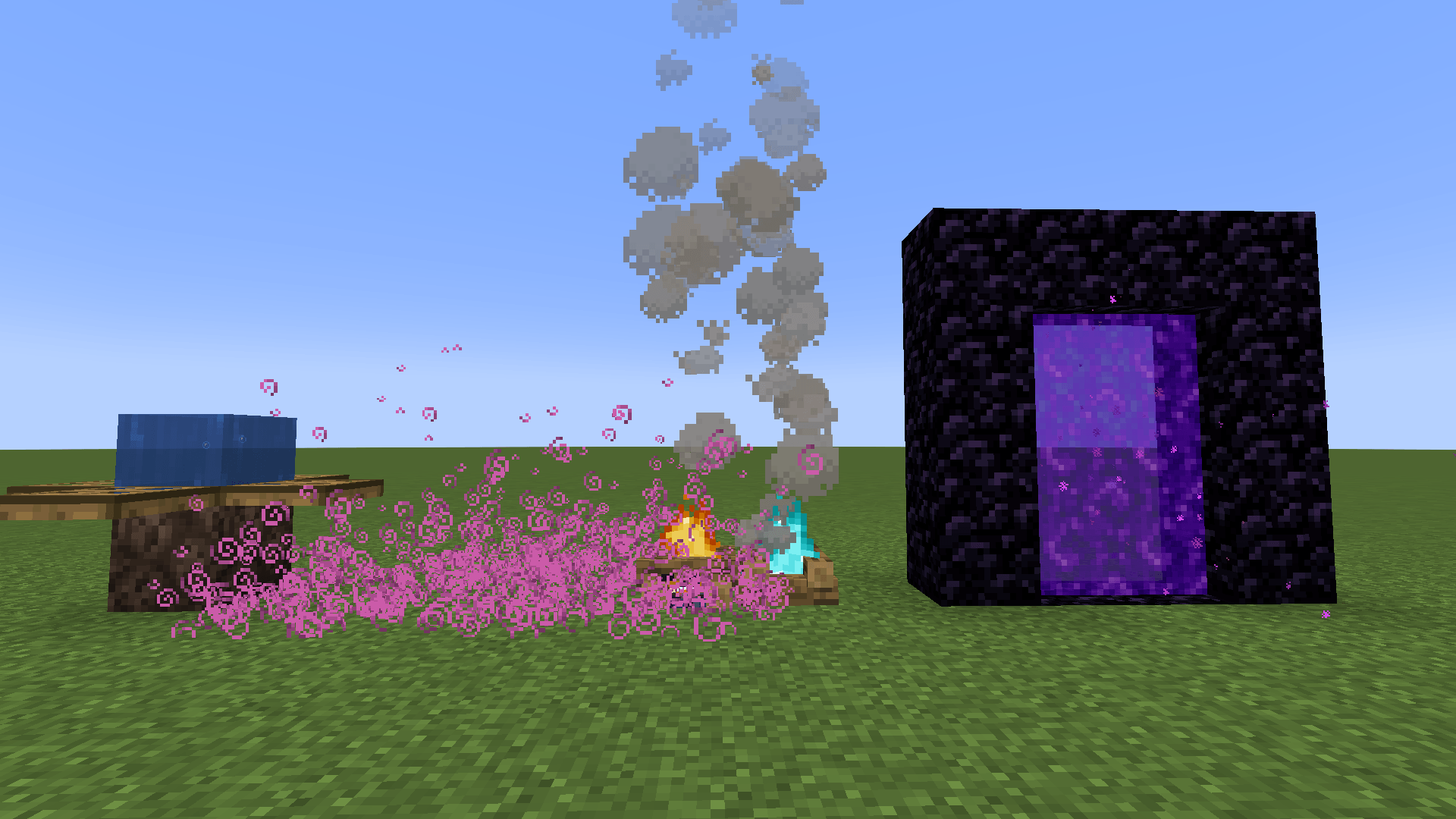
Particle Blocker adds one block that cancels **all rendered particles** inside a configurable
box around it: block breaking, smoke, fire, redstone dust, potion effects, entity particles,
`/particle` commands and anything the server sends. The particles are not faded or hidden —
they are cancelled before they are ever created, so you gain FPS instead of losing it.
---
## Features
- **Configurable area** — set the X, Y and Z radius (0 to 128 blocks each) in a simple in-game screen.
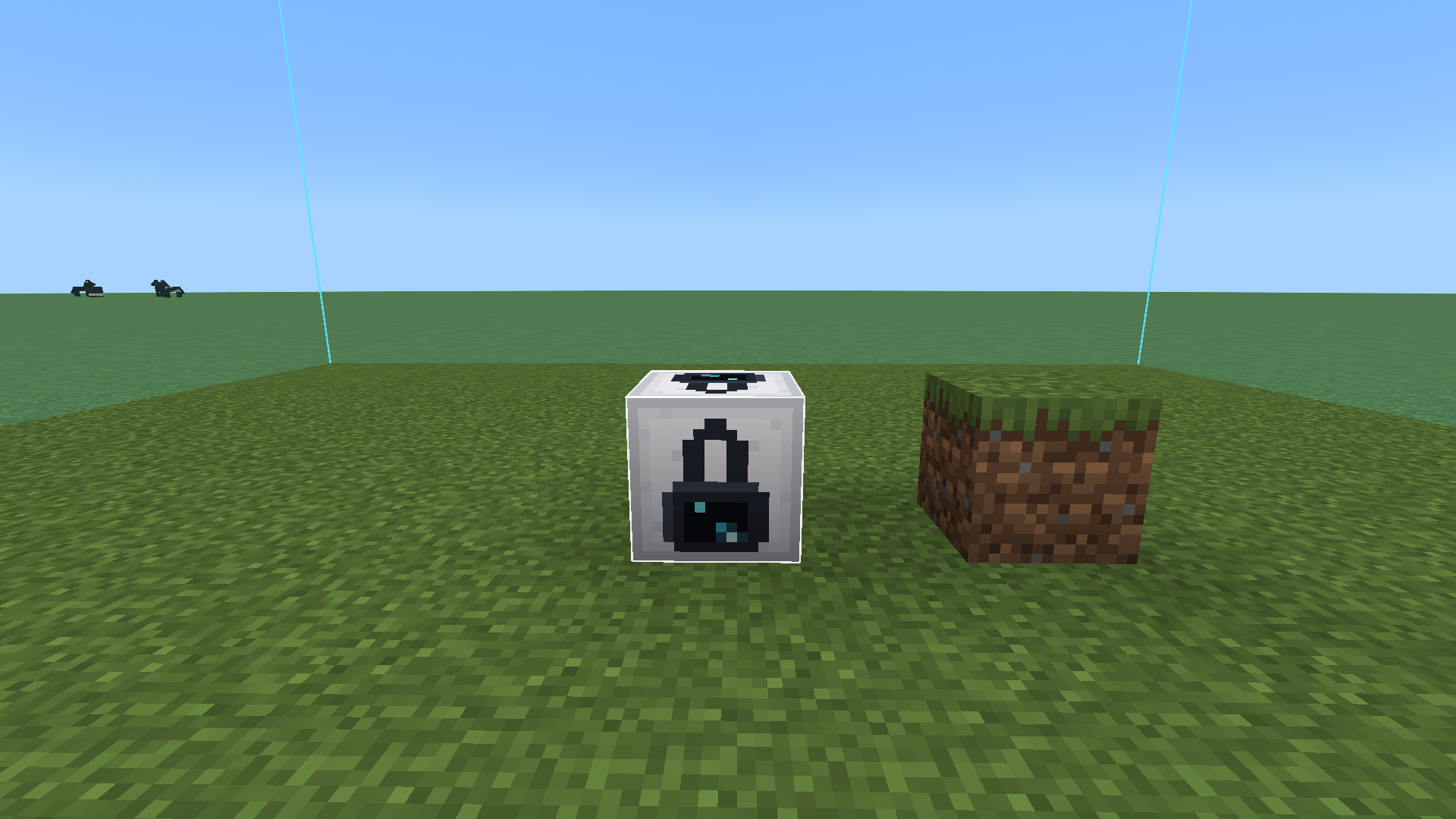
- **Force field preview** — look at the block and the whole area shows up as a translucent cyan field, visible from outside *and* from inside.
- **Camouflage** — right-click the block with any block in hand and it copies that block's appearance. The item is not consumed.
- **Biome-correct colors** — camouflaging with grass, leaves or vines keeps the biome tint.
- **Multiplayer ready** — the configuration is stored server-side and synced to every player, so nobody has to set anything up.
## Why would I want this?
- Build servers and hub spawns where particle spam ruins screenshots and framerate
- Cinematic recordings and map trailers
- Hiding the smoke and flames from mob farms, lava rooms and campfire builds
- Boss arenas and minigames where enchantment/potion particles get in the way
## Controls
| Action | Result |
|---|---|
| Right-click with an empty hand | Opens the area screen (X / Y / Z radius) |
| Right-click with any block in hand | Camouflages the block with it |
| Shift + right-click with an empty hand | Removes the camouflage |
| Shift + right-click with a block in hand | Places the block normally |
The radius is counted **from the block in every direction** — a radius of 5 covers an
11x11x11 box with the block at the center.
## Recipe
```
W I W W = any Wool
I R I I = Iron Ingot
W I W R = Redstone Dust
```
Also available in the **Functional Blocks** creative tab.
## Requirements
- Minecraft **1.21.1**
- NeoForge **21.1.248** or newer
- Must be installed on **both the client and the server**. The server stores the configuration;
the client does the actual particle blocking.
## Notes
- Blocks rendered by special renderers (chests, signs, heads, banners) cannot be used as camouflage — they would turn the block invisible. The game tells you when that happens.
- The camouflage is lost when the block is broken.
---
# Particle Blocker (Portugues)
**Remove todas as particulas dentro de uma area que voce define — e ainda esconde o bloco que faz isso.**
O Particle Blocker adiciona um bloco que cancela **todas as particulas** dentro de uma area
configuravel ao redor dele: quebra de bloco, fumaca, fogo, redstone, efeitos de pocao,
particulas de entidades, comando `/particle` e tudo que o servidor envia. As particulas nao
sao escondidas — elas sao canceladas antes de existirem, entao voce **ganha FPS** em vez de perder.
## Funcionalidades
- **Area configuravel** — defina o raio X, Y e Z (de 0 a 128 blocos cada) numa tela simples dentro do jogo.
- **Campo de forca** — mire no bloco e a area inteira aparece como um campo ciano translucido, visivel por fora e por dentro.
- **Camuflagem** — clique com qualquer bloco na mao e ele copia a aparencia daquele bloco. O item nao e consumido.
- **Cores corretas** — camuflar com grama, folhas ou trepadeira mantem a cor do bioma.
- **Pronto para multiplayer** — a configuracao fica salva no servidor e e sincronizada para todos os jogadores.
## Para que serve?
- Servidores de build e spawns onde o excesso de particulas estraga print e FPS
- Gravacoes cinematicas e trailers de mapa
- Esconder a fumaca de farms de mob, salas de lava e fogueiras
- Arenas de boss e minigames onde particula de encantamento e pocao atrapalha
## Controles
| Acao | Resultado |
|---|---|
| Clique direito com a mao vazia | Abre a tela da area (raio X / Y / Z) |
| Clique direito com um bloco na mao | Camufla o bloco com ele |
| Shift + clique direito com a mao vazia | Remove a camuflagem |
| Shift + clique direito com bloco na mao | Coloca o bloco normalmente |
O raio conta **a partir do bloco em todas as direcoes** — raio 5 cobre uma caixa de
11x11x11 com o bloco no centro.
## Receita
```
L F L L = qualquer La
F R F F = Barra de Ferro
L F L R = Po de Redstone
```
Tambem disponivel na aba criativa **Blocos Funcionais**.
## Requisitos
- Minecraft **1.21.1**
- NeoForge **21.1.248** ou superior
- Precisa estar instalado **no cliente e no servidor**. O servidor guarda a configuracao;
o cliente faz o bloqueio das particulas.
## Observacoes
- Blocos com renderizador proprio (bau, placa, cabeca, estandarte) nao podem ser usados como camuflagem — o bloco ficaria invisivel. O jogo avisa quando isso acontece.
- A camuflagem se perde ao quebrar o bloco.