Mineuniverse
Mods
Particle Ore

Particle Ore

MOD
Make Minecraft ores emit sparkling particles
by ToanCao
Download Claim this project
24 downloads
0 likes
Updated Oct 14, 2026
0 hypes
Adventure and RPG Cosmetic Magic Utility & QoL
Advertisement Remove ads with Premium →

Particle Ore

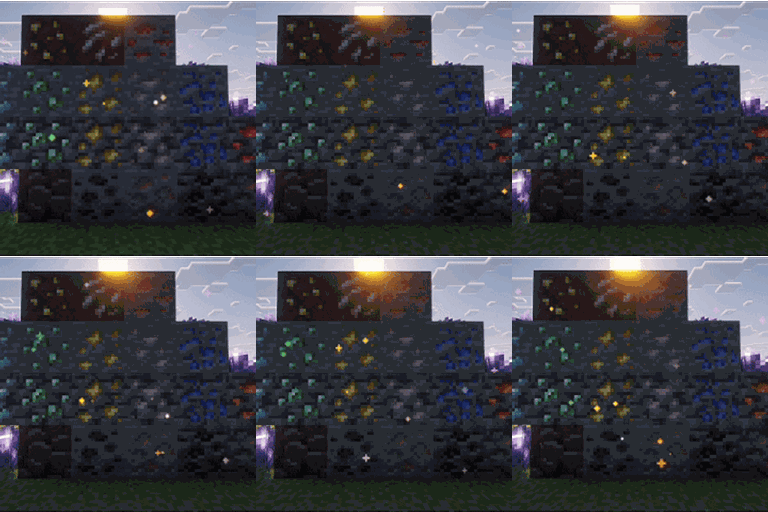
Particle Ore is a client-side Fabric mod that gives ores bright, colorful and responsive particle effects without changing world generation, block behavior or server gameplay.

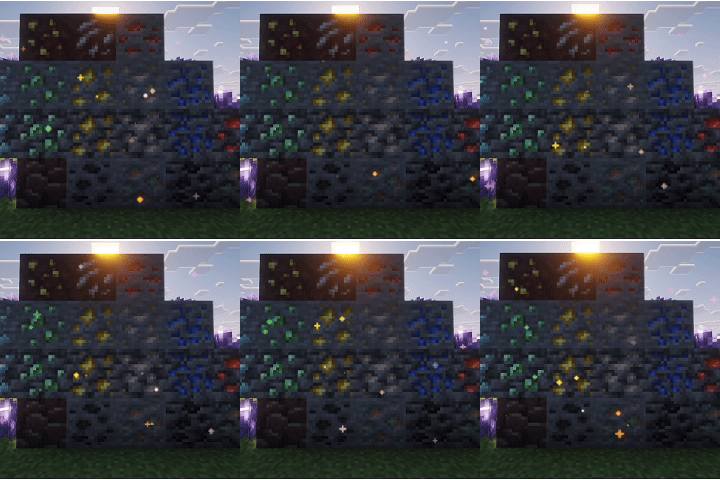
Ores gently release glowing dust while idle. Hitting an ore produces small colored sparks and mining dust, while breaking it creates a larger burst of glittering particles. The effects use the color and visual style associated with each mineral.

Features

  • Bright full-light ore particles that remain visible in dark caves
  • Shader-friendly rendering designed for Iris
  • Compatible with Sodium
  • Gentle falling sparkle dust around exposed ores
  • Spark and dust effects while mining
  • Larger glitter burst when an ore is broken
  • Different colors and motion styles for each mineral
  • Automatic support for many modded ores
  • Only spawns particles on exposed block faces
  • Adaptive particle budget to help maintain frame rate
  • Precious-only and completely disabled display modes
  • Photo mode for slower, more cinematic particles
  • In-game configuration screen
  • English and Vietnamese translations
  • No world-generation or gameplay changes

Modded Ore Support

Particle Ore automatically detects blocks that use the c:ores block tag or have IDs containing _ore or ore_.

Common mineral names such as diamond, emerald, gold, copper, uranium, silver, platinum, ruby and sapphire receive matching colors automatically. Unknown ores use a neutral white sparkle.

Resource packs and modpack authors can provide exact colors and styles through JSON files inside:

assets/tc_particle_ore/ore_effects/

Controls

  • H — Cycle between All Ores, Precious Only and Off
  • O — Open Particle Ore settings
  • P — Toggle Photo Mode

All key bindings can be changed in Minecraft's Controls menu.

Configuration

The in-game settings screen includes:

  • Effect mode
  • Particle density
  • Mining dust
  • Proximity aura
  • Adaptive FPS
  • Modded ore support
  • Photo mode
  • Render distance
  • Bloom strength
  • Particle budget

A configuration file is generated at:

config/tc_particle_ore.json

Requirements

  • Minecraft 1.21.1
  • Fabric Loader 0.16.0 or newer
  • Fabric API
  • Java 21

Particle Ore is client-side only. It does not need to be installed on a dedicated server.

TC_Particle_Ore-1.0.0+1.21.1.jar
MC 1.21, Client, Fabric, 1.21.1
Release 2026-09-21 Get

More from ToanCao

Advertisement Remove ads with Premium →

You Might Also Like