Badges update automatically and link to the mod page on MineUniverse.
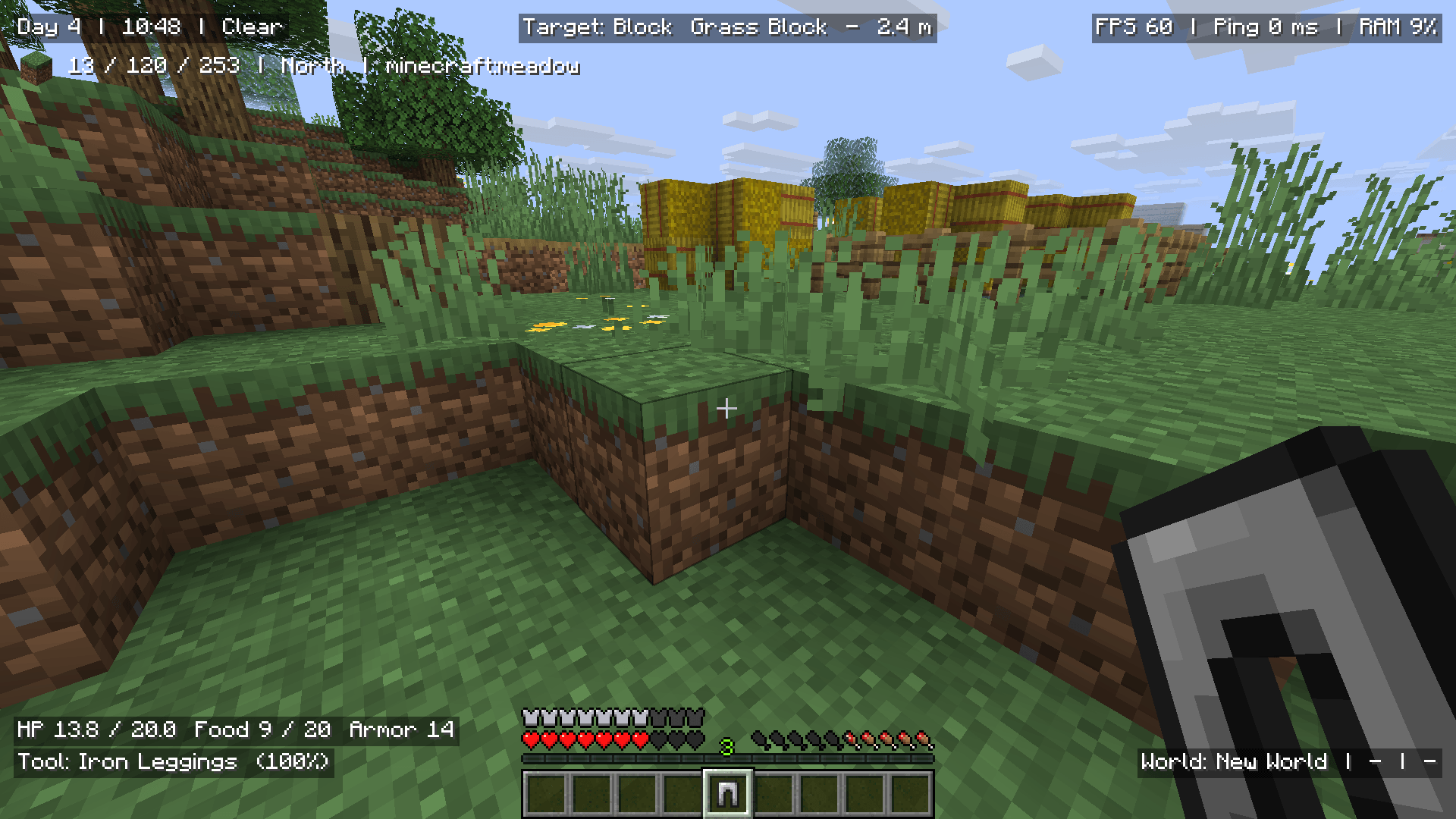
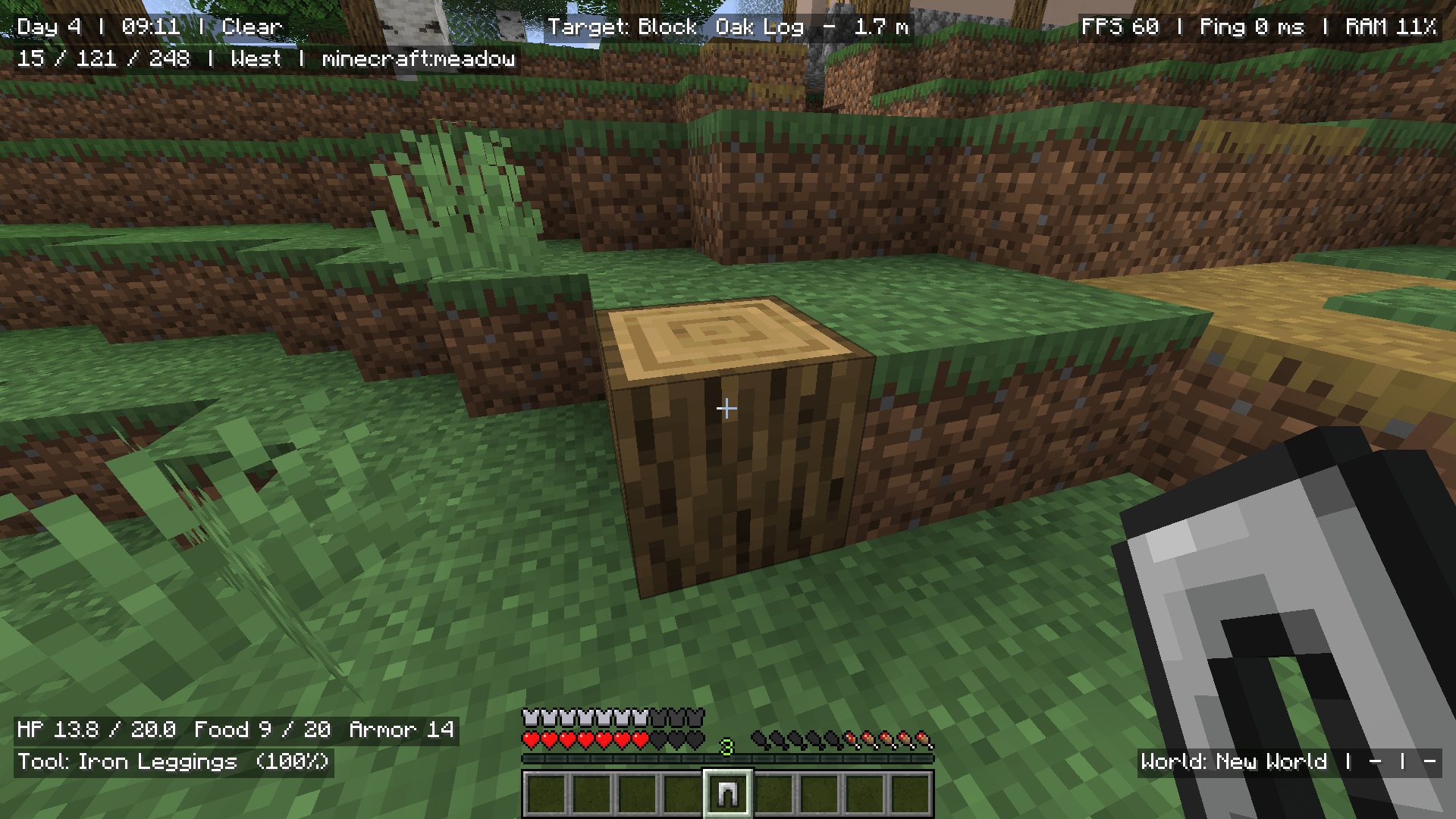
Overlay Stats is a client-side Fabric mod that lets you create your own customizable in-game HUD using editable overlay elements.
Show the information you care about while playing, such as coordinates, FPS, ping, world time, biome, health, equipment, target block/entity data, potion effects, and more.
The mod uses simple text-based elements with %variables, so you can mix normal text with live Minecraft data however you want.
%variables inside your element text$item_name$You can create simple elements like:
Day %dayXYZ: %x %y %zFPS: %fps | Ping: %ping_fullYou can also combine text, variables, and icons:
$grass_block Looking at: %target_block$clock Time: %time | Day: %day$diamond_sword Target: %target_entity | HP: %target_health_full$compass %direction | %biome | %dimensionOverlay Stats can render Minecraft item and block icons directly inside overlay text.
Use $ followed by an item or block ID:
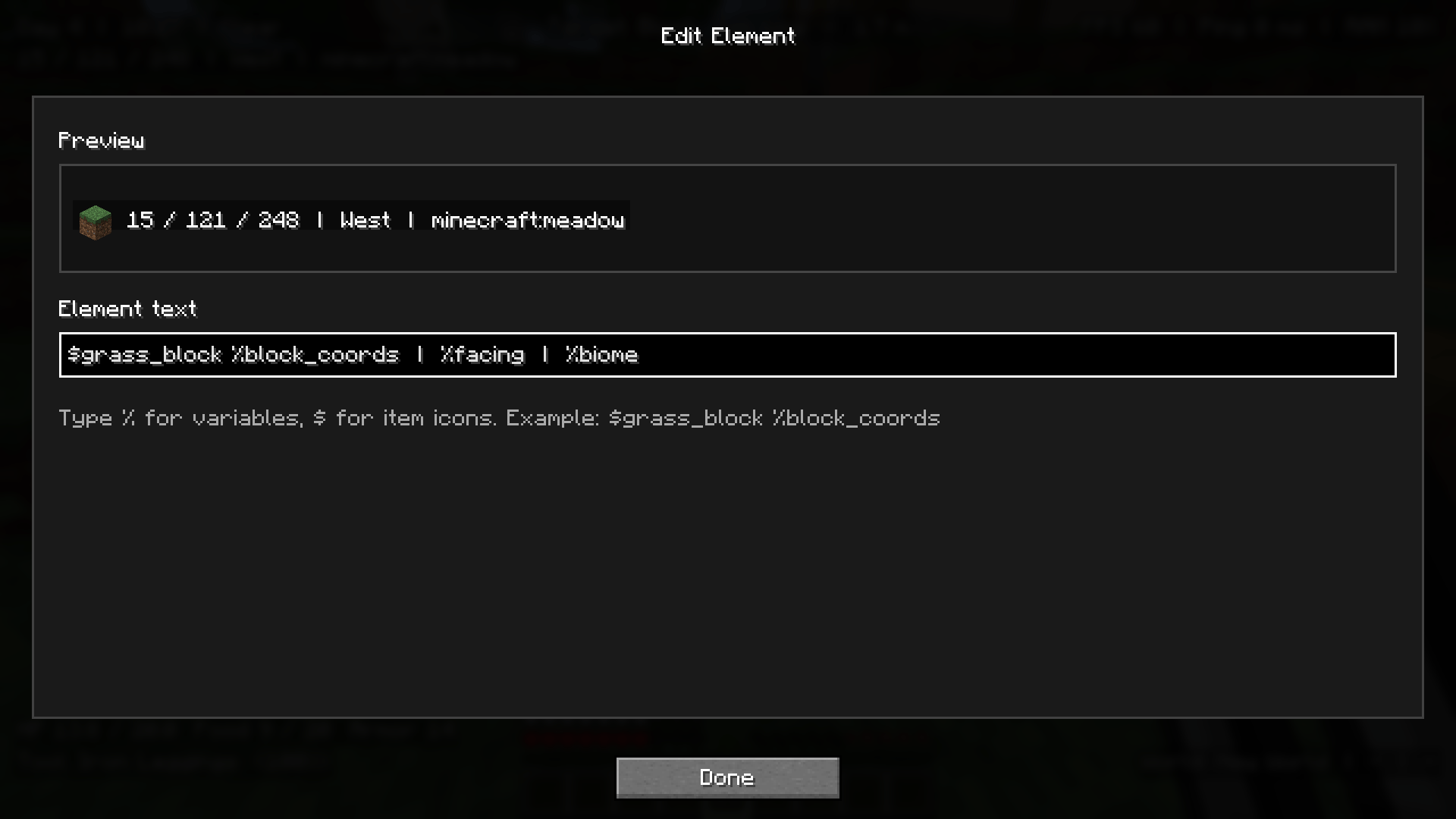
$grass_block %block_coords$diamond_pickaxe Durability: %main_hand_durability_percent%%When editing an element, typing $ will show icon suggestions.
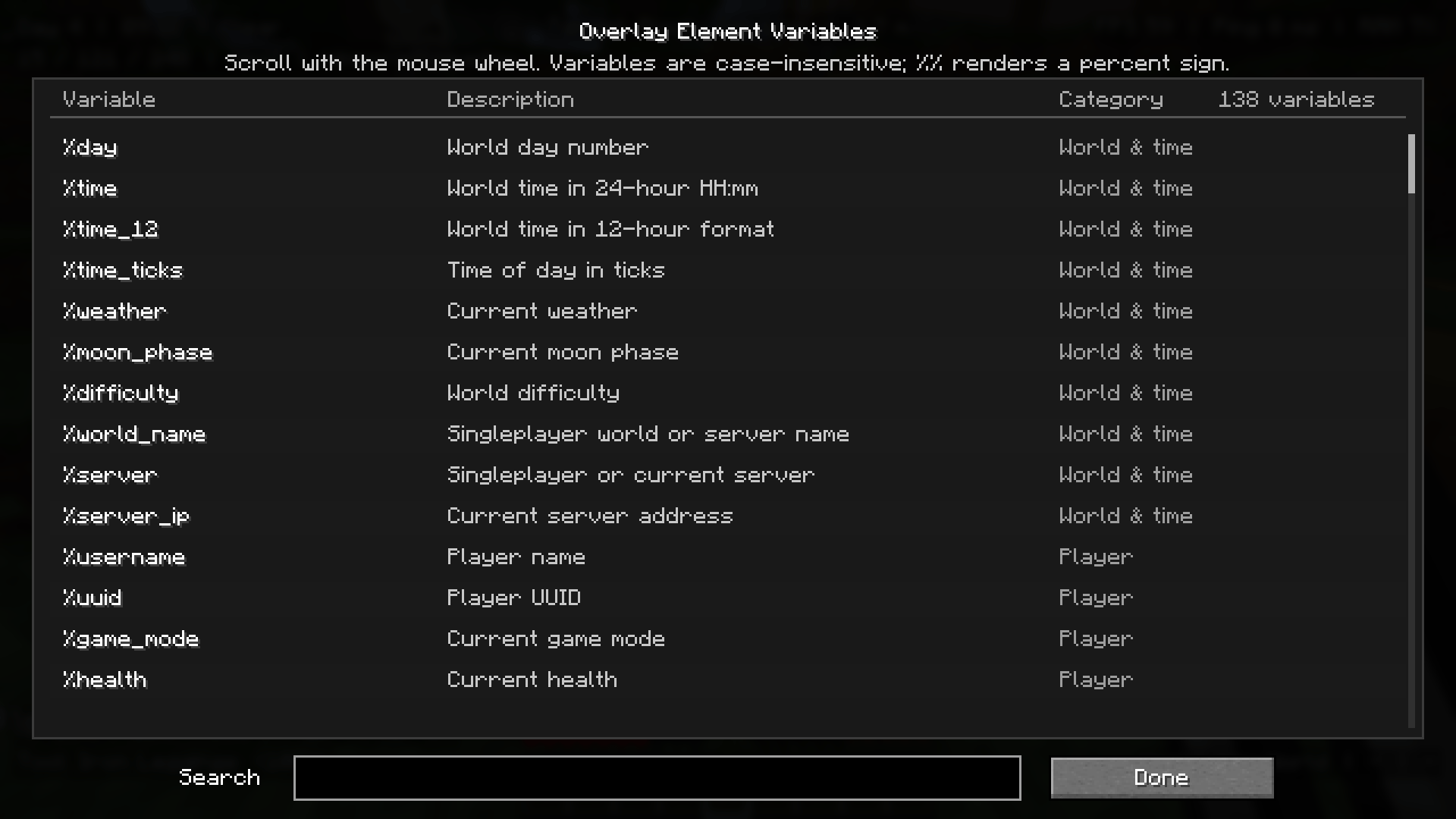
Overlay Stats includes many built-in variables for different parts of the game.
Some examples include:
%day
%time
%weather
%x
%y
%z
%coords
%biome
%direction
%fps
%ping
%ping_full
%health
%hunger
%armor
%xp_level
%main_hand
%off_hand
%effects
%target_block
%target_entity
%target_health
%target_effects
%server_ip
Open the Variables screen in-game to browse and search the full list.
The mod includes multiple preset slots, so you can create different HUD layouts for different situations.
For example:
Only one preset is active at a time, making it easy to switch between setups.
Each overlay element can be customized individually.
You can change:
Some variables also unlock extra options.
For example, %target_block can hide the element when you are looking at air, so your HUD stays clean instead of constantly showing Air.
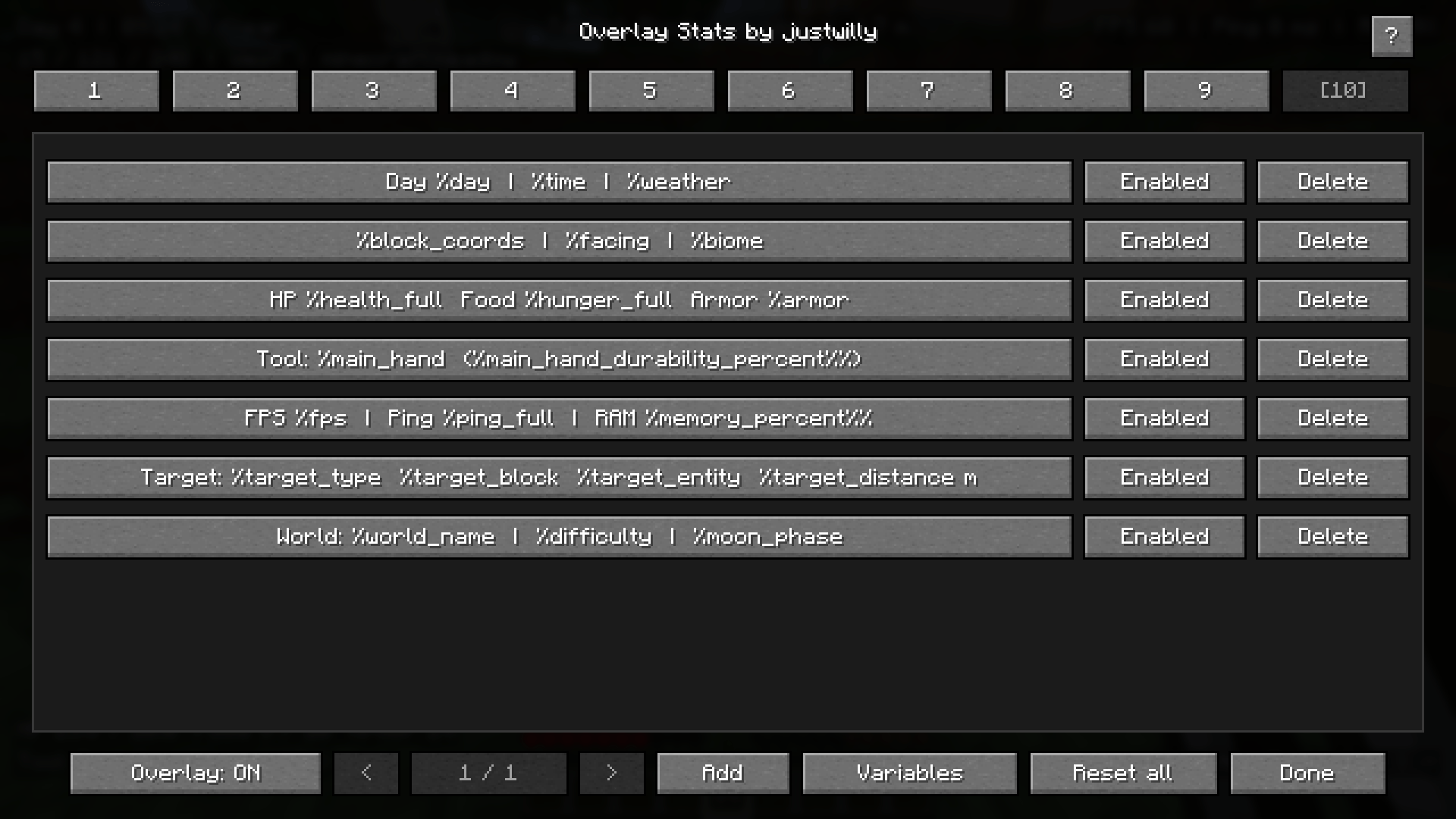
Press J in-game to open the Overlay Stats editor.
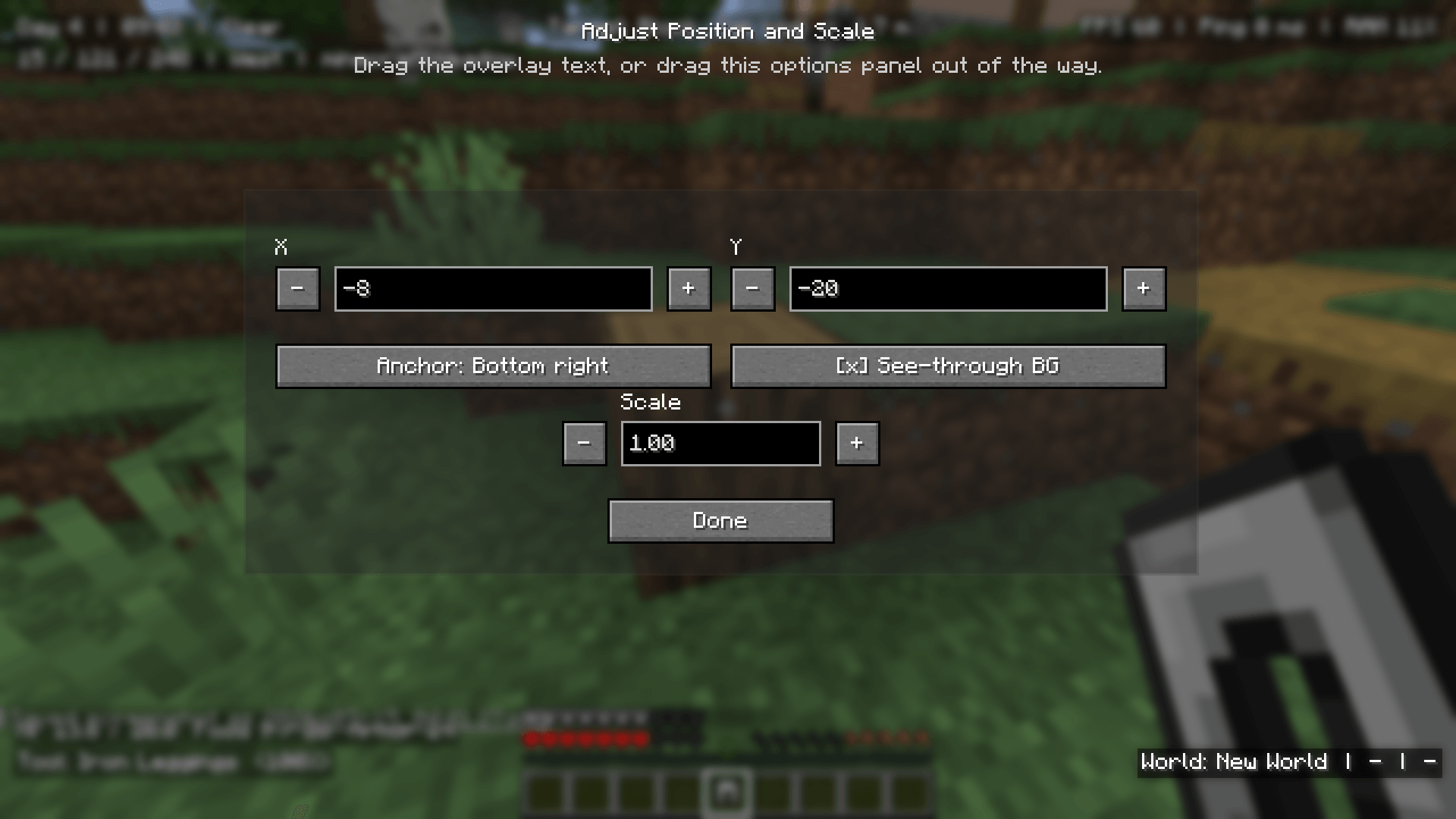
From there, you can add elements, edit existing ones, adjust position and scale, browse variables, and manage presets.
Overlay Stats is fully client-side.
It does not need to be installed on the server.
Donations help support development, testing, maintenance, and future updates.