このページの日本語版はこちらにあります: https://github.com/GodHexagon/one_slot_survival/blob/curseforge-public/README.md
A Minecraft Forge mod for advanced players who enjoy limited inventory.
*Compatible with multiplayer servers. Please install this mod as a Forge mod on both the server and client.
This mod is for restricted play only. While it becomes slightly more useful as you level up, it will not be more powerful than the vanilla version.
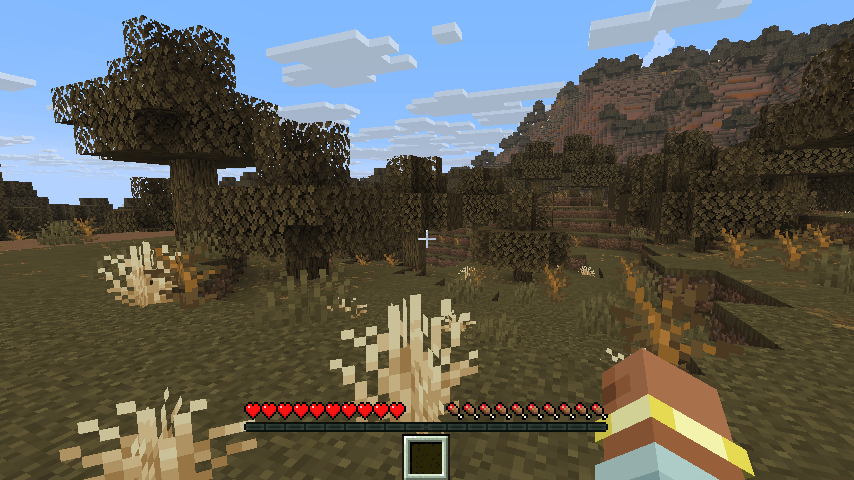
Upon starting the game, your inventory will be limited to one slot.
Normally, players have access to the following commands:
/oneslot: Check your current role and level-up status./oneslot changerole, /oneslot changerole <role name>: Attempt to change your assigned role. This allows you to change the types of slots you gain upon leveling up.Administrator commands are also available. For a complete list of commands, see the "Commands" section.
To disable role and level-up functionality and play entirely with a single inventory slot, run the following commands with administrator privileges. This will apply the one-slot inventory rules to players currently logged in to the world and any new players who join in the future.
/osa role clear both @a
/osw mainRoleChanging false
/osw subRoleChanging false
/osw defaultRole unassign/oneslot - Displays your main role, subrole, level, and the XP required to reach the next level./oneslot status - Alias for /oneslot/oneslot next - Displays the rewards you can earn at the next level-up./oneslot changerole - Displays a list of available roles./oneslot changerole <role name> - Confirms changes to the specified role (e.g., /oneslot changerole warrior)./oneslot changerole <role name> agree - Executes the role change./oneslot data - Displays a list of all roles./oneslot data <role name> - Displays details for the specified role./oneslot data <role name> slot <slot number> - Displays details for a specific slot in the specified role.OP authority level 2 required. Command Alias: /osa or /oneslot admin
/osa validity get [player] - Check mod validity/osa validity enable [player] - Enable mods/osa validity disable [player] - Disable mods/osa validity toggle [player] - Toggle mod validity/osa role get [player] - Check role/osa role set <role name> [player] - Set role (reset progress)/osa role setNoClear <role name> [player] - Set role (keep progress)/osa role clear [player] - Clear all roles/osa role clear main [player] - Clear main role/osa role clear sub [player] - Clear sub role/osa level get [player] - Check level/osa level set <level> [player] - Set level (reset experience points)/osa level setNoClear <level> [player] - Set level (keep experience points)/osa level clear [player] - Reset level/osa xp getRemaining [player] - Check required experience points for next level/osa xp add <amount> [player] - Add experience points/osa xp clear [player] - Clear experience points/osa roleLeveledUpTimes get [player] - Check role level-up times/osa roleLeveledUpTimes setMain <times> [player] - Set the main role level-up times/osa roleLeveledUpTimes setSub <times> [player] - Set subrole level-up times/osa roleLeveledUpTimes clear main [player] - Reset the main role level-up times/osa roleLeveledUpTimes clear sub [player] - Reset the subrole level-up times/osa roleLeveledUpTimes clear both [player] - Reset both role level-up times/osa distributeRole unassign - Unassign roles to all online players/osa distributeRole random - Randomly assign roles to all online players/osa distributeRole definedList - Assign roles sequentially based on a predefined listPredefined List=
Requires OP privilege level 2. Command Alias: /osw or /oneslot world
/osw mainRoleChanging [true|false] - Sets or queries whether the main role can be changed./osw subRoleChanging [true|false] - Sets or queries whether the subrole can be changed./osw bonusItem [none|bundle|shulkerbox|bundle_respawn|shulkerbox_respawn] - Sets or queries bonus items./osw defaultModValidity [true|false] - Sets or queries the initial mod validity status for new players./osw defaultRole [unassign|random|definedList] - Sets or queries the initial role assignment method for new players. Note: The definedList is the same as for "[Bulk Role Distribution](#Bulk Role Distribution)".Note: [player] is optional. If omitted, the command will target the user who executes the command.
Repository: https://github.com/GodHexagon/one_slot_survival
Past and Future Plans: See the task list in the repository.
Report Issues: Please use the CurseForge comment function.
License: Copyright (c) 2025 GodHexagon (とおる) All rights reserved.
For details, see the LICENSE file.