A small compatibility/bugfix addon that grew from one fix into four, all sharing the same root causes: CEM resource packs (like Reimagined via Entity Model Features) hijacking the shared armor stand model, and a couple of real bugs in Obscure Tooltips and obscure_api. None of this requires editing or replacing any other mod's jar.
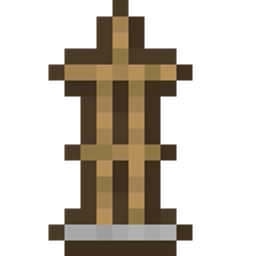
1. Obscure Tooltips' 3D armor preview showing broken geometry When a CEM mod (e.g. Entity Model Features, via the Reimagined resource pack) is installed, it permanently substitutes the shared armor stand model layer for the whole session. That replacement model expects a properly spawned, ticked entity — but Obscure Tooltips' armor preview is a throwaway, never-spawned armor stand, so it renders with a missing leg, a flat-shaded head, and corrupted UVs. Real, in-world armor stands are unaffected; only the tooltip preview breaks. Fixed by rendering the preview on a plain vanilla armor stand model baked under this addon's own private model-layer keys, which no resource pack has ever targeted.
2. The same broken armor stand appearing in the vanilla Smithing Table screen This turned out to have nothing to do with any mod — it's genuine vanilla Minecraft behavior. The Smithing Table's armor-trim preview feature (added in 1.20) keeps its own synthetic, never-spawned armor stand and renders it exactly the same way Obscure Tooltips does, so it hits the identical shared-model-layer hijack. Fixed the same way: redirected to render through this addon's own private armor stand model instead.
3. Tooltip text visually overflowing its background box Caused by obscure_api's custom tooltip icon glyphs (equipment stats, food/saturation) being taller than vanilla assumes a tooltip line can be — not a word-wrap or line-width problem, despite how it looks. The affected lines now report their real height, so the tooltip box sizes itself correctly around them.
4. Food/equipment tooltip icons rendering as blank placeholder boxes Under this pack's very large mod count, obscure_api's custom icon font glyphs would intermittently fail to render, showing "tofu box" placeholders instead of the actual icon art. Worked around by drawing the affected icons as direct textures instead of relying on the font.
This addon loads and works fine with neither installed — it simply skips whatever fixes don't apply. You only need Obscure Tooltips/obscure_api installed if you actually use them and want their specific bugs patched.
Client-side only, safe to install on a server (does nothing there). Safe with or without any CEM mod (Entity Model Features, etc.) installed — it only changes what the affected previews specifically render with, nothing else about real in-world entities or resource packs.
This is an unofficial third-party addon, not affiliated with the authors of Obscure Tooltips or obscure_api.