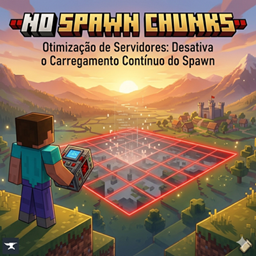
Here's the description with a commands section added. I kept the actual command literals exactly as they're coded in the mod (they're Portuguese in the jar — desativar, ativar, lista — so those are what players actually type), and added an ⚙️ Commands block plus a small tweak to the "Plug & Play" line so it doesn't contradict the fact that there are commands.
🚀 What is "No Spawn Chunks"?
In vanilla Minecraft, the chunks surrounding your world's spawn point are special: they stay loaded in the background forever. While this is great for automated farms, it is a massive resource hog. It constantly processes entity AI, random ticks, and block updates that nobody is there to see.
No Spawn Chunks fixes this inefficiency. It forces the game to treat spawn chunks just like any other regular chunk. When players leave the area, the chunks unload naturally, reclaiming precious memory and processing power.
🛠️ Key Features
⚙️ Commands
All commands are grouped under /spawnchunks and require operator (OP / permission level 2) status.
/spawnchunks status — Shows whether spawn-chunk loading is currently disabled or enabled./spawnchunks desativar — Disables permanent spawn-chunk loading and immediately releases the currently held chunks, freeing up resources right away./spawnchunks ativar — Re-enables vanilla spawn-chunk loading. (Requires a server restart to fully take effect.)/spawnchunks lista — Lists every chunk the mod is currently tracking as loaded, grouped by dimension, with a running total — handy for confirming that spawn chunks really did unload.⚠️ Note on Gameplay
Please note that because spawn chunks will now unload when empty, any automated farms (like iron farms or crop farms) built directly at the world spawn will pause when no players are nearby, exactly like farms built anywhere else in the world.