Mineuniverse
Resource Packs
Modern GUI

Modern GUI

RESOURCE PACK
Modern GUI is a clean, minimal GUI overhaul for Minecraft Java Edition.
by Advait8370
Download Claim this project
58 downloads
0 likes
0 followers
Updated Oct 14, 2026
0 hypes
Follow0
16x Font Packs Mod Support Modern
Advertisement Remove ads with Premium →

Modern GUI

A clean, minimal, modern GUI overhaul for Minecraft Java Edition.

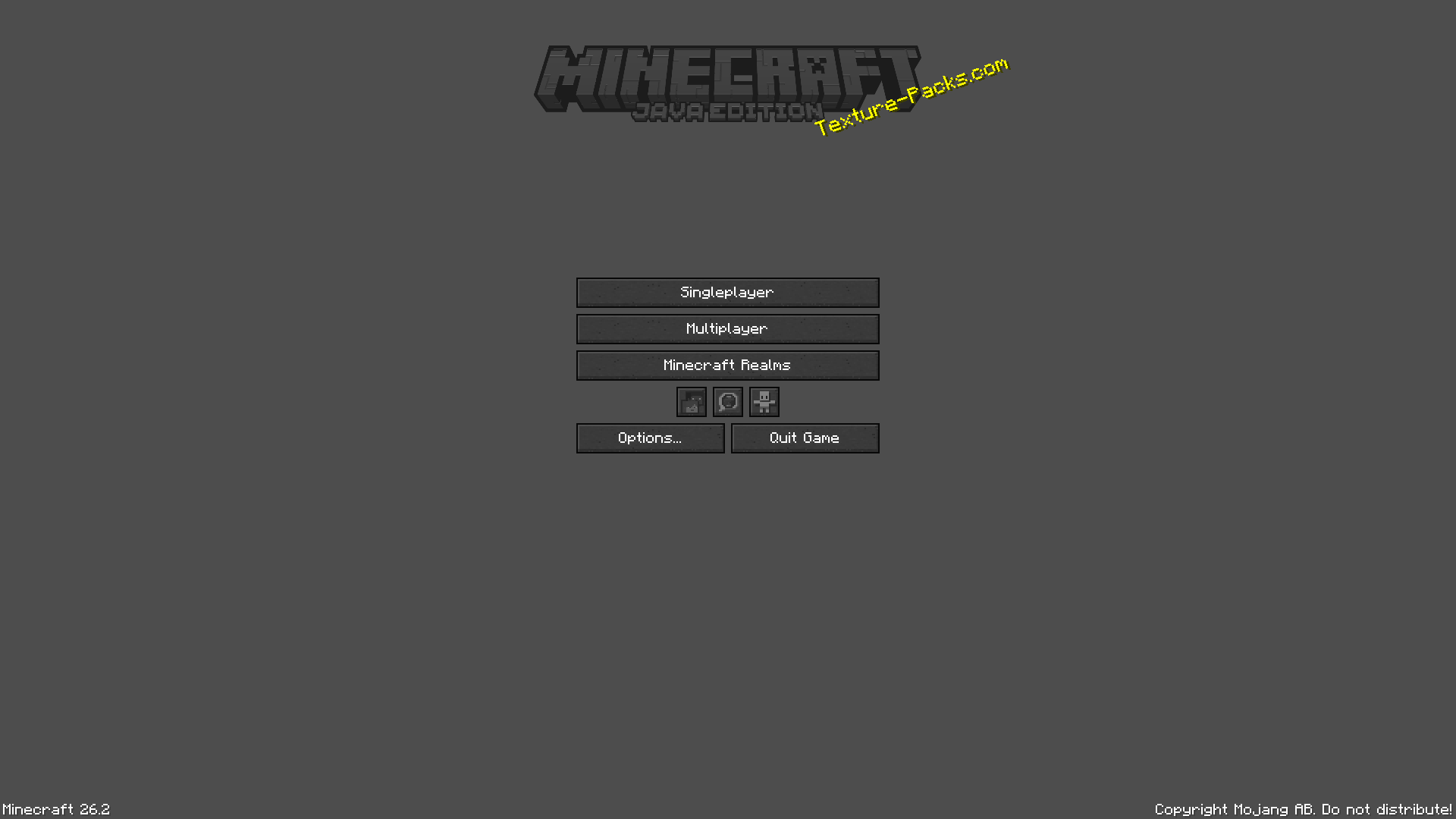
Modern GUI reimagines Minecraft's interface with a sleek and refined visual design while preserving the familiar Minecraft aesthetic.

The goal is simple:

Make Minecraft's GUI feel modern without losing what makes it Minecraft.

✦ Features

◼ Modern Interface

A redesigned GUI focused on clarity, consistency, and simplicity.

  • Clean interface panels
  • Refined borders
  • Minimal visual noise
  • Consistent UI elements
  • Improved contrast
  • Modern button styling

◻ Redesigned Buttons

Buttons are a key part of the Modern GUI experience.

  • Clean modern appearance
  • Distinct hover states
  • Selected states
  • Disabled states
  • Pressed states
  • Consistent styling throughout the interface

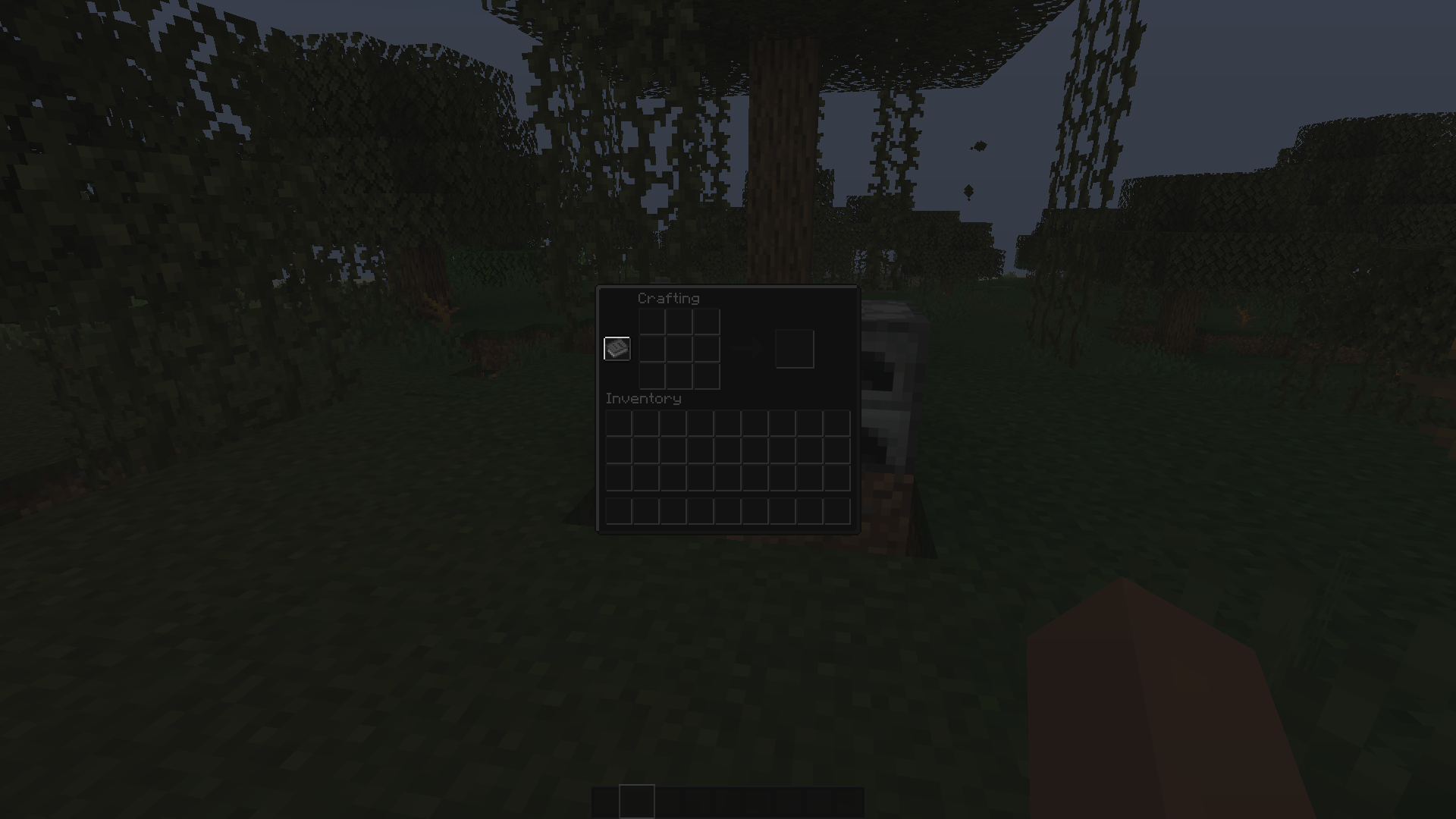
▣ Containers & Inventory

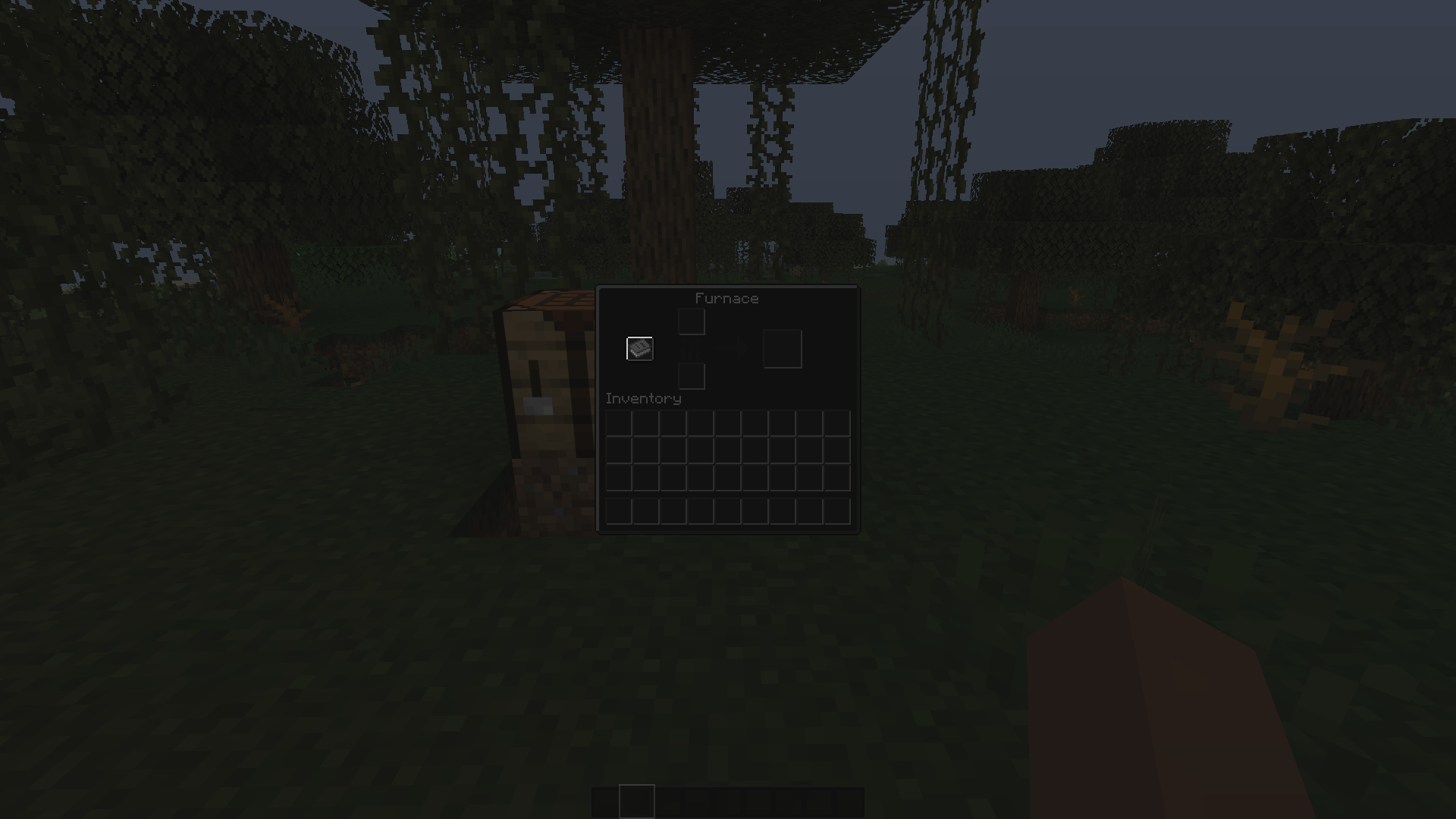
Modern GUI enhances Minecraft's container interfaces, including:

  • Inventory
  • Crafting Table
  • Furnace
  • Blast Furnace
  • Smoker
  • Chest
  • Shulker Box
  • Hopper
  • Dispenser
  • Dropper
  • Anvil
  • Enchanting Table
  • Brewing Stand
  • Grindstone
  • Stonecutter
  • Loom
  • Cartography Table
  • Smithing Table
  • Crafter
  • Beacon
  • Villager Trading
  • Horse Inventory
  • Horse Inventory
  • And more

◇ Minimal Design

The modern GUI removes unnecessary visual clutter while keeping important information easy to recognise.

Every element feels like part of the same interface.

Simple. Clean. Consistent.

🎨 Design Philosophy

The modern GUI isn't designed to replace Minecraft's identity.

Instead, it takes the familiar Minecraft interface and gives it a more contemporary visual language.

The result is a GUI that feels:

Modern · Minimal · Clean · Refined · Minecraft

📦 Compatibility

Minecraft Java Edition 26.2

The pack is designed around the modern Minecraft resource-pack system and is actively developed alongside the project.

⚙️ Installation

  1. Download the latest Modern GUI release.

  2. Open Minecraft Java Edition.

  3. Go to Options → Resource Packs.

  4. Open the Resource Pack folder.

  5. Place the .zip file inside.

  6. Enable Modern GUI.

Do not extract the ZIP.

🚧 Development

Modern GUI is an evolving project.

Future updates may expand and refine:

  • HUD
  • Hotbar
  • Tooltips
  • Menus
  • Container interfaces
  • GUI states
  • Additional UI elements
  • Overall visual consistency

Found something that looks incorrect?

Bug reports and suggestions are welcome.

❤️ Support Modern GUI

If you enjoy the project:

⭐ Follow the project
⭐ Leave a rating
⭐ Report bugs
⭐ Share screenshots
⭐ Suggest improvements

Every bit of feedback helps improve future versions.


Modern GUI


Minecraft's interface, redesigned.
Modern GUI_26.2-1.0.4
MC 26.2
Release 2026-08-26 Get

Requirements & install

How to use this resource pack in Minecraft
Resolution
16x
Minecraft
26.2
Install folder
.minecraft/resourcepacks

How to install resource packs

  1. Download the resource pack .zip file (do not extract it).
  2. In Minecraft open Options → Resource Packs → Open Pack Folder.
  3. Drop the .zip into the resourcepacks folder (.minecraft/resourcepacks).
  4. Move the pack to the Selected column and click Done.
Browse more: 16x resource packs 32x resource packs 64x resource packs 128x resource packs 256x resource packs 512x+ resource packs Resource Packs for 26.2 All resource packs

More from Advait8370

Advertisement Remove ads with Premium →

You Might Also Like