Mod Update Checker checks your installed mods for available updates directly from Minecraft.
No more opening every mod page manually just to see if there's a newer version.
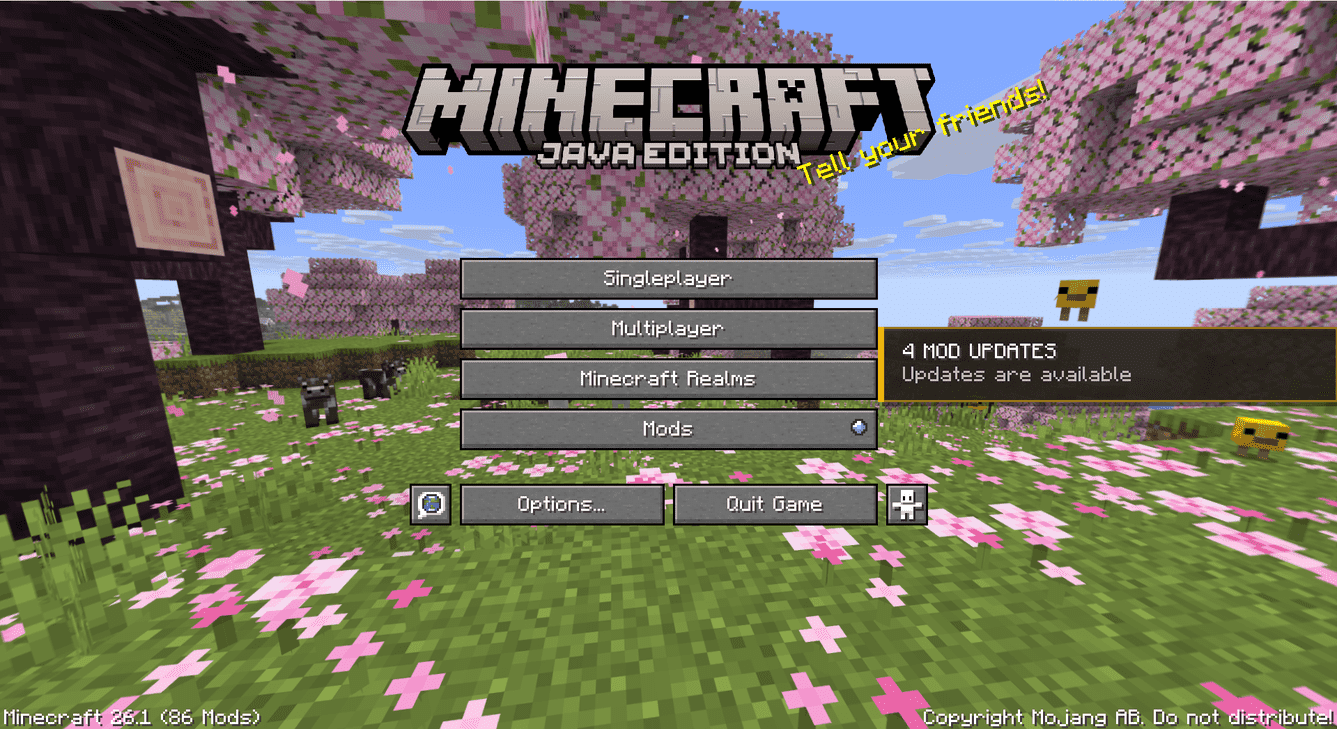
When Minecraft starts, the mod scans your installed mods and checks the available update sources.
You'll see a small panel on the main menu showing the current result. For example:
✅ MODS UP TO DATE
Everything looks good
or:
⚠️ 3 MOD UPDATES
Updates are available
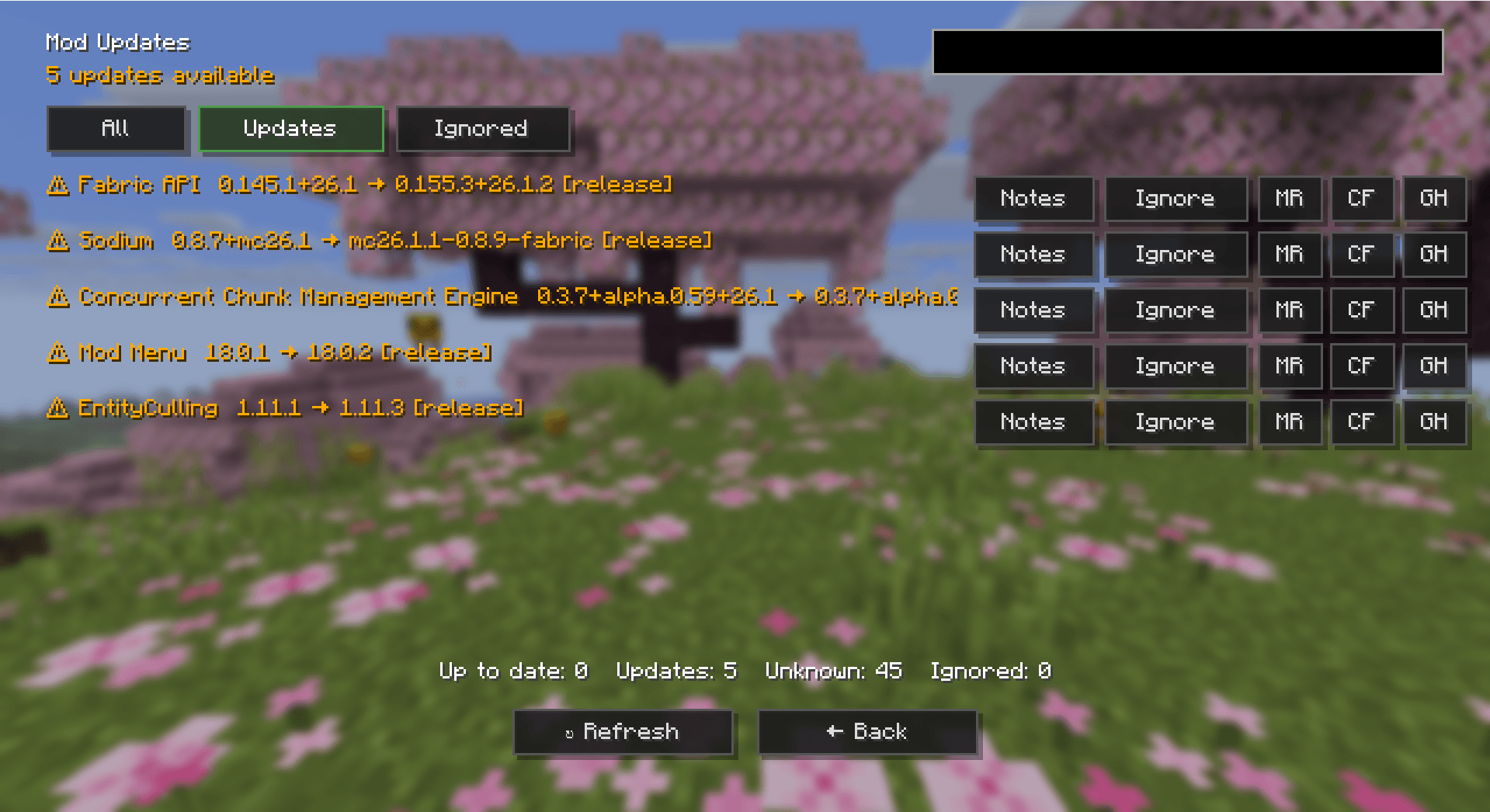
Clicking the panel opens the full list, where you can compare versions, open provider pages, read changelogs, or ignore an update.
Found an update but want to know what's changed first? Open the changelog preview to read the release notes in-game, when the provider supplies them.
Not every update needs to be installed straight away. You can ignore an update to keep it out of your Updates list and bring it back later using the Ignored tab.
Sometimes Mod Update Checker can't find enough information to determine whether a mod has an update. This can happen when an installed file can't be matched to a supported source or the provider doesn't offer the information needed.
Made with ❤️ by Arsylv
Thanks for checking out my mod! 🎮
💬 Have a suggestion or found a bug? Feel free to leave a comment!