Mineuniverse
Log in Register
Mods

Mod Tabs (Forked)

A clean, configurable inventory tab bar that lets you jump between nearby containers and return home with one click.
by Otectus
Download Claim this project
18 downloads
0 likes
Updated Jul 6, 2026
0 hypes
API and Library Utility & QoL

Mod Tabs

Mod Tabs

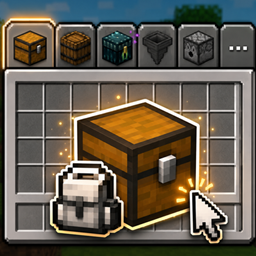
Stop closing your inventory just to open a chest. Mod Tabs adds a clean, configurable tab bar to your inventory and container screens — click a tab to jump straight to another screen, then hit your inventory key to snap right back.

This is the fresh Minecraft 26.1.2 / NeoForge release (0.1.0): a ground-up rewrite of the classic Legendary Tabs / Mod Tabs concept, rebuilt on a lean, flexible core.

This is a fork. Mod Tabs (Forked) is a fork of Mod Tabs by Vodmordia (source), which itself descends from Legendary Tabs by Legendary_Workshop. It is distributed under the LGPL 2.1 License (see How this fork differs and Credits below). Fork source: https://github.com/otectus/mod-tabs


✨ What it does

🎒 Nearby containers, one click away

Enable Nearby Container Tabs and Mod Tabs quietly scans the blocks around you and adds a tab for every openable one — chests, barrels, shulker boxes, hoppers, dispensers, and modded containers alike. No hardcoded list: if a block opens a menu when you right-click it, it gets a tab.

  • Double chests show as a single tab — no clutter.
  • Blocked chests (something on top) are skipped, just like vanilla.
  • The bar updates live if a chest is placed or broken while you're browsing.
  • Optional line-of-sight filter, and an adjustable scan radius (1–16 blocks).

🏠 Always-home inventory tab

A dedicated inventory tab sits on your inventory screen and on vanilla container screens, so getting back home is always one click — and it closes any open container properly so your items never desync.

🎛️ Make the bar yours

A built-in per-screen layout editor lets you dial in exactly how the bar looks:

  • Move, scale, rotate and re-space the tabs.
  • Reposition and rotate the paging button.
  • Tuck the bar out of the way and have it slide back in on hover — in any direction.
  • Pin sticky tabs to the leading edge so they never scroll off the page.
  • Anchor the bar to the GUI or to a fixed screen position.
  • Set a tabs-per-page limit and page through the rest with a chevron.

Every layout is saved per screen, so each menu can look exactly how you want.

📦 Modpack-friendly

Pack authors can flip a single "Allow Layout Editing" switch to lock the layout, ship a curated arrangement, and keep it consistent for every player.


🎮 Controls

  • Shift + Tab — cycle to the next tab (rebindable)
  • Your inventory key (E) — return to the inventory from a tab-opened screen
  • Shift + Z or long-press the inventory tab — open the layout editor
  • Left-click a tab — open its screen

📋 Requirements

  • Minecraft 26.1.2
  • NeoForge (26.1.2.76 or compatible)
  • Java 25
  • MidnightLib — required (powers the config screen)

Client-side friendly — you can install it on the client alone.


⚙️ Configuration

All options live in the in-game MidnightLib config screen. Toggle nearby-container tabs, set the scan radius and line-of-sight, lock layout editing for modpacks, and more. Fine-grained per-tab tweaks (visibility, order, sticky, custom icons) are handled right in the layout editor.


🔀 How this fork differs from the original

Mod Tabs (Forked) is a ground-up port to Minecraft 26.1.2 / NeoForge, deliberately reduced to a lean core rather than a feature-for-feature copy of the upstream 1.21.1 line:

  • Ships only the tab-bar framework, the inventory / home tab, and the nearby-container tabs.
  • Not included (yet): the ~45 third-party per-mod integration tabs, the integration network packets, and the standalone global-settings panel from the older Mod Tabs / Legendary Tabs builds.
  • Config migrated entirely to the in-game MidnightLib config screen.
  • Container detection is now menu-provider-driven (no hardcoded block list), so vanilla and modded containers are picked up automatically.

More per-mod integrations are planned on top of this base.


🙏 Credits

  • Original Legendary Tabs concept and implementation by Legendary_Workshop (source).
  • Mod Tabs rewrite and NeoForge port by Vodmordia (source) — the direct parent of this fork.
  • 26.1.2 core port (this fork) by otectus (source).
  • The nearby-container feature is a clean-room implementation inspired by the design of InventoryTabs by dhyces / Kavin Phan. No source code was copied — the shared ideas are credited in full in the project's CREDITS.txt.

Note: 0.1.0 is the core foundation for 26.1.2 — the tab framework, the inventory tab and nearby-container tabs. More per-mod integrations are on the way. Feedback and bug reports are very welcome!

Mod Tabs 0.1.0 (Neoforge 26.1.2)
MC Client, NeoForge, 26.1.2
Release 2026-07-01 Get

More from Otectus

RPG Lore
780
Plant Fibers
774
Runic Structures
710
Runic Instruments
632
Effective Instruments
62,320
Pack Master
59

You Might Also Like

Vivecraft
A Minecraft VR mod on a loader of your choice!
9,988,339
Athena
A crossplatform (Forge/Fabric) solution to connected block textures for 1.19.4+
99,799,527
Lodestone
A collection of code used throughout projects under the Lodestar team.
9,914,417
TheDragonLib
A library for most of sokratis12GR's Mods
9,910,232
Multi Mob Library
A library mod containing essential files for Daveyx0's mob mods
9,892,767
FTB Library (Forge) (Legacy)
FTB Library is a library mod that is used for some of our mods.
98,265,314