Mineuniverse
Resource Packs
Minimalist Enchantment Glint

Minimalist Enchantment Glint

RESOURCE PACK
A much simpler version of the enchantment glint
by Owls_Parliament
Download Claim this project
9,779 downloads
0 likes
0 followers
Updated Oct 14, 2026
0 hypes
Follow0
16x Miscellaneous
Advertisement Remove ads with Premium →

Are you tired of the obnoxiously bright enchantment glint in vanilla Minecraft? If so, give this a try!

Sometimes I have found the vanilla enchantment glint far too bright and colorful. After a while, the continuous purple waves get repetitive and distracting. With that in mind, I have created this simple texture pack that replaces the default enchantment glint with something far more simple: a single, colorless white gleam instead of the bright purple aura of the vanilla game.
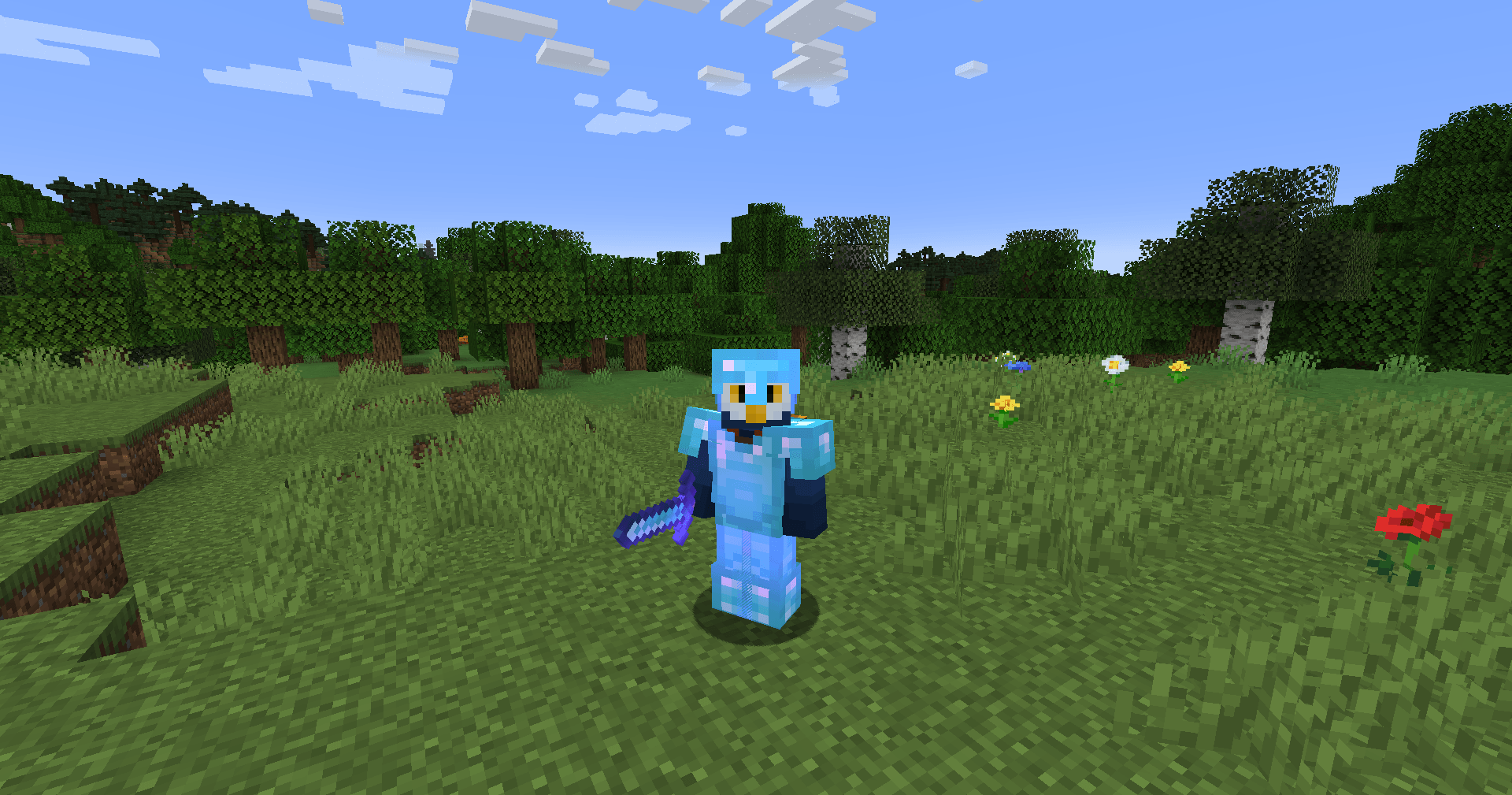
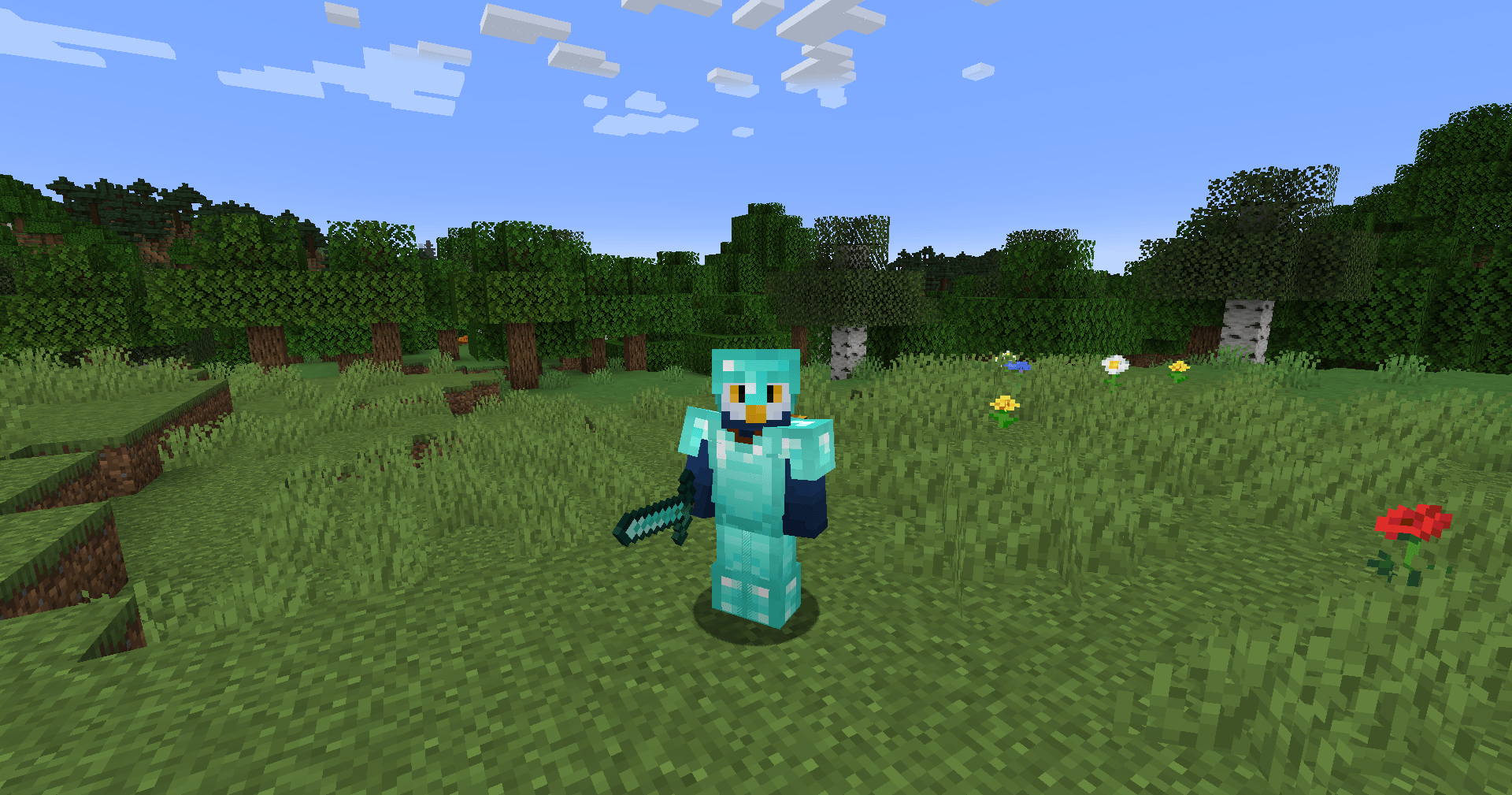
Diamond armor with default enchantment glint  Diamond armor with Minimalist Enchantment Glint v2.0

Default enchantment glint (left) and minimalist enchantment glint (right). If you can't see the difference (it is very subtle), see video at the bottom of the page or in the featured media list.

Versions for 1.19.4+ have officially been released!
I forgot to update the .mcmeta files on the later versions, so most versions will say that the pack is outdated, but everything should work just fine.

Video demo of the texture pack in action:

Regarding the v1.0 legacy version:
Download files available for 1.19.2 and 1.18.2, but it should work on almost any version from 1.19.3 down. Simply download the file and add it to your resourcepacks folder. If you are using a version other than 1.19.2 or 1.18.2, it might say that the pack is for the wrong version, but it will still work perfectly fine. It should work on any Minecraft version that uses the minecraft:textures/misc/enchanted_item_glint texture prior to 1.19.4 (which changes the textures used for enchantments).


 

Minimalist Enchantment Glint v2.1 - 1.19.3.zip
MC 1.16-Snapshot, 1.17.1, 1.16.3, 1.13.1, 1.19.3, 1.15-Snapshot, 1.16.1, 1.18.1, 1.14.4, 1.14.1, 1.12.1, 1.17, 1.12, 1.14.3, 1.15, 1.16, 1.13, 1.19-Snapshot, 1.16.5, 1.18.2
Release 2025-09-03 Get
Minimalist Enchantment Glint v2.1 - 1.19.4.zip
MC 1.20.2, 1.21, 1.20.5, 1.20.2-Snapshot, 1.20.5-Snapshot, 1.19.4, 1.21.1-Snapshot, 1.20.3-Snapshot, 1.20.3, 1.20.1, 1.20, 1.20.6, 1.20.4, 1.21-Snapshot, 1.20-Snapshot, 1.21.1
Release 2025-09-03 Get
Minimalist Enchantment Glint v2.1 - 1.21.2.zip
MC 1.21.4, 1.21.3, 1.21.4-Snapshot, 1.21.2
Release 2025-09-03 Get
Minimalist Enchantment Glint v2 - 1.21.5+.zip
MC 1.21.6-snapshot, 1.21.8, 1.21.5, 1.21.6, 1.21.7, 1.21.9-snapshot, 1.21.9, 1.21.10, 1.21.11-snapshot, 1.21.11, 26.1, 26.1.1, 26.1.2, 26.2
Release 2025-09-03 Get
Minimalist Enchantment Glint v1.0 - 1.18.2
MC 1.16-Snapshot, 1.17.1, 1.16.3, 1.13.1, 1.15-Snapshot, 1.16.1, 1.18.1, 1.14.4, 1.14.1, 1.12.1, 1.17, 1.12, 1.14.3, 1.15, 1.16, 1.13, 1.16.5, 1.18.2, 1.15.2, 1.14, 1.17-Snapshot
Release 2024-01-10 Get
Minimalist Enchantment Glint v1.0 - 1.19.2
MC 1.16-Snapshot, 1.17.1, 1.16.3, 1.13.1, 1.19.3, 1.15-Snapshot, 1.16.1, 1.18.1, 1.14.4, 1.14.1, 1.12.1, 1.17, 1.12, 1.14.3, 1.15, 1.16, 1.13, 1.19-Snapshot, 1.16.5, 1.18.2
Release 2024-01-08 Get

Requirements & install

How to use this resource pack in Minecraft
Resolution
16x
Minecraft
1.21.9 – 26.2
Install folder
.minecraft/resourcepacks

How to install resource packs

  1. Download the resource pack .zip file (do not extract it).
  2. In Minecraft open Options → Resource Packs → Open Pack Folder.
  3. Drop the .zip into the resourcepacks folder (.minecraft/resourcepacks).
  4. Move the pack to the Selected column and click Done.
Browse more: 16x resource packs 32x resource packs 64x resource packs 128x resource packs 256x resource packs 512x+ resource packs Resource Packs for 26.2 All resource packs

More from Owls_Parliament

Advertisement Remove ads with Premium →

You Might Also Like