Mineuniverse
Log in Register
Mods

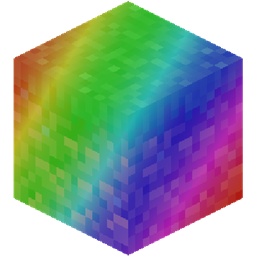
Mine RGB

OpenRGB integration in Minecraft
by mfletcher
Download Claim this project
1,197 downloads
0 likes
Updated Jul 6, 2026
0 hypes
Utility & QoL

MineRGB

OpenRGB integration for Minecraft

Requires Architectury API and Cloth Config API

Usage

  1. Download and install OpenRGB
  2. Open OpenRGB and make sure your supported device(s) show up in the Devices tab
  3. Go to the SDK server tab and ensure the server host is 0.0.0.0 and the port is 6742
  4. Click Start Server
  5. Open Minecraft. If everything works, you should see a green M and C on your keyboard when you reach the title screen.

Supported Features

  • Damage and XP effect
  • Hunger and health display
  • Hotbar selection display
  • Single player loading indicator

Why OpenRGB?

  • It's open source
  • It works with a wide selection of devices (make sure your device supports "Direct" mode)
  • It supports MacOS and Linux
minergb-1.20.4-1.4.jar
MC Fabric, NeoForge, 1.20.4, Quilt
Release 2024-05-31 Get
minergb-forge-1.20.1-1.0.jar
MC 1.20.1, Forge
Release 2024-05-09 Get

More from mfletcher

Homing Attack and Boost
4,265
Sneak Fart
356

You Might Also Like

No More Pop-ups
A Minecraft mod to remove in-game pop-ups
996,708
Exit Confirmation
Often accidentally closed Minecraft? This mod might help!
99,067
NoDynamicFps
Adds an option to disable Vanilla's Dynamic FPS implementation
99,004
Liberty's Villagers
Quality of Life and AI improvements for Villagers
9,968,428
Naruto Enhanced Extension || AHZNB's Naruto ShinobiCraft Addon
Some practical functions
9,980
Wildex Bestiary
In-game bestiary that automatically tracks all creatures you encounter, including modded mobs.
9,937