Yeah, you installed a few mods — like I do — or updated your modpack, the game suddenly crashed and... what’s this?
ALL OF YOUR KEYBINDS ARE GONE.
What are you going to do now?
You’re not going to panic...
You’re going to use LetitBind.
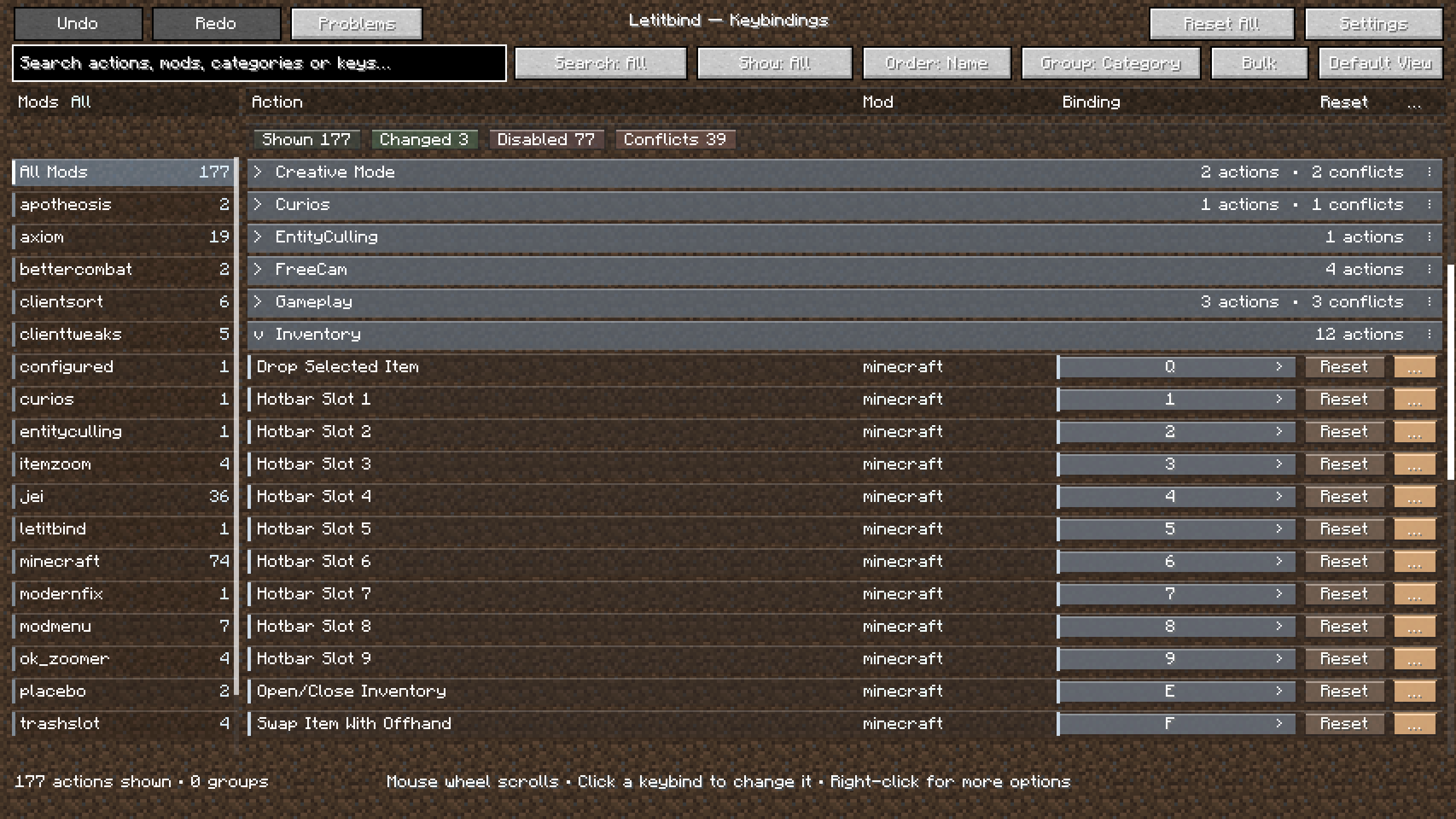
Letitbind is a keybinding manager, built mainly for heavily modded setups where the vanilla Controls screen starts becoming a mess and losing your keybind configuration can mean spending half an hour rebuilding it.
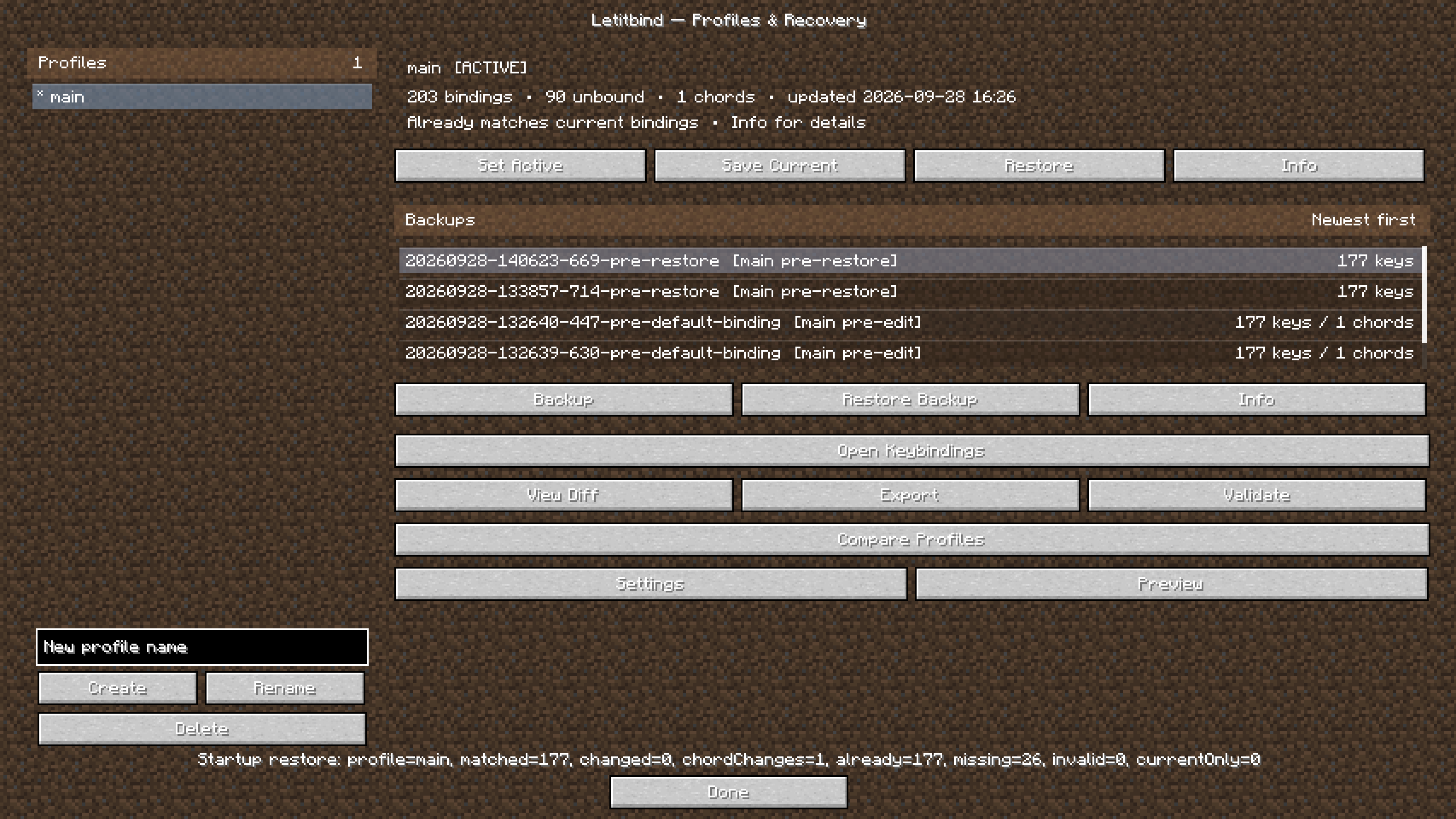
Letitbind can save your current vanilla and modded keybinds into profiles and restore them later. Profiles also keep disabled bindings, Forge modifiers and Letitbind combos, so a setup can be restored instead of manually recreated.
You can create multiple profiles, switch between them, compare them, export them, inspect differences before restoring, and keep bindings belonging to temporarily removed mods so they can be recovered if the mod comes back later.
Backups are created around potentially destructive operations, and older backups can be browsed and restored individually instead of relying on a single recovery point.
Letitbind also replaces the usual experience of scrolling through a huge list of controls with a dedicated binding editor.
You can:
Ctrl + EClick a binding and press the new key. That’s it.
A binding does not need to be assigned to some random key just because Minecraft expects one.
Letitbind can actually disable it.
You can also park unwanted bindings on keys such as F13–F25 if you specifically want the binding to remain technically assigned without occupying a normal keyboard key.
Normal Forge modifier combinations such as:
Ctrl + EShift + RAlt + Mouse 4
are stored as native modifier bindings whenever possible for better compatibility with other mods.
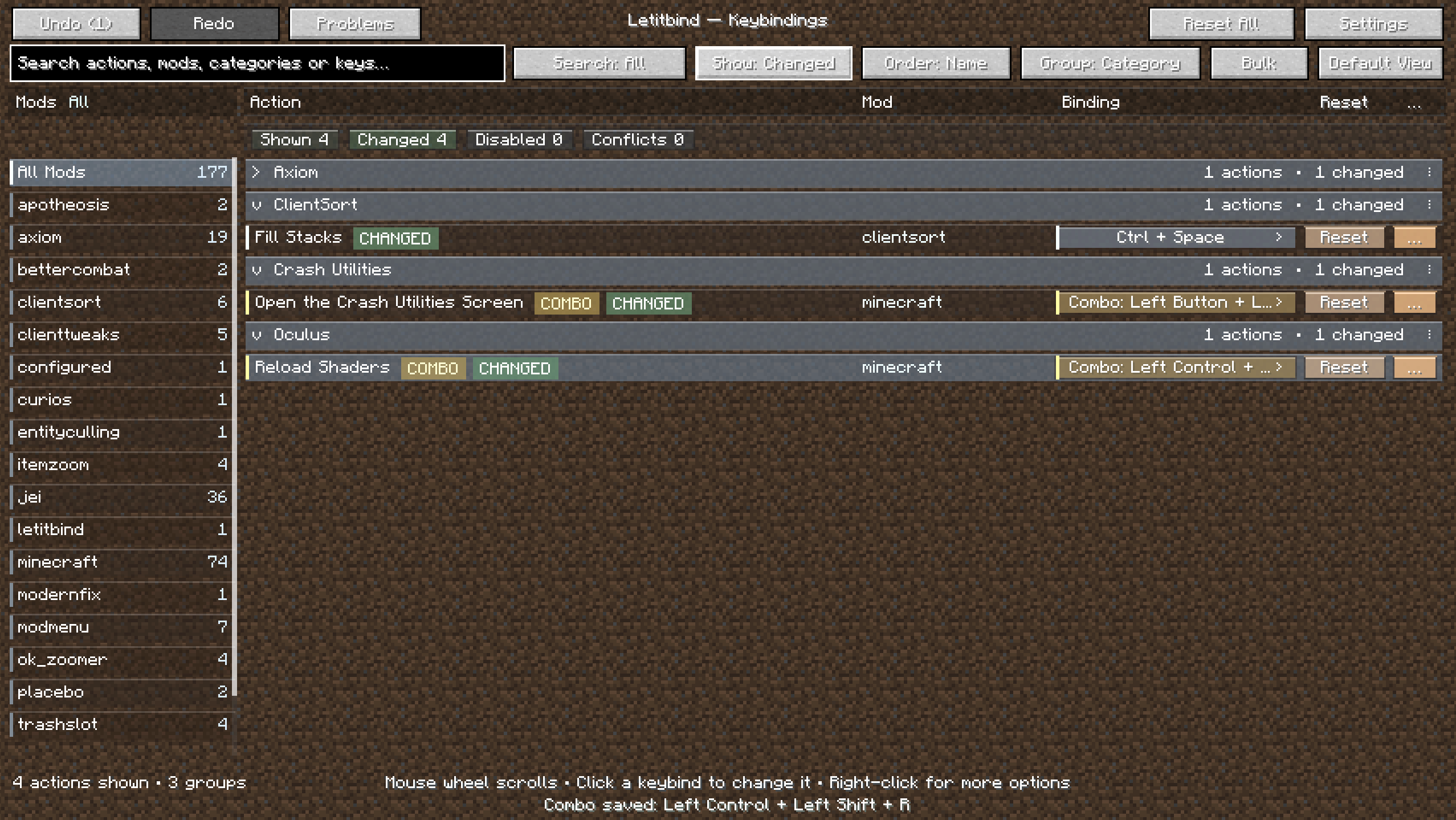
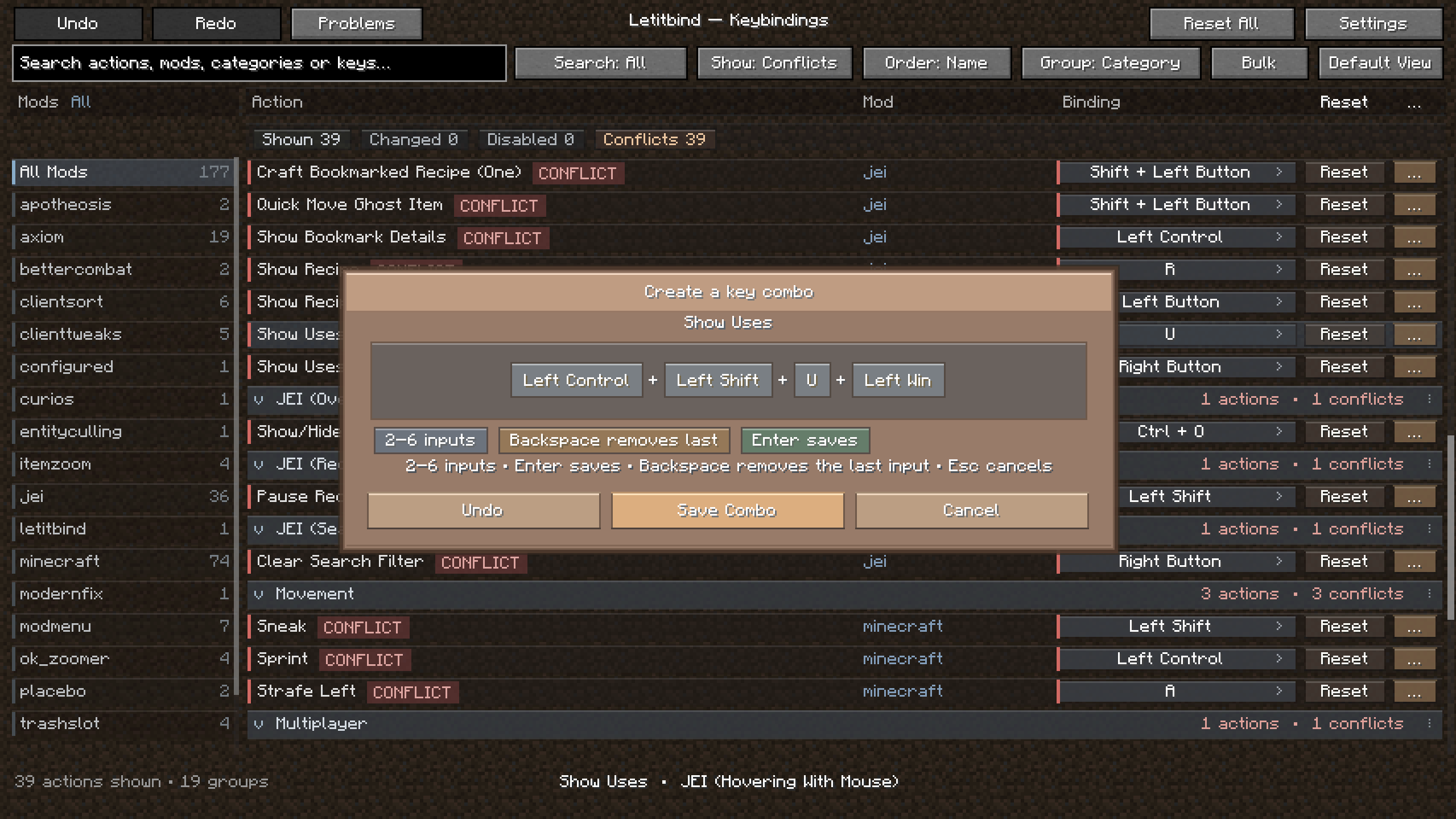
For combinations Minecraft normally cannot represent, Letitbind also has its own combo system:
G + HCtrl + Shift + KR + Mouse 4
Custom combos can optionally work inside menus and inventories and can repeat while held for controls that need continuous input.
Large modpacks eventually end up with several mods fighting over the same keys.
Letitbind detects conflicts and gives you tools to deal with them instead of only painting them red.
You can inspect conflicting bindings, decide which one keeps the key, disable or park the others, reset them, or resolve several conflicts through bulk actions.
There is also a dedicated Problems view for quickly finding bindings that need attention.
Changed the wrong key?
Letitbind includes Undo / Redo, including support for larger operations such as bulk edits and resets.
It also keeps binding history so you can inspect how an individual control changed over time.
For large setups you can perform actions on an entire category, mod or filtered result set instead of editing every binding individually.
The recovery system includes:
If a broken mod update suddenly turns a large part of your controls into UNBOUND, Letitbind can detect that kind of mass change instead of blindly overwriting your good profile with it.
You can reset a single binding or reset all loaded bindings back to their original Minecraft/mod defaults.
Before a full reset, Letitbind can create a safety backup so you still have a way back if you change your mind.
Letitbind caches binding metadata, conflicts and search information and only renders the visible part of large lists.
It was designed with modpacks containing hundreds of keybindings in mind, not just vanilla Minecraft plus three mods.
Minecraft: 1.20.1
Loader: Forge
Forge: 47.4.20+
Dependencies: None
Letitbind works directly with Minecraft/Forge key mappings. Mods that completely bypass the normal KeyMapping system and read raw keyboard input themselves may require special compatibility for advanced multi-key combos.
Your modpack can crash. Your keybinds don’t have to go down with it.