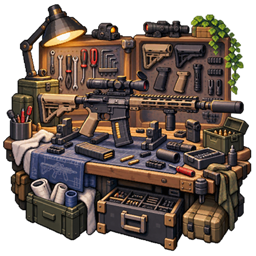
KineticArmory turns existing equipment into configurable sets with bonuses that respond to worn pieces, conditions, and combat events. It provides an in-game editor, server-side activation checks, and item tooltips.
Pack authors define which existing items form a set and what that set does. Installation alone does not give every armor combination predefined bonuses.
F6 opens the shared hub rather than directly opening the set list. Shared editing requires server authorization.
| Rule | Purpose |
|---|---|
| Equipment slots | Match standard slots, including armor and held items. |
| Equipment variants | Accept alternative items for the same slot. |
| Curios requirements | Include equipped accessories in set matching. |
| Rejected Curios | Prevent activation when specified accessories are worn. |
| Item NBT | Distinguish items sharing an item ID using NBT requirements. |
ANY / EMPTY |
Require a nonempty or empty slot; empty-slot requirements do not count as worn pieces. |
| Flexible pieces | Activate after a minimum number of pieces match. |
| Piece bonus groups | Associate effects and values with different piece-count tiers. |
Use the editor to construct variant and NBT rules before maintaining their JSON. The set ID determines its filename; its display name is separate.
Effects can have their own piece requirements and conditions. An active set does not necessarily have every configured effect active simultaneously.
Combine checks using any, all, or minimum-count matching:
| Family | Examples |
|---|---|
| Posture and movement | Sneaking, airborne, climbing, falling, rising, speed. |
| Environment | Water, fire, rain, thunder, clear weather, dimension, block underfoot. |
| Time | Day, night, moon phase, time range. |
| Entity values | Health, food, experience, attributes, potion-effect levels. |
| Input | Left/right mouse click and hold duration. |
| Progression | Named stage condition. |
Choose conditions appropriate to the target: player input, food, and experience are not general-purpose mob triggers.
Sets default to player-only. To support other living entities, disable that restriction and configure the set's entity whitelist as needed. The global entity filter also controls eligible non-player entities.
Tooltips show requirements and bonuses using server-synchronized activation and piece counts. Authors can generate descriptions automatically or customize line layout, hide entries, override text, and write manual tips.
The default tooltip modifier is Shift. A client configuration page controls the local default; individual sets can also specify their tooltip key.
| Path relative to the game/server directory | Contents |
|---|---|
config/kineticcore/armorsets/<set-id>.json |
One set per file. |
config/kineticcore/armorsets.toml |
Enable switch, potion refresh interval, synchronization, entity filter. |
config/kineticcore/armorsets_client.toml |
Local tooltip preferences. |
Editor saves go to the server, persist to disk, and trigger recalculation. The reload operation reloads set definitions and recalculates active sets; syncOnReload controls broadcasting updated definitions to clients.
Opening the editor also reads server files. After external edits, reopen/reload through the editor and check the log for failed filenames. Invalid JSON and unsafe set IDs are skipped.
The old standalone armor command registration is a compatibility no-op; use the shared hub for editing. Global configuration saves in a running single-player world recalculate sets; changes outside a world apply at its next load.
With KubeJS installed, use this server event:
kineticarmoryEvents.armorSetChange(event => {
  console.info(`${event.getSetId()}: ${event.isActivated()}`)
})
The event exposes getEntity(), getSetId(), isActivated(), coordinates, and getDimension(). It reports set activation changes; normal bonus definitions remain editable through the GUI.
@p is replaced with the wearer's scoreboard name. These are administrator-authored actions.KineticArmory 将已有装备组织成可配置套装,让加成随穿戴件数、条件和战斗事件变化。它提供游戏内编辑器、服务端生效判定和物品提示。
由整合包作者指定哪些已有物品组成套装、具有什么效果。安装后并不会自动为所有护甲组合添加预设加成。
F6 打开的是共用配置中心,并非直接进入套装列表。公共套装编辑需要服务端授权。
| 规则 | 用途 |
|---|---|
| 标准装备槽 | 匹配护甲、手持物品等标准槽位。 |
| 装备变种 | 同一槽位接受不同备选物品。 |
| Curios 需求 | 将已佩戴饰品纳入套装匹配。 |
| 排斥 Curios | 穿戴指定饰品时阻止激活。 |
| 物品 NBT | 通过 NBT 要求区分同一 ID 的不同装备。 |
ANY / EMPTY |
要求槽位非空或为空;空槽要求不计入穿戴件数。 |
| 灵活件数 | 达到最少匹配件数即可激活。 |
| 件数加成组 | 为不同件数档位关联效果和数值。 |
建议先用编辑器构造变种和 NBT 规则,再维护对应 JSON。套装 ID 决定文件名,与显示名称独立。
各项效果可以拥有独立件数要求和条件,因此套装激活不代表所有效果同时生效。
可使用任一满足、全部满足或至少满足指定数量的组合方式:
| 类别 | 示例 |
|---|---|
| 姿态与运动 | 潜行、滞空、攀爬、下落、上升、速度。 |
| 环境 | 水中、着火、下雨、雷暴、晴天、维度、脚下方块。 |
| 时间 | 白天、夜晚、月相、时间范围。 |
| 实体数值 | 生命、饥饿、经验、属性、药水效果等级。 |
| 输入 | 鼠标左/右键点击、持续按住时间。 |
| 进度 | 指定名称的阶段条件。 |
条件应与目标实体相符:玩家输入、饥饿和经验判断不是通用生物触发器。
套装默认仅玩家生效。要用于其他活体实体,需关闭此限制,并按需设置该套装的实体白名单。全局实体过滤规则也会限制非玩家实体的参与范围。
物品提示显示需求和加成,使用服务端同步的激活状态与件数。作者可以自动生成说明,也可以调整行顺序、隐藏条目、覆盖文本或编写手动提示。
默认提示修饰键为 Shift。客户端配置页控制本地默认值;单个套装也可以指定提示按键。
| 相对于游戏或服务器目录的路径 | 内容 |
|---|---|
config/kineticcore/armorsets/<set-id>.json |
每个文件定义一套装备。 |
config/kineticcore/armorsets.toml |
总开关、药水刷新间隔、同步、实体过滤。 |
config/kineticcore/armorsets_client.toml |
本地提示偏好。 |
编辑器保存会提交服务端、写入文件并重新计算。重载操作重新读取套装定义并计算激活状态;syncOnReload 控制是否向客户端广播更新后的定义。
打开编辑器也会读取服务器文件。外部修改后,通过编辑器重新打开或重载,检查日志中的失败文件名。无效 JSON 和不安全的套装 ID 会被跳过。
旧独立护甲命令注册入口只保留兼容空实现,编辑请使用共用配置中心。单人世界内保存全局配置会重新计算套装;世界外修改在下次加载时生效。
安装 KubeJS 后可使用服务端事件:
kineticarmoryEvents.armorSetChange(event => {
  console.info(`${event.getSetId()}: ${event.isActivated()}`)
})
事件提供 getEntity()、getSetId()、isActivated()、坐标和 getDimension(),用于报告套装激活变化;常规加成仍可直接在 GUI 中配置。
@p 替换为穿戴者的计分板名称;应由管理员编写配置。