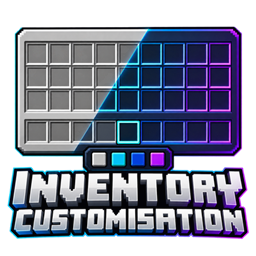
Make your inventory match your style. Customize the appearance of your inventory and hotbar with your own colors, transparency settings, and preset themes—all from an in-game settings screen.
Inventory styling: Change background, slot, border, and inventory-label colors.
Hotbar customization: Set its color, transparency, and selected-slot highlight.
Creative inventory support: Matching tab backgrounds and scrollbar styling, including mod-added tabs that use Minecraft’s standard creative inventory.
Live preview: See your changes while adjusting your settings.
Built-in themes: Choose Midnight, Ocean, Rose, Amethyst, or Glass.
Save your style: Settings persist between sessions, with a separate custom preset you can save and reload.
Restore vanilla: Switch back to Minecraft’s original appearance whenever you like.
Press K while playing, or click the settings button in Options or your inventory. Choose a component, adjust its color and opacity, then select Done to save.
No server installation or resource pack is required. The mod changes how your inventory looks while preserving normal item handling.
Minecraft 1.21.1: NeoForge and Forge
Minecraft 1.20.1: Forge
Minecraft 1.12.2: Forge
Minecraft 1.7.10: Forge
Install only the JAR matching your Minecraft version and loader.
Styles the standard survival and creative inventories. Chests, machines, and other custom container screens keep their existing appearance. Mods that replace the entire inventory screen or tab renderer may need separate compatibility support.
Choose your server: Visit Apex Hosting, select Minecraft hosting, and choose a plan suitable for this modpack.
Complete checkout: Create your account and follow the payment steps.
Install the modpack: Open your server panel and select this pack if it’s available in the installer. If it isn’t listed, follow Apex’s custom modpack instructions or contact support.
Start playing: Start the server, copy its address, and share it with your friends. Everyone needs the same modpack version installed.
Unsure which plan to choose? Ask Apex support before buying and tell them the pack name and how many people will play.