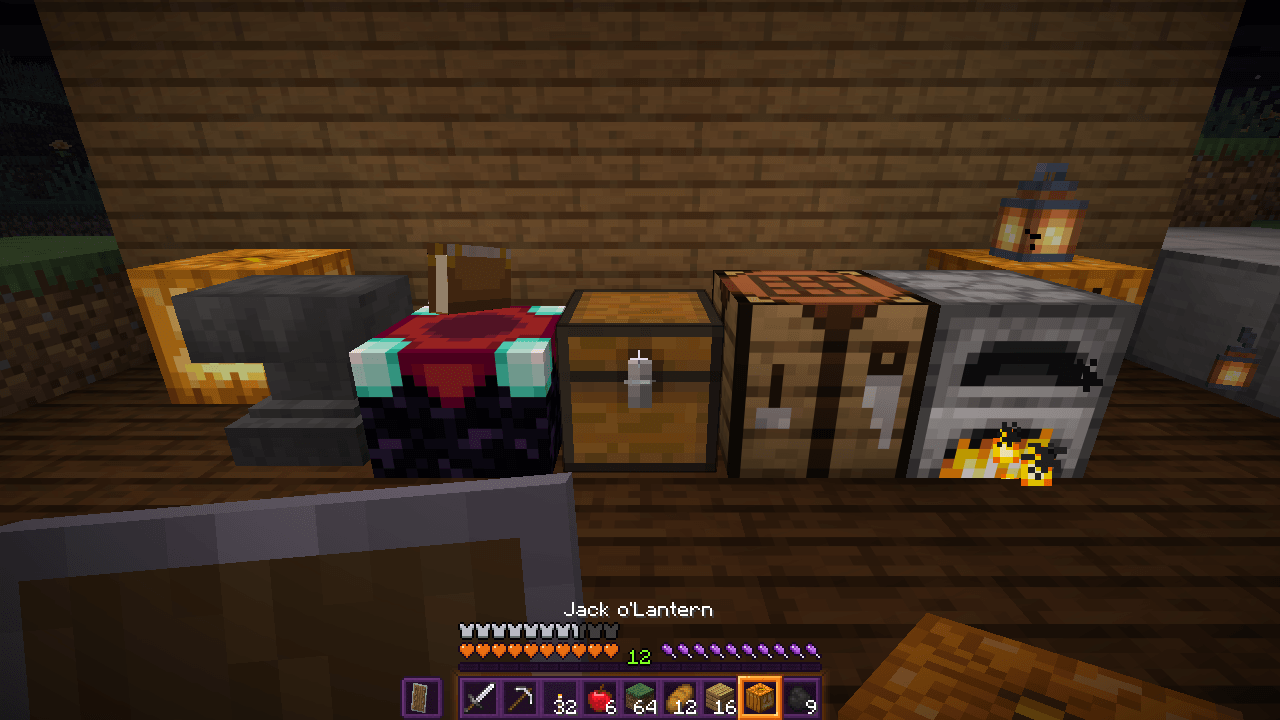
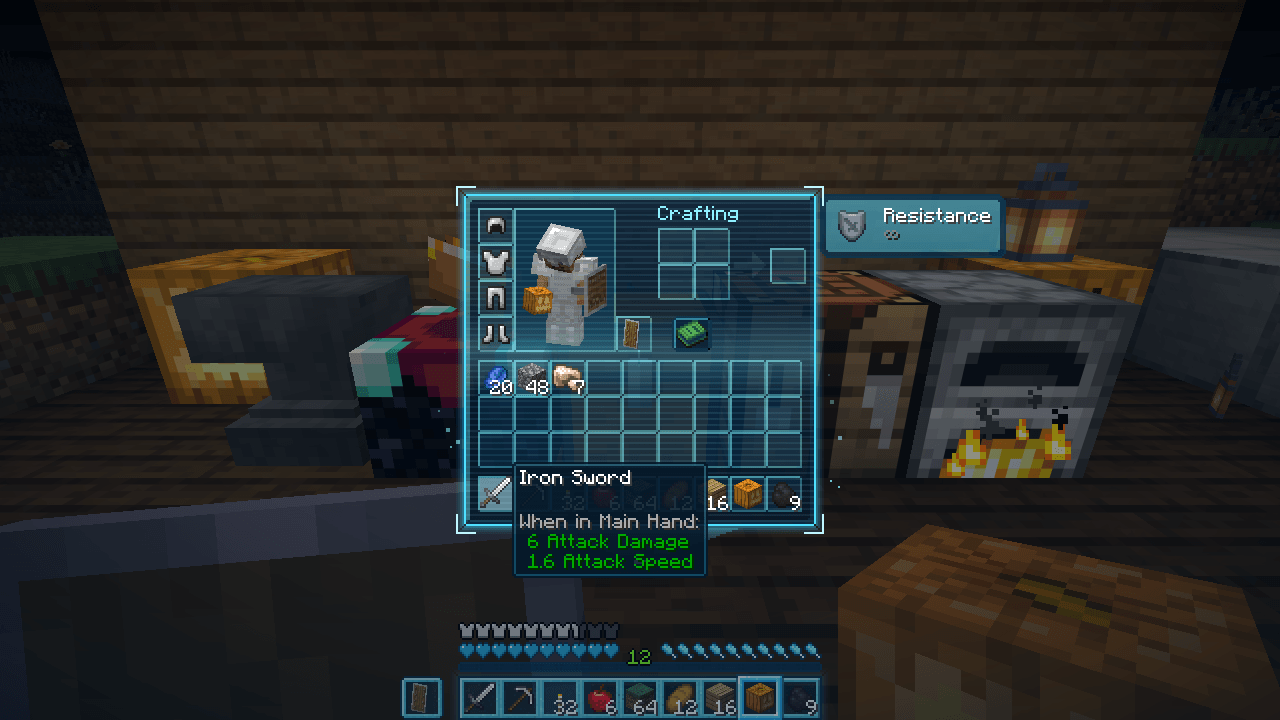
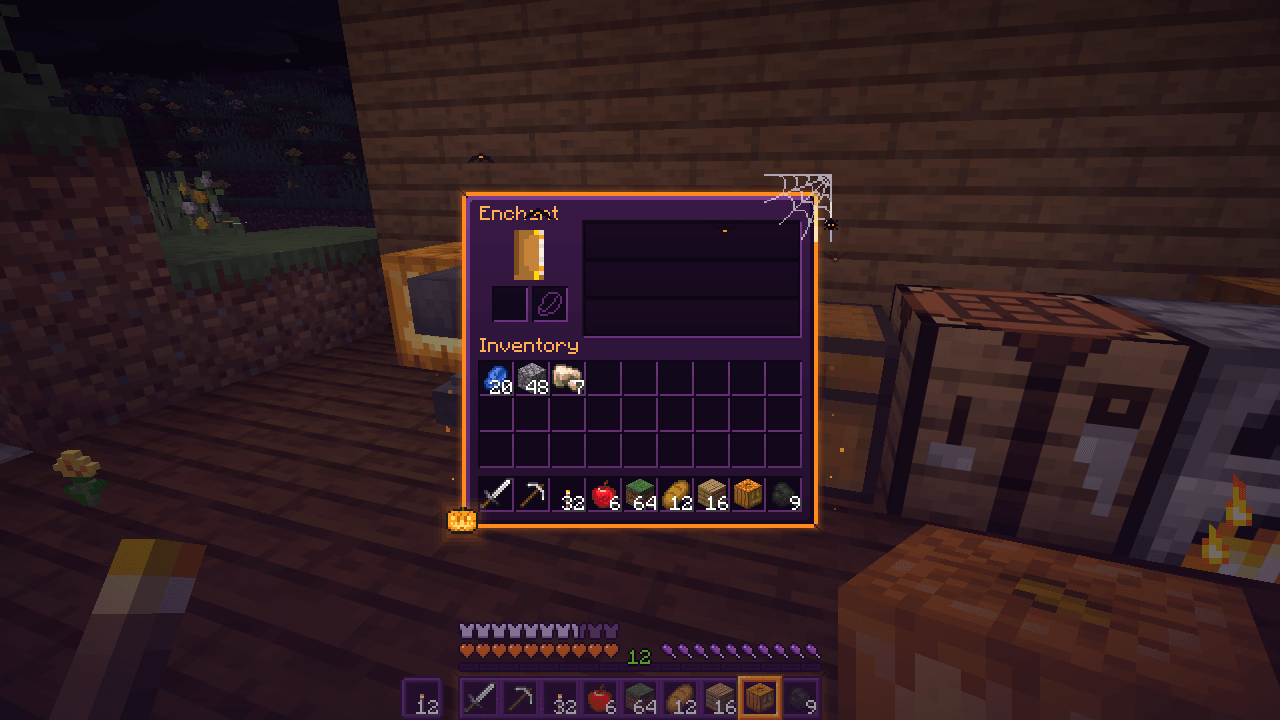
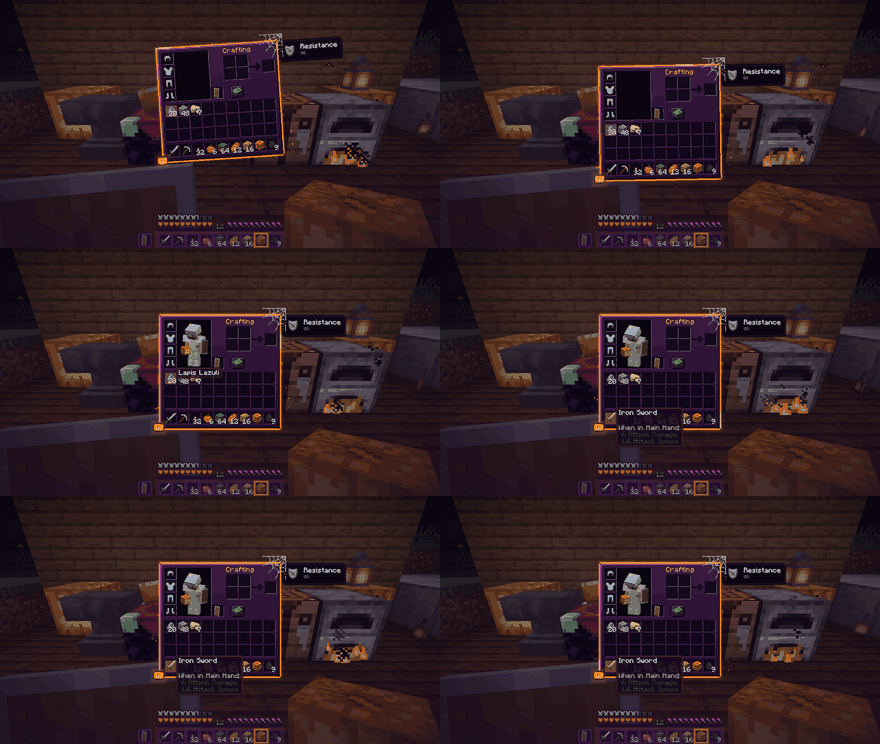
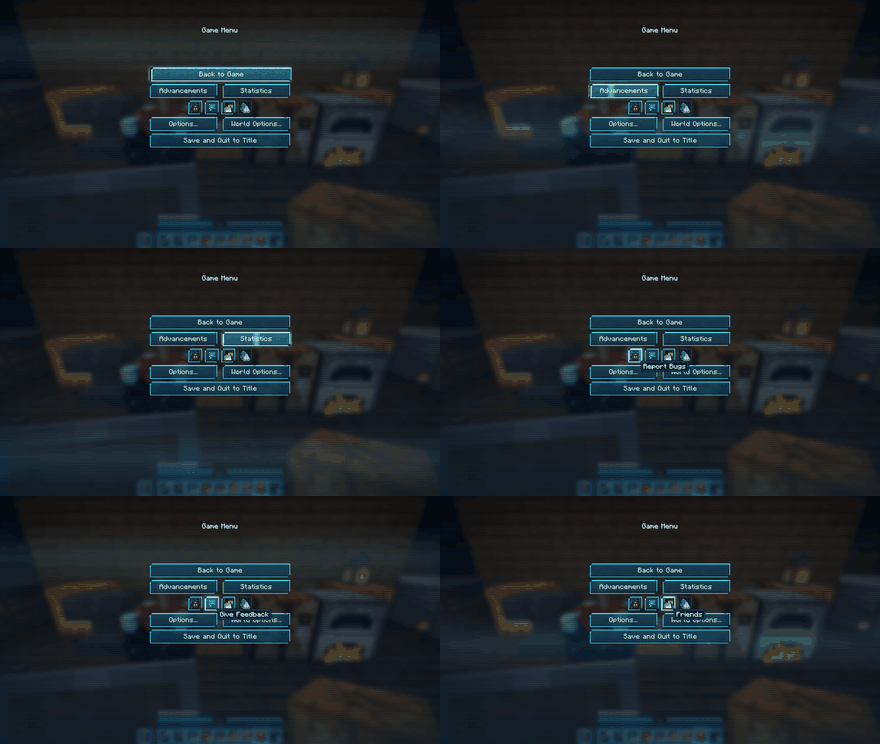
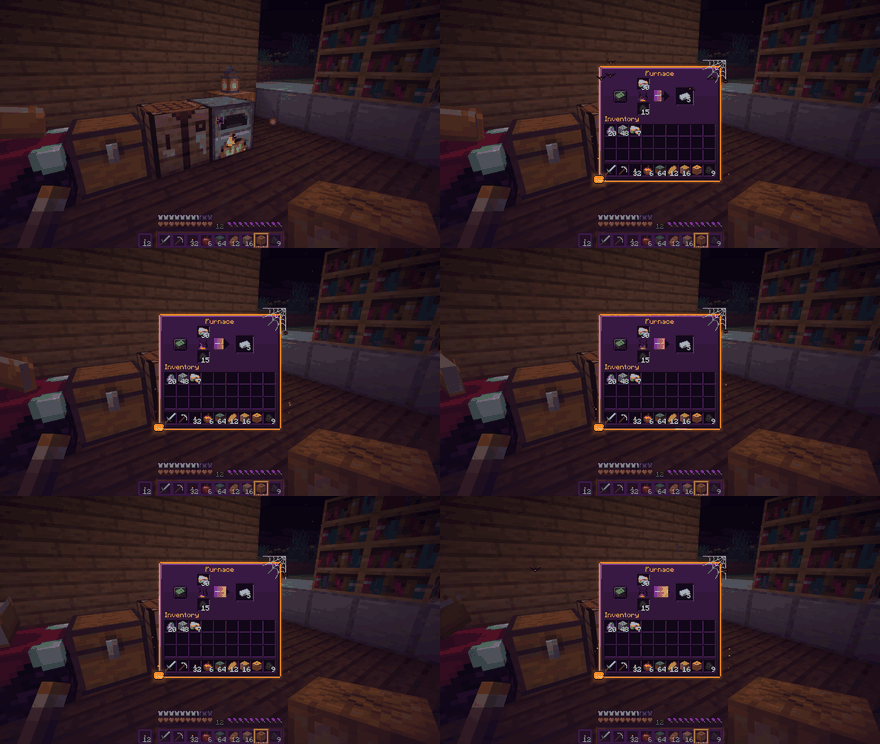
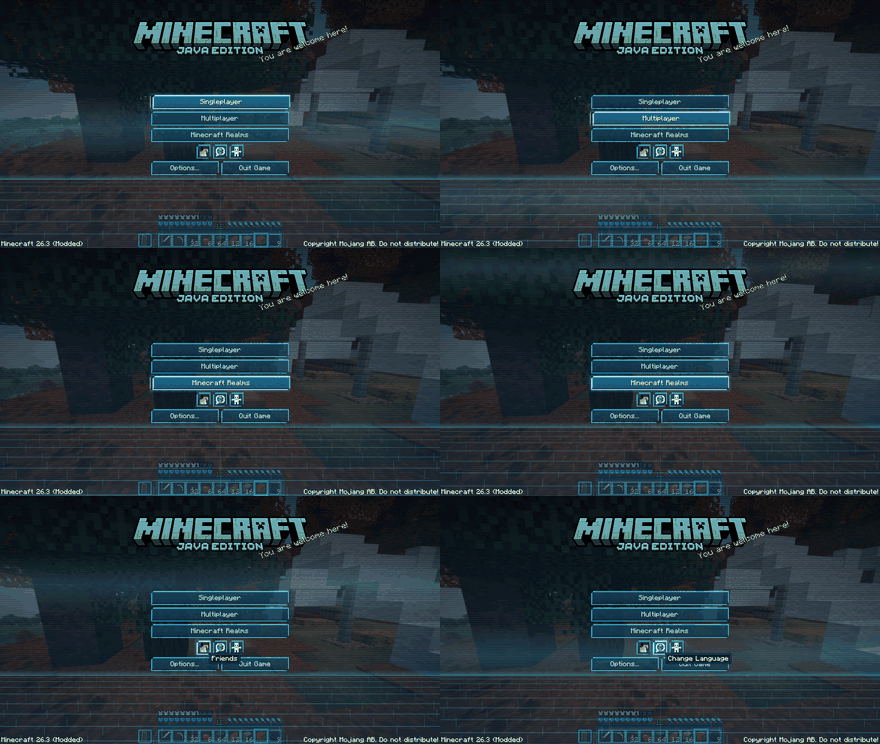
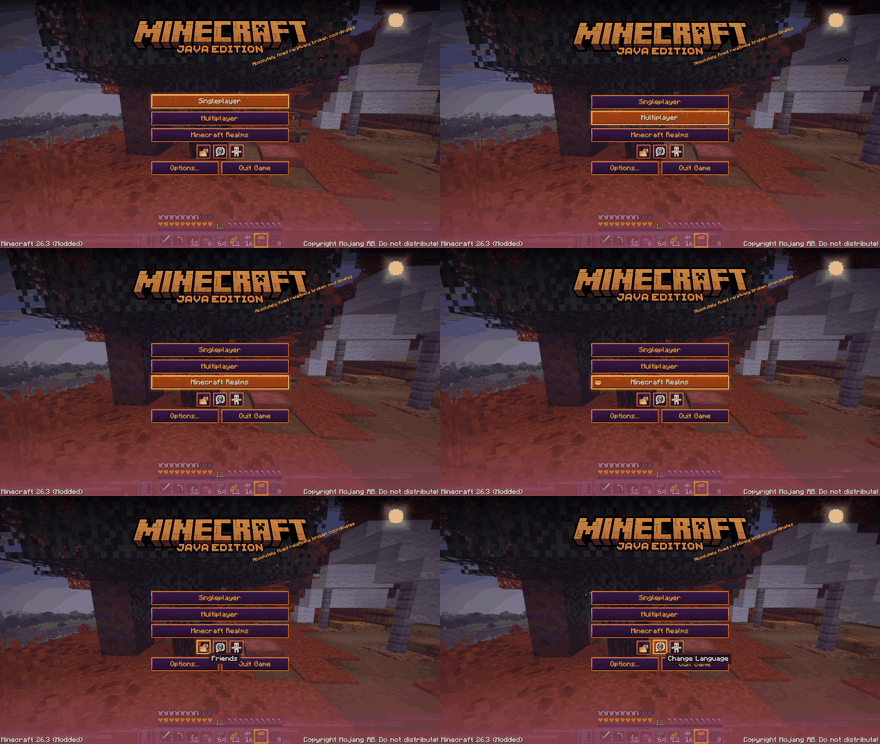
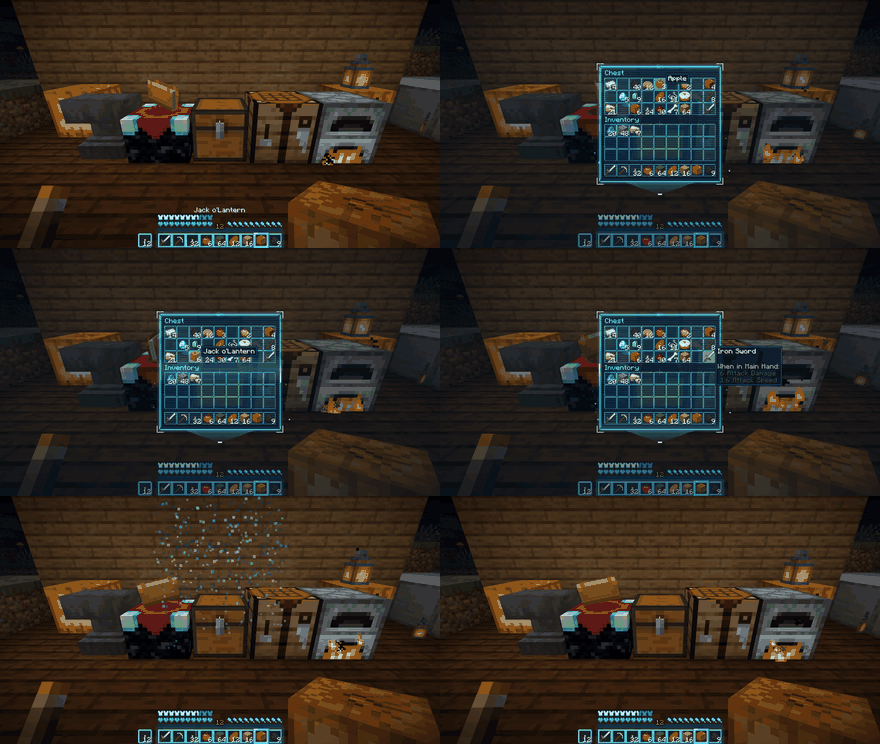
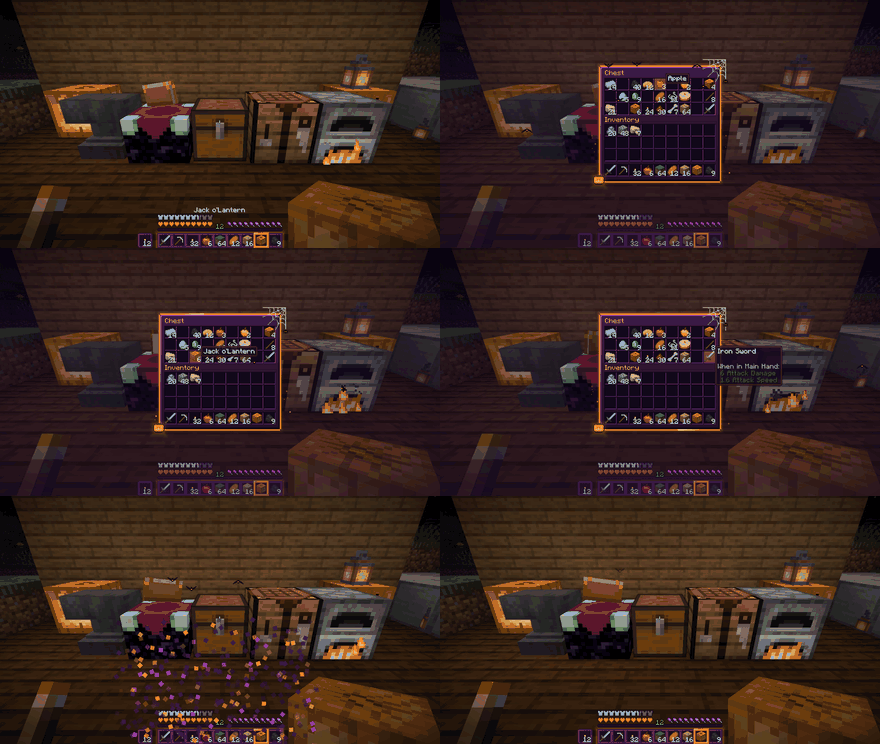
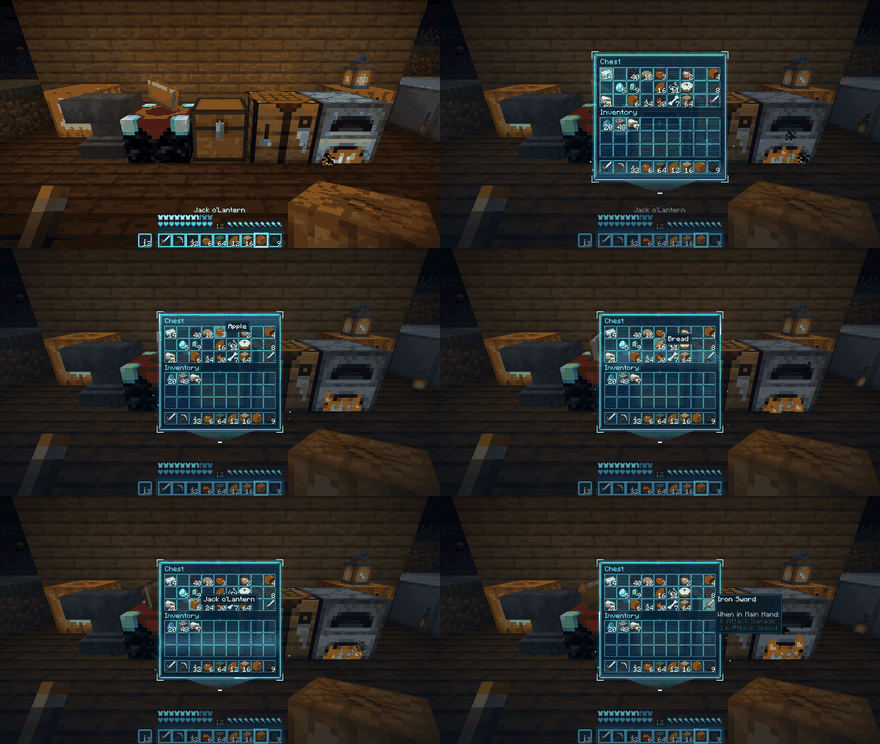
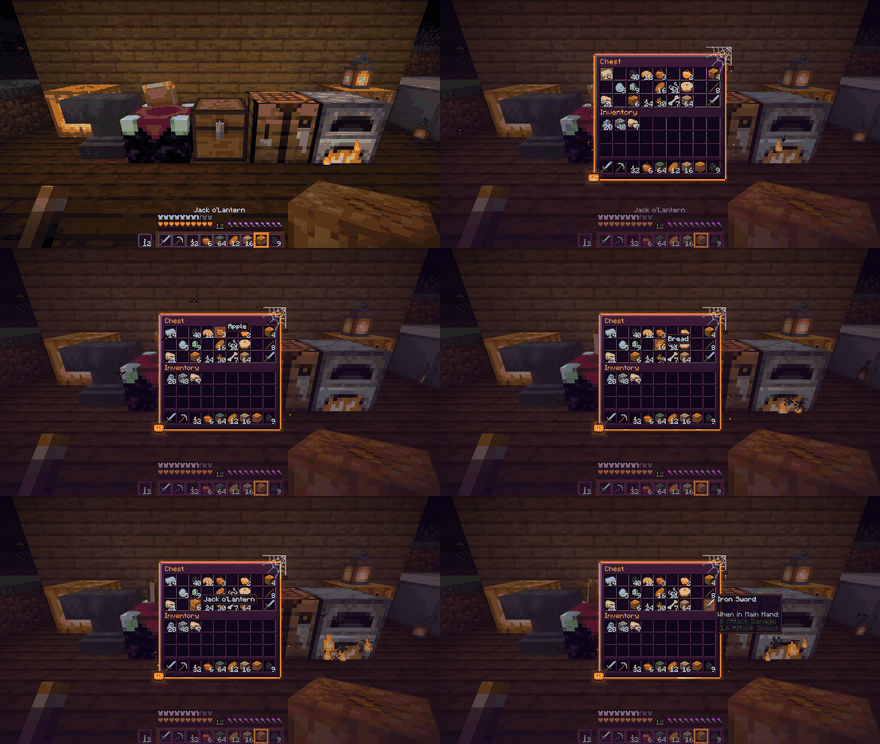
Every screen of the game, dressed for Halloween - or projected as a Hologram. With small animations.
- Chests open out of the chest. The panel rises from the block you used and breaks apart when you close it: it crumbles into falling pixels on Halloween, dissolves into light on the Hologram.
- Complete themes: inventory, chests and every container, crafting table, furnace, smoker and blast furnace, enchanting table, anvil, title screen, pause, options, loading screen and the HUD.
- Halloween: purple panels with a glowing orange frame, a web and a spider in the corner, a flickering pumpkin, bats crossing the menus, and a purple-and-orange living fire in the furnace.
- Hologram: a see-through blue projection with scanlines, a sweeping scan band, corner brackets, a projector beam and the odd signal glitch.
- Items keep their real colours. Only the interface is themed. Poison, wither and frozen hearts, armour icons, effect icons and boss bars stay exactly as the game draws them, because their colour is the information.
- Pick the theme in Options (Screen Theme button), in the mod list, or with /immersivescreens.
- Reduce motion switch (also on when the game's Panorama Scroll Speed is 0): nothing slides, flickers or breaks apart; the colours stay.
- Light: colours are painted once when textures load; nothing heavy runs per frame.
Tested in game
Fabric 26.3, Fabric 26.2 and NeoForge 26.2, both themes: HUD, chest (open, hover, close), furnace, crafting table, enchanting table, anvil, inventory, pause, options, title and the loading screen.
Client-side
Nothing to install on the server. Works on any server, in single player and on Realms.
Made by an indie dev with help from AI tools; every version is tested in game. All art is drawn by code.