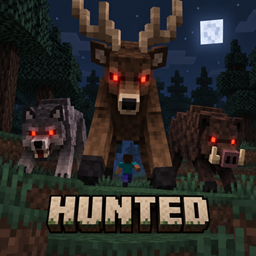
Hunted turns the wildlife in your Minecraft world against you.
Cows, pigs, wolves, birds, fish, and animals added by other mods can automatically detect, pursue, and attack players—without waiting to be hit first.
Hunted is designed for dangerous survival, horror, and big-game hunting modpacks where the wilderness should feel hostile rather than harmless.
Hunted v1.2.1 requires:
This version is made for Forge. It is not currently compatible with Fabric, Quilt, or NeoForge.
mods folder.hunted-1.2.1-forge-1.20.1.jarDo not install multiple Hunted versions simultaneously.
Install the same Hunted JAR on:
All sides should use the same Minecraft, Forge, and Hunted versions.
The server’s configuration determines actual animal behavior in multiplayer.
Hunted begins working automatically after the game starts. It does not add crafting recipes, weapons, keybinds, or activation commands.
By default:
Animals do not need to be provoked. If a valid player enters their detection range, they will attempt to pursue and attack that player.
From Minecraft’s main menu:
Select Mods.
Find and select Hunted.
Click Config.
Use the search field to find an animal.
Click the button beside that animal to switch between:
Click Apply & Done to save your changes.
The bottom-left button controls the entire mod:
Hunted: ONWhen switched off, Hunted’s aggression behavior is disabled for every animal. Your individual animal selections remain saved for when the mod is enabled again.
The search box accepts either an animal’s displayed name or its entity ID.
Examples:
Cow
Wolf
Grizzly
minecraft:pig
alexsmobs:grizzly_bear
This is especially helpful in modpacks containing hundreds of registered creatures.
Hunted uses three levels of control.
The master switch enables or disables all behavior added by Hunted.
enabled = trueSetting this to false stops Hunted animals from acquiring players as targets.
This setting determines what happens to automatically detected animals that do not have an individual override.
defaultAggressive = trueWhen true, detected animals are aggressive unless explicitly marked as normal.
When false, animals remain normal unless explicitly marked as aggressive.
Hunted stores explicit choices in two lists:
aggressiveAnimals = []
passiveAnimals = []
An entity in aggressiveAnimals is forced to hunt players.
An entity in passiveAnimals remains normal.
The passive list has priority if an entity somehow appears in both lists.
The configuration screen manages these lists automatically—you normally do not need to edit them manually.
After launching Minecraft once, Hunted creates:
config/hunted-common.tomlThe default configuration is approximately:
[animals]
    enabled = true
    defaultAggressive = true
    aggressiveAnimals = []
    passiveAnimals = []
    followRange = 32.0
    movementSpeed = 1.25
    attackDamage = 4.0
    attackInterval = 20
attackBabies = trueenabledenabled = trueControls the entire mod.
true: Hunted behavior is enabled.false: Every animal uses its normal behavior.defaultAggressivedefaultAggressive = trueControls the default state of detected animals.
true: Animals are aggressive unless placed in the passive list.false: Animals are normal unless placed in the aggressive list.aggressiveAnimalsaggressiveAnimals = [
"minecraft:cow",
"minecraft:pig"
]Forces the listed entity types to hunt players.
This list can also force a modded creature to attack even if its creator registered it under an unusual entity category.
passiveAnimalspassiveAnimals = [
"minecraft:cat",
"minecraft:wolf",
"minecraft:horse"
]Prevents the listed animals from using Hunted’s aggression behavior.
followRangefollowRange = 32.0Controls how far away an animal can detect a player.
Examples:
followRange = 16.0Creates relatively short encounters.
followRange = 48.0Makes animals noticeably more dangerous.
followRange = 96.0Creates extremely long pursuits and may increase server pathfinding work.
Valid range:
4.0–128.0 blocksmovementSpeedmovementSpeed = 1.25Controls the pathfinding speed multiplier used while animals pursue players.
Examples:
movementSpeed = 0.8Produces slower pursuits.
movementSpeed = 1.5Produces fast, dangerous animals.
movementSpeed = 2.5Creates highly aggressive chase behavior but may look unnatural for some creatures.
Valid range:
0.1–5.0Actual movement still depends on the animal’s original movement system and attributes.
attackDamageattackDamage = 4.0Controls damage dealt by each successful Hunted attack.
Minecraft players have 20 health points, represented as 10 hearts.
Examples:
2 damage = 1 heart
4 damage = 2 hearts
10 damage = 5 hearts
20 damage = 10 hearts
Armor and other damage-reduction effects may reduce the final amount.
attackIntervalattackInterval = 20Controls the delay between attacks in ticks.
Minecraft normally runs at 20 ticks per second.
Examples:
10 ticks = 0.5 seconds
20 ticks = 1 second
40 ticks = 2 seconds
Lower values make animals attack more rapidly.
attackBabiesattackBabies = trueControls whether baby animals hunt players.
true: Adults and babies can attack.false: Baby animals remain normal.enabled = true
defaultAggressive = true
aggressiveAnimals = []
passiveAnimals = [
"minecraft:cat",
"minecraft:wolf",
"minecraft:horse",
"minecraft:donkey",
"minecraft:mule",
"minecraft:parrot"
]enabled = true
defaultAggressive = false
aggressiveAnimals = [
"minecraft:wolf",
"minecraft:polar_bear",
"minecraft:goat",
"minecraft:hoglin"
]
passiveAnimals = []enabled = true
defaultAggressive = true
followRange = 48.0
movementSpeed = 1.5
attackDamage = 6.0
attackInterval = 15
attackBabies = trueenabled = true
defaultAggressive = true
followRange = 16.0
movementSpeed = 0.9
attackDamage = 2.0
attackInterval = 30
attackBabies = falseHunted scans Minecraft’s entity registry after installed mods register their entities.
It automatically recognizes entities placed in these categories:
Most correctly implemented animal mods use one of these categories and work automatically.
A modded animal registered in an unusual category may not appear automatically. It can still be forced into Hunted using its entity ID in aggressiveAnimals or the hunted:aggressive_animals datapack tag.
Advanced users and modpack developers can control compatibility through entity-type tags.
Force entities to become aggressive:
hunted:aggressive_animalsForce entities to remain normal:
hunted:peaceful_animalsExample:
{
  "replace": false,
  "values": [
    "minecraft:cat",
    "examplemod:special_deer"
  ]
}
Place the file at:
data/hunted/tags/entity_types/peaceful_animals.jsonThe peaceful tag takes priority over the aggressive tag.
Hunted’s animal AI runs on the logical server.
In singleplayer, the integrated server and client use the same installation, so the configuration page controls the local world.
On a dedicated server:
config/hunted-common.toml.Hunted adds its own high-priority pursuit goal without replacing animal models, textures, sounds, drops, breeding mechanics, or spawn rules.
The animal continues using its original navigation system. Consequently:
No. Hunted animals proactively search for nearby players.
No. It changes behavior, not spawn rates or spawn conditions.
No. Loot tables remain unchanged.
No. Creative and spectator players are ignored.
Yes. Find cats, wolves, horses, or other pets in the configuration screen and change them to Normal.
Yes. Set defaultAggressive to false, then mark only the desired animal as Aggressive.
Hunted uses the animal’s existing navigation. If the original creature cannot navigate the terrain between itself and the player, Hunted does not grant it teleportation or a different movement system.
Normally, detected animal types re-evaluate whether they should hunt players. On dedicated servers, restart after changing the server configuration to guarantee that every loaded entity receives the correct setup.
No. Hunted focuses entirely on animal aggression and survival pressure. Weapons and equipment can be supplied by other mods in your modpack.