Close menu
Mods
Browse
Plugins
Bukkit, Spigot & Paper plugins
Maps
Adventure, parkour & survival maps
Resource Packs
Textures from 16x to 512x+
Data Packs
Vanilla-friendly game changes
Shaders
Iris & OptiFine shader packs
Mod Packs
Curated mod collections
Minecraft Versions
Everything for one version
Mod Compatibility
Find mods that work together
Search everything
Mods, packs, shaders & more
Browse
Plugins
Bukkit, Spigot & Paper plugins
Maps
Adventure, parkour & survival maps
Resource Packs
Textures from 16x to 512x+
Data Packs
Vanilla-friendly game changes
Shaders
Iris & OptiFine shader packs
Mod Packs
Curated mod collections
Minecraft Versions
Everything for one version
Mod Compatibility
Find mods that work together
Search everything
Mods, packs, shaders & more
Servers
Players
Wiki
Tools
Games
More
News
How to Craft
Mob Drops
Villager Trades
Biome Spawns
Minecraft Skins
Server of the Month
App
More
News
How to Craft
Mob Drops
Villager Trades
Biome Spawns
Minecraft Skins
Server of the Month
App
Log in
Register
Log in
Register
Mods
HudToggle
MOD
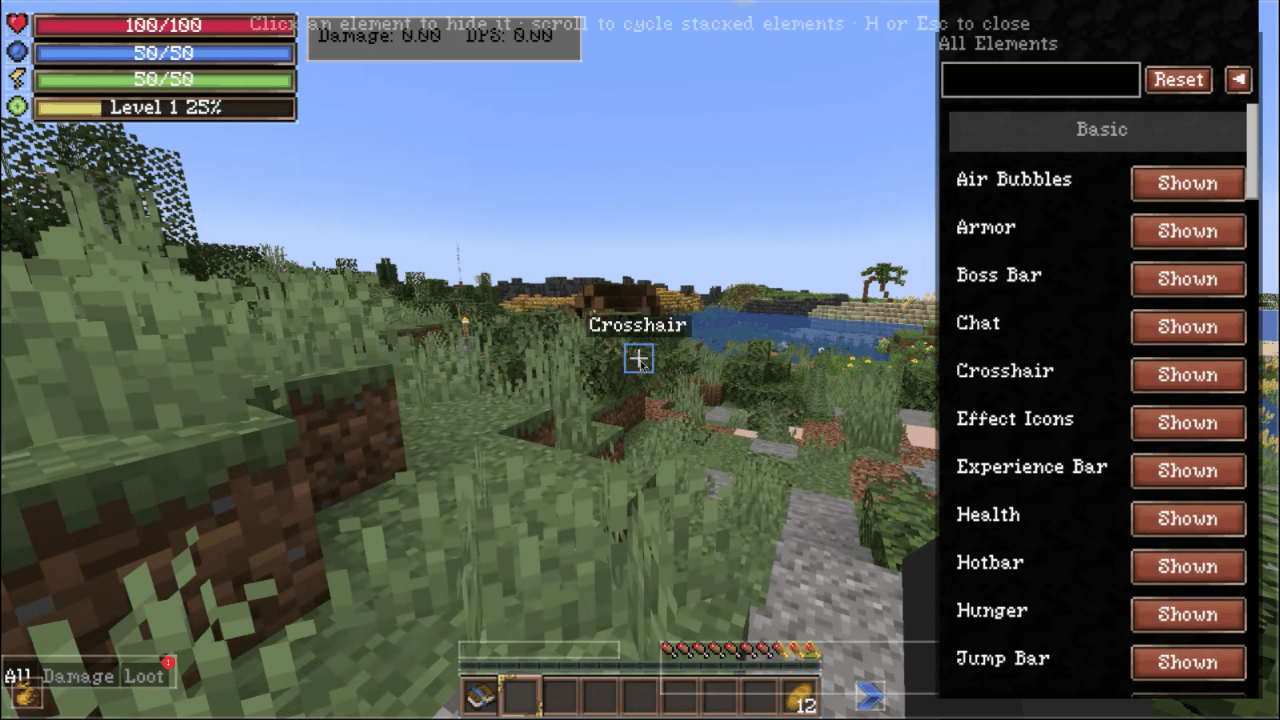
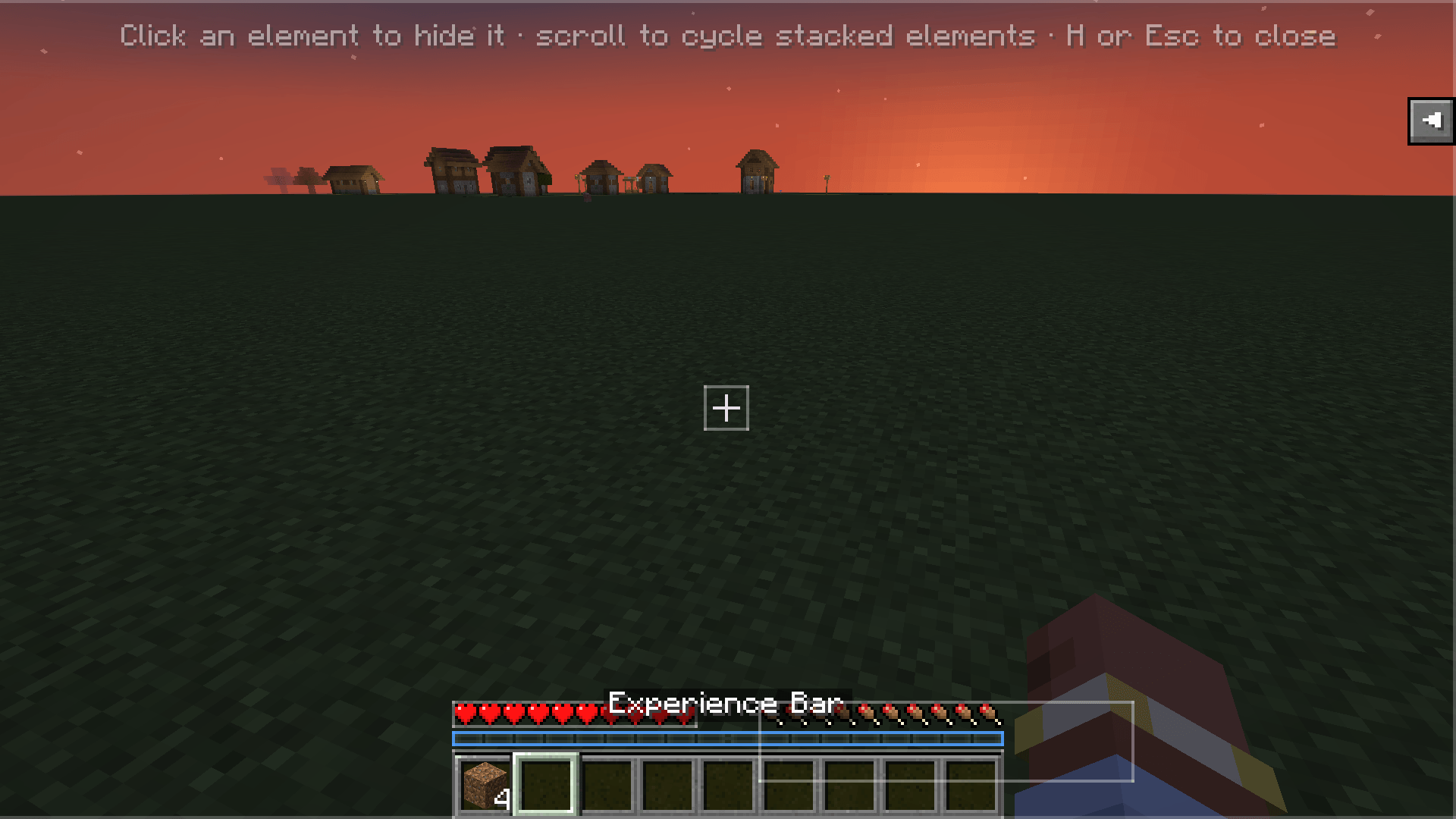
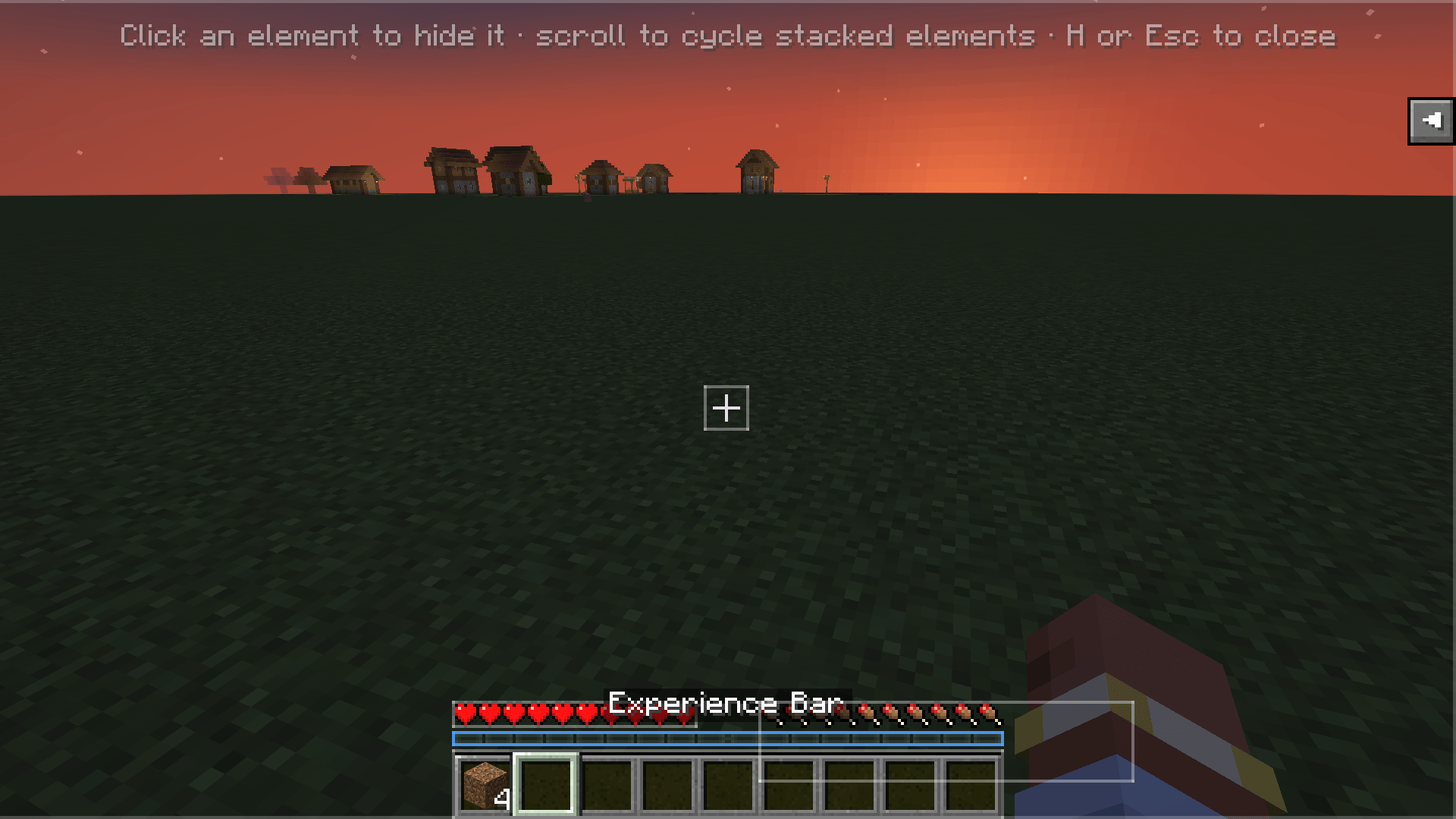
This mod allows for hiding/showing various HUD elements for both vanilla and modded.
by
reekta92
Download
Report
Claim this project
369 downloads
0 likes
Updated Oct 14, 2026
0 hypes
Addons
API and Library
Utility & QoL
Share
Copy link
Copy for Discord
Reddit
X
Home
/
Mods
/
Utility & QoL
/
HudToggle
Advertisement
Remove ads with Premium →
Description
Files (1)
Screenshots (5)
Features
Toggle any vanilla HUD overlay
— hotbar, crosshair, health, hunger, chat, scoreboard, boss bars, debug text, and more.
Detects modded overlays
— including unregistered
RenderGuiEvent.Post
renderers, attributed automatically to their source mod.
Click-to-hide editor
— press H in-game, click any highlighted element to hide it, scroll to cycle stacked elements.
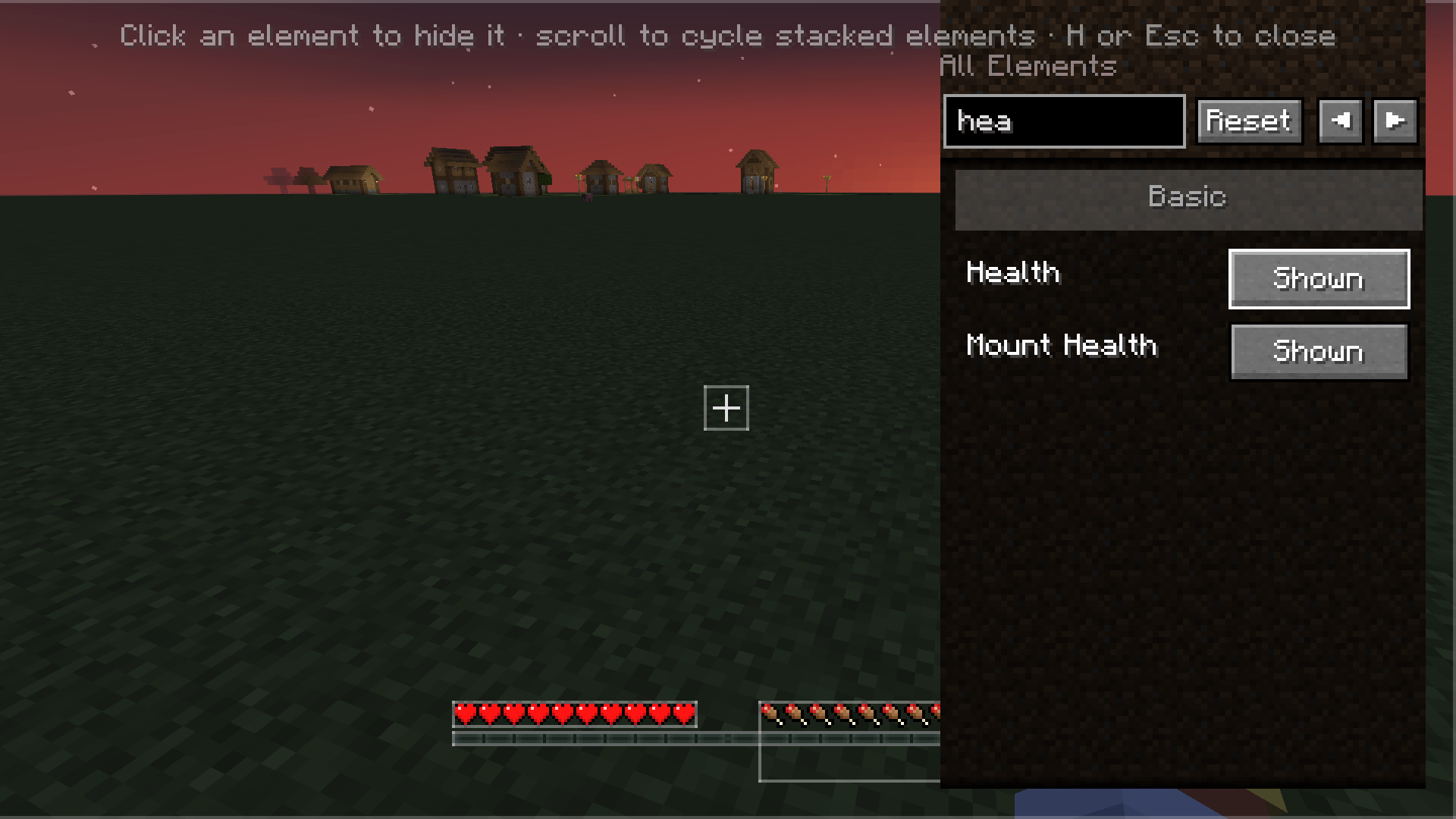
Search, Basic/Advanced categories, Reset
— find elements fast, filter by complexity, restore everything with one click.
Per-element persistence
— choices saved to
config/hudtoggle.json
, survives restarts and mod updates.
Client-side only
— no server install needed. Works on any server.
Installation
Forge 47.2.0+
on
Minecraft 1.20.1
Download the latest
.jar
from
Modrinth
or
CurseForge
Drop it into your
mods/
folder
Usage
Press
H
in-game (rebindable in Controls → HUD Toggle).
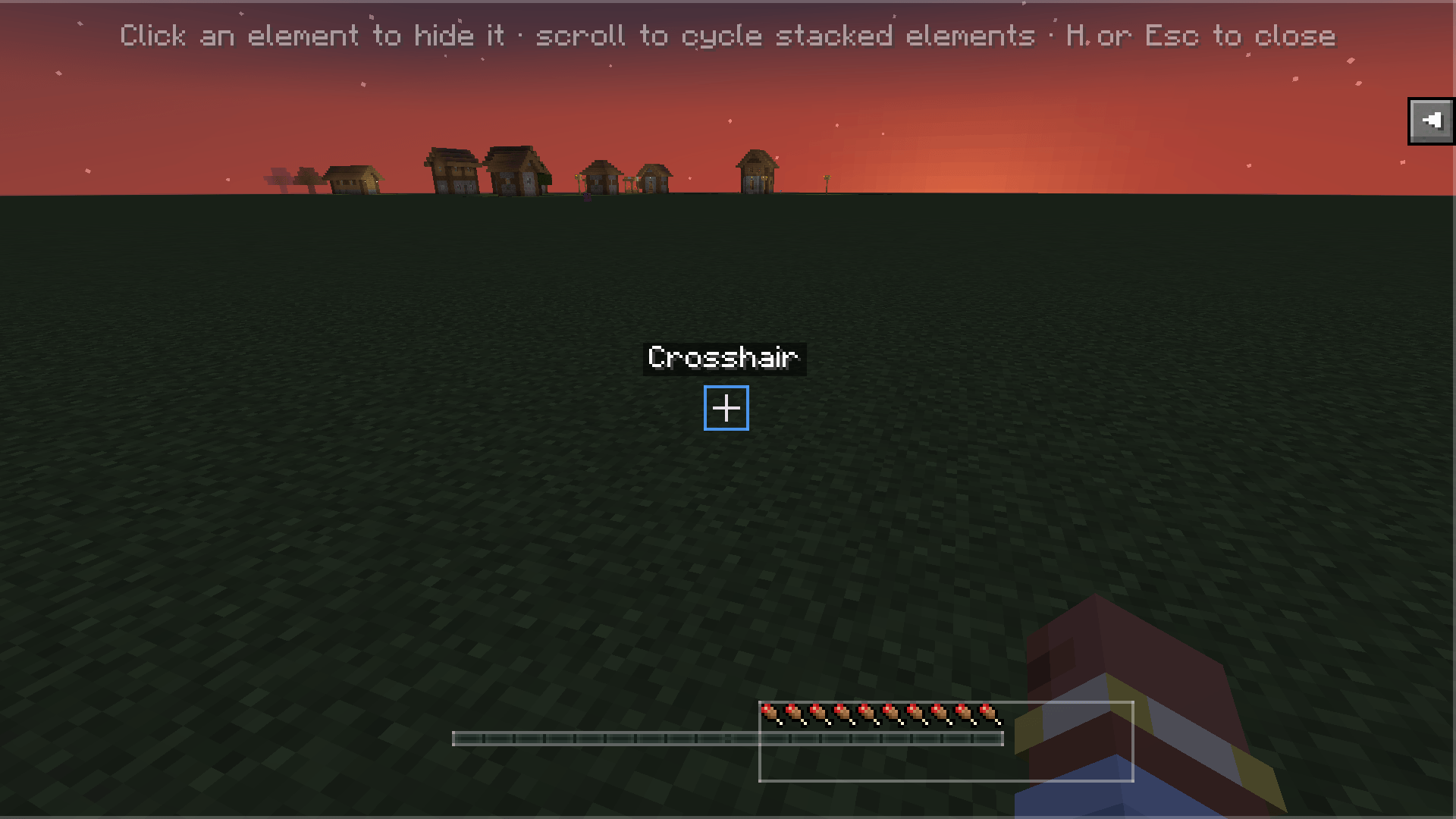
The HUD Editor overlay opens — every HUD element is highlighted with a translucent box.
Click
an element to hide/show it.
Scroll
to cycle through stacked elements under the cursor.
Use the
search box
and
Basic/Advanced
category filter to find specific elements.
Click
Reset
to restore all hidden elements.
Press
H
or
Esc
to close.
Config is also editable via Forge's Mods screen → HUD Toggle → Config.
hudtoggle-1.0.0.jar
MC Client, 1.20.2, 1.20.5, 1.20.1, Forge, 1.20.6, 1.20.4, 1.20.3
Release
2026-07-27
Get
Advertisement
Remove ads with Premium →
Advertisement
Remove ads with Premium →
You Might Also Like
MaterialTweaker
Pack utility to modify tool and armor material attributes and repair items.
9,987,132
Ok Zoomer - It's Zoom!
A Fabric/NeoForge/Forge zoom mod that is powerful, lean, and pretty customizable. The zoom is yours!
9,982,878
Utility Vest
Adds a utility vest that lets you quickly swap hotbars via a hotkey
9,971,108
Normal Damage
Mobs deal normal damage to player regardless of difficulty.
999,499
BlockShot
Easily share gameplay screenshots and short recordings safely
997,256
Not interested!
Let's you tell the wandering trader to go away.
991,273
Report Mod
Reason
Malicious content
Copyright violation
Broken download
Spam
Other
Your email (optional)
Details
Cancel
Submit Report