Loading...
Beta Modpages Unclaimed

Hole Filler Mod

Automatically Fills in Holes!

0 Likes
2108574 Downloads
Created by DannyBoyThomas

Description

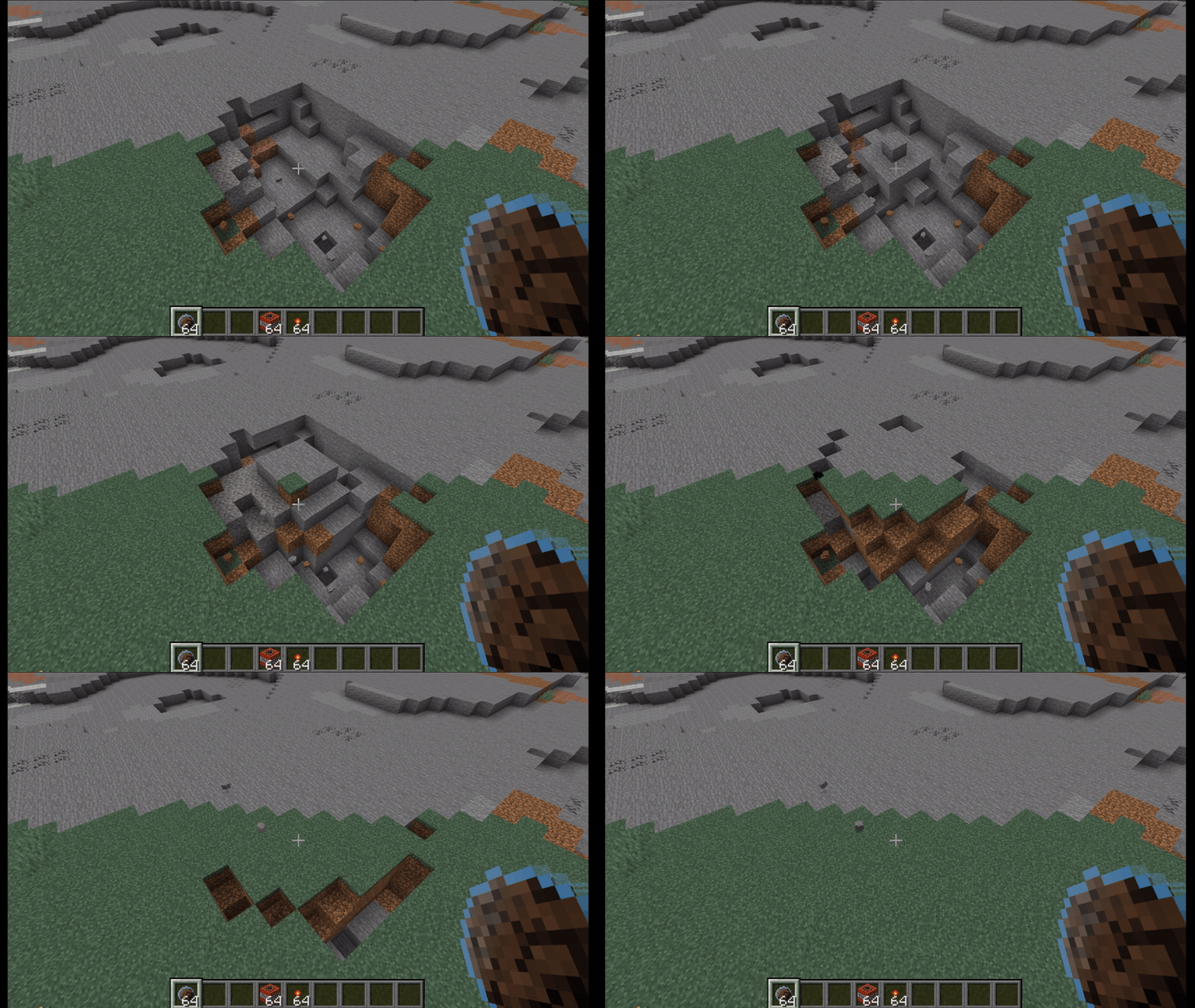
Hole Filler Smart demo

Hole Filler Mod

Reclaim terrain in seconds

Throw it. Keep building. Let HFM remove craters, trenches, and blast damage while you move on.

Creative No placement blocks required.
Survival Uses real resources from your inventory or linked storage.


Why Download HFM

  • Fast hole recovery for survival bases and multiplayer servers
  • Multiple filler types for terrain, fluids, light control, and precision fills
  • Built-in safety limits and configurable behavior
  • Item Pack + Inventory Sync reduce inventory clutter

Standout Features

Undo (15 seconds)

Made a mistake or changed your mind?
Break any placed Curing Block within the undo window and the hole is re-emptied, with resources returned.

Smart Hole Filler

Smart HF reads nearby terrain and tries to place matching blocks automatically.

It also includes:

  • Preserve Mode: keeps premium blocks for visible surfaces and uses a cheaper preserve block below
  • Similar Blocks: substitutes close alternatives when the exact block is missing
  • One-Way Blocks: controlled fallback chains for predictable substitutions

Instant Cure

Happy with the result? Use an empty hand and right-click a Curing Block 3 times to cure immediately.

Item Pack + Inventory Sync

Store all Hole Fillers in one pack, switch fillers quickly, and link a container so throws can pull resources from storage instead of your hotbar.

Hole Maker

A charge-based throwable that creates holes on impact. Scale power with Catalyst to control how much terrain is removed.

Quick Start

  1. Craft a Hole Filler (or Hole Filler Pack).
  2. Throw into a hole.
  3. Let Curing Blocks fill and convert.
  4. Undo or instant-cure based on what you want.

Walkthrough


Recipes and full config options: See the Website.

Links


AD Become Premium to remove Ads!

What means Verified?

  • Compatibility: The mod should be compatible with the latest version of Minecraft and be clearly labeled with its supported versions.
  • Functionality: The mod should work as advertised and not cause any game-breaking bugs or crashes.
  • Security: The mod should not contain any malicious code or attempts to steal personal information.
  • Performance: The mod should not cause a significant decrease in the game's performance, such as by causing lag or reducing frame rates.
  • Originality: The mod should be original and not a copy of someone else's work.
  • Up-to-date: The mod should be regularly updated to fix bugs, improve performance, and maintain compatibility with the latest version of Minecraft.
  • Support: The mod should have an active developer who provides support and troubleshooting assistance to users.
  • License: The mod should be released under a clear and open source license that allows others to use, modify, and redistribute the code.
  • Documentation: The mod should come with clear and detailed documentation on how to install and use it.

AD Become Premium to remove Ads!

How to Install

1

Download Forge & Java

Download Forge from the offical Site or here. If you dont have Java installed then install it now from here. After Downloading Forge you can run the file with Java.

2

Prepare

Lounch Minecraft and select your Forge istallation as Version this will create a Folder called Mods.

3

Add Mods

Type Win+R and type %appdata% and open the .minecraft Folder. There will you find your Folder called Mods. Place all Mods you want to play in this Folder

4

Enjoy

You are now Ready. Re-start your Game and start Playing.

More Mods like this

Mouse Tweaks

Enhances inventory management by adding various functions to the mouse buttons.

Bookshelf

An open source library for other mods!

Comforts (Fabric/Forge/Quilt)

Adds sleeping bags and hammocks for, respectively, portability and turning day to night, without setting new spawns. Comes in 16 different colors!

BetterFps

Performance Improvements

Supplementaries

Vanilla+ additions: Jars, signposts, faucets, weather vanes spring launchers, sconces, planters, lights, decoration and automation

RandomPatches (Forge)

A bunch of miscellaneous patches for Minecraft, including configurable connection timeouts, player speed limits and other bug fixes and improvements.

FancyMenu

Customize Minecraft's menus with ease!

Phosphor (Forge)

Performance improvements for Minecraft's lighting engine

Snad

Finally, sand that actually makes sugarcane grow faster.