Adding more common collision boxes for Minecraft
In any place where collision detection is needed, create a collider object and use the methods in ColliderUtil to determine if a collider has occurred.
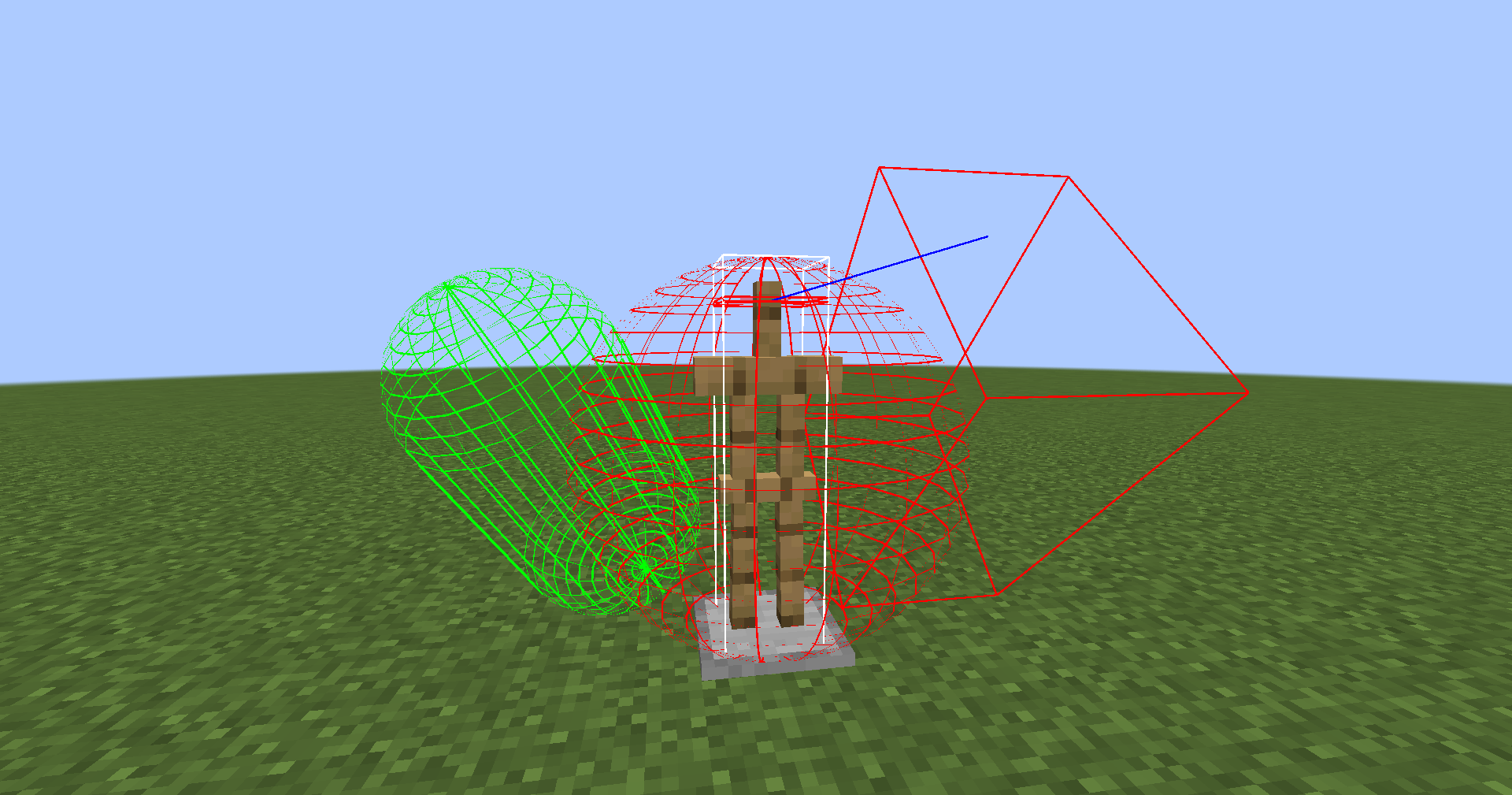
For entities (Entity), you can achieve collider caching by attaching HitboxDataAttachments#COLLISION. The cached collider can be rendered by pressing F3 + B. Note that this Data does not have a persistence implementation.
Testing Method
Testing Environment
Testing Settings
Testing Items
| Collision Box | Score | Error | Unit |
|---|---|---|---|
| Axis-Aligned Bounding Box | 3561837865.930 | 157982649.213 | ops/s |
| Capsule | 22350681.198 | 238993.658 | ops/s |
| Rotated Capsule | 16842309.523 | 103959.918 | ops/s |
| Oriented Bounding Box | 5528493.224 | 64548.996 | ops/s |
| Rotated Oriented Bounding Box | 4648963.750 | 111369.535 | ops/s |
| Sphere | 119556589.705 | 1711146.560 | ops/s |
Note: Higher scores indicate better performance. Rotated means the collider is rotated and the relevant vectors are recalculated.