HELM
Minecraft client automation for Fabric
Navigation. Movement. World interaction. Macros.
What it does
HELM is a client side automation mod. Everything runs on your machine, nothing is
sent to the server, and every command is typed in your own chat box.
| Area |
What you get |
| Navigation |
goto any block, and keep going: the route is re-planned from wherever you actually end up |
| Movement |
Continuous walking with no gap at a step boundary, real sprinting, jumps, gaps, diagonals and drops |
| World |
Breaks what is in the way, places what is missing, picks the right tool, all without a keypress |
| Aiming |
Free look, so mining and placing never drag the camera around |
| Macros |
A readable script language for anything the commands do not already cover |
| Storage |
Everything you author lives in one readable folder inside your game directory |
Full details of every feature are in
FULLYEXPLAINEDFEATURES.md. The one line index
is in
FEATURES.md.
Requirements
|
Version |
| Minecraft |
26.2 |
| Fabric Loader |
0.19.3 or newer |
| Fabric API |
0.161.0+26.2 |
| Java |
25 |
HELM is client only. It does not need to be installed on a server, and a server
never sees a HELM command.
Commands
Type
$ in the chat box, then the command. Anything starting with
$ is handled
by HELM and is never sent to the server.
$goto 120 64 -35
$stop
$help
| Command |
What it does |
$help |
List every command |
$version |
Show the HELM version |
$goto <x> <y> <z> |
Walk to a block position |
$stop |
Stop walking |
$set |
Open the settings picker |
$set <name> [<value>] |
Show or change one setting |
$settings reset |
Restore every setting to its default |
$macro <create|edit|load|stop|list> |
Work with macros |
USAGE.md has the full list, every alias, and the exact reply
each command gives.
Installing
- Install Fabric Loader for Minecraft
26.2.
- Install Fabric API for 26.2.
- Drop
HELM and Fabric API into the mods folder of that instance.
Building
The build produces
HELM<version>-<minecraft version>.jar, for example
HELM0.0.1-26.2.jar, and copies it to the repository root.
| Platform |
Command |
| Windows |
build.bat |
| Linux, macOS |
./build.sh |
To build without the convenience scripts:
| Platform |
Command |
| Windows |
gradlew.bat build |
| Linux, macOS |
./gradlew build |
Both Gradle wrappers are committed, so no separate Gradle installation is needed.
The wrapper selects the required Gradle and Java versions.
Running the development client
| Platform |
Command |
| Windows |
gradlew.bat runClient |
| Linux, macOS |
./gradlew runClient |
Where your data lives
Everything you author is stored inside the Minecraft game directory, in a top
level
HELM folder:
<game directory>/HELM/
The game directory is
.minecraft on Linux and macOS and
%APPDATA%\.minecraft
on Windows. HELM resolves this through the game at runtime and never hardcodes
it, so the folder is named the same on both platforms.
| Path |
What it holds |
HELM/macros/ |
Your macro files |
HELM/settings.conf |
Every setting, one per line |
HELM/debuglogs.log |
A record of what HELM did this session |
HELM/cache/ |
Remembered chunks, so routes can cross unloaded terrain |
The text files are safe to read, edit or delete while the game is closed.
cache is safe to delete at any time; you only lose remembered terrain.
Project layout
Source lives under
src/main/java/dev/helm. Folders are created as the features
they serve are added, so every folder in the tree contains code that does
something.
| Package |
Responsibility |
access |
Reaching into the game where no accessor exists yet |
aim |
Where the body is pointed, and whether the camera is free |
command |
Command declaration, parsing, execution and dispatch |
control |
What the player is pressing |
diag |
The session log and its formatting |
input |
Key and button names |
interaction |
Mining and placing |
macro |
The macro language, its editor and its runtime |
movement |
Step execution, route following and sprint decisions |
navigate |
Goals, journeys and the walk loop |
pathfinding |
Search, costs, moves and world rules |
render |
Drawing the route |
rotation |
Applying and capturing rotations |
setting |
Every setting, and where they are stored |
storage |
Where files are written |
tools |
Tool choice, break strength and block lists |
world |
Reading the world, and the chunk cache |
mixin |
Mixins declared by helm.mixins.json |
Minecraft and Fabric specific hooks live in
mixin; everything else is
expressed in terms of small, focused classes.
Contributing
- Fork the repository and create a branch.
- Make your change, including the documentation updates it requires.
- Build on the platform you have available:
| Platform |
Command |
| Windows |
build.bat |
| Linux, macOS |
./build.sh |
- Commit with a short message that describes the change.
- Open a pull request.
Windows and Linux are both first class. No platform specific tooling is required:
building on either needs only its own Gradle wrapper, which is committed. A change
that would only work on one platform is not acceptable.
Attach
HELM/debuglogs.log to a bug report. It is the fastest way to see what
HELM thought it was doing.
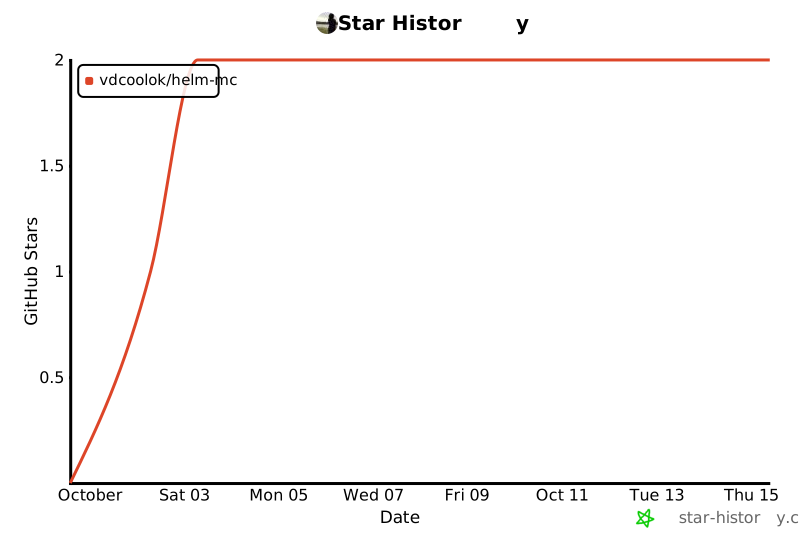
Star history
Star history
The chart above is generated by star-history.com and
refreshes each time the page is loaded. It needs the repository to be public, so
it shows as unavailable while the repository is private.
License
HELM is licensed under the GNU Lesser General Public License v3.0. See
LICENSE for the LGPL terms and
COPYING for the GNU General
Public License v3.0 that it incorporates.