Mineuniverse
Mods
HDWS - Hud Display Widgets System

HDWS - Hud Display Widgets System

MOD
A comprehensive UI and inventory overhaul featuring interactive gun modding, modular item management, and sleek custom displays.
by BrykLeeN_
Download Claim this project
214 downloads
0 likes
Updated Oct 14, 2026
0 hypes
API and Library Cosmetic Storage
Advertisement Remove ads with Premium →

🛠️ HDWS

A total UI, inventory, and gameplay overhaul for Minecraft 1.20.1 (Forge). Designed for tactical shooters, extraction games, and PVP-style modpacks.

⚠️ Status: Currently in Beta Testing. Features and mechanics are actively being updated!
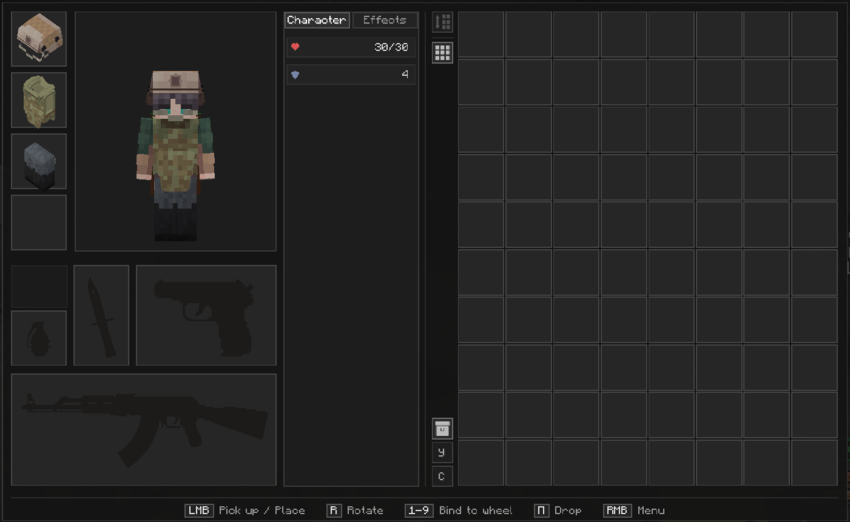

📷 Screenshots & Preview

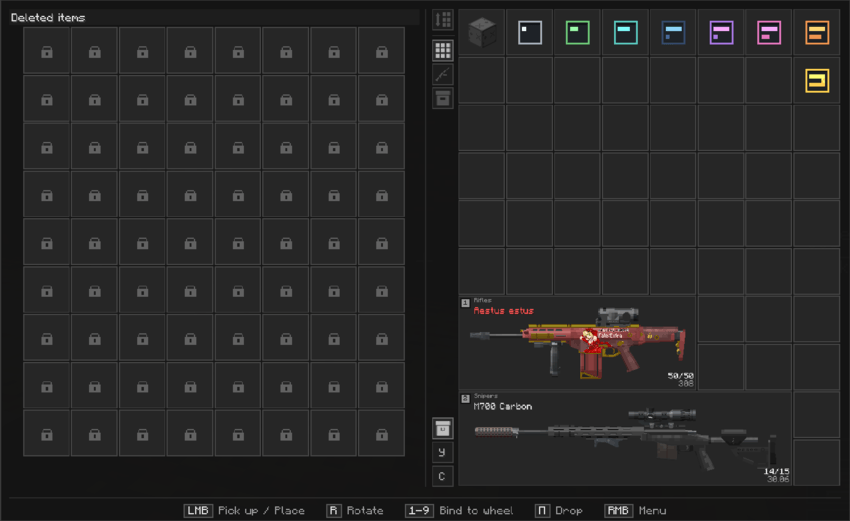
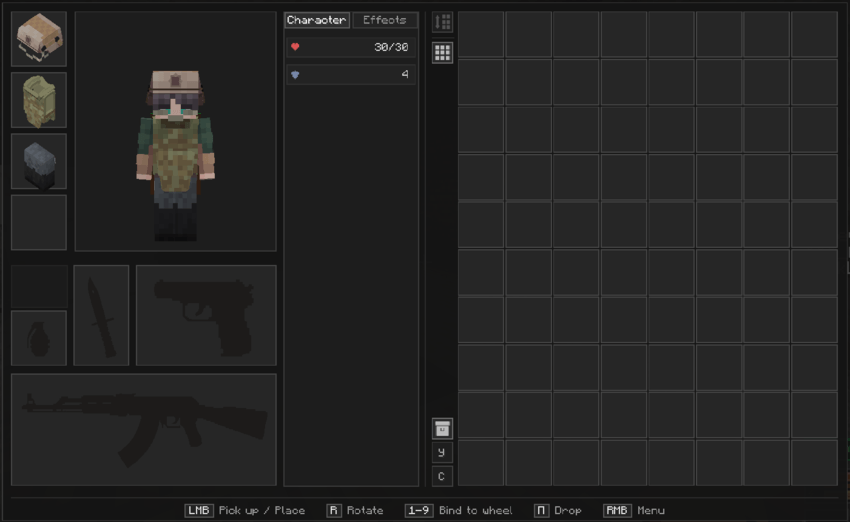
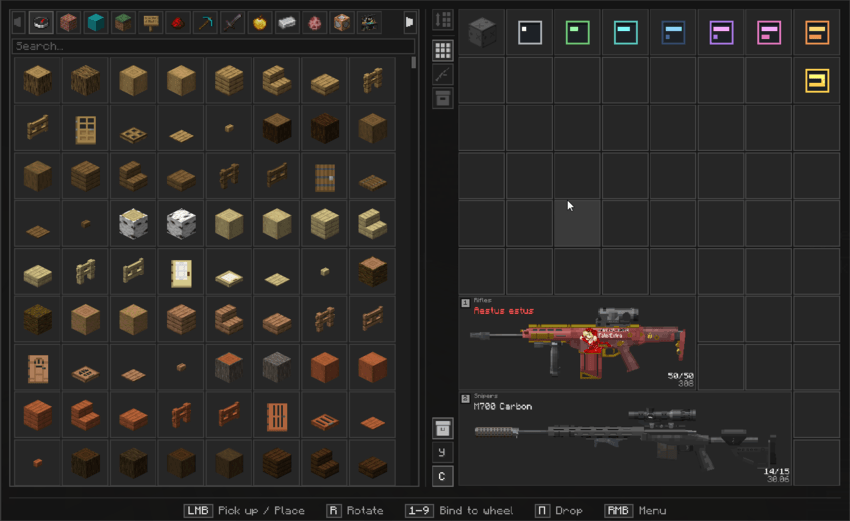
[Main Inventory & Equipment Interface]

image Custom grid inventory, item sizes, multi-slot equipment, and tactical guns.
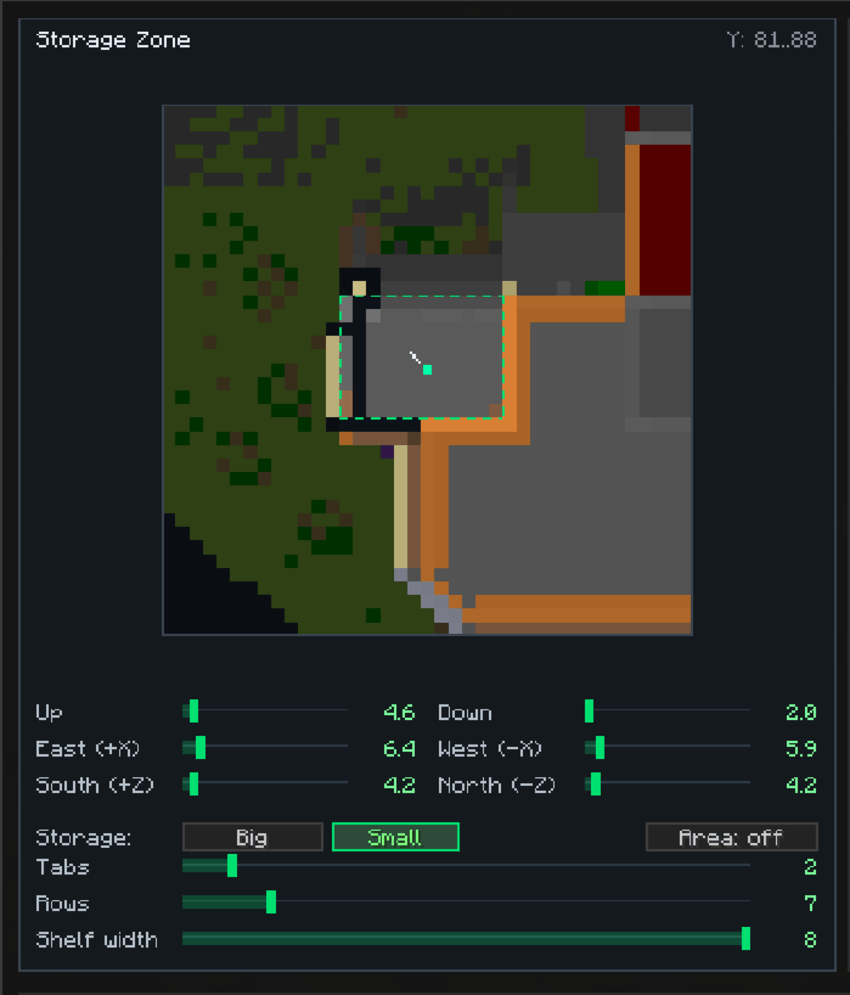
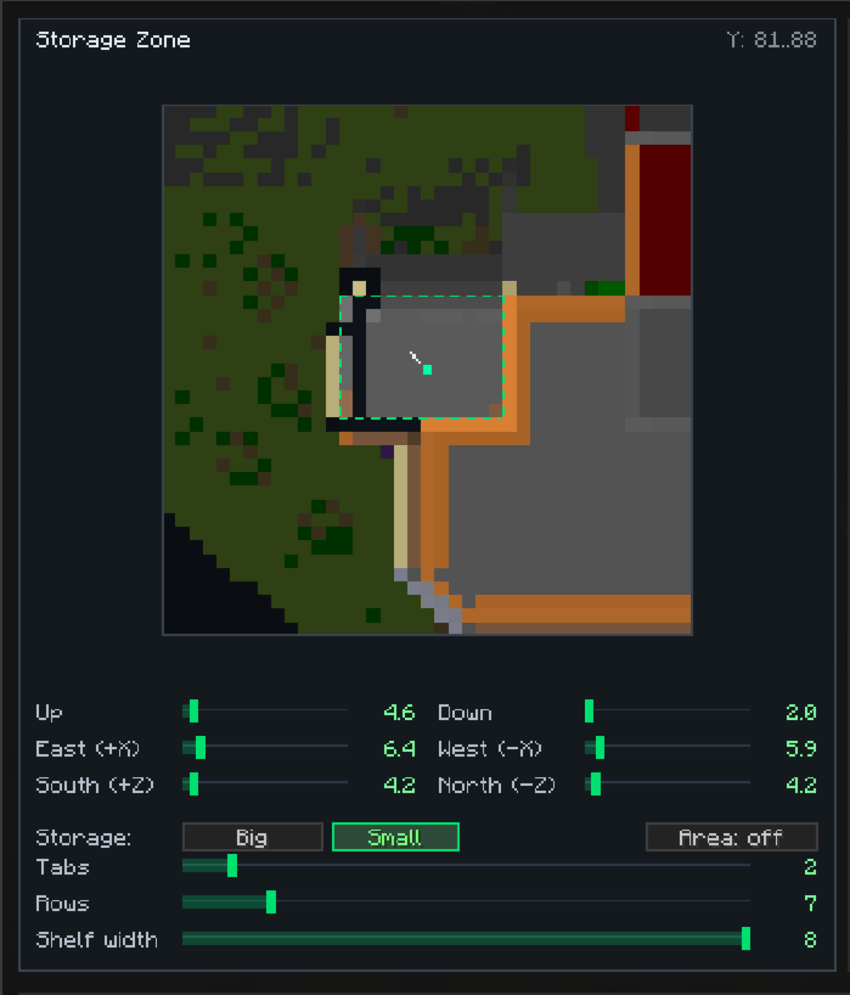
[Safezone & Storage Area Setup]

image Safezone radius configuration and storage visualizer (X/Y/Z area controls).
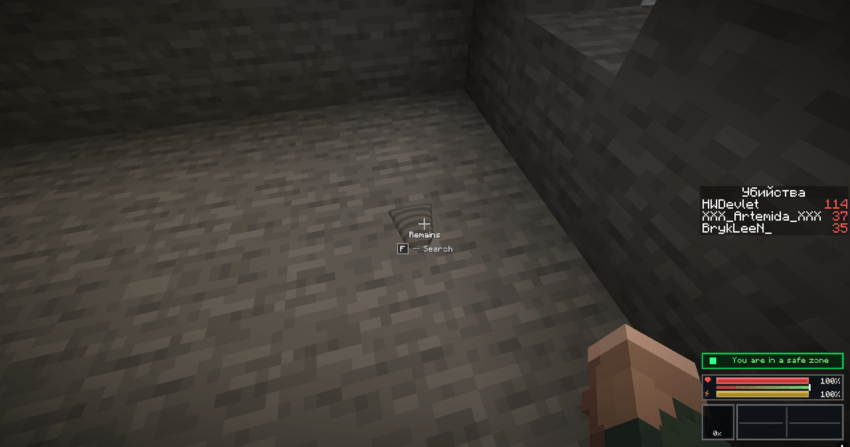
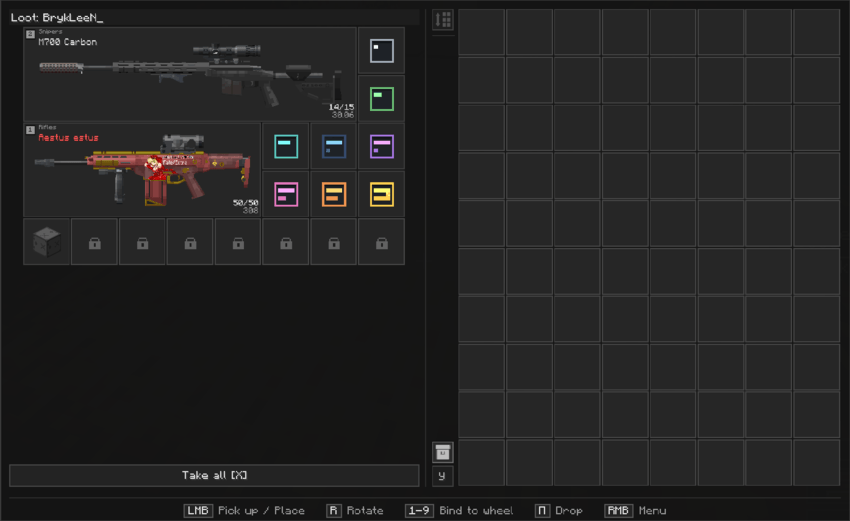
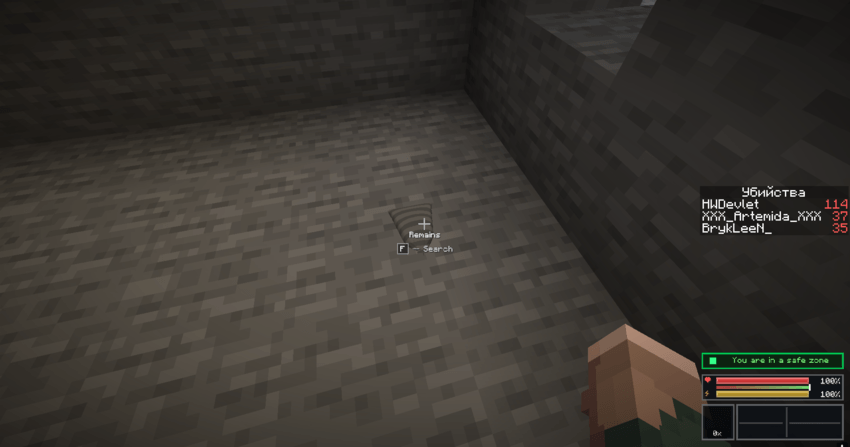
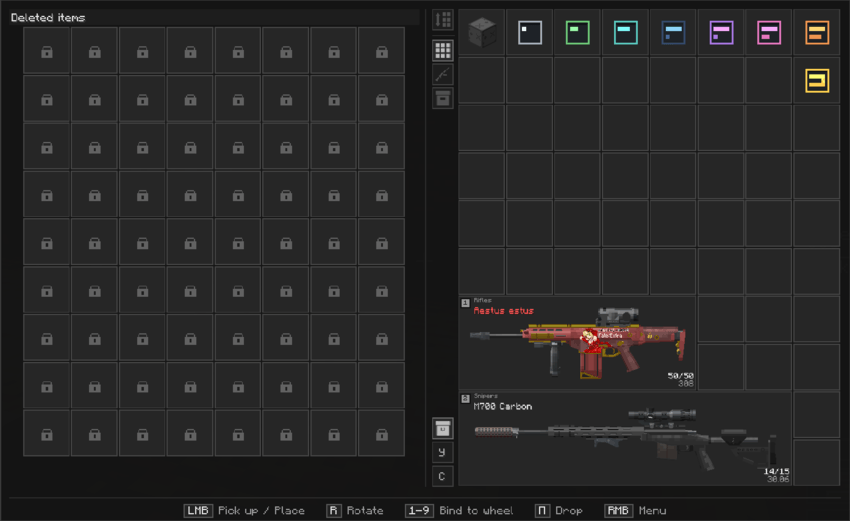
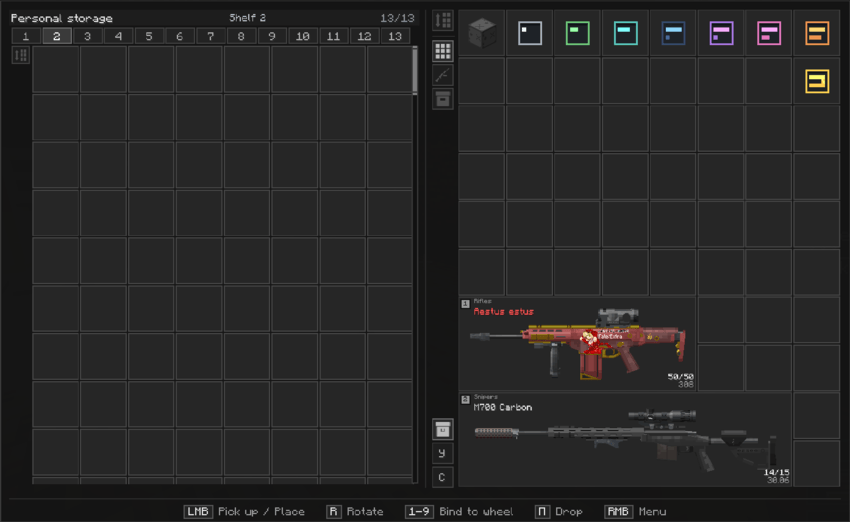
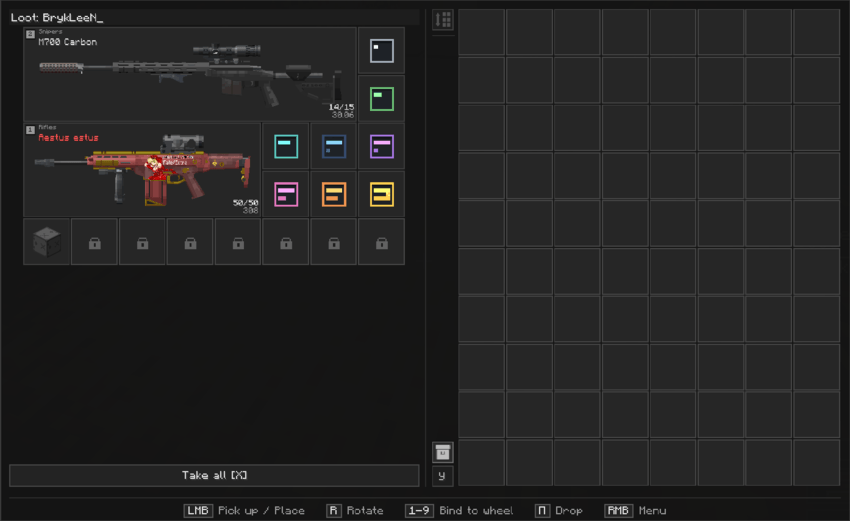
[Loot Remains & Search Interface]

image

image

image Looting remains, death bags, and recovery timer slots.
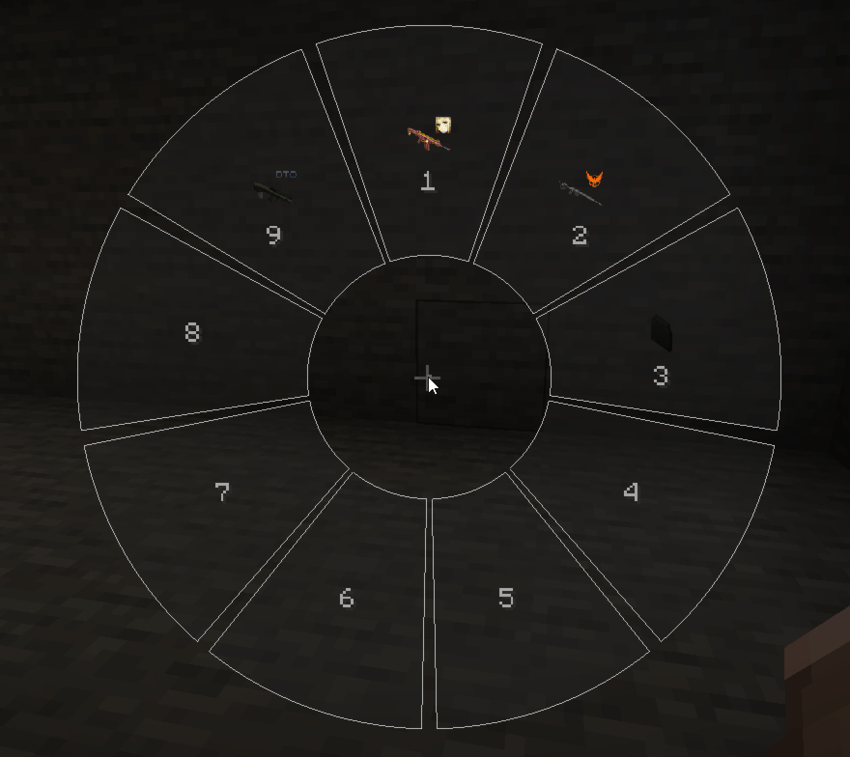
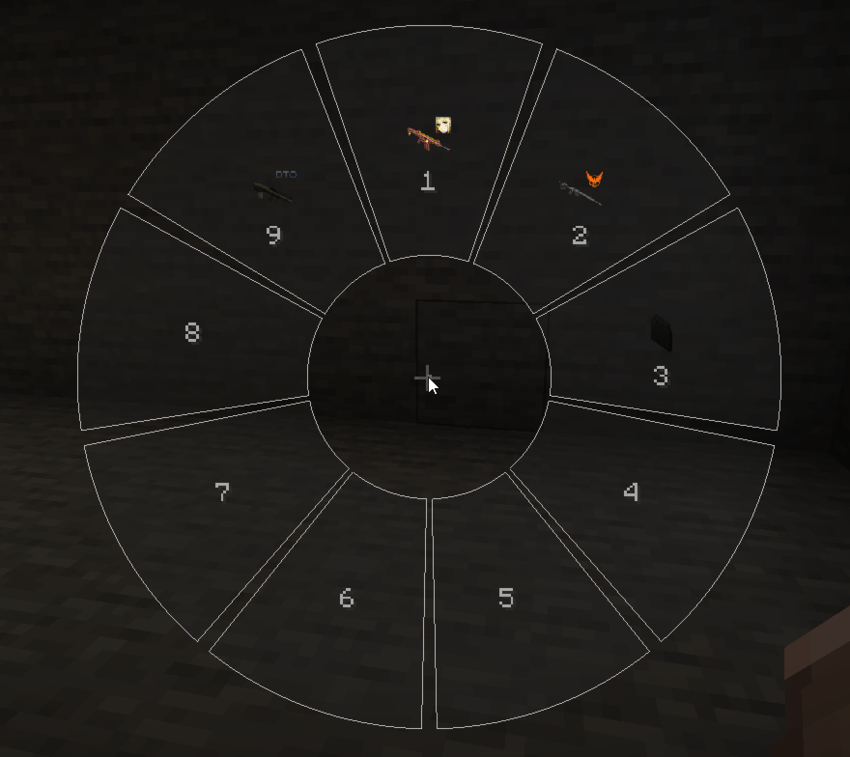
[Radial Selector Menu]

image Fast-access radial selector wheel.


📌 Requirements / Dependencies

For the mod to run properly, the following dependencies are required:


✨ Key Features

  • Complete Inventory Overhaul

    • Modern dark grid inventory replacing vanilla screens.
    • Dynamic item sizes, custom rendering, and 4-way rotation.
    • Action delays when equipping gear and custom animations.
  • Safezones & Personal Vaults

    • Configurable Personal Storage (Личный склад) with shelving and radius tuning controls.
    • Death mechanics: Loot bags spawned on death, searchable remains, and quick loot buttons.
    • "Deleted Items" tab with timer-based loot restoration.
  • Movement & Tactical Integration

    • Native custom movement system in development (to fully replace external parkour mods).
    • Seamless support for TacZ, ZeroContact, ParCool, and LRTactical.
  • 100% Configurable

    • Deep config support — customize UI layouts, delays, and mechanics to suit your server.

🎮 Controls & Quick Guide

⌨️ Keybindings

  • LMB — Take / Place Item
  • RMB — Context Menu
  • R — Rotate Item in Inventory (4-way rotation)
  • G — Quick Drop Item
  • F — Search / Loot Remains
  • X — Take All (Looting Menu)
  • R (Default) — Open Radial Menu
  • G (Default) — Open grenade Radial Menu

⭕ How to Bind Items & Use Radial Wheels

  1. Quick Binding:
    • Open your main inventory.
    • Hover your cursor over the item you want to quick-bind.
    • Press any number key from 1 to 9 to instantly assign it to that quick slot.
  2. Opening & Using Wheels:
    • Hold R to bring up the quick item selector wheel, hover over the item, and release to use.
    • Hold G to open the quick grenade wheel.
🌐 Community & Links

hdws-1.20.1-1.0.5b.jar
MC Client, 1.20.1, Forge, Server
Beta 2026-09-15 Get
hdws-1.20.1-1.0.4b-hotfix.jar
MC Client, 1.20.1, Forge, Server
Beta 2026-09-14 Get
hdws-1.20.1-1.0.3b.jar
MC Client, 1.20.1, Forge, Server
Beta 2026-09-11 Get
hdws-1.20.1-1.0.1b-hotfix.jar
MC Client, 1.20.1, Forge, Server
Beta 2026-09-10 Get
hdws-1.20.1-1.0.2b-localization.jar
MC Client, 1.20.1, Forge, Server
Beta 2026-09-10 Get
Advertisement Remove ads with Premium →

You Might Also Like