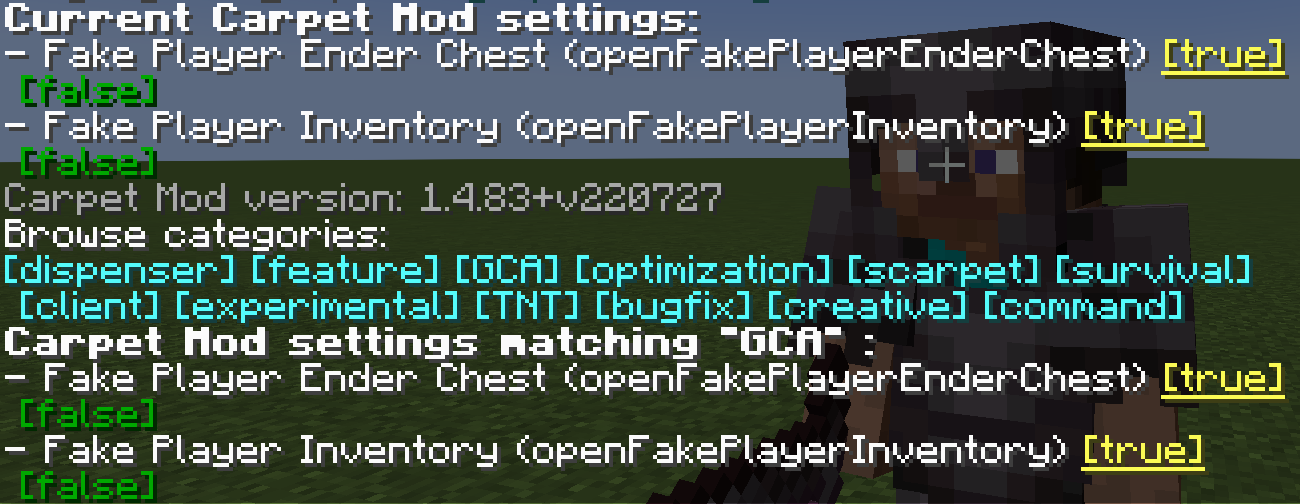
Set the number of entries per page on GCA list pages
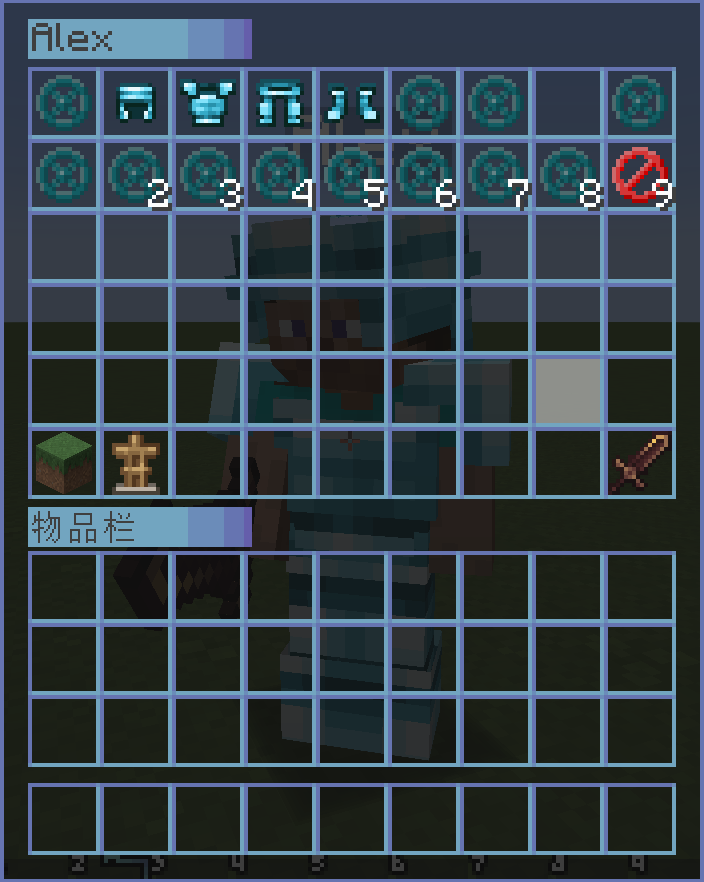
int8GCA/carpet [setDefault] gcaPageSize 10Allow player to open the fake player's inventory
booleanfalsetrue, falseGCA, BOT/carpet [setDefault] openFakePlayerInventory trueUsage: Right-click on a fake player to open their inventory
Allow player to open the real player's inventory
Stringfalsetrue, false, ops, 0, 1, 2, 3, 4GCA, experimental/carpet [setDefault] openRealPlayerInventory true
/carpet [setDefault] openRealPlayerInventory opsUsage: Right-click on other real players to open their inventory, requires appropriate permission level
Allow player to open the fake player's ender chest
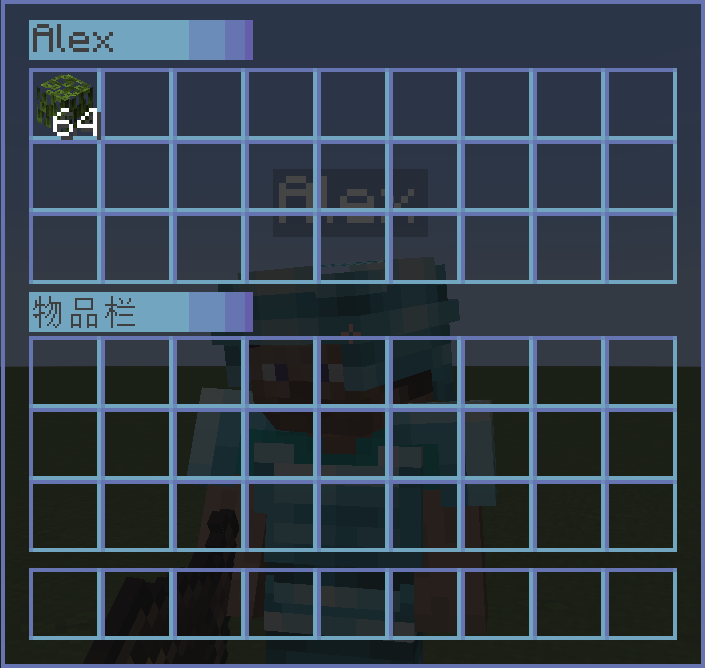
Stringfalseender_chest, true, falseGCA, BOT/carpet [setDefault] openFakePlayerEnderChest true
/carpet [setDefault] openFakePlayerEnderChest ender_chestUsage: Sneak (hold Shift) + right-click on a fake player to open their ender chest
Keep the fake player when exiting the level
booleanfalsetrue, falseGCA, BOT/carpet [setDefault] fakePlayerResident trueKeep the fake player action when exiting the level
booleantruetrue, falseGCA, BOT/carpet [setDefault] fakePlayerReloadAction falseMake fake player to auto replenishment
booleanfalsetrue, falseGCA, BOT/carpet [setDefault] fakePlayerAutoReplenishment trueMake fake player to auto replenishment from shulker box
booleanfalsetrue, falseGCA, BOT/carpet [setDefault] fakePlayerAutoReplenishmentFormShulkerBox trueMake fake player to auto fish. When the fishing hook catches a fish, it will automatically reel in and cast again.
booleanfalsetrue, falseGCA, BOT/carpet [setDefault] fakePlayerAutoFish trueUsage: Let the fake player hold a fishing rod and use /player <name> use to start fishing. The fake player will automatically complete the reel-in and cast operations.
Make fake player to auto replace almost damaged tool
Stringfalsetrue, false, keepGCA, BOT
true: Tools with Mending will keep 10 durability; other tools will automatically switch after they break.
keep: All tools will keep 10 durability.
/carpet [setDefault] fakePlayerAutoReplaceTool trueBroadcast a server-wide message when a fake player's tool breaks or when restocking fails (May cause message spam)
booleanfalsetrue, falseGCA, BOT/carpet [setDefault] fakePlayerToolDamagedNotification trueFake Player Prefix Name
String#none#none, bot_GCA, BOT/carpet [setDefault] fakePlayerPrefixName bot_
/carpet [setDefault] fakePlayerPrefixName #noneFake Player Suffix Name
String#none#none, _fakeGCA, BOT/carpet [setDefault] fakePlayerSuffixName _fake
/carpet [setDefault] fakePlayerSuffixName #noneForce fake players to use offline UUIDs (requires allowSpawningOfflinePlayers enabled)
booleanfalsetrue, falseGCA, BOT/carpet [setDefault] fakePlayerForceOfflineUUID trueDisabling this feature requires clearing usercache.json and restarting the server/client to switch back to online UUIDs.
A Bot Management Menu for saving, loading, and grouping fake players
Stringopsops, 0, 1, 2, 3, 4, true, falseGCA, BOT, command/carpet [setDefault] commandBot opsCommand Usage:
/bot                                    # Show saved bot list
/bot list [page]                        # Show bot list with pagination
/bot add <player> <desc>                # Save current online fake player (including position, actions, etc.)
/bot load <player>                      # Load saved fake player
/bot remove <player>                    # Delete saved fake player
/bot group                              # Show bot group list
/bot group create <name>                # Create bot group
/bot group remove <name>                # Delete bot group
/bot group add <bot> <group>            # Add bot to group
/bot group load <group>                 # Load all bots in group
/bot group unload <group>               # Unload all bots in group
/bot group info <group>                 # View group details
/bot group generated <name> <count> [load] # Batch generate bots and group themA Bot Action Management Menu for adding/removing actions and setting startup actions for bots
Stringopsops, 0, 1, 2, 3, 4, true, falseGCA, BOT, command/carpet [setDefault] commandBotAction opsCommand Usage:
/bot action <bot>                       # View bot's action list
/bot action <bot> add <action>          # Add action to bot
/bot action <bot> remove <id>           # Remove action from bot
/bot action <bot> startup set <action>  # Set bot's startup action
/bot action <bot> startup clear # Clear bot's startup actionsA Todo Management Menu with support for adding, removing, and marking completion
Stringopsops, 0, 1, 2, 3, 4, true, falseGCA, command/carpet [setDefault] commandTodo opsCommand Usage:
/todo                           # Show todo list
/todo list [page]               # Show todo list with pagination
/todo add <desc>                # Add new todo item
/todo remove <id>               # Remove todo item
/todo success <id> [true/false] # Mark todo as done/undoneQuickly broadcast your current position to all players and add glowing effect to yourself
Stringopsops, 0, 1, 2, 3, 4, true, falseGCA, command/carpet [setDefault] commandHere opsCommand Usage:
/here   # Broadcast your coordinates, showing current dimension and converted coordinates
# Also outputs Xaero's Minimap compatible waypoint formatQuickly locate players and add glowing effect to target
Stringopsops, 0, 1, 2, 3, 4, true, falseGCA, command/carpet [setDefault] commandWhereis opsCommand Usage:
/whereis <player>   # Query specified player's location
/vris <player> # Alias, same functionA Location Management Menu for saving, viewing, and deleting location points
Stringopsops, 0, 1, 2, 3, 4, true, falseGCA, command/carpet [setDefault] commandLoc opsCommand Usage:
/loc                    # Show location list
/loc list [page]        # Show locations with pagination
/loc add <desc>         # Add location at current position
/loc remove <id>        # Remove specified location
/loc info <id> # View location details (including dimension converted coordinates)Whitelist Management, allows authorized regular players to manage the whitelist
booleanfalsetrue, falseGCA, command/carpet [setDefault] commandWlist trueCommand Usage:
/wlist                              # Show current whitelist
/wlist add <player>                 # Add player to whitelist
/wlist remove <player>              # Remove player from whitelist
/wlist permission add <player>      # Grant player whitelist management permission (OP only)
/wlist permission remove <player> # Revoke player's whitelist management permission (OP only)Banned List Management
booleanfalsetrue, falseGCA, command/carpet [setDefault] commandBlist true
/blistSimple op get
booleanfalsetrue, falseGCA, command/carpet [setDefault] commandSop true
/sopSets the required permission level for the /seed command
Stringvanillavanilla, true, false, ops, 0, 1, 2, 3, 4GCA, command/carpet [setDefault] commandSeed ops
/carpet [setDefault] commandSeed 0Make the placed fence gate have the same block status as the fence gate you clicked
booleanfalsetrue, falseGCA/carpet [setDefault] betterFenceGatePlacement trueOnly the axe with "Strip" in its name is allowed to peel logs
booleanfalsetrue, falseGCA/carpet [setDefault] betterWoodStrip trueMake the block attached to the sign interact when you right-click it
booleanfalsetrue, falseGCA/carpet [setDefault] betterSignInteraction trueMake the block attached to the ItemFrame interact when you right-click it
booleanfalsetrue, falseGCA/carpet [setDefault] betterItemFrameInteraction trueKeep an item in the inventory during quick crafting
booleanfalsetrue, falseGCA, experimental/carpet [setDefault] betterQuickCrafting trueSimple In-Game Calculator
booleanfalsetrue, falseGCA/carpet [setDefault] simpleInGameCalculator trueFast ping friend
booleanfalsetrue, falseGCA/carpet [setDefault] fastPingFriend trueWhat is the height value for setting the LC value
int-1GCA, experimental/carpet [setDefault] qnmdLC 64
/carpet [setDefault] qnmdLC -1Fixed End Crystal Sync
booleanfalsetrue, falseGCA, experimental/carpet [setDefault] fixedEndCrystalSync trueWelcome Player
booleanfalsetrue, falseGCA/carpet [setDefault] welcomePlayer trueWandering Trader Spawn Failed Warning
booleanfalsetrue, falseGCA, experimental/carpet [setDefault] wanderingTraderSpawnFailedWarning trueWandering Trader Spawn Remind
booleanfalsetrue, falseGCA, experimental/carpet [setDefault] wanderingTraderSpawnRemind true/transfer command
booleanfalsetrue, falseGCA, command/carpet [setDefault] commandTransfer true
/transfer <server> [port]Fix Carpet's /tick command permission
String3true, false, ops, 0, 1, 2, 3, 4GCA, command, experimental/carpet [setDefault] commandTick 3Display Fake Player Positions On The Locator Bar
booleantruetrue, falseGCA, command, BOT/carpet [setDefault] fakePlayerLocatorBar true