⚡ Graphics Presets
Graphics Presets is a dedicated performance and visual quality manager built for Voxy with shader, Perfect Realism and any custom Fabric modpack. It allows players to seamlessly switch between predefined visual and performance profiles with a single click right from the Main Menu, eliminating the need to manually tweak complex configuration files.
---
📦 Available Editions & Versions
This mod provides two dedicated editions depending on your modpack setup:
🔹 Voxy Edition (v3.0+): Tailored specifically for Voxy LOD & Iris Shaders. Features a 6-tier VRAM-based scaling system (Potato to Ultra) and automatic multi-file sync (voxy-config & voxyworldgenv2).
🔹 Classic / DH Edition (v2.x): Built for Distant Horizons (DH), Iris Shaders, and Physics Mod setup.
---
🌟 Key Features (Voxy Edition)
⚡ VRAM-Based Presets: Instantly switch between 6 optimized tiers mapped directly to your GPU memory:
• Potato (2GB VRAM): 64 Chunks Voxy LOD | 6 Vanilla RD
• Very Low (4GB VRAM): 128 Chunks Voxy LOD | 6 Vanilla RD
• Low (6GB VRAM): 256 Chunks Voxy LOD | 8 Vanilla RD
• Medium (8GB VRAM): 512 Chunks Voxy LOD | 8 Vanilla RD
• High (12GB VRAM): 768 Chunks Voxy LOD | 10 Vanilla RD
• Ultra (16GB+ VRAM): 1024 Chunks Voxy LOD | 12 Vanilla RD
🔄 Synchronized Engine Configuration: Dynamically tunes both voxy-config.json and voxyworldgenv2.json parameters (generation radius, queue size, parallel tasks) to ensure zero void gaps or stuttering during high-speed flight.
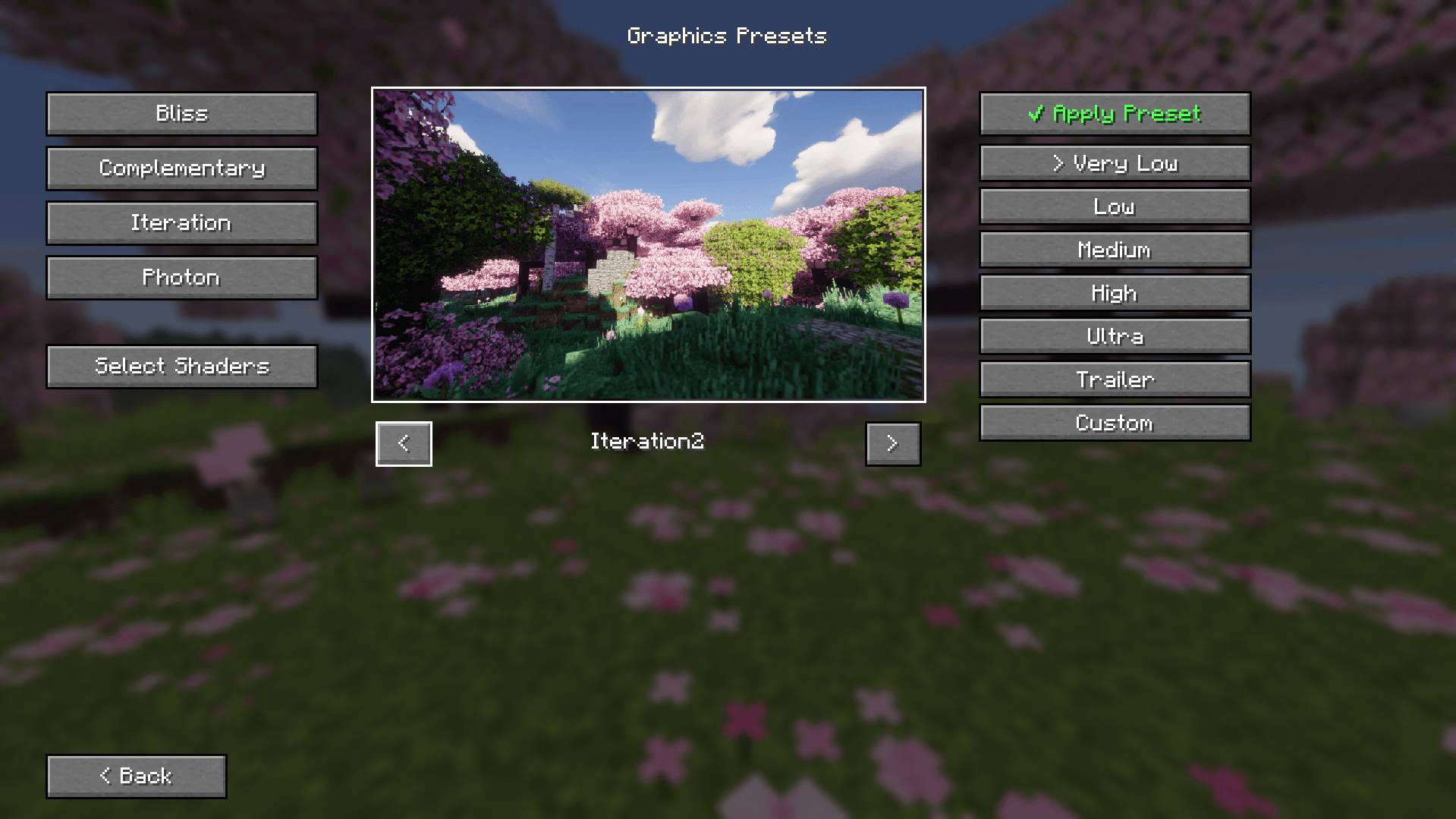
🖼️ Multi-Shader Preview System: Interactive UI preview with arrow navigation for BSL, Complementary, Derivative, Photon, Solas, and Vanilla visual styles.
⚡ Standalone & Modpack Ready: Works out-of-the-box for Perfect Realism, but fully compatible with any custom Fabric setup running Voxy and Iris Shaders.
---
💡 How to Use
1. Download the correct file edition (Voxy Edition or DH Classic Edition) for your modpack.
2. Click the ⚡ Graphics Presets button on the Main Menu or Options screen.
3. Choose your preferred shader preview and select the preset matching your hardware.
4. Click ✔ Apply Preset.
5. Restart Minecraft so background engine changes take full effect.
---
## 🛠️ Requirements & Compatibility
Please make sure you have the required mods installed for your chosen edition:
For Voxy Edition:
• Fabric API
• Voxy (LOD Mod)
• Voxy World Gen v2
• Iris Shaders
For DH Classic Edition:
• Fabric API
• Distant Horizons
• Physics Mod
• Iris Shaders