Mineuniverse
Resource Packs
Golden Helmet

Golden Helmet

RESOURCE PACK
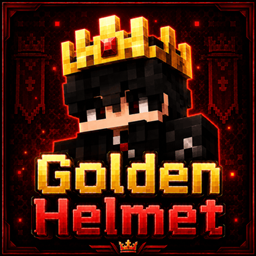
Turns the golden helmet into a clean golden crown while keeping the vanilla style.
by ErenxYeager_
Download Claim this project
90 downloads
0 likes
0 followers
Updated Oct 14, 2026
0 hypes
Follow0
16x Medieval Miscellaneous Traditional
Advertisement Remove ads with Premium →

# Golden Helmet

👑 *Turn your golden helmet into a crown*

*Golden Helmet* is a simple Minecraft resource pack that changes the normal golden helmet into a clean *golden crown* while keeping the vanilla style.

It is perfect for survival worlds, SMPs, roleplay, kingdoms, medieval builds, and players who want a more royal look without using mods.

---

## 💬 Join the Discord

Need help, updates, support, or want to suggest ideas for future packs?

Join *Eren's Forge Discord*:  
https://discord.gg/XkzWdVXmft

---

## ✨ Features

- *Golden helmet replaced with a golden crown*
- *Vanilla-friendly design*
- *Lightweight resource pack*
- *No mods required*
- *Works in survival and multiplayer*
- *Great for kings, kingdoms, SMPs, and roleplay*

## 📦 Supported Versions

- *1.14 – 1.17* use the classic crown design
- *1.18 – 26.1* use the newer crown design

## 🎮 Why use Golden Helmet?

Default golden helmets look normal, but this pack makes them feel more unique and stylish.  
It gives your character a royal crown look while still fitting Minecraft’s original style.

## 📜 Credits

This project is based on Vanilla Tweaks assets and is used with permission.  
Credit to Vanilla Tweaks: https://vanillatweaks.net/

GoldenCrown 1.17
MC 1.17.1, 1.17, 1.17-Snapshot
Release 2026-06-08 Get
GoldenCrown 1.16
MC 1.16.3, 1.16-Snapshot, 1.16.1, 1.16, 1.16.5, 1.16.2, 1.16.4
Release 2026-05-31 Get
GoldenCrown 1.15
MC 1.15-Snapshot, 1.15, 1.15.2, 1.15.1
Release 2026-05-23 Get
GoldenCrown 1.14
MC 1.14.3, 1.14.4, 1.14.1, 1.14, 1.14-Snapshot, 1.14.2
Release 2026-05-20 Get

Requirements & install

How to use this resource pack in Minecraft
Resolution
16x
Minecraft
1.16.1 – 1.17.1
Install folder
.minecraft/resourcepacks

How to install resource packs

  1. Download the resource pack .zip file (do not extract it).
  2. In Minecraft open Options → Resource Packs → Open Pack Folder.
  3. Drop the .zip into the resourcepacks folder (.minecraft/resourcepacks).
  4. Move the pack to the Selected column and click Done.
Browse more: 16x resource packs 32x resource packs 64x resource packs 128x resource packs 256x resource packs 512x+ resource packs Resource Packs for 1.17.1 All resource packs

More from ErenxYeager_

Advertisement Remove ads with Premium →

You Might Also Like