ʟᴀɴɢᴜᴀɢᴇꜱ: ᴇɴɢʟɪꜱʜ, ɢᴇʀᴍᴀɴ, ᴅᴜᴛᴄʜ, ꜰʀᴇɴᴄʜ, ꜱᴘᴀɴɪꜱʜ, ᴘᴏʟɪꜱʜ, ʀᴜꜱꜱɪᴀɴ, ᴄʜɪɴᴇꜱᴇ (ꜱɪᴍᴘʟɪꜰɪᴇᴅ) ᴀɴᴅ ᴊᴀᴘᴀɴᴇꜱᴇ.

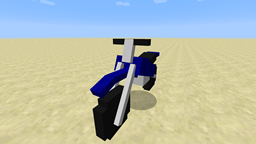
Craft three Cushions into a Flying Carpet you can ride through the air.
The carpet flies like a Happy Ghast, but faster, and needs no harness.
It comes in all 16 cushion colors.
Step 1: Put three Cushions of the same color in a crafting table
Step 2: Add [Breeze Rod], [Blaze Rod], [Breeze Rod]
Step 3: Done. Your Flying Carpet looks like an enchanted cushion
This default recipe is editable in-game.
In creative mode, all 16 carpets are under Tools & Utilities.
Step 1: Right-click while holding a carpet to place it.
Step 2: Right-click the carpet to get on.
Step 3: Look where you want to go and hold forward.
> Look up to climb, down to dive. Hold jump to rise straight up.
Step 4: Press sneak twice to get off. The first press only shows a warning.
To pick up a carpet nobody is riding, hold sneak and right-click it.
Option 1: Solid ground close below you: the carpet stays where it is, ready to ride again
Option 2: High in the air: you fall, and by default the carpet turns back into a plain cushion
While you ride, the top-left corner of the screen shows your speed,
your height, and what happens if you get off right now.
Open the settings:
/flyingcarpet or /fcRequirements:
Singleplayer: Just works
Server: Install on both Server AND every Client
On a server, the server's settings apply.
Or edit config/flyingcarpet.json instead of in-game and restart the server
All settings in flyingcarpet.json:
| Setting | Key in flyingcarpet.json |
Default | What it does |
|---|---|---|---|
| Flight speed | flightSpeedMultiplier |
1.5 |
Speed compared to a Happy Ghast, from 0.5 to 10. 2 is twice as fast. |
| Show flight info | showHud |
true |
Shows speed, height and what getting off would do while you ride. |
| Sneak twice to get off | confirmDismount |
true |
Off: one sneak gets you off straight away. |
| Time to sneak again | confirmSeconds |
3 |
Seconds you have for the second sneak. |
| Keep carpet when landing | safeRevertEnabled |
true |
Off: getting off always counts as getting off in the air. |
| Landing distance | safeDistance |
2 |
How many blocks below you the ground can be and still count as landing. |
| Getting off mid-air | airDismount |
DROP_CUSHION |
DROP_CUSHION turns it into a plain cushion, DROP_CARPET drops the carpet, HOVER leaves it floating. |
| Hits to break | hitsToBreak |
1 |
Hits needed to break a carpet. Resets after five seconds without a hit. Creative players always break it in one hit. |
| When broken, drops | breakDrop |
CUSHION |
CUSHION, CARPET or NOTHING. |
| Sneak + right-click to pick up | sneakPickup |
true |
Off: carpets can only be removed by breaking them. |
| Cushions must match | enforceColorMatch |
true |
Off: any three cushions work, and the carpet takes the first one's color. |
| Extra ingredients | recipeLeftSlot,recipeCenterSlot,recipeRightSlot |
Breeze Rod, Blaze Rod, Breeze Rod |
Item IDs such as minecraft:breeze_rod. Leave one empty to not need it. |
English, German, Dutch, French, Spanish, Polish, Russian, Chinese (Simplified) and Japanese.