Fast, configurable item, fluid and energy pipes, with smart filters and optional curved pipes.
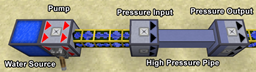
Flowline is a pipe mod in the spirit of Pipez: simple to place, deep when you need it. Connect a pipe to a chest, tank or machine, mark the side you want to pull from, and Flowline does the rest. Every side gets its own screen with filters, priorities, regulators and upgrades.
Pipes are see-through by default, so you can watch items travel through them and fluids flow inside. Prefer solid pipes? Enable the built-in Flowline: Solid Pipes resource pack.
Extract sides: redstone mode (including Pulse), distribution, redstone output, filter, upgrades, Keep ≥ (always leave this much in the source) and an FE/t limit for energy.
Insert sides: priority, insert filter, Max ≤ (never fill the target above this) and Overflow (only gets what other targets could not take, like a spare chest).
Distribution modes: Nearest, Farthest, Round Robin, Random, Balanced, Priority.
Each side has 9 rules (more with Filter upgrades). A rule can match:
@create)Rules can Allow or Block. The rule editor shows in plain words what each rule does, and if a sample item doesn't match, it tells you which condition failed. Shift-click items from your inventory, or drag them in from JEI / EMI.
Hold a pipe in your off hand and look at a block up to 32 blocks away. Flowline previews a route back to you as ghost pipes, going around obstacles with as few turns as possible, and tells you how many pipes you need. Right-click to lay it. Protection mods are respected, and in survival the pipes come out of your off-hand stack.
Hold a wrench, hold Shift, and look at a pipe to see its whole network through walls: sources, targets, overflow targets and priorities, colour-coded.
Pipes that touch share one cached network. Each Extract side speeds up while it's moving things and backs off when there's nothing to do. Sides with no target at all sleep until something changes, and pipes are staggered so they don't all run on the same tick. Jade shows exactly what each side is doing.
If Curvy Pipes 1.15.8 is installed (client and server), your Flowline item, fluid and energy pipes can also be laid as smooth curved lines, using Curvy Pipes' own engine. There are no separate items or conversion recipes:
A curved line that ends on a Flowline pipe connects to that pipe's network, so a curved line between two Flowline pipes acts as a bridge between two networks, using Flowline's filters. (For now, the source end of the curved line has to be set to Extract once in Curvy's own menu.)
Without Curvy Pipes, Flowline works fully on its own.
Flowline is not affiliated with Curvy Pipes. Curvy Pipes is a separate mod and must be downloaded from its own page.
Server settings are per world and synced to clients. In single player you can edit them in game from Mods → Flowline → Config, no restart needed. Transfer amounts, upgrade multipliers, pacing and network view range are all configurable.