Badges update automatically and link to the mod page on MineUniverse.
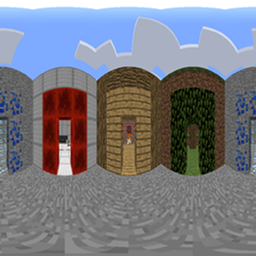
Renders Minecraft at up to 360 degrees of horizontal field of view. The world is captured onto the 6 faces of a cube and reprojected through a fragment shader, so the picture stays usable well past the ~110° where vanilla's rectilinear projection falls apart.
This is a port of FlexFOV by shaunlebron — itself a fork of 18107's Render360 — to Cleanroom Loader on Minecraft 1.12.2. The render math and the call sites are unchanged from upstream; what's new is the mechanism reaching them (see How it works).
Edit config/flexfovclrmport.cfg, or change the options in-game under Mods → FlexFOV → Config.
Changes made in-game apply immediately.
| Option | Type | Default | What it does |
|---|---|---|---|
| Mod Enabled | boolean | true |
The mod's on/off switch. When off, the world is drawn by unmodified vanilla rendering and every other option here has no effect. |
| Render Mode | FLEX / PANINI / STEREOGRAPHIC / MERCATOR |
FLEX |
Which projection the world is reprojected through. No effect while Mod Enabled is off. |
| FOV | 0–360 | 180 |
Horizontal field of view, in degrees. |
| Quality | 0.1–5.0 | 1.0 |
Resolution multiplier for the off-screen capture. Each of the 6 faces is rendered at (screen height × quality) squared, so cost scales with the square of this value — above 1.0 gets expensive fast. |
| Rubix Debug | boolean | false |
Tints each captured cube face a distinct colour and overlays a grid, to show where the seams are. |
| Split Compare | boolean | false |
Splits the screen to compare the hybrid, panini and stereographic projections side by side. |
Mod Enabled chooses how the world gets to the screen: off means the vanilla render path, which is bit-identical to no mod at all. Render Mode only chooses a projection within the wide-angle path, and does nothing at all while Mod Enabled is off.
FLEX picks its projection from the FOV alone:
| FOV | Projection |
|---|---|
| below 90 | rectilinear (what vanilla does) |
| 90–160 | blending into a panini/stereographic hybrid |
| 160–300 | blending into mercator |
| 300–360 | mercator |
PANINI, STEREOGRAPHIC and MERCATOR pin one projection at every FOV instead. Panini and
stereographic degenerate as the FOV approaches 360; mercator is the one that holds up there.
GPLv3
Derived from FlexFOV by shaunlebron, itself a fork of Render360 by 18107.