🍦 Fancy Ice Cream - Delicious Treats for Minecraft
Add a variety of ice cream recipes and decorative stands to your Minecraft world!
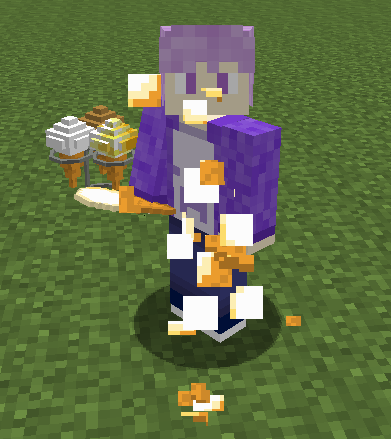
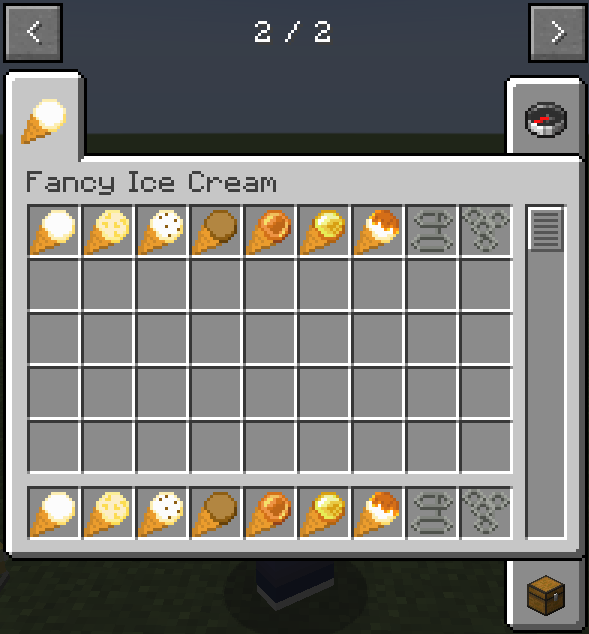
Fancy Ice Cream is a lightweight content mod that adds 8 flavors of ice cream with food effects, plus decorative stands to display your frozen treats.
✨ Features
🍨 8 Ice Cream Flavors
- Vanilla Ice Cream - A classic flavor
- Chocolate Ice Cream - Rich and sweet
- Choco Chip Ice Cream - Crunchy chocolate chips
- Apple Ice Cream - Fruity and refreshing
- Golden Apple Ice Cream - A luxurious treat
- Honey Ice Cream - Smooth and golden
- Sweet Berry Ice Cream - A berry delight
- Glow Berry Ice Cream - A glowing treat (Minecraft 1.17+)
🏪 Decorative Stands
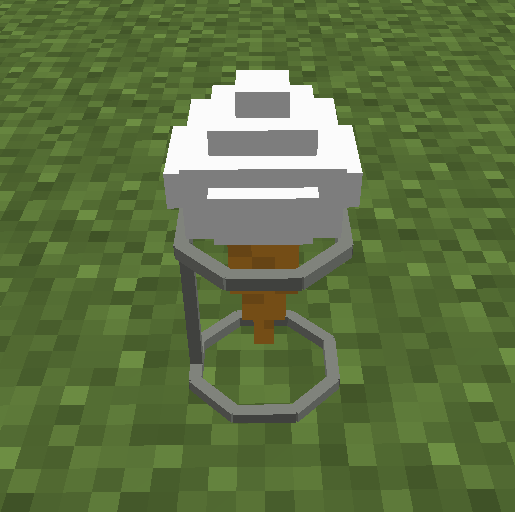
- Ice Cream Stand - Display a single ice cream
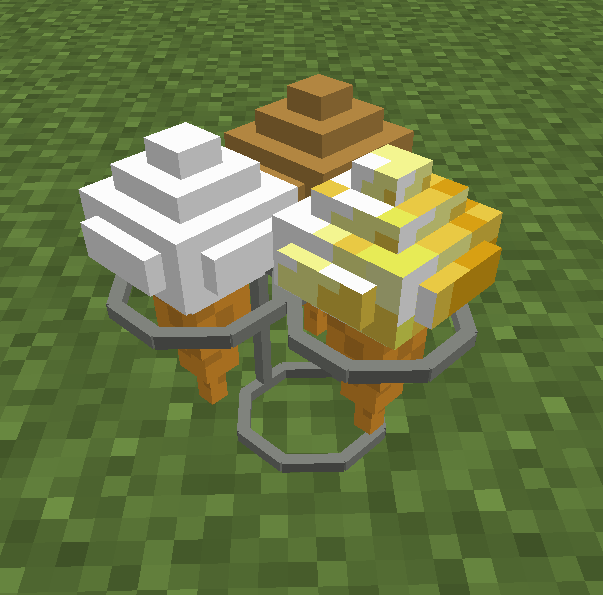
- Triple Ice Cream Stand - Display up to 3 ice creams at once
All ice cream items are craftable and provide food effects when eaten. Recipes are included for all items.
🛠️ Technical Details
Multi-Loader Support
This mod supports Forge, Fabric, and NeoForge!
- Forge: All supported Minecraft versions (1.16.5 - 1.21.11)
- Fabric / NeoForge: Minecraft 1.21.1 and later
Download the correct version for your mod loader.
Requirements
- Minecraft: Java Edition
- Mod Loader: Forge, Fabric, or NeoForge (depending on Minecraft version)
- No additional dependencies required
Compatibility
- Works alongside most other mods
- Compatible with performance mods (Sodium, Starlight, etc.)
- No known mod conflicts
🐛 Bug Reports & Suggestions
Found a bug or have a suggestion? Report it on our GitHub Issues page!
📷 Screenshots
Check out the Gallery tab above for screenshots of ice cream items and decorative stands in action!
📜 License & Permissions
License: LGPL-3.0 - Copyright (C) 2025 Soichiro Kashima
Source Code: Available on GitHub
Freedom to Use: ✅ Free to use, modify, and redistribute under LGPL-3.0 terms
Modpack Inclusion: ✅ Allowed - You may include this mod in modpacks
Redistribution: ✅ Allowed - You may redistribute this mod (must remain LGPL-3.0)
🔗 Links
Craft your favorite flavor and enjoy! 🍦