⚔ ELYTRA SWORDFLIGHT
Ride the skies. Command the sword. Unleash the wings.
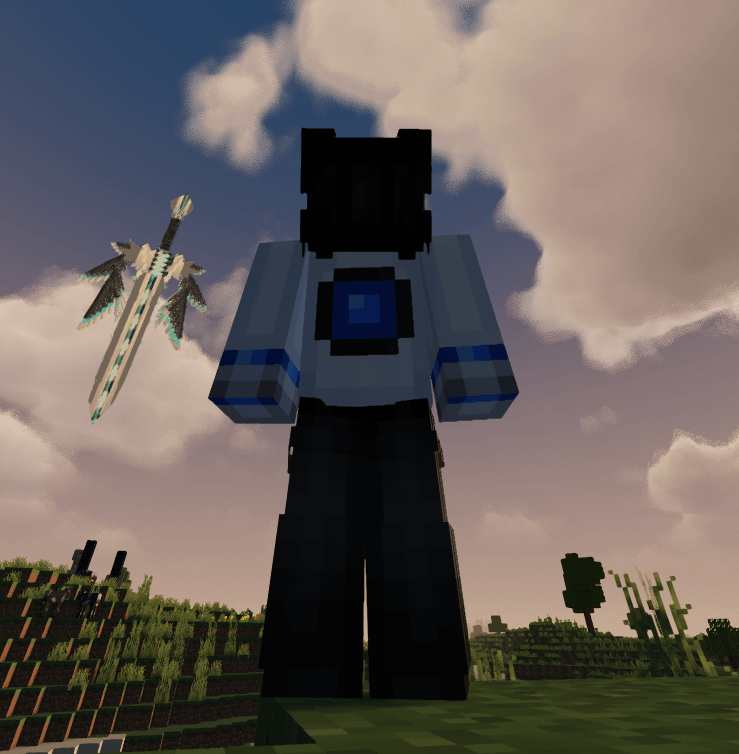
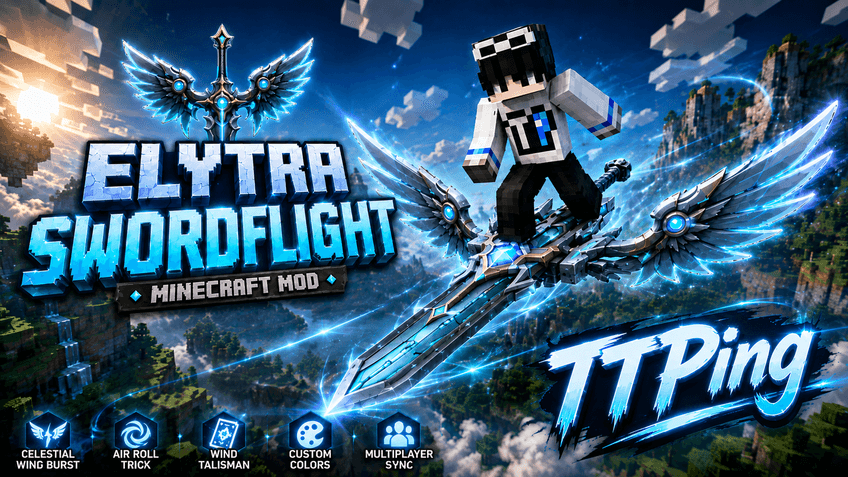
Elytra Swordflight transforms normal Elytra flight into a cinematic flying-sword experience inspired by fantasy and cultivation-style sword flight.
Ride an animated flying sword, choose your wing style, customize colors and effects, use aerial abilities, and share the full experience with other players in Multiplayer — while keeping the familiar Vanilla Elytra flight mechanics.
✦ FLYING SWORD
Equip an Elytra and start flying to activate Swordflight.
Features:
• Fully animated 3D flying sword
• Custom player riding poses
• Animated wing deployment, flight and landing
• Dynamic Wind Trails
• Firework boost animations
• Smooth transitions between flight states
• Multiplayer-synchronized visuals
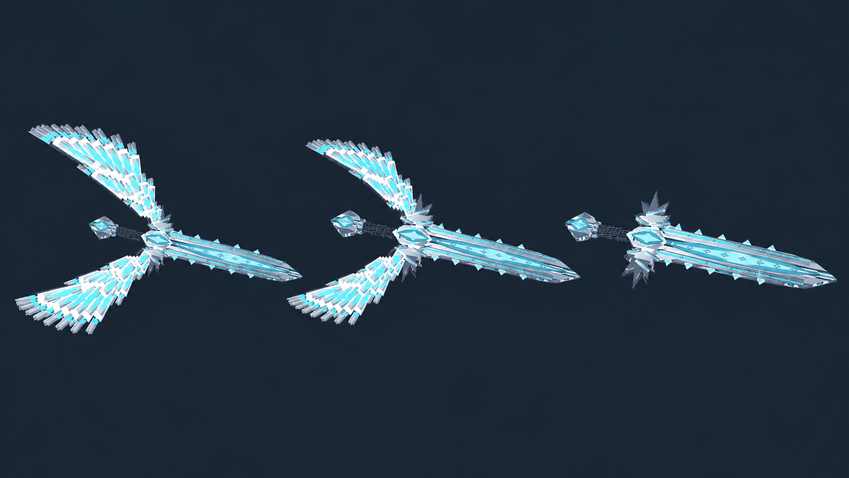
Wing Styles:
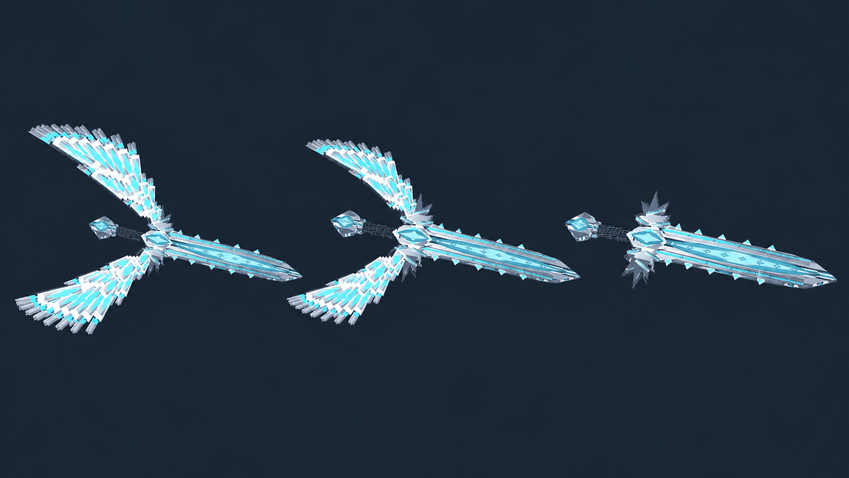
• Large Wings
• Compact Wings
• No Wings
Celestial Wing Burst visuals:
• Large
• Small
• Off
✦ CELESTIAL WING BURST
Press Left Ctrl while flying to charge and unleash Celestial Wing Burst.
• Around 3 seconds of charging
• Approximately 3× normal flight speed
• Around 5 seconds of boosted flight
• 15-second cooldown
• Dynamic camera and FOV effects
• Shockwave and energy effects
• Enhanced Wind Trails
• Custom colors and Rainbow support
• Collision handling
This ability is for movement only and does not deal damage.
✦ AIR ROLL
Double-tap Space while flying to perform a 360° Air Roll.
The player and sword rotate together while preserving flight speed and direction.
Air Roll also works during Celestial Wing Burst and is synchronized in Multiplayer.
✦ WIND TALISMAN
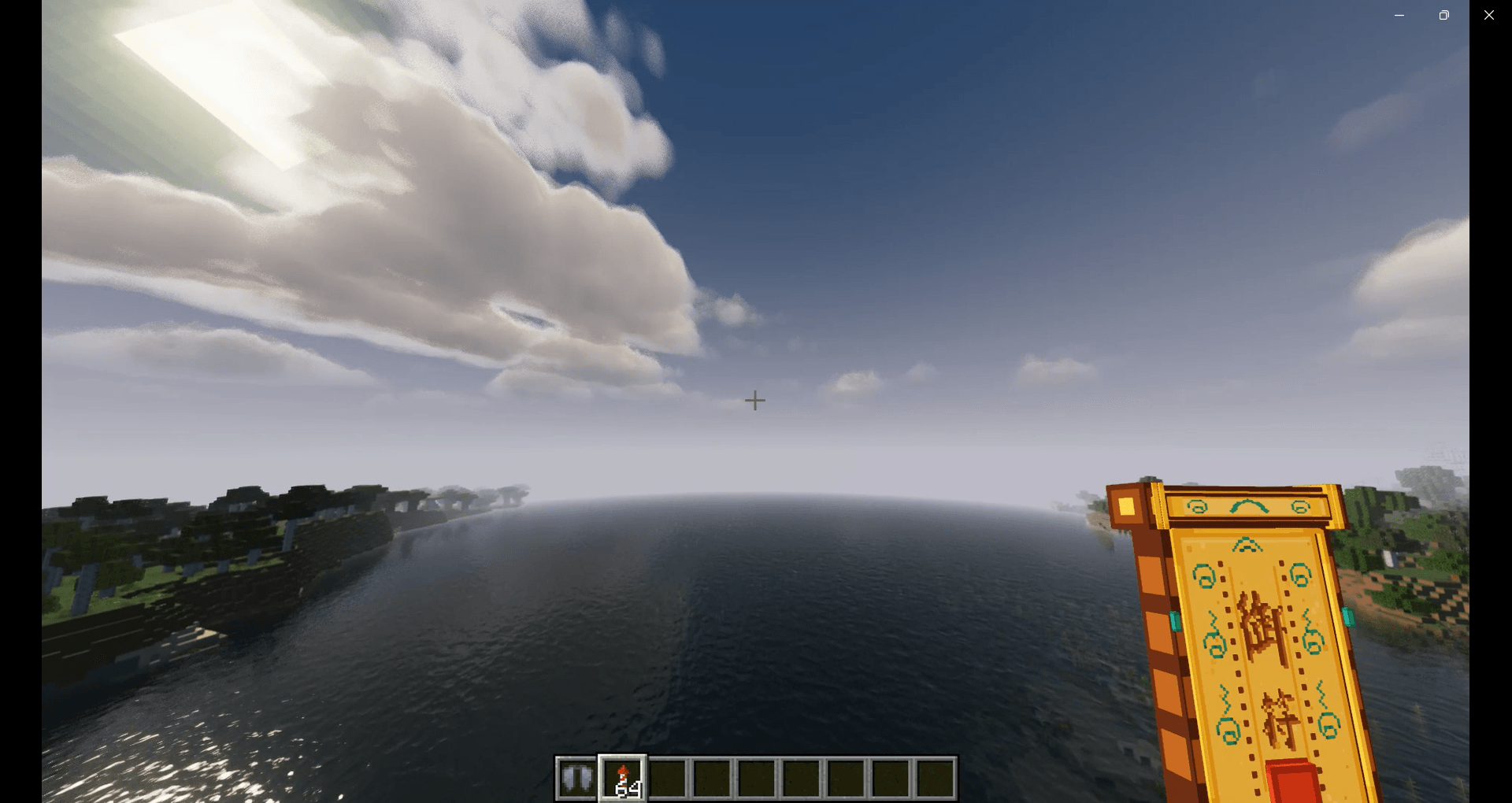
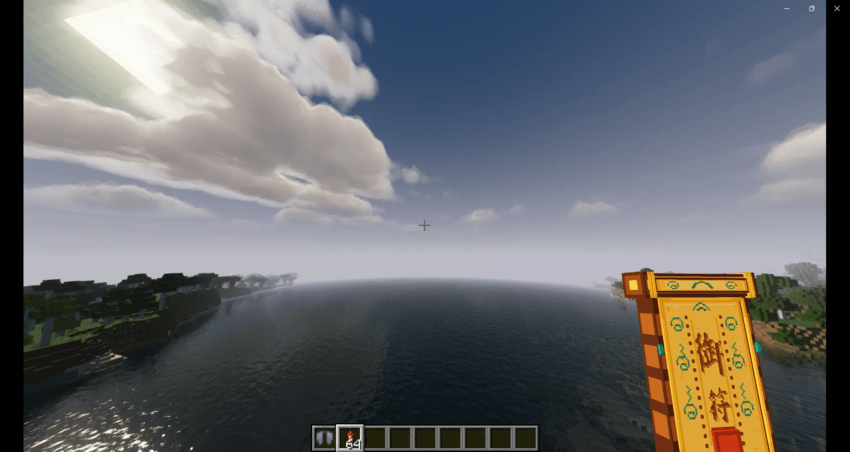
While Swordflight is active, Firework boosting uses a magical Wind Talisman visual instead of displaying the normal rocket.
When activated:
• The talisman appears in the player's hand
• It dissolves into spiritual energy
• Energy flows behind the flying sword
• A small energy ring forms and fades away
Outer and Inner energy colors can be customized independently, including Rainbow effects.
The actual Firework boost still uses Vanilla Minecraft mechanics.
✦ CUSTOMIZATION
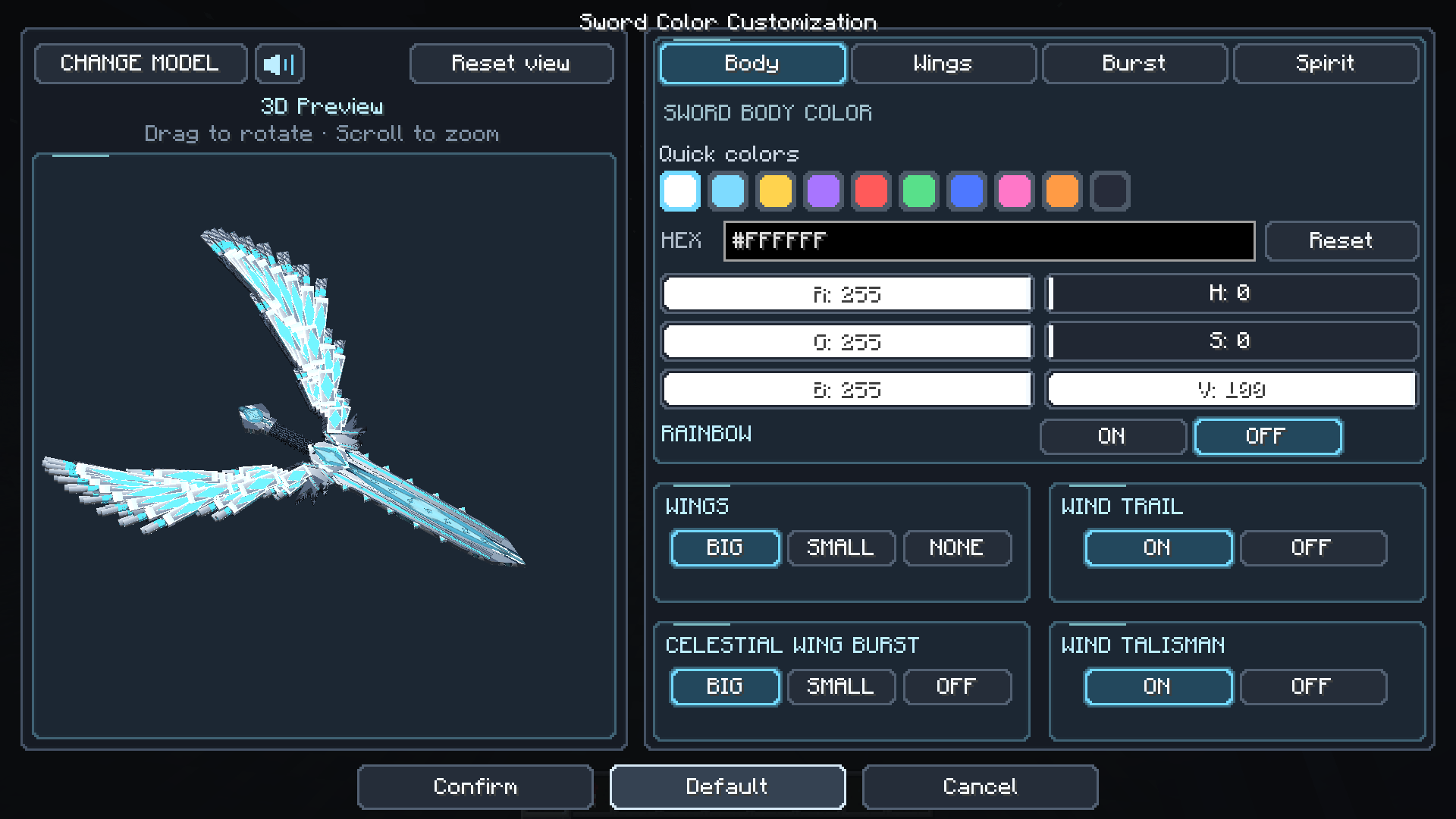
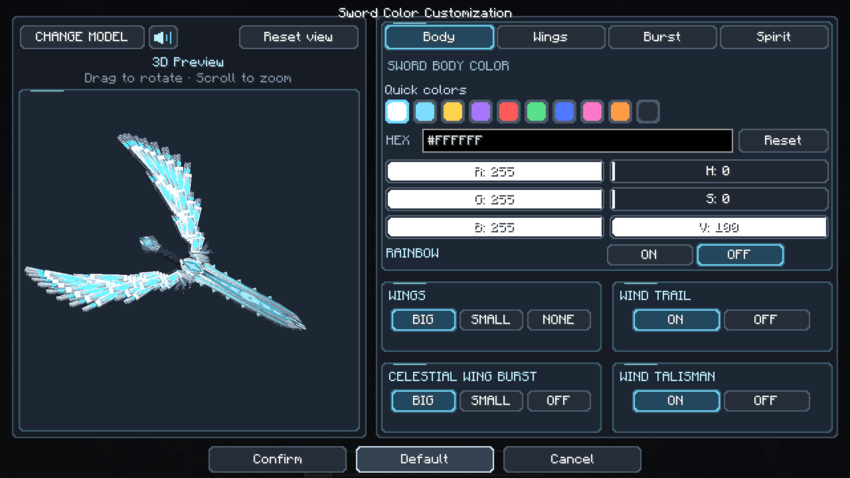
Hold an Elytra and press R to open the customization screen.
The GUI includes:
• Interactive 3D flying-sword preview
• Drag to rotate
• Mouse-wheel zoom
• RGB controls
• HSV controls
• HEX color input
• Wing Style selection
• Burst Visual selection
• Independent Rainbow effects
• Responsive layout for different Minecraft GUI scales
You can customize:
• Sword Body
• Wings
• Wind Trails
• Celestial Wing Burst
• Wind Talisman Outer Energy
• Wind Talisman Inner Energy
✦ SHADER COMPATIBILITY
Elytra Swordflight has been strongly optimized for:
• Complementary Reimagined
• Complementary Unbound
• BSL
• MakeUp Ultra Fast
Optimization covers sword lighting, colors, transparency and major visual effects.
Other shader packs may also work, but visual results can vary because different shaders use different rendering techniques.
✦ FRESH ANIMATIONS
On supported versions, Elytra Swordflight is optimized to work with:
• Fresh Animations
• EMF
• ETF
Normal animations remain available outside Swordflight, while Swordflight controls the required riding poses during flight.
✦ ELYTRA SLOT
On supported Minecraft versions and loaders, Elytra Swordflight can work with supported Elytra Slot mods.
This allows you to:
• Wear a chestplate
• Keep Elytra in a dedicated slot
• Continue using Swordflight normally
Elytra Slot support depends on the Minecraft version and loader.
✦ MULTIPLAYER
Other players can see:
• Your flying sword
• Wing style
• Riding animations
• Wind Trails
• Celestial Wing Burst
• Air Roll
• Wind Talisman
• Custom colors
• Rainbow effects
Each player can use their own appearance and customization.
🎮 CONTROLS
Left Ctrl — Celestial Wing Burst
Double-tap Space — Air Roll
R while holding an Elytra — Open customization
Shift while flying — Brake
Firework Rocket — Vanilla boost with Wind Talisman visuals
⚙ COMPATIBILITY
Depending on Minecraft version and loader, Elytra Swordflight supports:
• Fabric
• Forge
• NeoForge
• Shaders / Iris
• Fresh Animations
• EMF / ETF
• Supported Elytra Slot mods
Always download the file matching both your Minecraft version and mod loader.
❤ SUPPORT
If you encounter a bug or need help using Elytra Swordflight:
Email:
[email protected]
Thank you for supporting Elytra Swordflight. ❤️