

Multiplayer Auction House
Customizable Server Shop
Server-Side Saved Currency
Cross-Session Persistence
EconMC is a powerful, server-authoritative economy and auction system designed to bring the kind of polished shops and player markets seen on popular vanilla servers into your own world or modpack. It recreates the familiar experience of server shops, player-run auctions, balance leaderboards, and redeemable currency, but with full NBT accuracy, multiplayer safety, and support for modded items.
Whether you're building a survival economy, an RPG progression world, or a competitive faction server, Econ makes it easy to customize pricing, stock limits, buy/sell rules, and rewards so the economy fits your server’s vision perfectly.
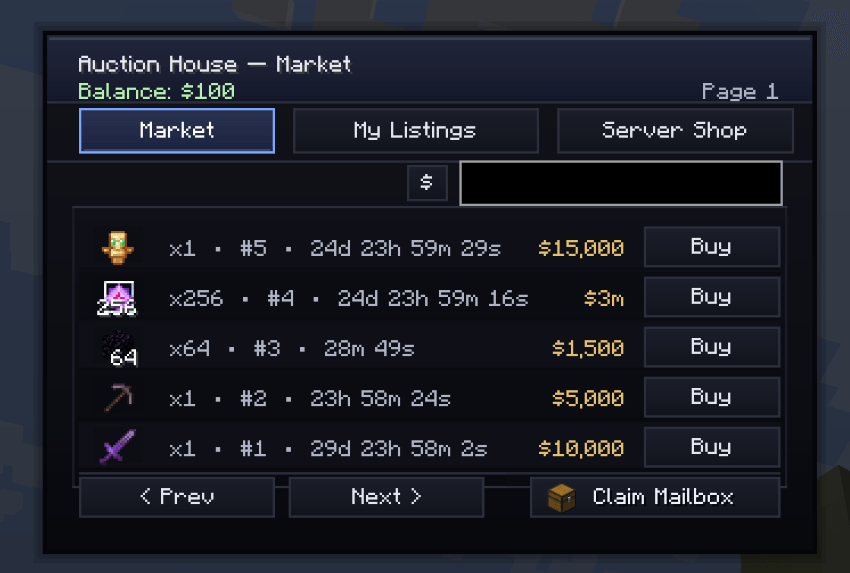
Player-to-player trading with full security.
List items with custom prices
Exact NBT matching (enchants, custom names, modded data)
Expiration system
Mailbox overflow protection
Cancel your own listings
Admin force-cancel support
Fully multiplayer-safe
Pagination for large markets
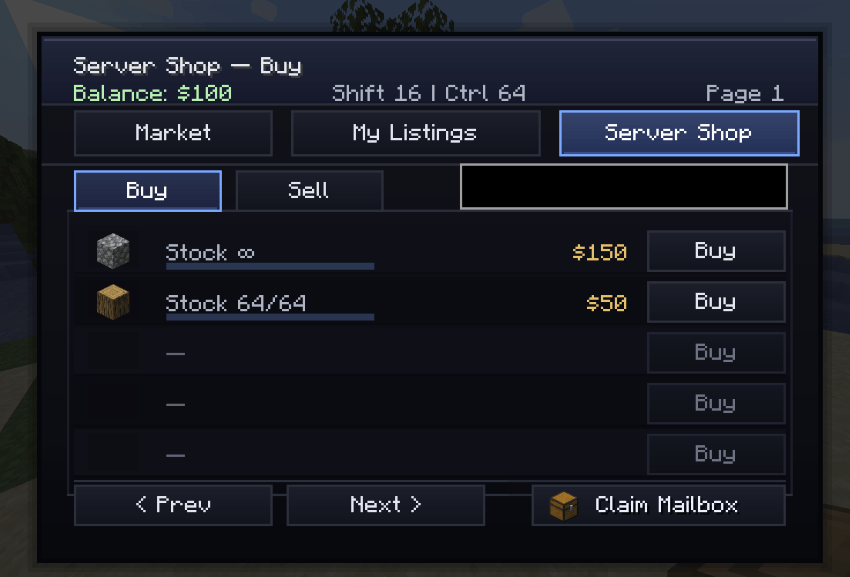
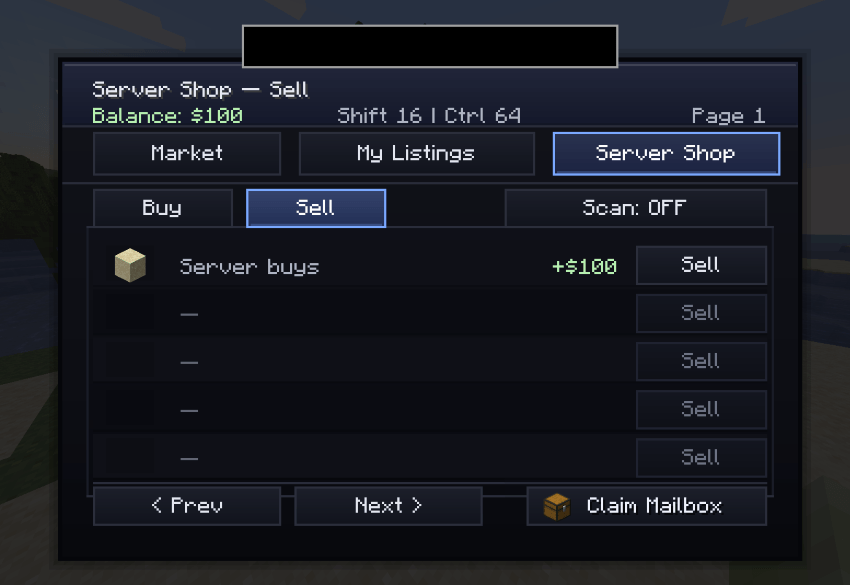
Admin-controlled buy/sell economy.
Server buys & sells items from and to players
Configurable stock limits
Restock cooldown system
Optional inventory scan mode (bulk selling)
Separate Buy / Sell tabs
Page navigation
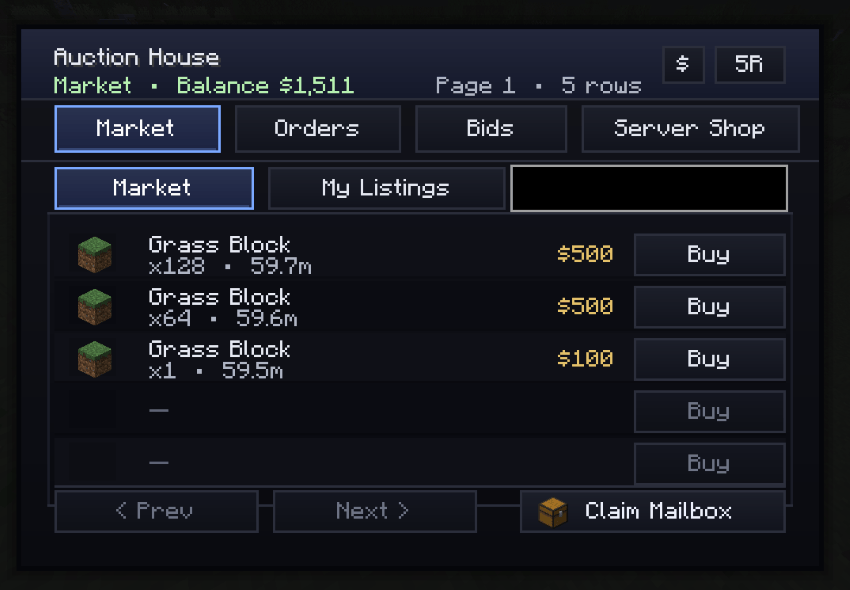
Added Bids and Orders tab, along with scaling down entries to view more at a time
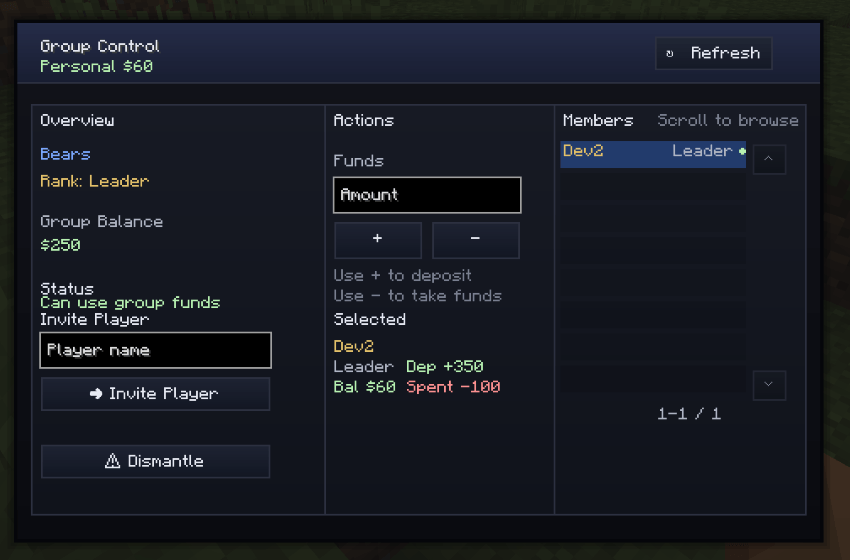
Share balances with your group and Officers+ will be able to spend it in the /shop!
If auctions expire, your inventory is full, or there's a connection error, the mailbox system comes into place, you can simply reclaim items in your mailbox whenever you want:
Never lose items or money.
Offline-safe delivery
Overflow protection
Claim system
Works across sessions

Physical currency items.
Admins can generate vouchers
Right-click to redeem
Fully server-authoritative validation
Safe amount caps
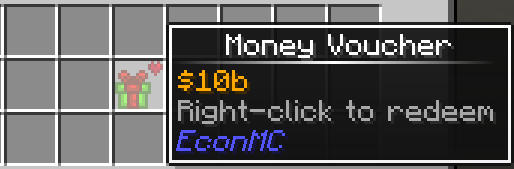
Balance (the amount of money $ a player has) is automatically saved. You can use your balance in the auction or server shop, you can earn by selling or through vouchers, and you can check it with /bal (or /baltop for the top 10 leaderboard)

EconMC can be used almost entirely through the /shop GUI, but it also includes a full set of player and admin commands for economy management, auctions, market bids, orders, mail, and server shop setup.
/bal
View your current balance.
/bal group
Open the Group UI to make a group or join one
/baltop
View the top 10 richest players on the server.
/pay <player> <amount>
Send money to another player.
Example:/pay Steve 500
/shop
Opens the full EconMC shop interface.
This includes:
/shop sell <qty>
Instantly sells the item in your main hand to the Server Shop, if that exact item is configured as buyable by the server.
Example:/shop sell 32
/ah <qty> <price>
Lists the item in your main hand for 60 minutes by default.
/ah <qty> <price> <duration> <minutes|hours|days>
Lists the item in your main hand for a custom duration.
/ah <qty> <price> <duration> <minutes|hours|days> scan
Lists matching items from your inventory instead of only using the current main-hand stack.
Examples:/ah 16 5000/ah 16 5000 30 minutes/ah 64 12000 12 hours/ah 128 25000 7 days scan
Auction max duration: 90 days
/shop au_list
Shows current active Auction House listings.
/shop au_buy <id>
Purchases an auction listing by its ID.
Example:/shop au_buy 42
/shop au_cancel <id>
Cancels your active listing and sends the item to your mailbox.
/shop my_listings
Shows your currently active auction listings.
/shop format time short/shop format time decimal/shop format time long
Lets each player choose how auction time is displayed in the GUI.
/order <item> <amount> <price>
Creates a market order for a specific item.
item = item IDamount = quantity requestedprice = total price offeredExample:/order minecraft:diamond 16 5000
This reserves the money immediately when the order is created.
/bid <amount> <startingPrice>
Creates a bid listing using the item in your main hand with the default configured duration.
/bid <amount> <startingPrice> <duration> <minutes|hours|days>
Creates a bid listing with a custom duration.
Examples:/bid 16 500/bid 16 500 30 minutes/bid 16 500 12 hours/bid 16 500 7 days
amount = quantity from your main handstartingPrice = opening bid priceBid max duration: 7 days
/mail claim
Claims all items currently in your mailbox.
If your inventory is full, remaining items are dropped at your feet.
This is used for:
All admin commands require permission level 2 (OP).
/eco set <player> <amount>
Set a player’s balance exactly.
Example:/eco set Steve 10000
/eco give <player> <amount>
Adds money to a player’s balance.
Example:/eco give Steve 2500
/eco take <player> <amount>
Removes money from a player’s balance. Balance cannot go below 0.
Example:/eco take Steve 500
/eco reset <player>
Resets a player’s balance to 0.
Example:/eco reset Steve
/eco voucher <amount>
Creates a redeemable money voucher item.
Example:/eco voucher 10000
/payall <amount>
Pays all online players the specified amount.
Example:/payall 1000
/admin shop buy <price>
The server will buy the exact item in your main hand for the specified price.
Example:/admin shop buy 250
/admin shop sell <price> <stock> <cooldownMinutes>
The server will sell the exact item in your main hand with limited stock and automatic restocking.
price = price per itemstock = max server-wide stockcooldownMinutes = restock intervalExample:/admin shop sell 500 100 30
This creates a dynamic stock-based shop entry.
Stock is server-wide, not per player.
/admin shop sell <price> <stock> <cooldownMinutes> unlimited
Creates a sell entry with unlimited stock.
Example:/admin shop sell 500 100 30 unlimited
/admin shop remove_buy
Stops the server from buying the item in your main hand.
/admin shop remove_sell
Removes the server sell entry for the item in your main hand.
/admin auction cancel <id>
Cancels any active auction listing by ID and safely returns the item to the seller’s mailbox.
Example:/admin auction cancel 42
Useful for:
EconMC API Integration (Forge 1.20.1)
EconMC exposes a simple server-side API so other mods can safely interact with player money and open EconMC menus directly. Everything is server-authoritative, persistent, and automatically syncs the client balance display when needed.
Add EconMC and ModularToastsAPI as a dependency in your dev environment:
// Modular Toasts API
compileOnly fg.deobf(files("libs/modulartoasts-1.0.1-dev.jar"))
runtimeOnly fg.deobf(files("libs/modulartoasts-1.0.1-dev.jar"))

// EconMC
compileOnly fg.deobf(files("libs/econmc-1.0.10-dev.jar"))
runtimeOnly fg.deobf(files("libs/econmc-1.0.10-dev.jar"))import com.fishguy129.econmc.api.EconMCApi;
import com.fishguy129.econmc.api.EconMCMenuApi;
// add money
EconMCApi.addBalance(player, 250);
// set money
EconMCApi.setBalance(player, 10000);
// charge money (returns false if insufficient)
boolean paid = EconMCApi.trySubtract(player, 500);
// open the main EconMC shop GUI directly
EconMCMenuApi.openShop(player);
// open the group control GUI directly
EconMCMenuApi.openGroupMenu(player);
There are also UUID and server overloads:
EconMCApi.addBalance(server, playerUuid, 250);
long bal = EconMCApi.getBalance(server, playerUuid);
Call from the server thread. Commands and most normal gameplay hooks already run there. If you are in async logic, wrap it like this:
server.execute(() -> EconMCApi.addBalance(server, uuid, amount));
Balances are stored in SavedData, so they persist across restarts.
Money API calls automatically sync the player’s client-side displayed balance if they are online.
Uses long currency values.
Direct menu opening is useful for custom NPCs, villagers, blocks, or other integrations, so you do not need to rely on player commands to access EconMC menus.
Command access can also be controlled through the config, allowing server owners to disable player command usage and route access entirely through custom interactions.
EconMC now supports configurable currency branding through the common config file.
Server owners can define:
- currency display name
- currency symbol
- currency icon item shown in the GUI
Example config values:
[currency]
name = "fala"
symbol = "F"
iconItem = "minecraft:emerald"
This makes it easy to theme the economy around your server without editing code.
If you want your mod to work without requiring EconMC to always be installed, you can reflection-call the API by class name:
com.fishguy129.econmc.api.EconMCApi
com.fishguy129.econmc.api.EconMCMenuApi
Yes. EconMC is fully server-authoritative and designed specifically for multiplayer environments. All balances, shop data, and auctions are stored server-side. It is worth mentioning it can also be used fully offline, for example, in a roleplaying let's-play world.
Yes. Player balances are saved using persistent world data and automatically load with your server world.
The item is safely sent to their mailbox.
Nothing is ever lost.
Transactions are handled server-side before confirmation. Items and balances are processed in a safe order to prevent loss or duplication.
Vouchers are server-generated and redeemed server-side. They can include additional security measures depending on how strict you want your economy to be.
Yes. You can:
Drop voucher items from mobs
Use /money give in command blocks
Integrate through server-side scripting or datapacks
Yes.
Server Shop items are defined directly using the item in your main hand, meaning:
Enchantments
NBT data
Custom names
Modded items
All are fully supported.
EconMC is a standalone economy system. It does not require external plugins or APIs to function.
Yes.
As long as the mod is installed on both client and server (if required), it works with modpacks and modded items.
Yes. Admins can force-cancel listings at any time and return items to sellers safely.
The current GUI is clean and optimized for servers. Future updates may allow texture customization or theme packs.
EconMC stands for "Economy: Market and Commerce"
Even if you can't donate, simply subscribing to the free tier is tremendous support :)