Playing alone is advised.
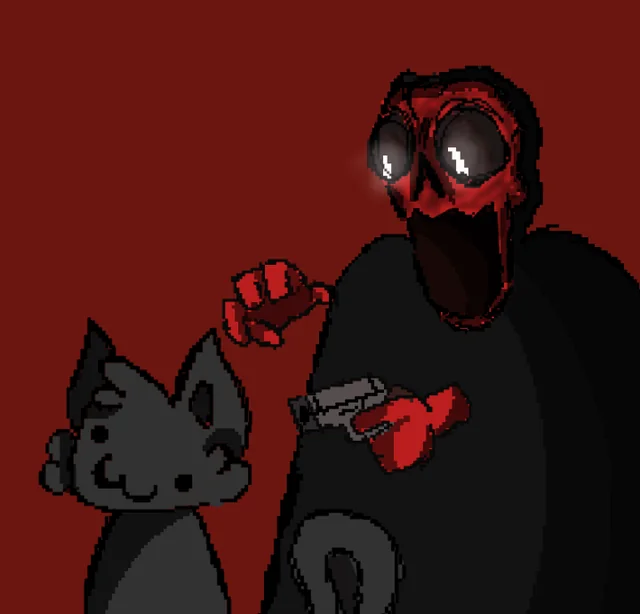
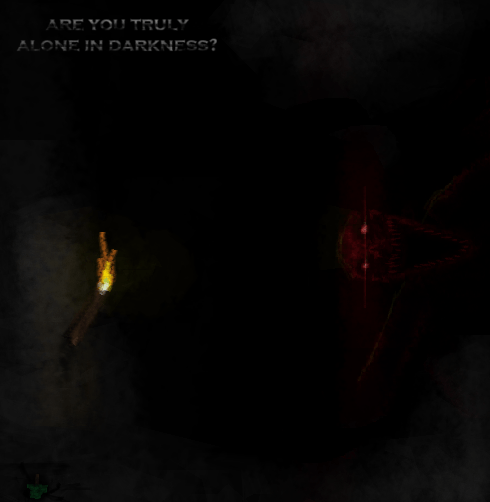
There's a shapeshifting nightmare out there: concealed a creature with unsettling intelligence and changing forms. Before it is seen, its presence is sensed through far-off murmurs, ephemeral shadows, minute alterations, and the oppressive feeling of being observed.

Chase and Decay are two of its forms that can be eliminated.
However, you will need to locate and kill their heart in order to destroy them.

And you will suffer under the Decaying Curse as long as Decay persists in your world.

It does more than just hunt.
It manipulates your thoughts.

Will you be the next victim or survive its games?

Dynamic Encounters: Masked's appearances follow erratic patterns and triggers.

Erratic AI: Masked's behaviour varies with each run to keep you on edge because it was created for chaos.

Immersion: Ambience, unsettling events, and unsettling audio/visual disturbances are all components of deep immersion.

Various Forms: Meet frightening iterations of Masked, such as Decay and Chase.

Hearts & Weaknesses: You have to destroy Chase's or Decay's heart in order to kill them.

Corpses & Gore: Following encounters, bodies, blood, and hearts are left behind, along with brand-new structures that heighten the terror.

New Events & Mechanics: Innovative gameplay twists that keep you guessing.

Configurable Experience: Modify spawn rates, intensity, behaviours, and special events with the Configured mod. (Lesser numbers indicate greater frequency. Higher numbers indicate rarity.

Corpse Cleaner
Bodies won't disappear on their own; either clean them up so you can obtain their flesh, which you can use to make the Heart Highlighter Device, or leave the horror in place.
Crafting Recipe
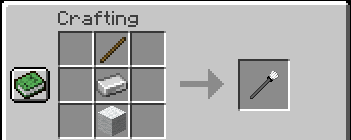
How to Use
Right-click on a Hanging Body or Dead Body to remove it.
After one use, the cleaner becomes dirty.
Wash it in water to reuse it.
Heart Highlighter Device
Depending on the surroundings, both the Red Heart and the Grey Heart can be challenging to locate. You can identify the living heart that needs to be destroyed with the aid of this device.
Crafting Recipe
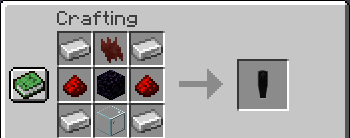
How to Use
Hold the Heart Highlighter Device in your hand.
Any Grey Heart or Red Heart that is currently alive will gain a glow effect, making it easier to locate.
The glow remains only while the device is held.

Upsidedowntree - Art/3D Art + Animations
VantablackDEV - Playtester/Helper
Knvif - Masked's voice inspiration
Monty - Animations + Coding
Brguiireal - Playtester/Helper
TournamenU - Art/3D Art
ClouddyVR - Animations
Ebalia - Ideas + Coding
Nempth - Ideas + Art