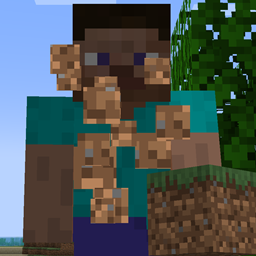
Normally, when pressing F1, every HUD element on-screen is hidden, including your player character's hands and items. This mod changes that so you now have to press F1 twice to achieve this - The first time you press it, you now get rid of the HUD but keep your hands in view!
Additionally, you can blacklist elements that will stay on-screen even after pressing F1 once too, including:
minecraft:player_health, minecraft:armor_level, minecraft:food_level, horseman:horseman_food_level, minecraft:air_level, minecraft:mount_health, minecraft:jump_bar, minecraft:experience_bar, minecraft:item_name
... and more! A full list of what elements from Minecraft and other mods you can blacklist from being hidden is printed in the log when you run the command "/disappear_gui_overlay print_gui_overlays"! Please be sure to install Configured for the easiest time configuring what HUD elements are blacklisted.
Made for Neko of Infernal Studios, who came up with the idea, did the art for the icon, and wrote this description!
Hope you enjoy!
Roxxy's Discord - https://discord.gg/YYM3NYssSJ