Description
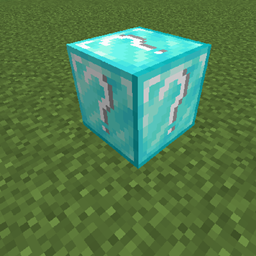
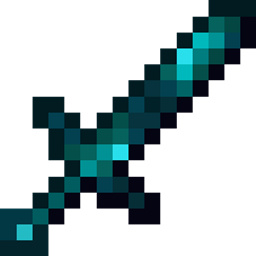
This mod adds a diamond variant of lucky blocks with 9 unique items it can drop.
!!! ALL OF MY NEW MODS AND CONTINUATIONS OF PREVIOUS MODS WILL BE AT https://www.curseforge.com/members/limegreen35/projects !!!
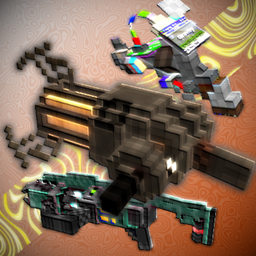
this mod adds new food, weapons and building blocks that you can use.
to get all the items in this mod you will need to get a diamond lucky block which has a
recipe similar to normal luckyblocks, where you surround a dispenser with diamonds to craft one.
(you cannot find these luckyblocks in a structure you need to craft them to get them)
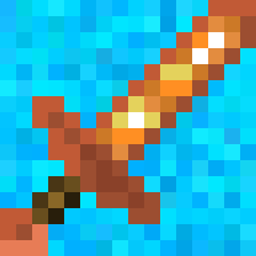
all the items you can get are related to diamonds in some way. some of the vanilla diamond items
you can get have a chance to have a random enchant on them.
this mod doesn't require any mods to be ran.
(this mod may be updated but probably will never work for versions 1.17 or higher)
AD
Become Premium to remove Ads!
What means Verified?
-
Compatibility: The mod should be compatible with the latest version of Minecraft and be clearly labeled with its supported versions.
-
Functionality: The mod should work as advertised and not cause any game-breaking bugs or crashes.
-
Security: The mod should not contain any malicious code or attempts to steal personal information.
-
Performance: The mod should not cause a significant decrease in the game's performance, such as by causing lag or reducing frame rates.
-
Originality: The mod should be original and not a copy of someone else's work.
-
Up-to-date: The mod should be regularly updated to fix bugs, improve performance, and maintain compatibility with the latest version of Minecraft.
-
Support: The mod should have an active developer who provides support and troubleshooting assistance to users.
-
License: The mod should be released under a clear and open source license that allows others to use, modify, and redistribute the code.
-
Documentation: The mod should come with clear and detailed documentation on how to install and use it.
AD
Become Premium to remove Ads!
How to Install
Download Forge & Java
Download Forge from the offical Site or here. If you dont have Java installed then install it now from here. After Downloading Forge you can run the file with Java.
Prepare
Lounch Minecraft and select your Forge istallation as Version this will create a Folder called Mods.
Add Mods
Type Win+R and type %appdata% and open the .minecraft Folder. There will you find your Folder called Mods. Place all Mods you want to play in this Folder
Enjoy
You are now Ready. Re-start your Game and start Playing.