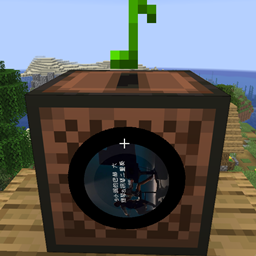
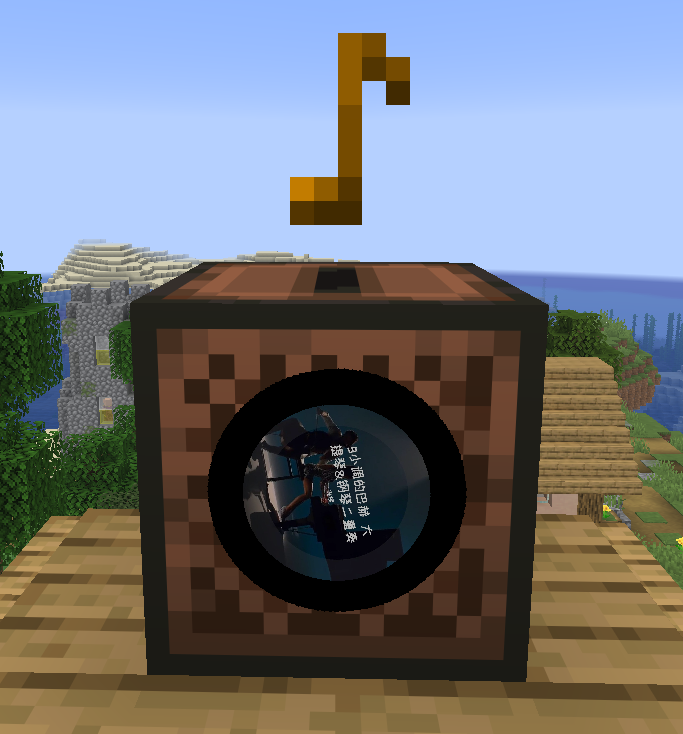
Minecraft Music Player is a Fabric music mod for Minecraft 1.21.11. It provides NetEase Cloud Music search, song requests, shared queue playback, playlist playback, custom music discs, and URL-based jukebox playback.
The server handles commands, queue logic, search requests, sync, random loot disc injection, and jukebox control. The client handles actual audio download, playback, and jukebox cover rendering. This is a dual-side mod, not a pure server-side audio mod.


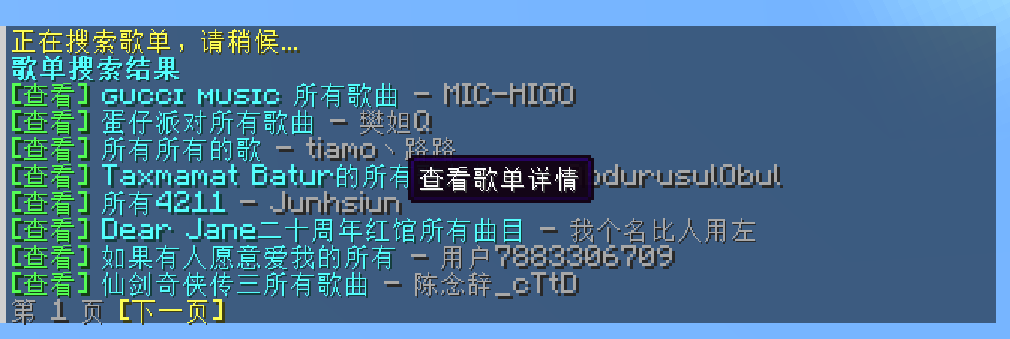



/music random generates 10 random hot songs each timeRecommended setup:
Minecraft Music Player on the serverMinecraft Music Player on clients that should hear music1.21.110.18.4 or newer0.141.3+1.21.11 or a compatible version21https://mycelis.dpdns.org/Put the mod jar and Fabric API into the server mods folder.
Put the mod jar and Fabric API into the client mods folder.
Default configuration uses:
https://mycelis.dpdns.org/Admins can override it by command and restore the default later.
/music burn song <song_id>[Burn] in supported list pagesA burned disc stores:
When the player holds a burnable disc in the main hand, a [Burn] action is shown automatically in these views:
/music now/music queue/music random/music search song .../music view playlist .../music view artist .../music view author ...Use:
/music randomBehavior:
The mod can inject random hot music discs into all loot-table-backed containers when they are opened for the first time.
Behavior:
| Command | Description |
|---|---|
/music |
Show help |
/music now |
Show the current track with a clickable download entry |
/music queue [page] |
Show the current queue |
/music queue next <song_id> |
Move a queued song to the next position |
/music join |
Join current playback |
/music leave |
Leave current playback |
/music mute once |
Stop receiving only the current song |
/music vote next |
Vote to skip to the next track |
/music play song <song_id> |
Request a single song |
/music play playlist <playlist_id> |
Switch into playlist playback mode |
/music burn song <song_id> |
Burn the held disc into a music disc |
/music random |
Generate 10 random hot songs |
/music random refresh |
Generate another random hot song list |
/music search song <keyword> |
Search songs |
/music search song page <page> <keyword> |
View a specific page of song search results |
/music search artist <keyword> |
Search artists |
/music search artist page <page> <keyword> |
View a specific page of artist search results |
/music search author <keyword> |
Alias of artist |
/music search playlist <keyword> |
Search playlists |
/music search playlist page <page> <keyword> |
View a specific page of playlist search results |
/music search user <keyword> |
Search users |
/music search user page <page> <keyword> |
View a specific page of user search results |
/music view artist <artist_id> |
View artist top songs |
/music view artist page <page> <artist_id> |
View a specific page of artist details |
/music view author <artist_id> |
Alias of artist |
/music view playlist <playlist_id> |
View playlist details |
/music view playlist page <page> <playlist_id> |
View a specific page of playlist details |
/music view user <user_id> |
View user playlists |
/music view user page <page> <user_id> |
View a specific page of user playlists |
| Command | Description |
|---|---|
/music admin reload |
Reload config |
/music admin status |
Show current config status |
/music admin clearqueue |
Clear queued tracks |
/music next |
Skip immediately to the next track |
/music stop |
Stop playback |
/music admin set baseUrl <url> |
Set the music API base URL, or use default to restore the default |
/music admin set allowCustomServer <true|false> |
Allow custom API URL or not |
/music admin set allowSongRequest <true|false> |
Allow song requests or not |
/music admin set allowPlaylistRequest <true|false> |
Allow playlist import or not |
/music admin set autoAdvance <true|false> |
Enable auto-advance or not |
/music admin set announceQueueChanges <true|false> |
Broadcast queue changes or not |
/music admin set showLoadingHints <true|false> |
Show search and resolve hints or not |
/music admin set useSystemProxy <true|false> |
Enable system proxy discovery or not |
/music admin set preferIpv4 <true|false> |
Prefer IPv4 or not |
/music admin set proxy <host:port> |
Set HTTP proxy |
/music admin set proxy none |
Clear proxy |
/music admin set connectTimeoutSeconds <3-60> |
Set connect timeout |
/music admin set readTimeoutSeconds <3-120> |
Set read timeout |
/music admin set searchLimit <3-20> |
Set list page size |
/music admin set maxQueueSize <1-200> |
Set queue size limit |
/music admin set playlistQueueLimit <1-100> |
Set maximum imported songs per playlist |
/music admin set queueCacheSize <0-20> |
Set server-side queue prefetch size |
/music admin set enableLootMusicDiscs <true|false> |
Enable random music discs in loot containers |
/music admin set lootMusicDiscChance <0.0-1.0> |
Set the generation chance for random loot music discs |
/music admin set lootMusicDiscCount <0-5> |
Set how many random music discs a loot container may generate |
/music admin set voteSkipPercent <0.1-1.0> |
Set vote skip ratio |
Configuration file path:
config/minecraft-music-player.jsonDefault config example:
{
  "neteaseBaseUrl": "https://mycelis.dpdns.org/",
  "proxy": "",
  "useSystemProxy": true,
  "preferIpv4": true,
  "allowCustomServer": true,
  "allowSongRequest": true,
  "allowPlaylistRequest": true,
  "autoAdvance": true,
  "announceQueueChanges": true,
  "showLoadingHints": true,
  "connectTimeoutSeconds": 10,
  "readTimeoutSeconds": 20,
  "searchLimit": 8,
  "maxQueueSize": 40,
  "playlistQueueLimit": 20,
  "queueCacheSize": 3,
  "enableLootMusicDiscs": true,
  "lootMusicDiscChance": 0.3,
  "lootMusicDiscCount": 1,
  "voteSkipPercent": 0.6
}