# MCML
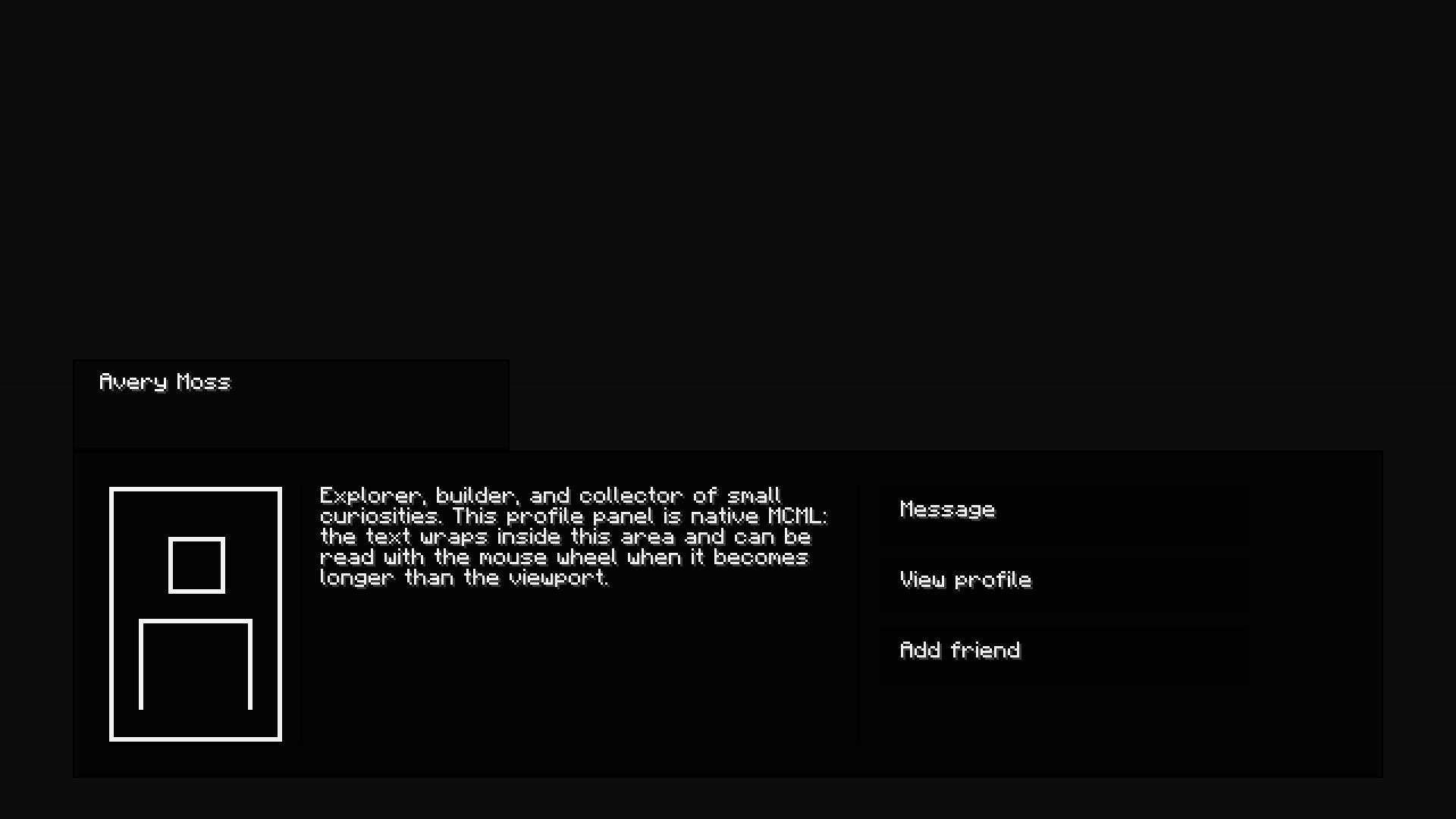
This mod is an easy way to create, animate and use your custom UI's by using close to if not no Java, it uses it's custom format called .mcml here is the sample on how the code works.
1.20.1 Fabric only for now!
expect change very soon!
<box style="color=@transparent; width=100%; height=100%; animation=fade-in 300 ease-out;">
    <box style="color=@transparent; height=44%;" />

    <box style="color=@transparent; width=100%; height=11%; direction=row;">
        <box style="color=@transparent; width=5%; height=100%;" />
        <box style="color=@headerColor; borderColor=@panelBorderColor; borderWidth=1; width=30%; height=100%; padding=6 12 6 12;">
            <text style="color=@nameColor">@name</text>
        </box>
    </box>

    <box style="animation=fade-in 250 ease-out; color=@transparent; width=100%; height=40%; direction=row;">
        <box style="color=@transparent; width=5%; height=100%;" />
        <box style="color=@panelColor; borderColor=@panelBorderColor; borderWidth=1; width=90%; height=100%; padding=16 16 16 16; direction=row;">
            <avatar style="color=@avatarColor; width=14%; height=100%;" />

            <box style="color=@dividerColor; width=1; height=100%; margin=0 8 0 8;" />

            <box style="color=@transparent; width=42%; height=100%;">
                @subtitle
            </box>

            <box style="color=@dividerColor; width=1; height=100%; margin=0 8 0 8;" />

            <box style="color=@transparent; width=30%; height=100%;">
                <button id="message" style="color=@rowColor; width=100%; height=22%; resize=grow-only; margin=0 0 6 0; padding=6 10 6 10;">
                    <text style="color=@rowTextColor">@actionOne</text>
                </button>
                <button link="profile" style="color=@rowColor; width=100%; height=22%; resize=grow-only; margin=0 0 6 0; padding=6 10 6 10;">
                    <text style="color=@rowTextColor">@actionTwo</text>
                </button>
                <button id="add_friend" style="color=@rowColor; width=100%; height=22%; resize=grow-only; padding=6 10 6 10;">
                    <text style="color=@rowTextColor">@actionThree</text>
                </button>
            </box>
        </box>
    </box>
</box>