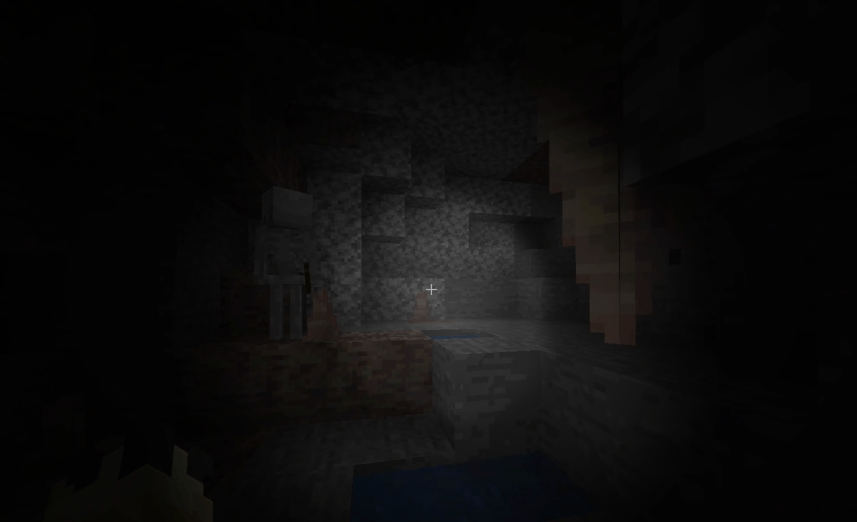
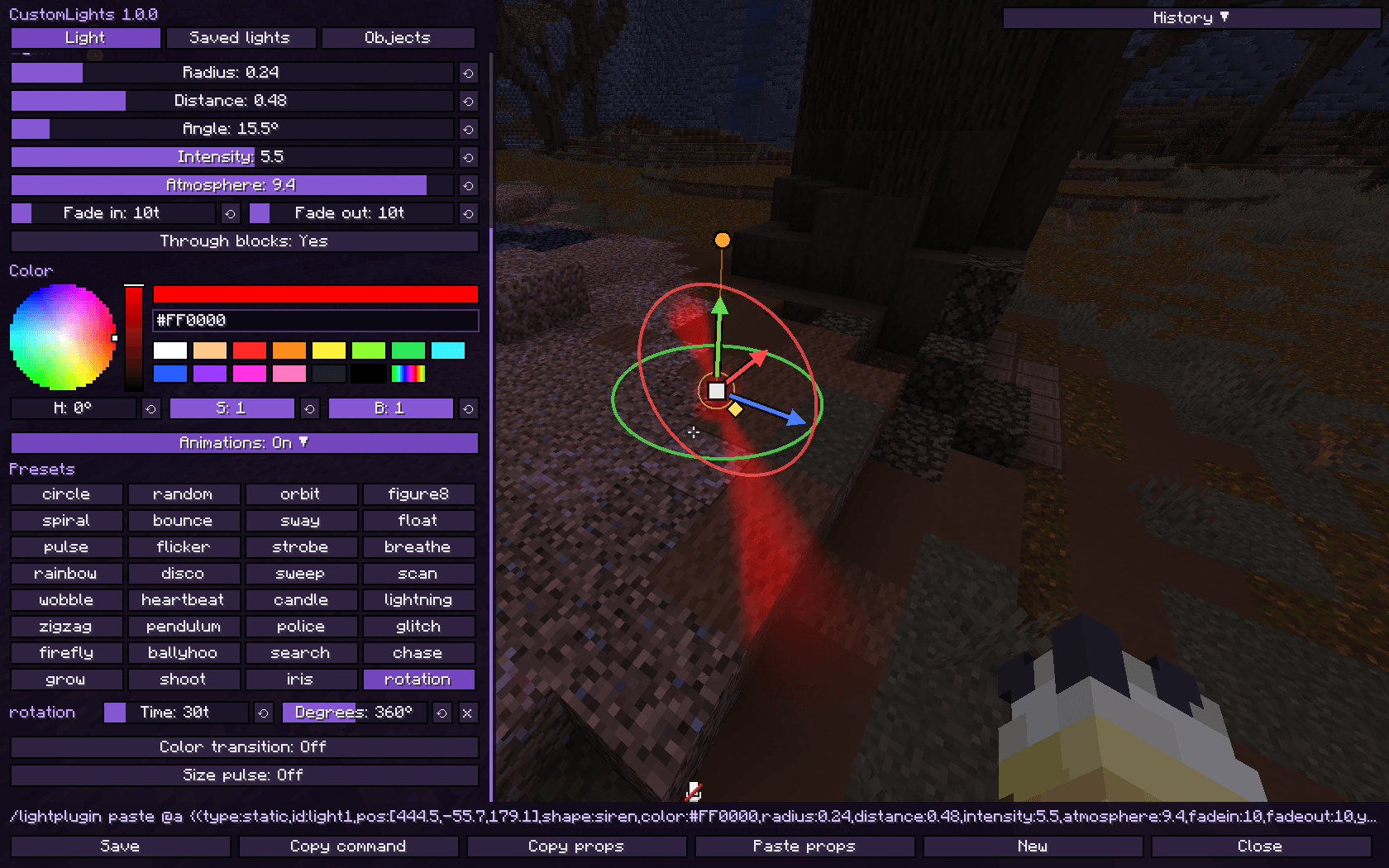
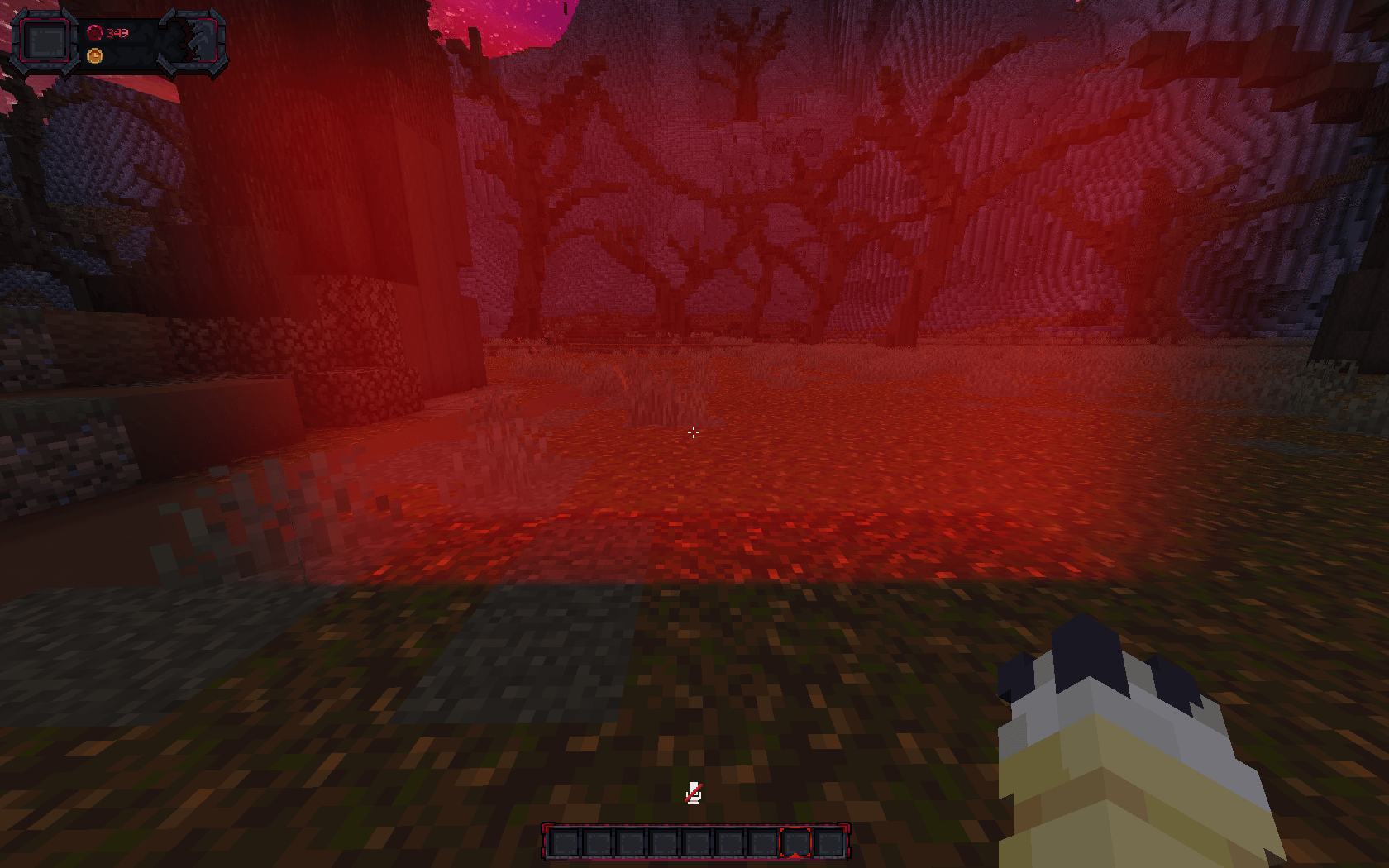
Create colored lights with shapes, glowing atmosphere and animations anywhere in the world: spotlights, cones, beams, sirens, a real flashlight, 13 special shapes that move on their own, and lights on items, blocks, particles, entities and model bones. Use client commands, the visual editor with gizmo, or control everything from a server with the CustomLights plugin.
Lights are drawn on top of the finished frame, so they light blocks, entities, players, held items and your own hand alike, and cost nothing when you cannot see them.
| Loader | Versions |
|---|---|
| Fabric | 1.20.1 · 1.20.4 · 1.21.1 · 1.21.4 · 1.21.5 · 1.21.8 · 1.21.11 · 26.2 |
| NeoForge | 1.20.1 · 1.20.4 · 1.21.1 · 1.21.4 · 1.21.5 · 1.21.8 · 1.21.11 · 26.2 |
| Forge | 1.20.1 · 1.20.4 |
| Fabric | NeoForge | Forge | |
|---|---|---|---|
| Sodium | Sodium | Sodium / Embeddium | Embeddium |
| Shaders | Iris + any shader pack | Iris / Oculus + any shader pack | Oculus + any shader pack |

/customlightsphere pad cone inverted_cone spotlight flashlight siren beam ring box star cross triangle, plus 13 special ones, each with a ready-made lookfire portal lightning aurora ripple plasma tornado singularity rune flare mist comet laser_door. Their shape changes every frame, each light on its own clock, so two fires never burn the same wayparty) and dark lights that darken instead of lightingflashlight shape shines from its target's eyes where it looks, each with its own ID and groupballyhoo, search, chase, rotation...), color transitions and size pulsessmooth, linear, step or bounce easingcustomlights_<id> in GeckoLib, ModelEngine or item models becomes a light that follows its animationmedium by default)fire portal lightning aurora ripple plasma tornado singularity rune flare mist comet laser_door
These move by themselves and come with their own colour and animations when you pick them. In the editor they are the ones written in yellow in the shape list. Everything they set is a normal value, so you can change the colour, the size or any of their animations afterwards, or drop them entirely.
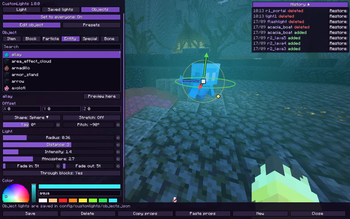
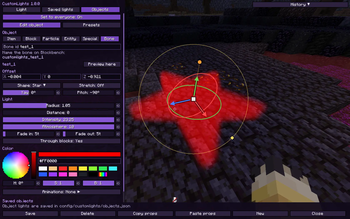
Press J (Controls → CustomLights) or run /customlight editor [id]. You can keep walking while it is open.
tag:), with Tab completionOrange glowing ball:
/customlight set lamp ~ ~1 ~ sphere orange 1 3 2 2 10 10Campfire that burns by itself:
/customlight set bonfire ~ ~ ~ fire orange 0.7 0.35 3 2 10 10Summoning circle on the ground:
/customlight set circle ~ ~ ~ rune aqua 2.4 0.35 2.8 1.5 10 10Laser door across a corridor:
/customlight set door 0.5 70 8.5 laser_door lime 1.4 0.05 3.6 3 10 10 0 -90Stage spotlight pointing down, sweeping around:
/customlight set stage 0.5 75 8.5 spotlight white 1.5 1 4 4 20 20 0 90
/customlight animate stage search 80 30
Rotating police siren:
/customlight set siren1 0.5 70 12 siren red 0.5 0.3 2.6 2.5 10 10
/customlight animate siren1 rotation 40 360
A lamp with a white hot core:
/customlight set core 0.5 70 0.5 sphere red 1 3 2.5 3 10 10
/customlight luminosity core 6
A beam that grows upwards from its base:
/customlight set pillar 0.5 70 0.5 beam gold 0.6 1.5 2 7 10 10
/customlight stretch pillar 1 3 1
/customlight pivot pillar 0 -1 0
Light that follows a player, hidden from their own first person view:
/customlight follow aura Steve 0 1 0 sphere aqua 1.5 2 2 1 10 10 falseParty lights on every entity with a tag:
/customlight follow party tag:dancer 0 2 0 sphere party 1 2 3 2 10 10
/customlight animate party disco 20
Flashlight, then hand it to another player:
/customlight flashlight white 1 8
/customlight flashlight target Steve
Saved flashlight on a player:
/customlight follow torch2 Steve 0 0 0 flashlight white 1 8 2.8 0.35 0 0Move a light with a bounce:
/customlight move lamp ~ ~3 ~ bounce 40Copy and paste a light:
/customlight paste {(type:static,id:lamp,pos:[0.5,70,8.5],shape:cone,color:warm,radius:3,distance:1.5,intensity:2,atmosphere:4,fadein:10,fadeout:10,yaw:0,pitch:90,presets:[pulse:60:0.9],colors:[warm:20,magenta:40])}/customlight set <id> <x> <y> <z> <shape> <color> <radius> <distance> <intensity> <atmosphere> <fade_in> <fade_out> [yaw] [pitch]
/customlight follow <id> <player|uuid|tag:<tag>|@self> <offX> <offY> <offZ> <shape> <color> <radius> <distance> <intensity> <atmosphere> <fade_in> <fade_out> [yaw pitch] [visible_firstperson]
/customlight move <id> <x> <y> <z> <smooth|linear|step|bounce> <time>
/customlight remove <id|all|flashlight> [fade_out]
/customlight model_id <id> <x> <y> <z> <shape> <color> <radius> <opacity> <light> <fade_in> <fade_out> [distance] [yaw] [pitch]
/customlight model_remove <id|all> [fade_out]
/customlight flashlight <color> <scale> <distance> [intensity] [atmosphere] [camera_delay] [angle] [target]
/customlight flashlight target <player|uuid|tag:<tag>|@self>
/customlight flashlight off
/customlight animate <id> <preset[+preset...]> [time] [amount]
/customlight animate <id> add <preset> [time] [amount]
/customlight animate <id> remove <preset>
/customlight animate <id> color_transition <color1> <ticks1> <color2> <ticks2> [...]
/customlight animate <id> size <radius> <distance> <time>
/customlight animate <id> animation_radius <radius> [time]
/customlight animate <id> stop [all|preset|color|size|radius]
/customlight stretch <id> <x> <y> <z>
/customlight pivot <id> <x> <y> <z>
/customlight luminosity <id> <0-10>
/customlight angle <id> <degrees>
/customlight seethrough <id> <true|false>
/customlight group add|remove <group> [lights...]
/customlight group modify <group> on|off|animations on|animations off|rename <name>
/customlight group list
/customlight copy [id]
/customlight paste [light]
/customlight list
/customlight editor [id]
/customlight toggle
/customlight quality <low|medium|high|ultra>
/customlight stats| Option | Values |
|---|---|
| shape | sphere pad cone inverted_cone spotlight flashlight siren beam ring box star cross triangle fire portal lightning aurora ripple plasma tornado singularity rune flare mist comet laser_door |
| color | white warm cold red crimson orange lava gold yellow lime green teal aqua cyan blue navy purple magenta pink soul shadow black, HEX #RRGGBB or party |
| radius | Size of the fully lit shape |
| distance | How far the light blurs out past the shape. 0 = hard edge |
| intensity | Brightness. Dark colors darken instead |
| atmosphere | 0–10, light scattered in the air |
| luminosity | 0–10, how hot the middle of the light burns. It holds a white core that grows with the value and eases back to the light's own colour further out |
| fade_in / fade_out / time | Ticks (20 ticks = 1 second) |
| yaw / pitch | Where the light points (yaw 0 = south, pitch 90 = down) |
| angle | 1–170°, how wide cones, spotlights, flashlights and sirens open |
| stretch | -64–64 on the shape's own X/Y/Z |
| pivot | -64–64, the point the stretch grows from, on the shape's own X/Y/Z (0 0 0 = its middle) |
| visible_firstperson | false hides a follow light from the followed player in first person |
| quality | low · medium (default) · high · ultra |
| Kind | Presets |
|---|---|
| Movement | circle random orbit figure8 spiral bounce sway float zigzag firefly |
| Intensity | pulse flicker strobe breathe heartbeat candle lightning glitch |
| Color | rainbow disco police |
| Direction | sweep scan wobble pendulum |
| Stage | ballyhoo search chase grow shoot iris rotation |
Combine presets with + (circle+pulse), each with its own time and amount. Every preset loops smoothly without jumps.
beacon_beam end_gateway_beam end_crystal_beam conduit lit_blocks burning_entity glowing_entity charged_creeper enchanted_item enchanted_gear hostile_mobs animals players projectiles bosses item_entitiescustomlights_<id> in Blockbench (GeckoLib, ModelEngine or item models) and it becomes the light <id>, following the animationObject lights are shared by every world in config/customlights/objects.json.
~ and ~1.5; whole numbers on x/z are centred on the block like /tp/customlight paste without text reads the clipboard, so long lights work past the 256 character chat limittag:<tag> follow lights work on their own in singleplayer; on servers the plugin sends the tagged entities/customlight toggle turns every light off and on, /customlight quality low for weaker PCsOther mods can place lights through com.cotii.customlights.api.CustomLights, the same class on Fabric, NeoForge and Forge. Lights made this way are the player's own: saved with the world, shown in the editor and usable in groups.
CustomLights.light("mymod:bonfire")
        .at(12.5, 64, -30.5)
        .style("fire")     // the shape with the look and animations the editor gives it
        .radius(1.4f)
        .luminosity(4)
        .add();

CustomLights.light("mymod:torch")
        .follow("@self", 0, 0, 0)
        .style("flashlight")
        .cameraDelay(2)
        .throughBlocks(false)
        .add();

CustomLights.remove("mymod:torch", 6);
The repository has the full list, the dependency snippet for each loader and a longer example of a flashlight bound to a custom item.
With the plugin on a Paper server, send lights to players with the mod (Fabric, NeoForge or Forge). Players without the mod can still join normally.
/lightplugin (alias /lpl) with a target: @a, all, a player name or a selectorcustomlights.admin (default: OP)Plugin commands
/lpl set <targets> <id> <x> <y> <z> <shape> <color> <radius> <distance> <intensity> <atmosphere> <fade_in> <fade_out> [yaw] [pitch]
/lpl follow <targets> <id> <target> <offX> <offY> <offZ> <shape> ... [yaw pitch] [visible_firstperson]
/lpl move <targets> <id> <x> <y> <z> <smooth|linear|step|bounce> <time>
/lpl remove <targets|all> <id|all> [fade_out]
/lpl model_id <targets> <id> <x> <y> <z> <shape> <color> <radius> <opacity> <light> <fade_in> <fade_out> [distance] [yaw] [pitch]
/lpl model_remove <targets> <id|all> [fade_out]
/lpl animate <targets> <id> <preset[+preset]> [time] [amount]
/lpl stretch <targets> <id> <x> <y> <z>
/lpl pivot <targets> <id> <x> <y> <z>
/lpl luminosity <targets> <id> <0-10>
/lpl angle <targets> <id> <degrees>
/lpl seethrough <targets> <id> <true|false>
/lpl group <targets> list | add <group> [ids] | remove <group> [ids] | modify <group> on|off|animations <on|off>
/lpl flashlight <targets> <color> <scale> <distance> [intensity] [atmosphere] [camera_delay] [angle] [holder] | target <holder> | off
/lpl object list | object remove <key|all>
/lpl preset list | preset remove <name|all>
/lpl paste <targets> {(...)}
/lpl list [targets]
/lpl reload
Plugin examples
/lpl set @a spawnlight 0 72 0 beam gold 0.8 1 3 4 20 20
/lpl animate @a spawnlight breathe 60
/lpl set @a gate 0 70 20 portal purple 1.8 0.7 2.4 3.5 20 20
/lpl luminosity @a gate 5
/lpl follow @a crown Steve 0 2.3 0 sphere gold 0.4 1 3 2 10 10
/lpl move @a spawnlight ~ ~5 ~ smooth 60
/lpl flashlight @a white 1 8 2.8 0.35 0 40 Steve
/lpl remove all