Custom Boss Rematch is a Minecraft Forge mod that lets you challenge defeated bosses again and again!
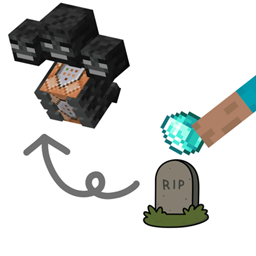
When a configured boss dies, a grave is generated. Use a specified revival item on the grave to summon the boss again and start another fight.
Whether you want to practice boss fights, test different equipment, or challenge powerful bosses from other mods, Custom Boss Rematch makes repeat battles easy to set up.
Rematch Defeated Bosses — Fight configured bosses as many times as you want.
Modded Boss Support — Configure bosses from other mods using their entity IDs.
Datapack Configuration — Customize boss entities, revival items, cooldowns, and spawn behavior without modifying the mod.
Initial Spawn Location — Optionally generate graves near a boss's initially recorded spawn location instead of its death location.
Improved Grave Placement — Graves can be generated in midair without requiring a solid block underneath.
Obstacle-Aware Placement — Searches for nearby suitable locations when the preferred position is blocked, without replacing existing blocks such as bedrock or barrier blocks.
Configurable Revival Cooldowns — Define how long players must wait before reviving a boss again.
Multiplayer Friendly — Designed for use in modded worlds and servers.
Configure a boss using a datapack.
Defeat the configured boss.
A grave is generated near the configured location.
Right-click the grave with the required revival item.
The boss is summoned again, allowing you to start another fight.
Custom Boss Rematch uses Minecraft's datapack system, making it possible to add and customize boss definitions without creating a separate mod for each boss.
Create a datapack in your world's datapacks folder.
Example folder structure:
.minecraft/
└── saves/
    └── YourWorld/
        └── datapacks/
            └── my_bosses/
                ├── pack.mcmeta
                └── data/
                    └── custom_boss_rematch/
                        └── bosses/
                            └── ender_dragon.json
Create a pack.mcmeta file in the root of your datapack.
For Minecraft 1.20.1:
{
  "pack": {
    "pack_format": 15,
    "description": "Custom Boss Rematch - Custom Bosses"
  }
}
Create a JSON file at:
data/custom_boss_rematch/bosses/ender_dragon.json
Example configuration:
{
  "entity": "minecraft:ender_dragon",
  "revive_item": "minecraft:nether_star",
  "cooldown": 60,
  "spawn_y_offset": 1.5,
  "use_initial_spawn_location": true
}
This example configures the Ender Dragon to be revived using a Nether Star, with a 60-second cooldown.
| Parameter | Description | Default |
|---|---|---|
entity |
Entity ID of the boss that can be revived. | Required |
revive_item |
Item ID required to revive the boss. | Required |
cooldown |
Cooldown before the boss can be revived again, in seconds. | 0* |
spawn_y_offset |
Vertical offset applied when spawning the boss relative to the grave. | 0* |
use_initial_spawn_location |
Whether to generate the grave near the boss's initially recorded spawn location rather than its death location. | true |
*The defaults shown for cooldown and spawn_y_offset apply only if they match the implementation in your installed version. Specify these values explicitly if you are unsure.
About use_initial_spawn_location:
true — Generate the grave near the boss's initially recorded spawn location.
false — Generate the grave near the boss's death location.
Omitted — Defaults to true.
You can add multiple JSON files to the bosses directory.
data/
└── custom_boss_rematch/
    └── bosses/
        ├── ender_dragon.json
        ├── wither.json
        └── my_custom_boss.json
Each JSON file defines a separate boss and its revival settings.
After adding or modifying your datapack, run /reload to reload datapacks.
Minecraft 1.20.1
Minecraft Forge
Compatible with configurable entity IDs from other mods, provided those entities can be spawned and handled correctly by the game.
Found a bug or have a suggestion? Please report it with details about the issue, including relevant logs and reproduction steps when possible.