Coordinate Targetified Bossbar
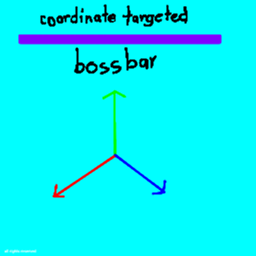
Coordinate Targetified Bossbar adds a customizable bossbar that tracks your progress between two coordinates.
Instead of showing a normal health-style progress bar, the bossbar can represent how far you have traveled toward a target position.
Features
Commands
Create a bossbar
/bossbar_xyz create <name> <x1> <y1> <z1> <x2> <y2> <z2> [showPercentage]
Creates a coordinate-targeted bossbar.
"showPercentage" is optional and defaults to "true".
Example:
/bossbar_xyz create "Reach the Target" 0 100 0 0 0 100 true
Delete a bossbar
/bossbar_xyz delete <name>
Removes an existing coordinate bossbar.
Edit a bossbar
/bossbar_xyz edit <newName> <x1> <y1> <z1> <x2> <y2> <z2> [showPercentage]
Changes an existing coordinate bossbar's settings.
How Progress Works
The mod calculates your position relative to the line between the starting coordinate and target coordinate.
For example, if your target is:
Start: 0 100 0 Target: 0 0 0
your progress will approximately be:
Y = 100 → 0% Y = 75 → 25% Y = 50 → 50% Y = 25 → 75% Y = 0 → 100%
This makes it useful for things such as coordinate challenges, travel goals, Y-level challenges, maps, and progression objectives.
Compatibility
Minecraft: Fabric 26.1.x
Loader: Fabric
Environment: Singleplayer
«Multiplayer support is not a primary target of this mod.»