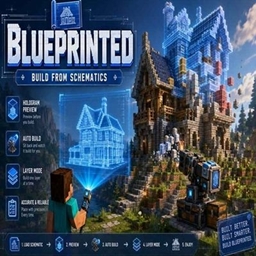
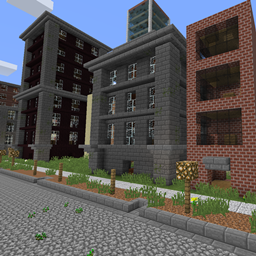
Blueprinted is a Minecraft building and schematic mod designed to make large-scale construction faster, easier, and more organized without taking away the feeling of actually building.
Create schematics directly from your world, preview them as holograms, build them manually layer by layer, automatically place the correct blocks from your inventory with the Schematic Wand, or let the Build Cannon construct the entire structure for you.
Whether you're copying a small house, rebuilding a massive base, or working through a huge schematic one layer at a time, Blueprinted gives you several ways to build depending on how much automation you want.
The Schematic Wand is the main tool used to create and build schematics.
Use it to select two positions in the world and save the selected structure as a reusable schematic.
Once a schematic is loaded, Blueprinted displays a holographic preview of the structure in the world.
The Wand supports both Select Mode and Build Mode, allowing you to switch between creating schematics and constructing them.
Loaded schematics appear as a hologram directly in the world.
Blueprinted automatically shows the state of each position:
This makes it easy to immediately see what is missing, what is incorrect, and what needs to be removed.
Blueprinted supports two different ways of viewing your schematic.
Whole Mode displays the entire structure at once.
Layer Mode displays only a single horizontal layer, making large or complicated builds much easier to construct manually.
While holding the Schematic Wand, use Page Up and Page Down to move through the schematic layers without needing to reopen the interface.
Layer Mode works especially well with Auto Place.
Auto Place allows you to build directly from the hologram without constantly searching through your inventory.
When Auto Place is enabled:
Hold the Schematic Wand in Build Mode and right-click a missing ghost block.
Blueprinted will automatically:
You can also ignore automatic placement and simply hold the required block yourself. Manual placement uses Minecraft's normal placement mechanics, allowing you to control things such as stair direction, slab position, log orientation, trapdoors, and other directional blocks.
You can still build normally outside of your schematic.
Blueprinted can calculate the materials required to complete your loaded schematic.
The Material HUD compares the schematic with what has already been built and shows what is still needed.
It can count materials from:
Shulker contents are counted for the material display, but the Schematic Wand will not automatically remove blocks from inside Shulker Boxes.
Once your hologram is positioned correctly, Lock Schematic prevents accidental movement, rotation, or mirroring.
This is especially useful when working on large builds where accidentally moving the schematic could cause major alignment problems.
Blueprinted includes a dedicated interface for managing your schematics.
From the Schematics menu you can:
Load • Save • Delete • Info • Unload
Deleting a schematic requires confirmation to prevent accidental removal.
Schematics are stored locally inside your Minecraft instance rather than in a shared server library.
This means your schematic collection belongs to you.
If you want to share a schematic with another player, simply send them the .blueprinted file and they can place it into their own Blueprinted schematic folder.
The Schematic Table lets you turn your saved schematics into Blueprint items.
Blueprints can then be used with other Blueprinted systems, including the Build Cannon.
Each Blueprint keeps information identifying the schematic it represents, helping prevent similarly named schematics from being confused with one another.
For players who want full construction automation, Blueprinted includes the Build Cannon.
Load a Blueprint into the Cannon, provide the required materials through nearby storage, and the Cannon can automatically construct the schematic.
The Cannon recognizes storage blocks placed in the eight blocks directly surrounding its base on the same level.
It features an animated turret that aims toward the position currently being constructed and displays floating status information such as:
IDLE
WORKING
COMPLETE
Missing: Stone Bricks
Clearing: x, y, z
Missing material messages are highlighted so problems are easy to identify.
Speed Upgrades reduce the delay between construction cycles.
| Upgrades | Build Delay | Approx. Cycles/sec |
|---|---|---|
| 0 | 20 ticks | 1.00 |
| 1 | 17 ticks | 1.18 |
| 2 | 14 ticks | 1.43 |
| 3 | 11 ticks | 1.82 |
| 4 | 8 ticks | 2.50 |
Maximum: 4 Speed Upgrades
Construction Upgrades increase how many blocks the Cannon can place during each cycle.
| Upgrades | Blocks per Cycle |
|---|---|
| 0 | 1 |
| 1 | 2 |
| 2 | 3 |
| 3 | 4 |
| 4 | 5 |
Maximum: 4 Construction Upgrades
The Demolition Upgrade allows the Build Cannon to automatically clean up mistakes before construction begins.
It can remove:
Once the area matches the schematic requirements, normal construction begins.
The Cannon protects itself, its surrounding storage, and unbreakable blocks from demolition.
Maximum: 1 Demolition Upgrade
Blueprinted is designed to preserve much more than simple block IDs.
Schematics can retain data for things such as:
Container inventories such as chest contents are intentionally not copied.
Blueprinted isn't designed around only one building style.
You can choose how much assistance you want:
Traditional Building
Use the hologram purely as a guide and place everything yourself.
Layer Building
Work through the structure one layer at a time.
Auto Place
Right-click ghosts with the Wand and automatically use the correct materials from your inventory.
Build Cannon
Supply the materials and let the Cannon construct the schematic automatically.
You can switch between these approaches depending on the build.